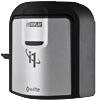
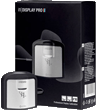
We've worked out an
exclusive deal for our members to bring you this product at a price lower than
what everyone else pays anywhere on the internet. Buy direct from our ChromaPure
partner at prices lower than buying off their own website. Same product, same
support, just more money in your pocket at the end of the day.
New to calibration? Give our
free step by step guide a read:
Confused about meters? See our
FAQ: Which meter
is right for me?
The EyeOne Pro is a true spectroradiometers
(spectrophotometers), and thus offers the most accurate readings for the widest
range of displays at an affordable price.
The meter's only drawback is relatively limited low-light sensitivity.
The EyeOne Proalone is therefore not the perfect choice for gamma and contrast
measurements that will generally require readings below the meter's
effective operating range.
Thus, it is a nearly ideal choice for use together with the
Display 2/LT,
Chroma 5, or
Display 3 colorimeter, all of
which can work well in very low light settings. Simply
create an offset in ChromaPure using the EyeOne Pro as a reference and then use
that offset to correct the response of the other meter.
Although the color performance of inexpensive meters (such as the
Display 2/LT) is not as good as
the EyeOne Pro, their luminance performance is remarkably accurate down to
surprisingly low levels. Furthermore, once color corrected by a known reference,
they maintain their accuracy down to very low levels as well.
The combination of the EyeOne Pro together with either of these colorimeters offers excellent accuracy, speed, and
low-light sensitivity and is suitable for professional calibrations.
We offer a special package which includes both the EyeOne Pro and
Display 3 (see the BUY NOW
button above). You may also use the EyeOne Pro by itself when
low-light capabilities are not critical.
Why use a spectroradiometer instead of a less expensive pod colorimeter?
A pod
device such as the Spyder or Eye-One Display 3 measures light through filters and estimates the color based on a
relatively small number of sensors, usually three and sometimes a few more. The
EyeOne Pro uses a holographic diffraction grating with a diode array (no
filters to degrade) similar to what is found in laboratory grade instruments.
The meter samples with 100 sensors instead of three and uses the
internationally recognized scientific standard method from CIE to calculate the
x and y coordinates from those samples. The end result is increased accuracy
that remains accurate over time.
As mentioned previously however, once color corrected by a known reference
such as the EyeOne Pro, a less expensive pod colorimeter can remain accurate.
Technical Specifications
| Optical Resolution: |
10 nm |
| Sampling Interval: |
3.5 nm |
| Spectral Range: |
380 nm-730nm in 10nm increments |
| Short-term
repeatability:* |
Chromaticity: x,y <+/-0.002 |
* CRT 5,000k, 80 cd/m2
How does the EyeOne Pro 2 compare to the original?
In 2012 X-Rite released an updated version of the EyeOne Pro called the
EyeOne Pro 2 (i1Pro 2). This version replaces the extremely stable revision D
version that people have known and used for years. The accuracy of the EyeOne
Pro 2 is the same for the original EyeOne Pro. It looks and feels like it is
better built, and is heavier. It is better isolated from temperature (partially
due to the aluminum outer shell) and it reads higher levels of luminance, but
the vast majority of the improvements made are for reflectance readings for
those who use it for photography and print work, not for the emissive mode that
we use for calibrating displays.
The EyeOne Pro 2 looks and behaves identically as the EyeOne Pro as far as
supporting software is concerned. If software supports the EyeOne Pro, then it
will also work with the EyeOne Pro 2. No ChromaPure software or driver changes
are required.
How does the EyeOne Pro 3 compare to the EyeOne Pro 2?
The i1Pro 3 supports higher levels of luminance
(5000 nit luminance limit). It was developed to accommodate the higher light
output used by HDR.
Calibrating Front Projectors
For best accuracy, we recommend calibrating front projectors by
taking readings directly off the screen. For a modest fee a
universal front projection kit
is also available that includes a tripod mount and an opal glass diffuser for
those who prefer the higher light levels available from direct lens readings.
However, when taking readings in this mode, you should always color correct the
results from an offset created by taking readings from the screen without the
diffuser.
From left to right: i1Pro 3, i1Pro 2, original i1Pro

Calibration DVD For your convenience our ChromaPure
partner offers a simple
calibration DVD that includes all of the test patterns that you'll need to
perform a complete calibration of your display. This DVD is offered free as a
complementary download.
Click here to download the DVD
Instructions:
- Download the .zip file to your PC.
- Unzip the contents, which is an .iso DVD image file, to
your hard drive.
- Double-click the .iso file.
- If you have DVD burning software (e.g., Nero Burning
ROM), the file will open.
Set the image type to DVD (not CD) if necessary.
- Insert a blank, writable DVD into your DVD
burner, and then burn the image.
Reviews/Testimonials
For reviews/testimonials of ChromaPure calibration software & packages, see our
ChromaPure order page.
Why buy from CurtPalme.com?
CurtPalme.com are calibration experts and authors of the popular
free calibration guide:
Grayscale & Color
Calibration for Dummies. We live and breathe calibration. No matter what
your needs we can assist in choosing what's right for you. We offer products for
the budget DIY'er all the way up to the seasoned professional, all at CurtPalme.com
discounted prices.
Warranty
All X-Rite meters are backed by a strong one-year warranty. Click
here
for full X-Rite warranty details.
Links
ChromaPure software
ChromaPure
Grayscale & Color Calibration for Dummies
Official EyeOne Pro & with ChromaPure forum thread
ChromaPure Discussion/Support Forum
FAQ: Which meter
is right for me?
Colour
Science: About Meter Accuracy
Colour Science:
Video Calibration Myths
Questions, comments or feedback should be directed to
:
chromapure@curtpalme.com
|