|
As this forum is rarely used anymore, we've locked it. Feel free to browse and read. Questions? Please reach out to us directly. Cheers! |
|
|
 |
|
|
| Author |
Message |
SGIforever
Joined: 06 Jul 2009
Posts: 66
Location: Sweden
|
| Posted: Thu Feb 21, 2013 9:37 am Post subject: BV 701s showing very dark (inverted?) picture at 1080i |
|
|
I've done a small test setup of Barco Vision 701s, but I'm having problems when I feed I anything higher than 480p. I'm running it at 848x480 for now.
I'm using a PC with a Quadro FX1300 card, DVI-VGA adapter, VGA-BNC cable, input source 3, and the nvidia controlpanel to experiment.
I used the Custom Resolution Utility described in this post https://www.curtpalme.com/forum_archived/viewtopic.php@t=33236.html
to add 1920x1080i@29.97 to the resolutionlist. I put the number 29.97 for interlaced, which I hope is correct.
I get a picture on my testing CRT monitor.
It locks on, and I have picture ... but it looks inverted. All that is supposed to be white is black.
I have to look into the lenses to see anything. I tried to switch sync polarity, but it didn't change the output.
I think -/- sync polarity is it correct for a 701s, and I have tried all combinations.
Actually, the picture is brighter at the top and bottom, but I don't know if it's because it warps around on these edges.
There is a line-doubler in the unit. Is it trying to line-double any interlaced signal, and show it as 1080p?
I had a thought to remove that LIDO, but there are a lot of cables involved. I think this is a factory installed option and maybe it's not supposed to be removed ever again.
|
|
| Back to top |
|
 |
gjaky

Joined: 05 Jun 2010
Posts: 2802
Location: Budapest, Hungary
|
| Posted: Thu Feb 21, 2013 2:26 pm Post subject: |
|
|
A picture of the problem would really help us to guess what is going on.
_________________
projectors in the past : NEC 6-9PG xtra, Electrohome Marquee 6-7500, NEC XG 1351 LC ( with super modified Electrohome VNB neckboard !!!)
current: VDC Marquee 9500LC
The MOD: VNB-DB, VIM-DB
|
|
| Back to top |
|
|
Hulio
Joined: 15 Apr 2006
Posts: 494
Location: Belgium
|
| Posted: Thu Feb 21, 2013 5:53 pm Post subject: |
|
|
If you use the line doubler make sure you don't feed the projector with a progressive signal, must be interlaced.
When the source signal is progressive, just switch the line doubler off, no need to remove the hardware at all. Press adjustment --->guided ---> picture tuning ---> line doubler on/off ( press enter to toggle ).
If with the doubler switched off the problem still exist, maybe is worth to play with the horizontal phase adjustment. Extreme phase settings can also generate this behavior.
|
|
| Back to top |
|
|
SGIforever
Joined: 06 Jul 2009
Posts: 66
Location: Sweden
|
| Posted: Thu Feb 21, 2013 9:27 pm Post subject: |
|
|
Hulio, thank you for the suggestion. I looked very hard for the LIDO option in the menu. I couldn't find it so I guessed my PJ had old software or something, but as it turns out that toggle option is not available for RGB signal.
I think LIDO is only active for s-video and component signal.
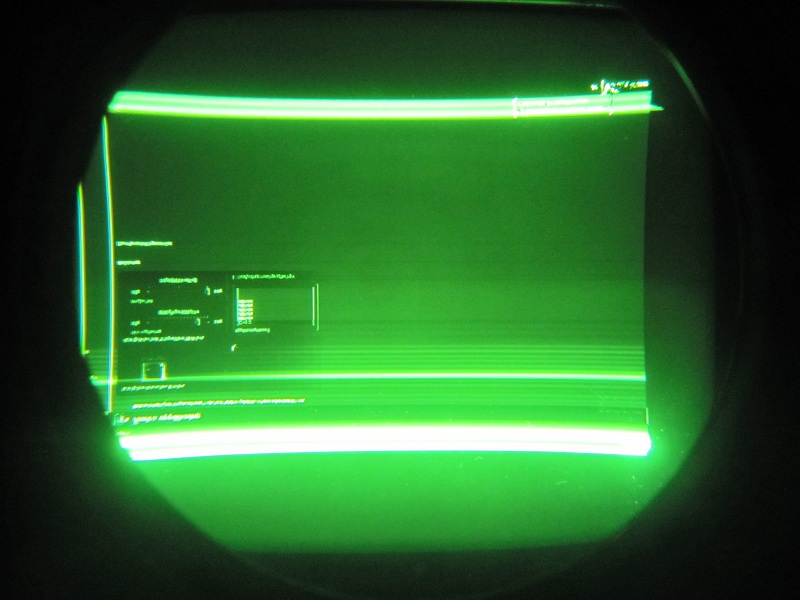
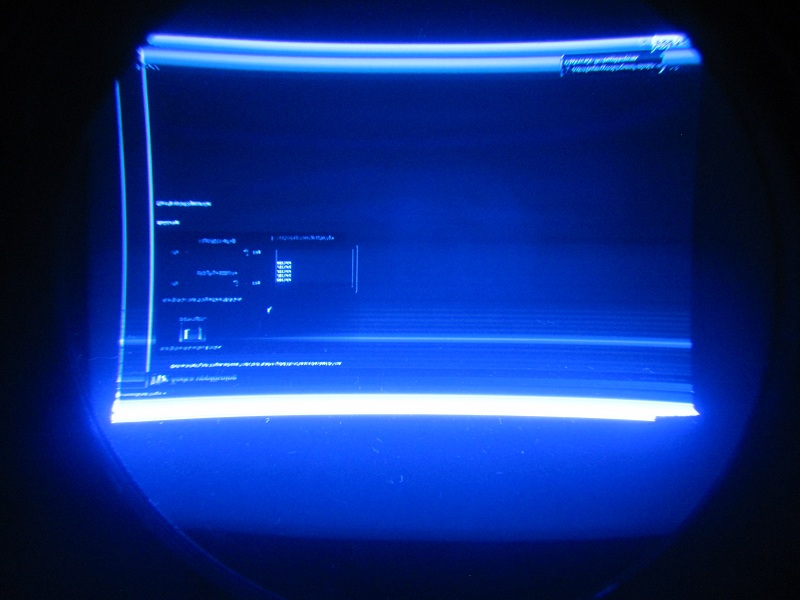
gjaky is right. Some pictures would definetly help, so I got some.
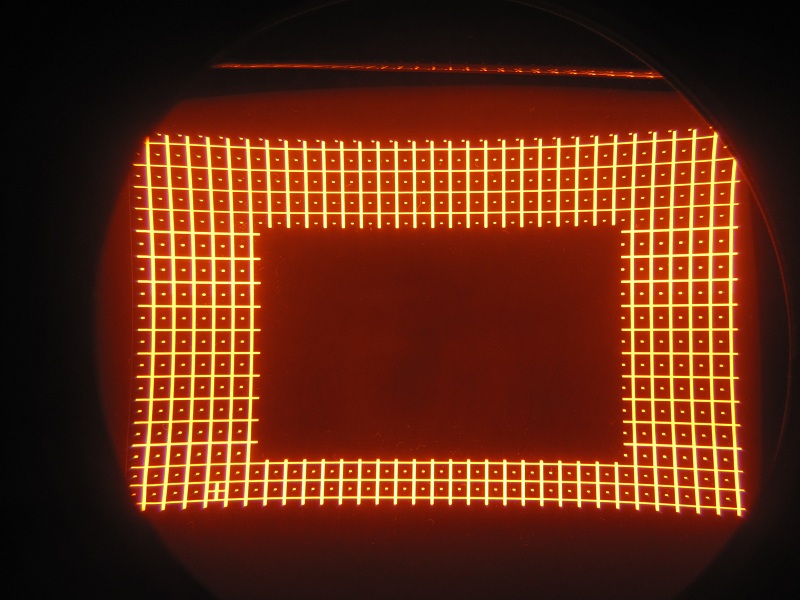
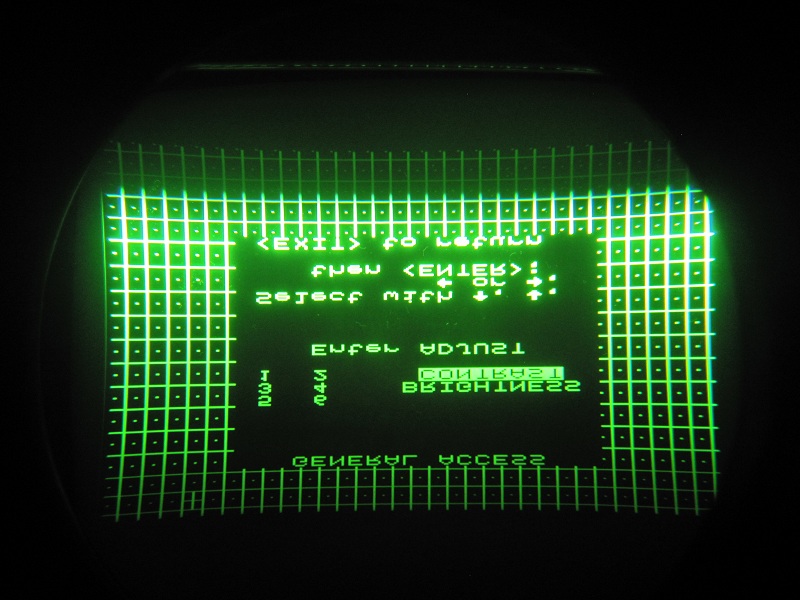
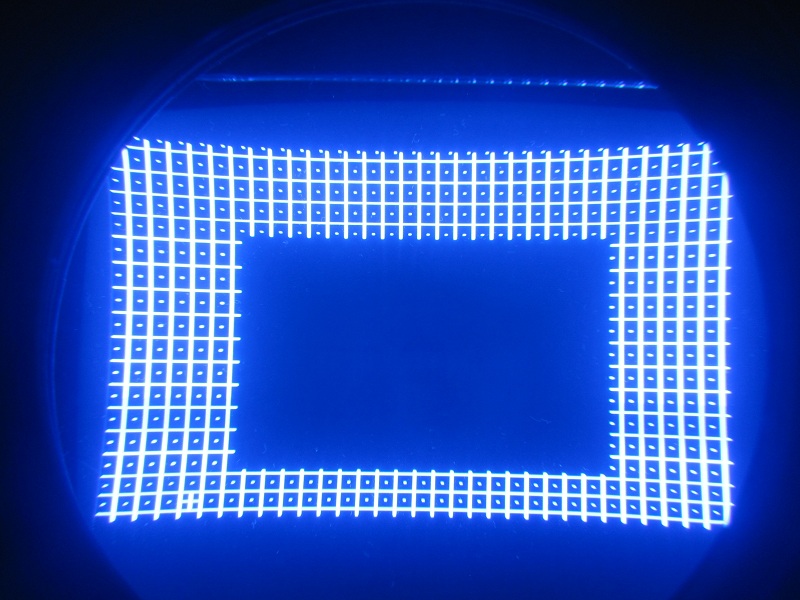
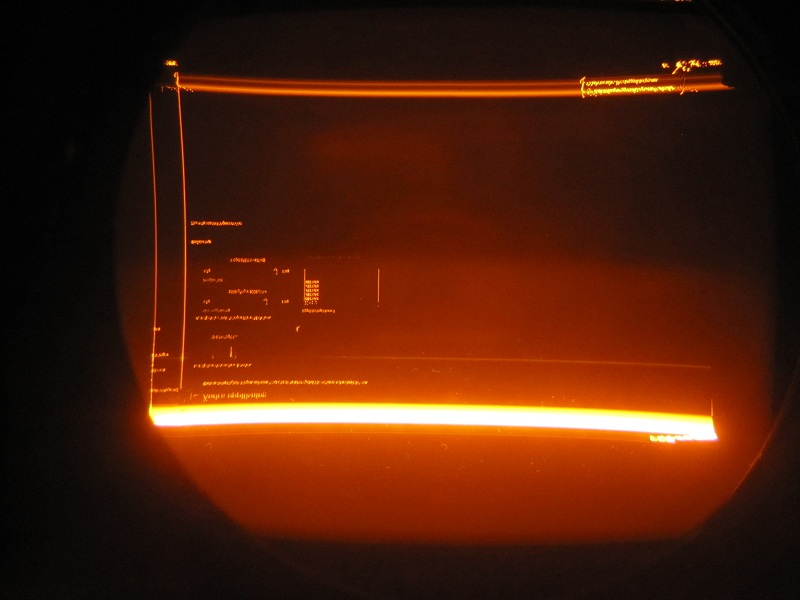
First some of the testgrid with no source, then of nvidia control panel with what I think is 1080i.
I haven't done any tuning, just "set all to midposition" and "delete all blocks". I don't know if that is why images are bent the way they are.
| Description: |
|
| Filesize: |
153.57 KB |
| Viewed: |
2391 Time(s) |
|
| Description: |
|
| Filesize: |
154.57 KB |
| Viewed: |
2391 Time(s) |
|
| Description: |
|
| Filesize: |
161.11 KB |
| Viewed: |
2391 Time(s) |
|
| Description: |
| Windows through red lens. 1080i |
|
| Filesize: |
98.71 KB |
| Viewed: |
2391 Time(s) |
|
| Description: |
| Windows through green lens. 1080i |
|
| Filesize: |
118.34 KB |
| Viewed: |
2391 Time(s) |
|
| Description: |
| Windows through blue lens. 1080i |
|
| Filesize: |
105.99 KB |
| Viewed: |
2391 Time(s) |
|
|
|
| Back to top |
|
|
SGIforever
Joined: 06 Jul 2009
Posts: 66
Location: Sweden
|
| Posted: Sat Feb 23, 2013 10:50 am Post subject: |
|
|
I have tested another newer computer. It's a laptop with HDMI and analog output.
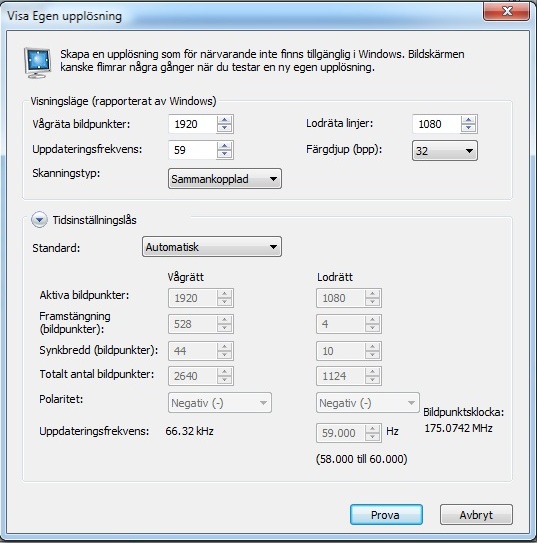
I get a good image (HMDI+HDfury2 and analog) with the following settings in the nVidia control panel. 60Hz won't work!?
I'm sorry it's in Swedish, but I think you can guess what it all means.
When I press "Prova" (Test) the image is on for those 15 seconds I have to press "OK" to accept a successful test.
After that it returns to the custom list in which i check the box to show it in the selection list.
When I return to the selection list it is not there.
I probably made some misstake with the CRU program, maybe it was 1080p instead of 1080i, but this time I get an image. For a 15 seconds.
I tried CRU on this computer too, but not with better result.
Anyway this seems to be more of a Windows/driver/software than Barco problem.
| Description: |
|
| Filesize: |
78.28 KB |
| Viewed: |
2369 Time(s) |
|
|
|
| Back to top |
|
|
AnalogRocks
Forum Moderator

Joined: 08 Mar 2006
Posts: 26706
Location: Toronto, Ontario, Canada
TV/Projector: Sony 1252Q, AMPRO 4000G
|
| Posted: Sun Feb 24, 2013 5:04 am Post subject: |
|
|
| SGIforever wrote: | I have tested another newer computer. It's a laptop with HDMI and analog output.
I get a good image (HMDI+HDfury2 and analog) with the following settings in the nVidia control panel. 60Hz won't work!?
I'm sorry it's in Swedish, but I think you can guess what it all means.
When I press "Prova" (Test) the image is on for those 15 seconds I have to press "OK" to accept a successful test.
After that it returns to the custom list in which i check the box to show it in the selection list.
When I return to the selection list it is not there.
I probably made some misstake with the CRU program, maybe it was 1080p instead of 1080i, but this time I get an image. For a 15 seconds.
I tried CRU on this computer too, but not with better result.
Anyway this seems to be more of a Windows/driver/software than Barco problem. |
That pixel clock indicates 1080p, not 1080i.
For the nvidia control panel to work interlaced you need to put half the vertical height. Mark from Australia told us about that one here: https://www.curtpalme.com/forum_archived/viewtopic.php@t=19652.html
_________________
Tech support for nothing
CRT.
HD done right!
|
|
| Back to top |
|
|
|
|
|
|
|
You cannot post new topics in this forum
You cannot reply to topics in this forum
You cannot edit your posts in this forum
You cannot delete your posts in this forum
You cannot vote in polls in this forum
You cannot attach files in this forum
You can download files in this forum
|
Forum powered by phpBB © phpBB Group
|
|




