| Author |
Message |
yoko
Joined: 09 Aug 2014
Posts: 3
Location: italy
|
| Posted: Sat Aug 16, 2014 10:23 pm Post subject: Meter correction |
|
|
Hello
i have a question with chromapure meter Correction button
better to enable this option? it's for Idisplay pro or standard ? or both are good to enable this option
because all settings are 0
if i understand field meter = Idisplay meter
and reference meter is other material ? if i don't have a reference meter , this is possible to use the meter correction?
thank you
|
|
| Back to top |
|
 |
kal
Forum Administrator

Joined: 06 Mar 2006
Posts: 18114
Location: Ottawa, Canada
TV/Projector: JVC DLA-NZ7
|
|
| Back to top |
|
|
yoko
Joined: 09 Aug 2014
Posts: 3
Location: italy
|
| Posted: Sun Aug 17, 2014 2:55 pm Post subject: |
|
|
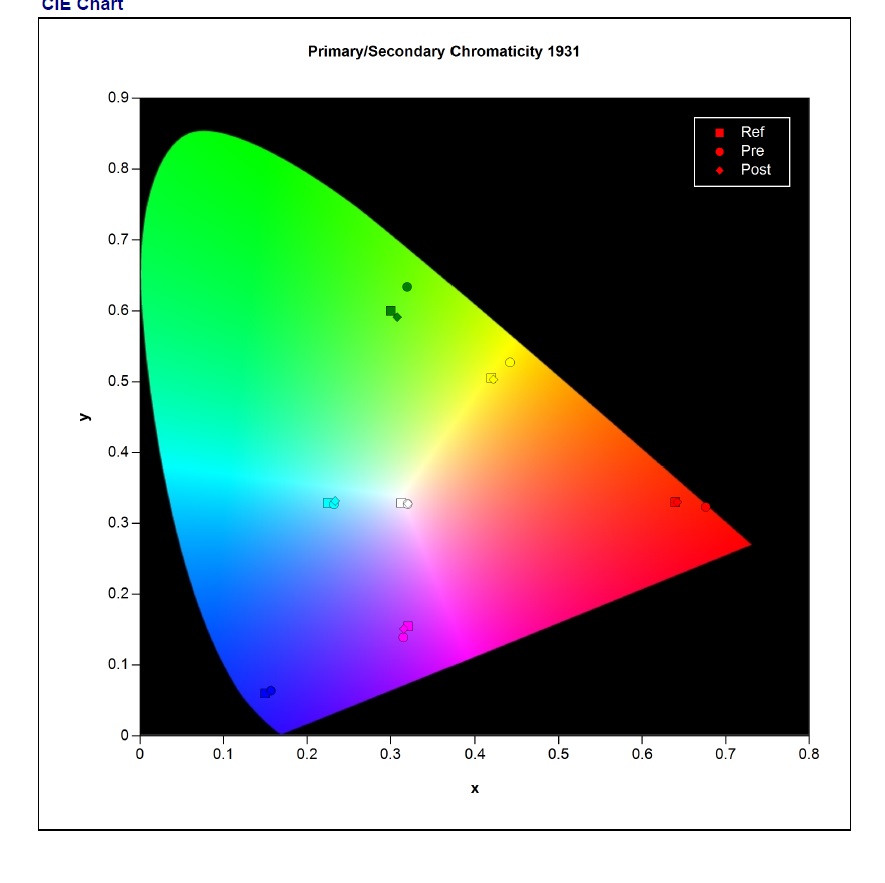
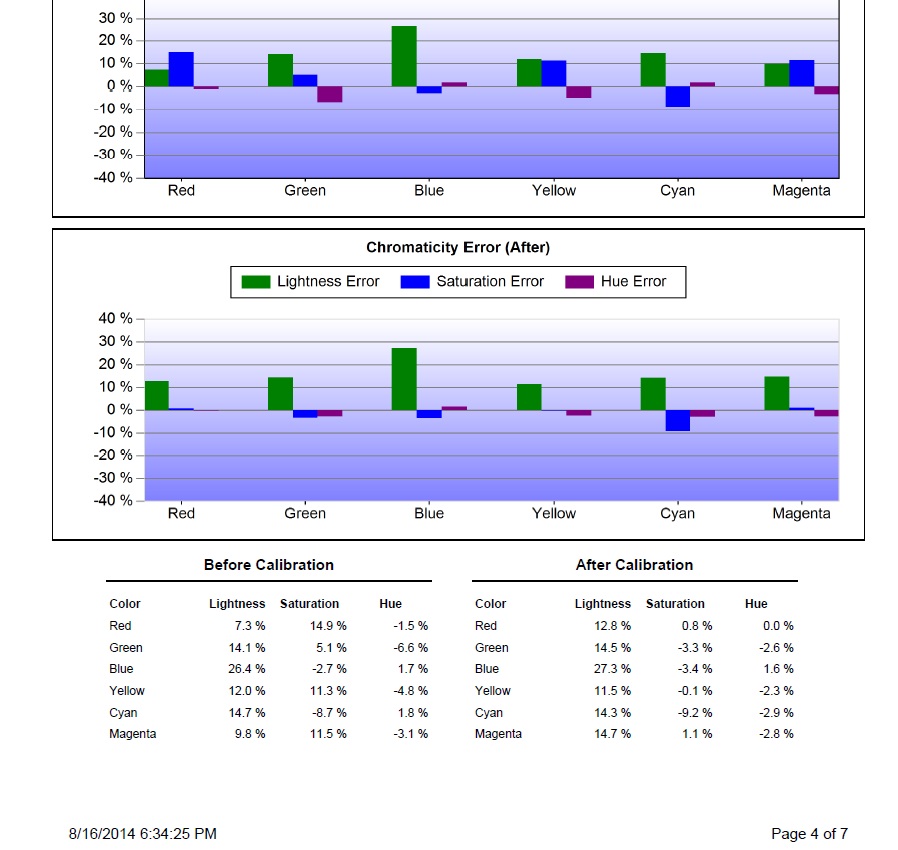
ok do you think it 's possible to have a better autocal with EyeOne Display 3 meter ,video projector JVC RS49 and lumagen radiance 9x9x9 calibration device
i'm not a specialist but here my adjustment:
4K eshift disable
preset : natural
6500K
all in RGB Level video (chromapure/VP/Scaler)
Advanced Color Gamut :2
Reference Gamut Rec 709 / dE Methode CIE94
Gamma method 2,2
Matrix size 729 points
Measure post calibration 125-729 colors
oppo is OFF
meter : front projector screen
i disable all corrections with scaler lumagen /video projector
i launch directly auto cal and when it"s finish, i adjust contrast and luminosity with lumagen pattern
here the result: i can't have a better CIE specially for green, other post colors are not perfect with reference color.
i forgot a step?
after autocal do you adjust Advanced Colormanagement or normally you don't have to change any color??
thank you in advance
| Description: |
|
| Filesize: |
73.09 KB |
| Viewed: |
9273 Time(s) |
|
| Description: |
|
| Filesize: |
146.52 KB |
| Viewed: |
9273 Time(s) |
|
|
|
| Back to top |
|
|
TomHuffman
Joined: 01 Jun 2010
Posts: 76
Location: Springfield, MO
|
| Posted: Mon Aug 18, 2014 2:30 am Post subject: |
|
|
| yoko wrote: | ok do you think it 's possible to have a better autocal with EyeOne Display 3 meter ,video projector JVC RS49 and lumagen radiance 9x9x9 calibration device
i'm not a specialist but here my adjustment:
4K eshift disable
preset : natural
6500K
all in RGB Level video (chromapure/VP/Scaler)
Advanced Color Gamut :2
Reference Gamut Rec 709 / dE Methode CIE94
Gamma method 2,2
Matrix size 729 points
Measure post calibration 125-729 colors
oppo is OFF
meter : front projector screen
i disable all corrections with scaler lumagen /video projector
i launch directly auto cal and when it"s finish, i adjust contrast and luminosity with lumagen pattern
here the result: i can't have a better CIE specially for green, other post colors are not perfect with reference color.
i forgot a step?
after autocal do you adjust Advanced Colormanagement or normally you don't have to change any color??
thank you in advance |
Please send a full calibration report and copy/paste the data in the activity window into a text file and send that too.
Send to support@chromapure.com
To diagnose the problem I need more information.
- Tom Huffman
_________________
ChromaPure calibration software & meter packages at CurtPalme.com discounted prices!
|
|
| Back to top |
|
|
|
|





