| Author |
Message |
enigma

Joined: 20 Feb 2008
Posts: 24
Location: Australia
|
| Posted: Wed Mar 26, 2008 11:48 am Post subject: RGBHV - i believe it when i see it! |
|
|
Ok guys, i've searched as much as the forum i can and need some guidance.
I have a NEC 6pg plus working well (only 2800 hrs & no tube wear), great picture on s/video, set it all up my self thanks to information provided by curtpalme. Great projector and i've enjoyed the task of setting it up from scratch - i've never had a CRT projector before, love the depth of field & vibrant colours.
My nemises is the RGBHV input, i have only once managed to get my laptop to appear on the screen & it was a crappy picture that was way out of keystone, convergence.... you name it, it was crap. Now i'm lucky to get any picture & can just barely make out 'no input' at the bottom (which appears 3 times across the bottom). Difficult to get the test pattern on the screen & each time you switch to RGBHV from video, the white balance is out - you get a very bright white picture, hit white balance & it darkens it to normal.
S/video or the video input works normal, either PAL or NTSC.
I don't think there is anything wrong, just me and my lack of experience. This input seems different to the s/video to set up.
I have a line doubler and would love to be able to take advantage of the RGBHV (fill in those lines) and also set up a HDMI converter as well.
I'm seriously missing out and seek your advice on how i can start to put a foot in the right direction. Someone mentioned to me something about refresh rate, but i have no idea where to start.
I'm using a 15pin VGA to RGBHV cable, have a line doubler & digital tuner box with RGBHV out.
Look forward to your response and appreciate your help.
PS i'm converted - CRT projectors are fantastic, big, heavy, difficult, but fantastic.
|
|
| Back to top |
|
 |
Curt Palme
CRT Tech
Joined: 08 Mar 2006
Posts: 24396
Location: Langley, BC
TV/Projector: All of them!
|
| Posted: Wed Mar 26, 2008 12:19 pm Post subject: |
|
|
Could be a few things:
1) THe H and V cables are reversed. The RGBHV cable is bad.
2) YEs it will look out of convergence, you need to do another signal entry for the RGBHV signal. You cna then data copy from the video memory to the RGBHV memory to save yourself some tweaking.
3) If your system or deflection board is crapping out, it may only lock to a video signal, and RGBHV could be scrambled or you'll get nothing at all.
I'd try the doubler first, that should lock right away. THen try the computer again. You'll be stunned at the difference.
|
|
| Back to top |
|
|
enigma
Joined: 20 Feb 2008
Posts: 24
Location: Australia
|
| Posted: Wed Mar 26, 2008 1:03 pm Post subject: |
|
|
|
Thank you, will experiment - i hope it is not the deflection board!!!!
|
|
| Back to top |
|
|
dbaisey
Joined: 09 Mar 2006
Posts: 821
Location: Southern Cal LA / Seattle WA
|
| Posted: Wed Mar 26, 2008 3:07 pm Post subject: |
|
|
Go to this link http://www.curtpalme.com/NECPG_Downloads.shtm and download the PG Plus Install manual. The proper signal entry procedures start on page 36 I believe but take note on the phase adjustment. This needs to be done for each signal. Read about the difference between a video input and a RGB input. I would read it before doing a signal entry or data copy.
The white balance may be because of no signal entry, a RGB cable on the wrong color or you need to store AKB to the new signal. If it looks ok on the video input then you have this to work from.
Last edited by dbaisey on Wed Mar 26, 2008 3:13 pm; edited 1 time in total
|
|
| Back to top |
|
|
kal
Forum Administrator

Joined: 06 Mar 2006
Posts: 18114
Location: Ottawa, Canada
TV/Projector: JVC DLA-NZ7
|
|
| Back to top |
|
|
JustGreg

Joined: 07 Mar 2006
Posts: 3098
Location: Kenosha, WI
|
| Posted: Wed Mar 26, 2008 3:18 pm Post subject: |
|
|
| kal wrote: | Moved from the Audio forum to the CRT Projectors forum.... this has nothing to do with Audio... 
Kal |
Unless he was screaming at it in frustration. 
|
|
| Back to top |
|
|
Brooklyn

Joined: 17 Sep 2007
Posts: 494
Location: Morgan Hill, CA
|
| Posted: Wed Mar 26, 2008 6:16 pm Post subject: |
|
|
|
It is possible it is a deflection board issue, since you see 3 "no input" text's on the bottom. Also, try a few different resolutions from your laptop. You don't even know the half of having a CRT if you have only run it on S-Video via 480i. You will be pleasantly surprised at your projector's 720P image.(once properly set up)
|
|
| Back to top |
|
|
Mark_A_W
Joined: 15 Mar 2006
Posts: 3068
Location: Sunny Melbourne Australia
|
| Posted: Thu Mar 27, 2008 12:39 am Post subject: |
|
|
|
Where are you exactly Enigma? It is an enigma
|
|
| Back to top |
|
|
macgyver655
Joined: 22 Aug 2007
Posts: 8508
|
| Posted: Thu Mar 27, 2008 1:06 am Post subject: |
|
|
|
Just for the heck of it try sending it 800X600@72 and 75 hertz to see if it will lock onto it.
|
|
| Back to top |
|
|
enigma
Joined: 20 Feb 2008
Posts: 24
Location: Australia
|
| Posted: Thu Mar 27, 2008 10:34 am Post subject: |
|
|
Thanks everyone for the tips, will try these shortly and provide some feedback. I know i'm missing out until i crack the RGBHV - it's my first time and i guess i couldn't pick a more difficult projector to start off.
No i haven't yelled at it yet, i realised i posted this topic in the wrong section as soon as i hit the button. Thanks Kal for moving it - you guys must think "no wonder his RGBHV doesn't work"!!! 
Hey Mark, i see you are in Melbourne, so am i, only 7ks from the CBD.
Cheers.
Last edited by enigma on Fri Mar 28, 2008 5:05 am; edited 1 time in total
|
|
| Back to top |
|
|
Sonynut

Joined: 08 Aug 2006
Posts: 367
Location: Bradford,PA
|
| Posted: Thu Mar 27, 2008 12:58 pm Post subject: |
|
|
That is cool that you have an experienced CRT guy close by.. Most of us aren't that lucky 
_________________
1272 Stack coming soon:)
|
|
| Back to top |
|
|
enigma
Joined: 20 Feb 2008
Posts: 24
Location: Australia
|
| Posted: Fri Mar 28, 2008 5:02 am Post subject: |
|
|
I guess it would be cool if he was interested in coming over and providing some invaluable advice, particularly if he was to see the problem at first hand (hint hint).
Sorry Mark, i had to add it in, you are under no obligation to come over.
Thanks for everyones input, it appears that i either have a problem with the recognition of the input signal or a fault in the deflection board.
Will keep you posted.
|
|
| Back to top |
|
|
kschmit2
Joined: 09 Mar 2006
Posts: 1141
Location: Heidelberg, Germany
|
| Posted: Fri Mar 28, 2008 8:16 am Post subject: |
|
|
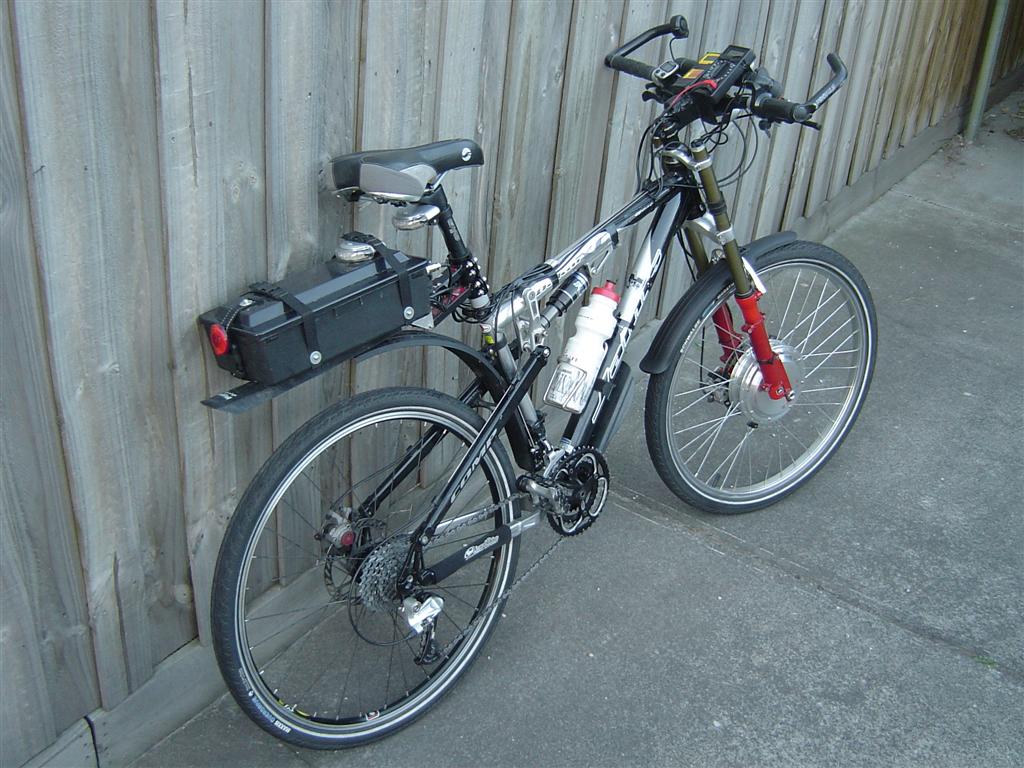
Hah, 7 km is within driving distance for his electric bike.
Just let him recharge it as compensation
| Description: |
|
| Filesize: |
304.65 KB |
| Viewed: |
6961 Time(s) |

|
|
|
| Back to top |
|
|
Brooklyn
Joined: 17 Sep 2007
Posts: 494
Location: Morgan Hill, CA
|
| Posted: Fri Mar 28, 2008 8:19 am Post subject: |
|
|
|
may i be the first to say that that bike rocks!
|
|
| Back to top |
|
|
enigma
Joined: 20 Feb 2008
Posts: 24
Location: Australia
|
| Posted: Sun Apr 06, 2008 11:08 pm Post subject: |
|
|
I now see it and believe it! 
Thanks guys for all your tips and help. Projector is working fine, it just wasn't picking up the signal from the laptop.
I bought a line doubler a short time ago and finally hooked it up yesterday after spending a few hours making all the cables from a pile of IXOS cable, Neotec BNC & S/Video connectors. It worked straight away.
Now i need to feed it a 720p or 1080i signal!
Cheers.
|
|
| Back to top |
|
|
Mark_A_W
Joined: 15 Mar 2006
Posts: 3068
Location: Sunny Melbourne Australia
|
| Posted: Sun Apr 06, 2008 11:41 pm Post subject: |
|
|
| kschmit2 wrote: | Hah, 7 km is within driving distance for his electric bike.
Just let him recharge it as compensation |
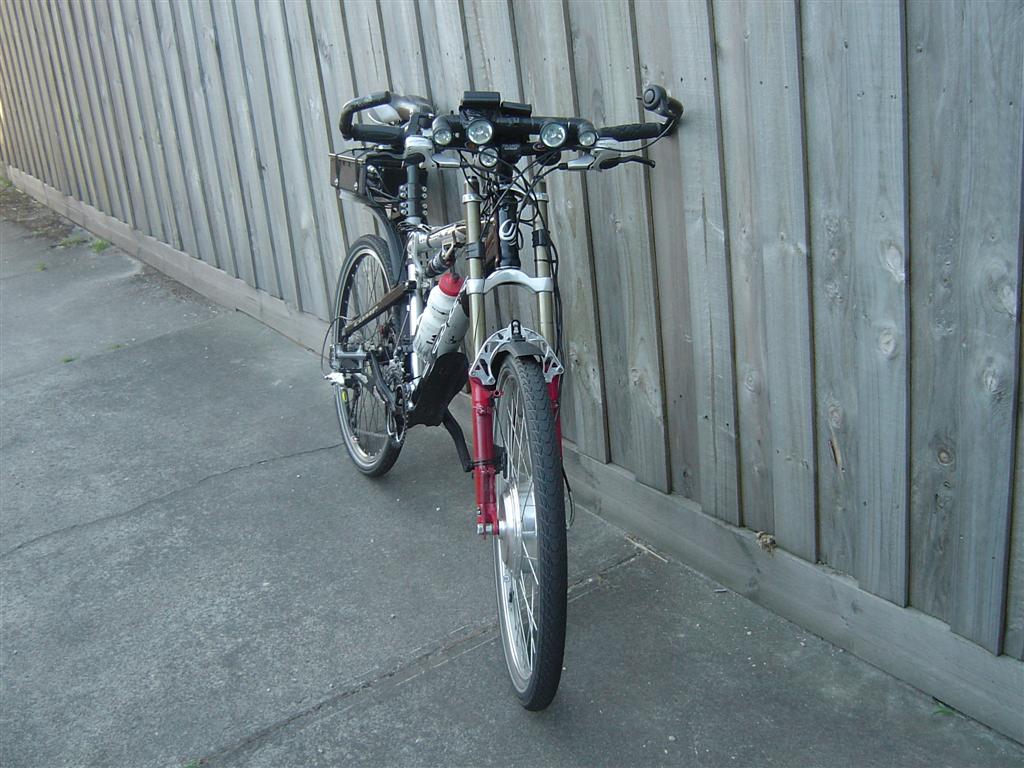
My bike is way tougher looking than that!! My riding skirt is not quite so colourful...oops I meant shorts
Well, it looks like it is fixed, but my life is far too busy to just drop around..I have little kids....and I hate driving to the inner city...and it's too far for my bike (depend which direction you are from the CBD)!!
However if you are interested in a pro setup, send me a PM with your e-mail address and I'll pass it along to Russ. He does paid setups, but for looksee and advice I don't think he would charge much, and he lives in the inner west, so much closer than me (SE bayside).
You are going to want to ditch the line doubler and run a HD-DVD/BD player via a Moome EXT/HD Fury, or Video Processor, or HTPC.
| Description: |
|
| Filesize: |
140.81 KB |
| Viewed: |
6753 Time(s) |
|
| Description: |
|
| Filesize: |
126.02 KB |
| Viewed: |
6753 Time(s) |
|
|
|
| Back to top |
|
|
kschmit2
Joined: 09 Mar 2006
Posts: 1141
Location: Heidelberg, Germany
|
| Posted: Mon Apr 07, 2008 7:04 am Post subject: |
|
|
How much did you pay for that bike, Mark?
Btw, I like the DMM on the handle bar
|
|
| Back to top |
|
|
Mark_A_W
Joined: 15 Mar 2006
Posts: 3068
Location: Sunny Melbourne Australia
|
| Posted: Mon Apr 07, 2008 7:22 am Post subject: |
|
|
Well, I made it out of bits. But it cost a touch over 2 grand in US$$. Almost paid for itself in petrol after 9 months
The off-the-shelf ones are poxy 
|
|
| Back to top |
|
|
enigma
Joined: 20 Feb 2008
Posts: 24
Location: Australia
|
| Posted: Mon Apr 07, 2008 11:34 am Post subject: |
|
|
Thanks Mark, Russ is closer than you, not that you are far anyway. You have already given me his details and it is much appreciated.
I intend to get an external HD card or HTPC as i will get into bluray. The Doubler was to connect the current DVD player and digital HD box for now.
Will there be a problem if i run a MOOME EXT HD card through (straight through not doubled) the doubler anyway?
I have two kids myself, that is why i built the home cinema room as i now spend more time at home.
I was looking forward to seeing the bike!
Cheers.
|
|
| Back to top |
|
|
|
|




