| Author |
Message |
Curt Palme
CRT Tech
Joined: 08 Mar 2006
Posts: 24396
Location: Langley, BC
TV/Projector: All of them!
|
| Posted: Fri Jan 04, 2008 5:36 pm Post subject: |
|
|
Yes, see the stickies at the top of this forum..
|
|
| Back to top |
|
 |
dropzone7

Joined: 12 Jun 2007
Posts: 1069
Location: Charlotte, NC
|
| Posted: Fri Jan 04, 2008 6:09 pm Post subject: |
|
|
| emdawgz1 wrote: | Is there a definitive, how to, to setup an XG. I still struggle trying to get the input to display on mine...  |
Well, it's right here on Curt's site written by the man himself. Between that document and the one written by Guy Kuo I stay pretty busy trying to set mine up...over and over and over...
https://www.curtpalme.com/forum_archived/viewtopic.php@t=4722.html
|
|
| Back to top |
|
|
dropzone7
Joined: 12 Jun 2007
Posts: 1069
Location: Charlotte, NC
|
| Posted: Fri Jan 04, 2008 6:17 pm Post subject: |
|
|
| halftrack wrote: | | It's getting better but not near anywhere perfect yet. Pictures coming soon tho. |
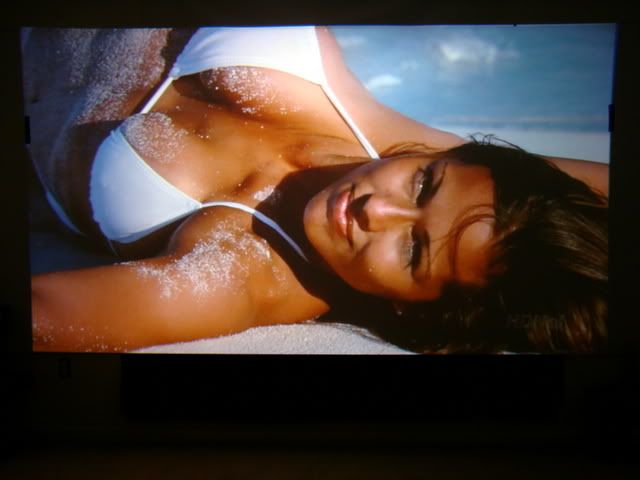
Yeah, same here. At least my CONTENT can be perfect even if my setup isn't! In my own defense, this shot is a few setup attempts back so I need to take a few new ones.
|
|
| Back to top |
|
|
emdawgz1

Joined: 14 Mar 2006
Posts: 7949
|
| Posted: Fri Jan 04, 2008 6:31 pm Post subject: |
|
|
I'm silly, i have this. But i still cant get the input right.
_________________
Follow my blog
www.thesinglebrother.com
|
|
| Back to top |
|
|
dropzone7
Joined: 12 Jun 2007
Posts: 1069
Location: Charlotte, NC
|
| Posted: Fri Jan 04, 2008 6:33 pm Post subject: |
|
|
What do you mean by the "input"? Are you trying to get the information screen up which lists the input signal type, etc.?
_________________
"Coffee is for Closers."
|
|
| Back to top |
|
|
emdawgz1
Joined: 14 Mar 2006
Posts: 7949
|
| Posted: Fri Jan 04, 2008 6:43 pm Post subject: |
|
|
| dropzone7 wrote: | | What do you mean by the "input"? Are you trying to get the information screen up which lists the input signal type, etc.? |
No, what i cant get is my pj to recognize the new input from my progressive scan dvd.
_________________
Follow my blog
www.thesinglebrother.com
|
|
| Back to top |
|
|
dropzone7
Joined: 12 Jun 2007
Posts: 1069
Location: Charlotte, NC
|
| Posted: Fri Jan 04, 2008 7:05 pm Post subject: |
|
|
Oh, okay. So what kind of connection are you using? Component cables to a transcoder?
_________________
"Coffee is for Closers."
|
|
| Back to top |
|
|
emdawgz1
Joined: 14 Mar 2006
Posts: 7949
|
| Posted: Fri Jan 04, 2008 7:47 pm Post subject: |
|
|
| dropzone7 wrote: | | Oh, okay. So what kind of connection are you using? Component cables to a transcoder? |
Tomorrow, i'll take another stab at it . I'll post pictures of what is happening.
_________________
Follow my blog
www.thesinglebrother.com
|
|
| Back to top |
|
|
halftrack
Joined: 27 Dec 2007
Posts: 23
|
| Posted: Wed Jan 09, 2008 2:13 am Post subject: |
|
|
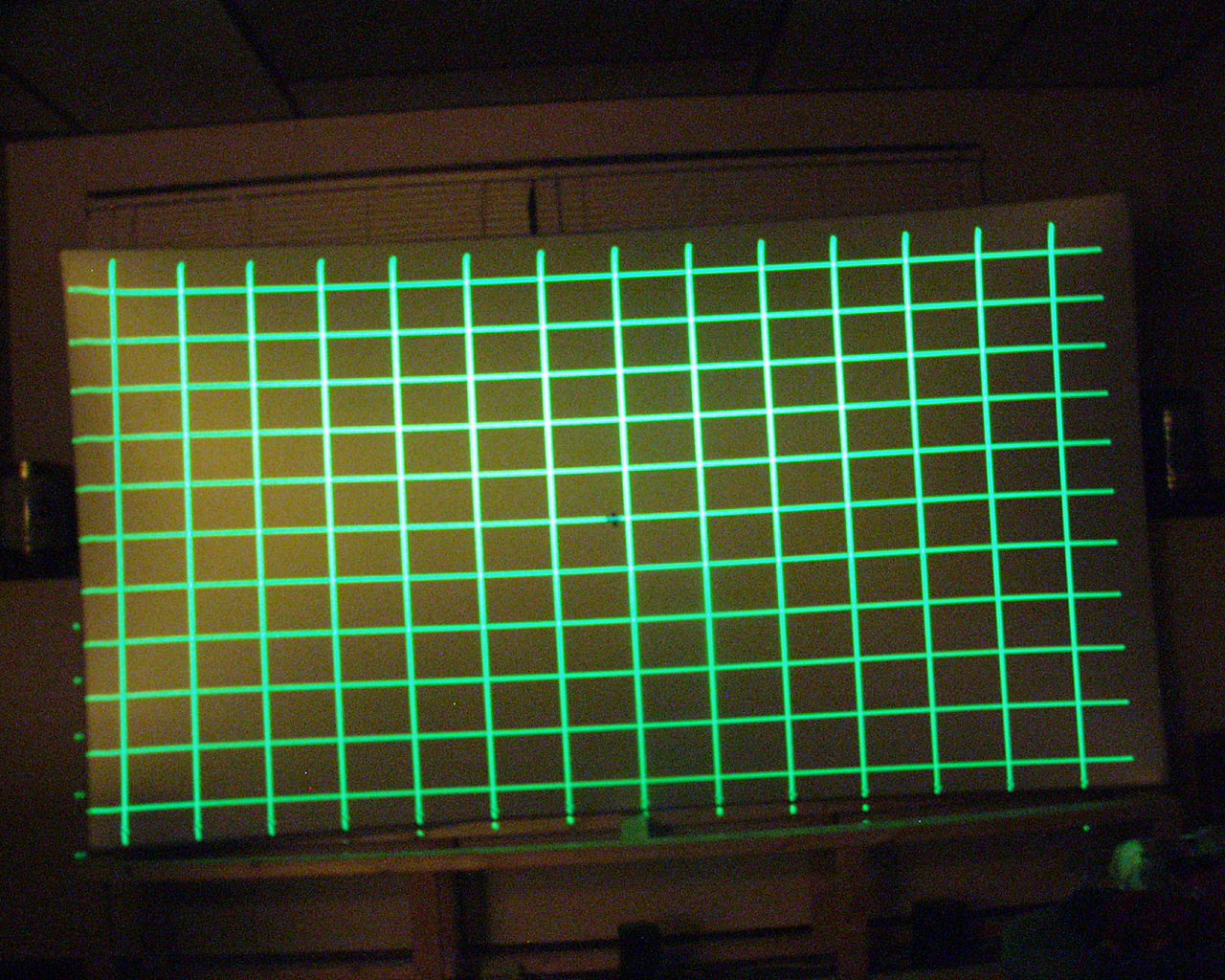
Why can't I get the cross pattern center on the screen its always off to the left. The projector is square to the screen also.
| Description: |
|
| Filesize: |
344.72 KB |
| Viewed: |
3494 Time(s) |
|
|
|
| Back to top |
|
|
dropzone7
Joined: 12 Jun 2007
Posts: 1069
Location: Charlotte, NC
|
| Posted: Wed Jan 09, 2008 1:11 pm Post subject: |
|
|
| halftrack wrote: | | Why can't I get the cross pattern center on the screen its always off to the left. The projector is square to the screen also. |
Well, if you have your rasters centered and your green tube is not tweaked in it's housing then I would say your projector might not be square to the screen. I know you say it is but NEC's require a very tight tolerance of placement and you might be a little off to one side. Another thing to check might be your image shift. Make sure you have all of your blanking opened up all the way so that you are seeing all of the image. Make sure that your amplitude is set in the middle to start with and see where that puts your crosshair. Also, make sure you are using an external test pattern for setup. The internal test patterns don't always match up with an actual video signal so you could spend a lot of time and still be off on an actual video image.
|
|
| Back to top |
|
|
halftrack
Joined: 27 Dec 2007
Posts: 23
|
| Posted: Wed Jan 09, 2008 4:22 pm Post subject: |
|
|
|
Where do I get a external test pattern at?
|
|
| Back to top |
|
|
dropzone7
Joined: 12 Jun 2007
Posts: 1069
Location: Charlotte, NC
|
| Posted: Wed Jan 09, 2008 4:31 pm Post subject: |
|
|
| halftrack wrote: | | Where do I get a external test pattern at? |
Well, it depends on what you are using for a source. If you have an HD cable box with DVR then you can record one of the tune up things that HDNet or INHD(Mojo) broadcasts usually late at night. I have those recorded on my DVR and use them all the time. They have convergence patterns among other things. Or, if you have an HD-DVD or Blu Ray player you can use the AVIA or Digital Video Essentials (DVE) setup discs. Those have been around for a long time and were released in updated HD formats a year or so ago. I use DVE and it has tons of patterns for CRT setup. You should be feeding the projector whatever resolution you plan to use most. In my case that is 1080i so I set my cable box to output 1080i only and my Toshiba A2 HD player to also output 1080i only. If you don't have any of these you can connect a computer or laptop to your projector and use a 1080i test pattern downloaded from the internet. Do a search for NEC test patterns or Nokia test patterns.
|
|
| Back to top |
|
|
dropzone7
Joined: 12 Jun 2007
Posts: 1069
Location: Charlotte, NC
|
| Posted: Wed Jan 09, 2008 4:34 pm Post subject: |
|
|
| emdawgz1 wrote: | | dropzone7 wrote: | | Oh, okay. So what kind of connection are you using? Component cables to a transcoder? |
Tomorrow, i'll take another stab at it . I'll post pictures of what is happening. |
So, anything happening with your projector? By the way, your avatar is killing me! That @ss is smokin! 
|
|
| Back to top |
|
|
dropzone7
Joined: 12 Jun 2007
Posts: 1069
Location: Charlotte, NC
|
| Posted: Thu Feb 07, 2008 9:14 pm Post subject: |
|
|
Hello...hello...hello.....
_________________
"Coffee is for Closers."
|
|
| Back to top |
|
|
|
|




