| Author |
Message |
HulksterRWB
Joined: 27 Mar 2020
Posts: 3
|
| Posted: Fri Mar 27, 2020 11:06 pm Post subject: Analog AVR Dead! Cheaply save/upgrade a Dinosaur Setup*pics* |
|
|
Help me solve this mystery.
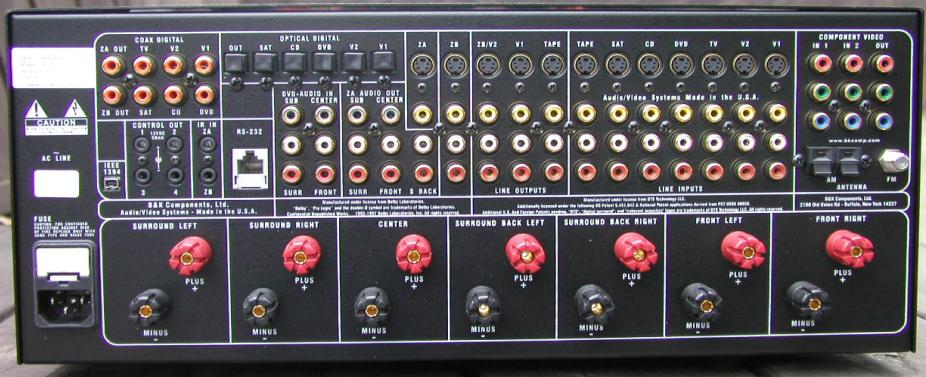
My B&K AVR 307 died, it's connected to a Sony VPH-D50HTU CRT projector. Projector works just fine but everything was ran through the AVR. That includes 7.1 Speaker system, DVD(Connected to AV system via Component video and optical audio), VCR(S Video), and Laserdisc player(S Video)
I'd like to purchase a new more modern AVR, while keeping the wiring which was built into the original house. The AVR fed through the projector via Component cables.
What are my options without rewiring? Are they any new AVR systems which are compatible with component cables? Budget is tight but would like to purchase new AVR and modern HDMI DVD player and ditch the VCR, laser disc player if that helps.
| Description: |
|
| Filesize: |
75.72 KB |
| Viewed: |
4315 Time(s) |
|
Last edited by HulksterRWB on Fri Mar 27, 2020 11:26 pm; edited 1 time in total
|
|
| Back to top |
|
 |
HulksterRWB
Joined: 27 Mar 2020
Posts: 3
|
| Posted: Fri Mar 27, 2020 11:08 pm Post subject: |
|
|
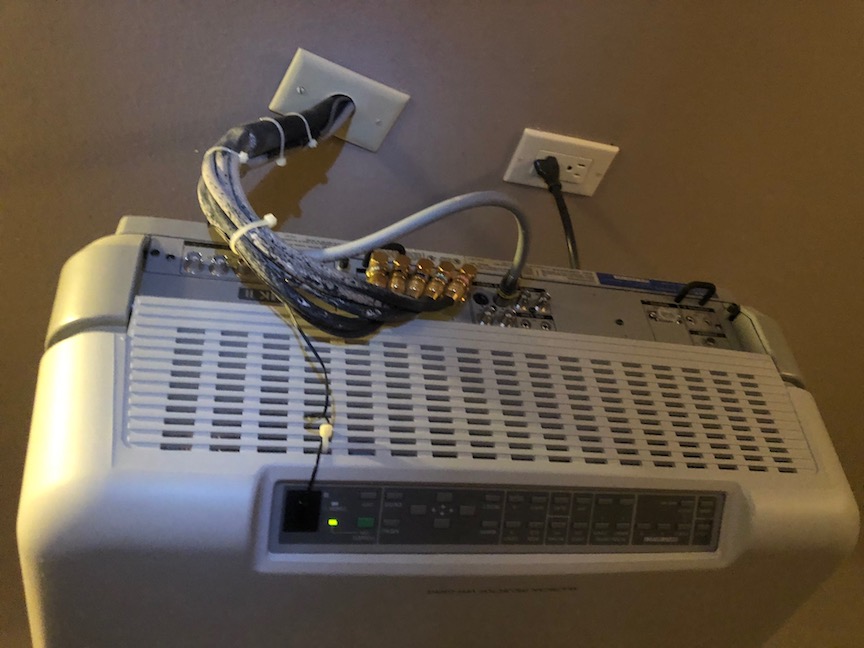
Sony D50 Mkii with component cables and installed wiring
| Description: |
|
| Filesize: |
108.12 KB |
| Viewed: |
4305 Time(s) |
|
|
|
| Back to top |
|
|
kal
Forum Administrator

Joined: 06 Mar 2006
Posts: 18114
Location: Ottawa, Canada
TV/Projector: JVC DLA-NZ7
|
| Posted: Sat Mar 28, 2020 2:09 pm Post subject: |
|
|
Hi and welcome to the forum!
Something doesn't add up here. Your AVR does support 3-cable component (Y/Pb/Pr) but your projector has 5 cables going into it which is usually R/G/B/H/V. The Sony D50 does however support both component (Y/Pb/Pr) and RGBHV. Were 2 extra cables pulled just in case or is there a converter hiding somewhere?
| HulksterRWB wrote: | | Are they any new AVR systems which are compatible with component cables? |
Not really I'm afraid. At least not that I know of. Since you're looking to ditch the s-video components (good) I'd probably throw an HDMI input card in the projector and pull an HDMI cable to the projector (if you can) as the AVR you end up with will be HDMI only.
Kal
_________________

Support our site by using our affiliate links. We thank you!
My basement/HT/bar/brewery build 2.0
|
|
| Back to top |
|
|
HulksterRWB
Joined: 27 Mar 2020
Posts: 3
|
| Posted: Sat Mar 28, 2020 5:22 pm Post subject: |
|
|
| kal wrote: | Hi and welcome to the forum!
Something doesn't add up here. Your AVR does support 3-cable component (Y/Pb/Pr) but your projector has 5 cables going into it which is usually R/G/B/H/V. The Sony D50 does however support both component (Y/Pb/Pr) and RGBHV. Were 2 extra cables pulled just in case or is there a converter hiding somewhere?
| HulksterRWB wrote: | | Are they any new AVR systems which are compatible with component cables? |
Not really I'm afraid. At least not that I know of. Since you're looking to ditch the s-video components (good) I'd probably throw an HDMI input card in the projector and pull an HDMI cable to the projector (if you can) as the AVR you end up with will be HDMI only.
Kal |
Thanks Kal! The system was already installed and setup by the tech company the previous owner of the house contracted many moons ago, but my understanding is the Sony D50 can read both Component and RGBHV.
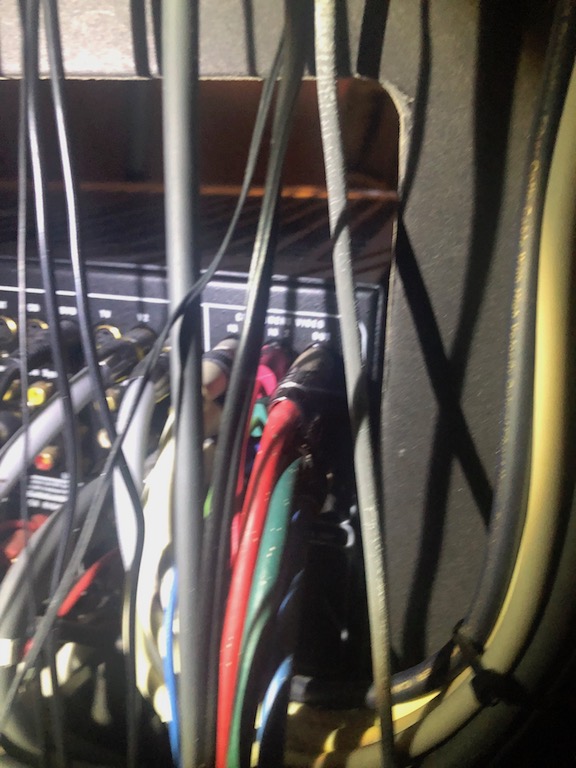
The Sony D50 has all 5 cables(RGBHV) connected but only 3 of those cables made it to the video out on the AVR while the H and V cables are just dangling. I don't think there is a convertor unless they hid it in the wall wiring. Seems to work just fine without the H and V...
How difficult would it be for me to remove the wiring from the wall and install new HDMI cords? Would you recommend keeping the current wiring and just jury rigging an HDMI cord across the ceiling? Automatic Curtains and lighting also feed into a Niles Smart system.
How much would an HDMI card run? Is there a comparable digital projector unit I could purchase under $1200? The current setup is a nightmare so would love to simplify but budget is tight.
This place rocks thanks again for the valuable input!
| Description: |
|
| Filesize: |
141.92 KB |
| Viewed: |
4265 Time(s) |
|
|
|
| Back to top |
|
|
kal
Forum Administrator
Joined: 06 Mar 2006
Posts: 18114
Location: Ottawa, Canada
TV/Projector: JVC DLA-NZ7
|
| Posted: Sat Mar 28, 2020 6:38 pm Post subject: |
|
|
| HulksterRWB wrote: | | The Sony D50 has all 5 cables(RGBHV) connected but only 3 of those cables made it to the video out on the AVR while the H and V cables are just dangling. I don't think there is a convertor unless they hid it in the wall wiring. Seems to work just fine without the H and V... |
Yep. Probably no converter, and I suppose they never would have bothered given that the D50 does accept both RGBHV and Component (Y/Pb/Pr) signals. No point.
| Quote: | | How difficult would it be for me to remove the wiring from the wall and install new HDMI cords? |
That's only something you can tell us. We don't see what we're dealing with here. 
That said, if the wires are not in some form of conduit it's probably going to be extremely difficult or impossible to do. If you do end up ripping out some drywall (I'm assuming the ceiling is drywalled) put in a conduit so that the cable can be changed in the future as technology does change.
| Quote: | | How much would an HDMI card run? |
See: http://www.curtpalme.com/IFB-FULLHD.shtm
If you're not looking for the best quality (questionable if it's worth it with a lower end Sony D50) the absolute simplest would be for you to leave all the cabling as is, drop the S-Video support like you mentioned, get a new AVR that supports HDMI only, and then put an HDMI -> Component converter inline like this:
HDMI sources -> HDMI cable -> New AVR -> HDMI cable -> HDMI to Component converter -> Existing Component cables in ceiling -> Sony D50
The quality of these HDMI to Component converters is not great but they're cheap. For example:
https://www.amazon.com/Component-Scaler-Converter-Koopman-Optical/dp/B07ZT9S4JL/ref=as_li_ss_tl?crid=3FEWHKYSYGIA6&keywords=hdmi+to+component+converter&qid=1585420459&sprefix=HDMI+to+co,aps,145&sr=8-3&linkCode=ll1&tag=theelectricbrewery-20&linkId=f68ff544167d3c76a8371b1d6c8a48b3&language=en_US
For you D50 I would suggest setting your HDMI sources to 1080i if possible. Your D50 won't take a 1080p signal, only 720p and 1080i.
1080i is full HD resolution (1920x1080) instead of only 1280x720 like 720p, and 1080i is actually lower bandwidth than 720p because it takes 2 passes to paint the picture. The D50 will handle 1080i very well. Not sure what resolution you're running over component today so you may need to redo convergence/setup on the D50 for 1080i if you're not using that today.
If you want to keep your S-Video sources and cables in the ceiling you can do that as well with an HDMI to S-video converter:
https://www.amazon.com/SVideo-Adapter-Converter-Support-Blue-Ray/dp/B07Z7P7PBJ/ref=as_li_ss_tl?keywords=hdmi+to+s-video+converter&qid=1585420537&sr=8-1&linkCode=ll1&tag=theelectricbrewery-20&linkId=1ed28302ea73dff95559731c4d984d77&language=en_US
| Quote: | | Is there a comparable digital projector unit I could purchase under $1200? The current setup is a nightmare so would love to simplify but budget is tight. |
I'd probably look at a used JVC DILA projector. (It's the brand/technology I came from when I switched from CRT to Digital and wanted to keep the 'good' things I liked about CRT). You can read more here: https://www.curtpalme.com/forum_archived/viewtopic.php@t=32973.html
At this point however you're looking at a lot more money as you're having to not only replace the AVR, but also the projector and the cabling to the projector. Up to you. Good luck!
Kal
_________________
Support our site by using our affiliate links. We thank you!
My basement/HT/bar/brewery build 2.0
|
|
| Back to top |
|
|
Curt Palme
CRT Tech
Joined: 08 Mar 2006
Posts: 24396
Location: Langley, BC
TV/Projector: All of them!
|
| Posted: Sat Mar 28, 2020 7:51 pm Post subject: |
|
|
You'd have to try it, but you may be able to use one of your shielded cables to use an HDMI to SDI converter, and back. That would use a single shielded cable out of the five. As long as they are decent quality, the signal should pass. Then get an HDMI board for the D50.
That's as cheap as it likely will get without pulling a new HDMI cable.
Otherwise, Kal is right, spending money on the old D50 that likely has tube wear probably isn't a great idea.
|
|
| Back to top |
|
|
kal
Forum Administrator
Joined: 06 Mar 2006
Posts: 18114
Location: Ottawa, Canada
TV/Projector: JVC DLA-NZ7
|
|
| Back to top |
|
|
AnalogRocks
Forum Moderator

Joined: 08 Mar 2006
Posts: 26706
Location: Toronto, Ontario, Canada
TV/Projector: Sony 1252Q, AMPRO 4000G
|
| Posted: Sat Mar 28, 2020 9:28 pm Post subject: |
|
|
What about a HDF product or are we not talking about those anymore?
_________________
Tech support for nothing
CRT.
HD done right!
|
|
| Back to top |
|
|
kal
Forum Administrator
Joined: 06 Mar 2006
Posts: 18114
Location: Ottawa, Canada
TV/Projector: JVC DLA-NZ7
|
|
| Back to top |
|
|
AnalogRocks
Forum Moderator
Joined: 08 Mar 2006
Posts: 26706
Location: Toronto, Ontario, Canada
TV/Projector: Sony 1252Q, AMPRO 4000G
|
| Posted: Sun Mar 29, 2020 7:27 am Post subject: |
|
|
| kal wrote: | An HDfury with component output would work too, right after the AVR.
Kal |
OK then. HDFury2, HDFury3 or HDFury4 will work. An HDF4 is overkill for a D50.
There may be an issue with an HDFury2 as the AVR and bluray player will see the EDID and send 1080p when we need 1080i. HDFury 3 and 4 should have the EDID DIP switches to tell the player to send 1080i.
This is not as much of an issue if you find a Bluray player that can be set to send 1080i and not 1080p. Also turn off 24 frames per second from the player as the D50 can't sync to it.
_________________
Tech support for nothing
CRT.
HD done right!
|
|
| Back to top |
|
|
|
|




