| Author |
Message |
robnec
Joined: 27 Apr 2006
Posts: 87
Location: NYC
|
| Posted: Wed Jun 17, 2015 8:36 pm Post subject: Sony g70 setup |
|
|
|
hello. I used to have NEC projector and had no problems with great picture. currently I am using g70. I do not see much difference in sharpness compared to pg plus but lc lenses are great. my setup is not perfect yet. my question is how to disable internal patterns and do convergence using outside signal. NEC was easy. thank you. Robert.
|
|
| Back to top |
|
 |
AFryia

Joined: 09 Mar 2006
Posts: 965
Location: S.E. Michigan VPH-G70Q
|
| Posted: Wed Jun 17, 2015 11:34 pm Post subject: |
|
|
Keep hitting the pattern key; it will toggle through to the internal patterns and one will be an internal/source overlay and one just your source.
_________________
My Volt Blog
|
|
| Back to top |
|
|
robnec
Joined: 27 Apr 2006
Posts: 87
Location: NYC
|
| Posted: Thu Jun 18, 2015 2:26 am Post subject: |
|
|
hello. thank you. I do not understand how could I have missed that. probably I had never hit pattern key enough times.  . it is working fine. thank you again. Robert. . it is working fine. thank you again. Robert.
|
|
| Back to top |
|
|
CIR Engineering

Joined: 25 Aug 2008
Posts: 4269
Location: Chicago USA & Berlin Germany
|
| Posted: Fri Jun 19, 2015 1:51 am Post subject: |
|
|
As you work with it, you'll figure out how to get more out of your G70. It should be better than your old projector in every area except convergence. The G70 is especially good for mechanical focus, electronic focus, and white level on an 8" CRT.
craigr
_________________
JETI 1501-HiRes 2nm Spectroradiometer
JETI 1211 Spectroradiometer
Photo Research PR-650 Spectroradiometer
Klein K10-A Colorimeter
Murideo Fresco SIX-G HDMI 2.x Multimedia Generator
Murideo Fresco SIX-A HDMI 2.x Analyzer
Light Illusion ColourSpace XPT Color Calibration Software
Light Illusion LightSpace XPT Pro Version 10.x Color Calibration Software
OMARDRIS JVC Software Patch to use K10-A and Jeti with JVC OEM AutoCal Software!
Sencore CR7000 CRT Tube Analyzer / Rejuvenater
Authorized Dealer for Lumagen & just about everything worth buying 
www.CIR-Engineering.com - craigr@cir-engineering.com
Phone: 865-405-6892
|
|
| Back to top |
|
|
robnec
Joined: 27 Apr 2006
Posts: 87
Location: NYC
|
| Posted: Fri Jun 19, 2015 2:25 pm Post subject: |
|
|
|
hello. picture looks great I have no complains in this department. it needs some minor touch ups at corners especially right upper corner. it may be connected with lens flapping. I have it for two years and it was set up without factory reset. do you think it is worth to zero everything and start anew? it is a lot of work though. the resolution is 1080i from PC dvi and internal Moome card with gamma. thank you. Robert.
|
|
| Back to top |
|
|
CIR Engineering
Joined: 25 Aug 2008
Posts: 4269
Location: Chicago USA & Berlin Germany
|
| Posted: Fri Jun 19, 2015 2:34 pm Post subject: |
|
|
| robnec wrote: | | hello. picture looks great I have no complains in this department. it needs some minor touch ups at corners especially right upper corner. it may be connected with lens flapping. I have it for two years and it was set up without factory reset. do you think it is worth to zero everything and start anew? it is a lot of work though. the resolution is 1080i from PC dvi and internal Moome card with gamma. thank you. Robert. |
Look into the lens and see if the corner is focused when viewing the lens directly. If it is not, than the problem is electronic focus. If the image is focused when looking directly in than it's lens flapping or outer ring focus.
It's most certainly worth a reset. You only have one resolution to do. It will be difficult if you've never done it before, but if you work at it the results will be better.
You may also want to try 1080p. I find it looks better on the G70 than 1080i.
craigr
_________________
JETI 1501-HiRes 2nm Spectroradiometer
JETI 1211 Spectroradiometer
Photo Research PR-650 Spectroradiometer
Klein K10-A Colorimeter
Murideo Fresco SIX-G HDMI 2.x Multimedia Generator
Murideo Fresco SIX-A HDMI 2.x Analyzer
Light Illusion ColourSpace XPT Color Calibration Software
Light Illusion LightSpace XPT Pro Version 10.x Color Calibration Software
OMARDRIS JVC Software Patch to use K10-A and Jeti with JVC OEM AutoCal Software!
Sencore CR7000 CRT Tube Analyzer / Rejuvenater
Authorized Dealer for Lumagen & just about everything worth buying
www.CIR-Engineering.com - craigr@cir-engineering.com
Phone: 865-405-6892
|
|
| Back to top |
|
|
CIR Engineering
Joined: 25 Aug 2008
Posts: 4269
Location: Chicago USA & Berlin Germany
|
| Posted: Fri Jun 19, 2015 2:38 pm Post subject: |
|
|
It would also be worth it to setup 818x1920p @ 72Hz from your HTPC. This would be a resolution for 24Hz film based content. It will provide the benefit of 72Hz, but take less bandwidth than 1080p 60Hz. You'd use the 1080p 60Hz for 1.78 and the 818p for 2.35 aspect ratio sources.
craigr
_________________
JETI 1501-HiRes 2nm Spectroradiometer
JETI 1211 Spectroradiometer
Photo Research PR-650 Spectroradiometer
Klein K10-A Colorimeter
Murideo Fresco SIX-G HDMI 2.x Multimedia Generator
Murideo Fresco SIX-A HDMI 2.x Analyzer
Light Illusion ColourSpace XPT Color Calibration Software
Light Illusion LightSpace XPT Pro Version 10.x Color Calibration Software
OMARDRIS JVC Software Patch to use K10-A and Jeti with JVC OEM AutoCal Software!
Sencore CR7000 CRT Tube Analyzer / Rejuvenater
Authorized Dealer for Lumagen & just about everything worth buying
www.CIR-Engineering.com - craigr@cir-engineering.com
Phone: 865-405-6892
|
|
| Back to top |
|
|
robnec
Joined: 27 Apr 2006
Posts: 87
Location: NYC
|
| Posted: Sat Jun 20, 2015 2:37 am Post subject: |
|
|
|
Hello. I have ati video card so custom resolutions are out of the questions, unless i will install powerstrip. I do not think I want to play with source signal side. I am tempted to try factory reset. Is there any risk of killing the projector? Will I loose all gain and color calibration? I am not worrying about convergence. one cannot go wrong if enough time is spent and proper order of steps is taken. I might try to do it with a little encouragement. Thank you. Robert
|
|
| Back to top |
|
|
CasetheCorvetteman

Joined: 09 Nov 2008
Posts: 6326
Location: Australia
|
| Posted: Sat Jun 20, 2015 4:08 am Post subject: |
|
|
Well do yourself a favour Robbo and piss that ATi off, throw in a superior nVIDIA, and dont look back.
Also i think you should try 1920x1080i at 96Hz, and 1920x1080p at 48Hz. Both are likely to look nicer than standard timings 1080p 60Hz.
_________________
Barco Cine 9, ,Sony VPL570ES 4K SXRD, 135" OZ Theatre Majestic 16:9 screen, Denon X6700in preamp mode, 2x 7ch Tonewinner amps, 2x Tonewinner 15" subs, 2x 10" subs, 7.2.6...
RUNCO DTV991 LC ( NEC XG 852 LC ) 100" 4:3 screen, H/K AVR 7.1...
|
|
| Back to top |
|
|
gjaky

Joined: 05 Jun 2010
Posts: 2802
Location: Budapest, Hungary
|
| Posted: Sat Jun 20, 2015 10:55 am Post subject: |
|
|
| CasetheCorvetteman wrote: | | Well do yourself a favour Robbo and piss that ATi off, throw in a superior nVIDIA, and dont look back. |
CRU (Custom Resolution Utility) enables the use of custom resolutions on ATI cards too, that's how I use my AMD Kabini HTPC at 1080i-96Hz
_________________
projectors in the past : NEC 6-9PG xtra, Electrohome Marquee 6-7500, NEC XG 1351 LC ( with super modified Electrohome VNB neckboard !!!)
current: VDC Marquee 9500LC
The MOD: VNB-DB, VIM-DB
|
|
| Back to top |
|
|
CIR Engineering
Joined: 25 Aug 2008
Posts: 4269
Location: Chicago USA & Berlin Germany
|
| Posted: Sat Jun 20, 2015 3:23 pm Post subject: |
|
|
| robnec wrote: | | Hello. I have ati video card so custom resolutions are out of the questions, unless i will install powerstrip. I do not think I want to play with source signal side. I am tempted to try factory reset. Is there any risk of killing the projector? Will I loose all gain and color calibration? I am not worrying about convergence. one cannot go wrong if enough time is spent and proper order of steps is taken. I might try to do it with a little encouragement. Thank you. Robert |
Write down your gain and bias settings before you do the reset. Than your color calibration can be restored. It's only six numbers to record.
craigr
_________________
JETI 1501-HiRes 2nm Spectroradiometer
JETI 1211 Spectroradiometer
Photo Research PR-650 Spectroradiometer
Klein K10-A Colorimeter
Murideo Fresco SIX-G HDMI 2.x Multimedia Generator
Murideo Fresco SIX-A HDMI 2.x Analyzer
Light Illusion ColourSpace XPT Color Calibration Software
Light Illusion LightSpace XPT Pro Version 10.x Color Calibration Software
OMARDRIS JVC Software Patch to use K10-A and Jeti with JVC OEM AutoCal Software!
Sencore CR7000 CRT Tube Analyzer / Rejuvenater
Authorized Dealer for Lumagen & just about everything worth buying
www.CIR-Engineering.com - craigr@cir-engineering.com
Phone: 865-405-6892
|
|
| Back to top |
|
|
_in_peace_

Joined: 21 Jul 2009
Posts: 152
Location: Sweden
|
| Posted: Mon Jun 29, 2015 7:24 pm Post subject: |
|
|
|
At first, put full white on and focus the lenses until you see the grain of the phosphor, then you can move on.
|
|
| Back to top |
|
|
AFryia
Joined: 09 Mar 2006
Posts: 965
Location: S.E. Michigan VPH-G70Q
|
| Posted: Mon Jun 29, 2015 9:10 pm Post subject: |
|
|
| _in_peace_ wrote: | | At first, put full white on and focus the lenses until you see the grain of the phosphor, then you can move on. |
You can also use the grain for lens flapping (Scheimpflug).
Use a white card to see if the grain focus point is in front of the screen. Move the card from the screen slowly towards the PJ you should see the grain come in and out of focus.
If not temporarily adjust center focus so the grain focal point is in front of the screen 4-6". Then check the corners for the grain focal distance to the screen. If the corners are not equal distance, adjust lens flapping H&V using the grain.
When the corners are balanced adjust center focus placing the grain back to the screen then adjust corner focus to the screen.
This can all be done before MG focus.
_________________
My Volt Blog
|
|
| Back to top |
|
|
robnec
Joined: 27 Apr 2006
Posts: 87
Location: NYC
|
| Posted: Wed Jul 29, 2015 1:29 am Post subject: |
|
|
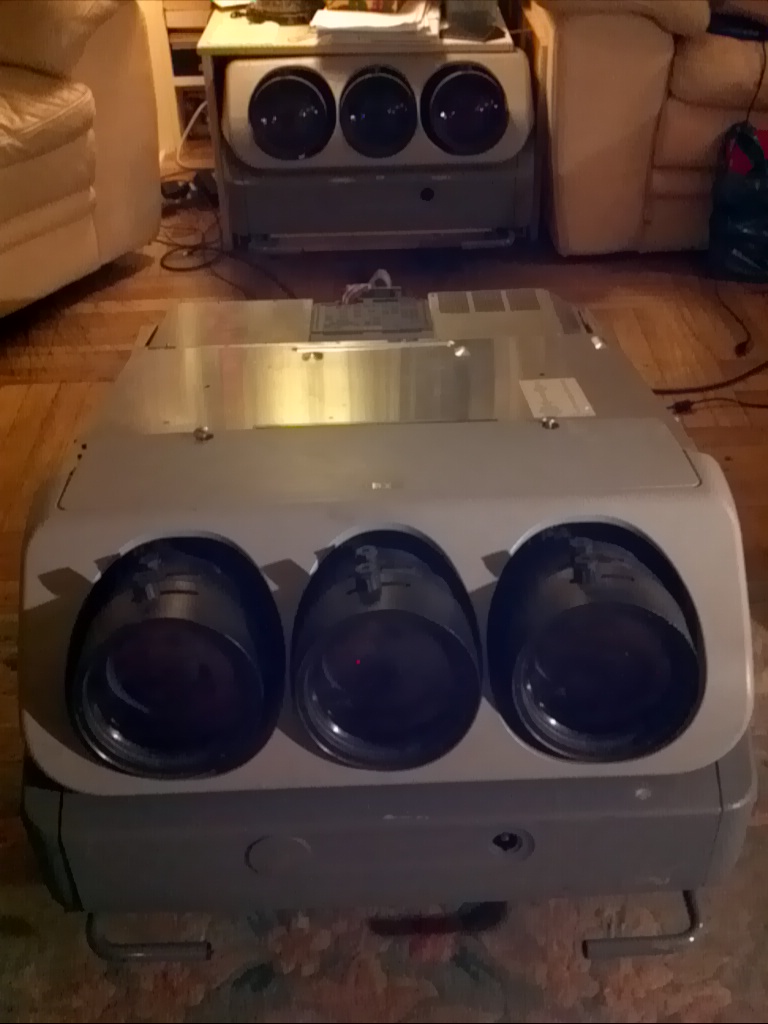
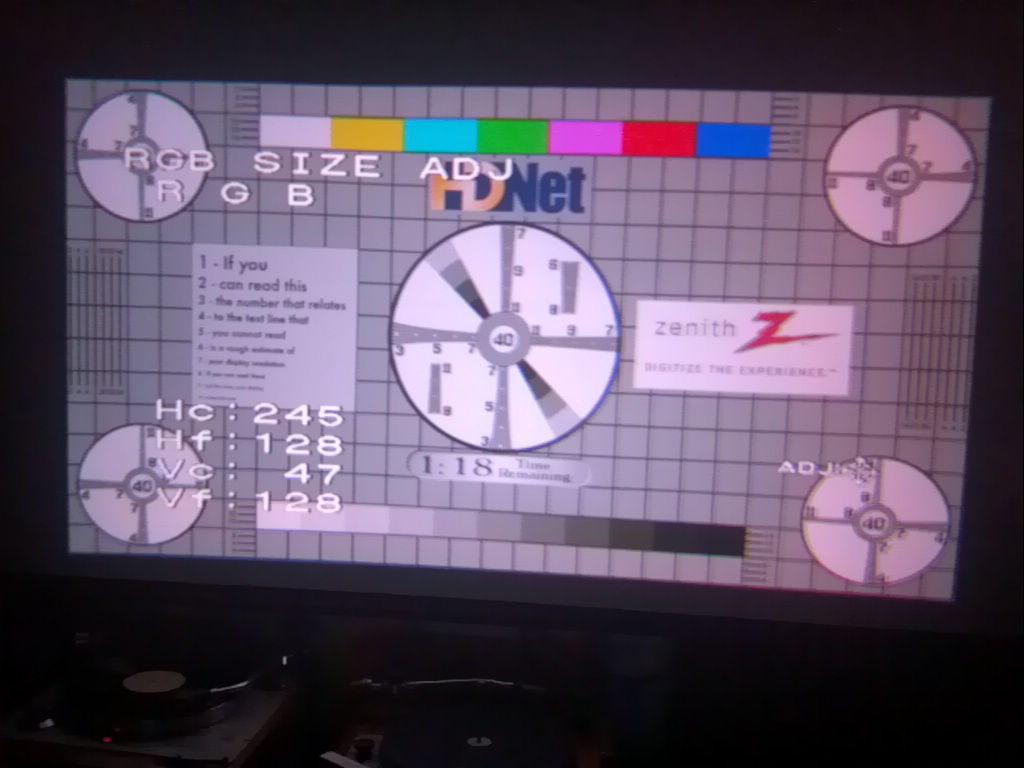
Hello. I am trying to set up my second g70. It works well but ... The red tube was replaced by owner and I have problems with centering all three tubes. It seems like red one is too low. I had to Max green and blue and min red to converge them. I have tried first with magnets but there is only a minor difference, unlike nec PG. What is the cause of this. Was a red tube installed incorrectly? Robert.
| Description: |
|
| Filesize: |
156.43 KB |
| Viewed: |
9405 Time(s) |
|
| Description: |
|
| Filesize: |
154.75 KB |
| Viewed: |
9395 Time(s) |
|
|
|
| Back to top |
|
|
Curt Palme
CRT Tech
Joined: 08 Mar 2006
Posts: 24396
Location: Langley, BC
TV/Projector: All of them!
|
| Posted: Wed Jul 29, 2015 2:51 pm Post subject: |
|
|
|
Rob, use the 'zone' adjustment. Take the R and B shift controls back to 128, and use the middle zone adjustment. that's the coarse raster shift, and it's normal for any or all of the V settings to be way off the default 128 midposition.
|
|
| Back to top |
|
|
robnec
Joined: 27 Apr 2006
Posts: 87
Location: NYC
|
| Posted: Wed Jul 29, 2015 11:53 pm Post subject: |
|
|
|
Thank you for help. I just did as you said and all is good. I am used to NEC projectors which have more "manual" controls. This one being much younger are all electronics. I have it on 70 inch screen and picture is excellent. Watching Laurence of Arabia now. Robert.
|
|
| Back to top |
|
|
|
|




