| Author |
Message |
ilias
Joined: 20 Apr 2007
Posts: 116
|
| Posted: Fri Sep 26, 2014 8:06 am Post subject: sony g70 red line left! |
|
|
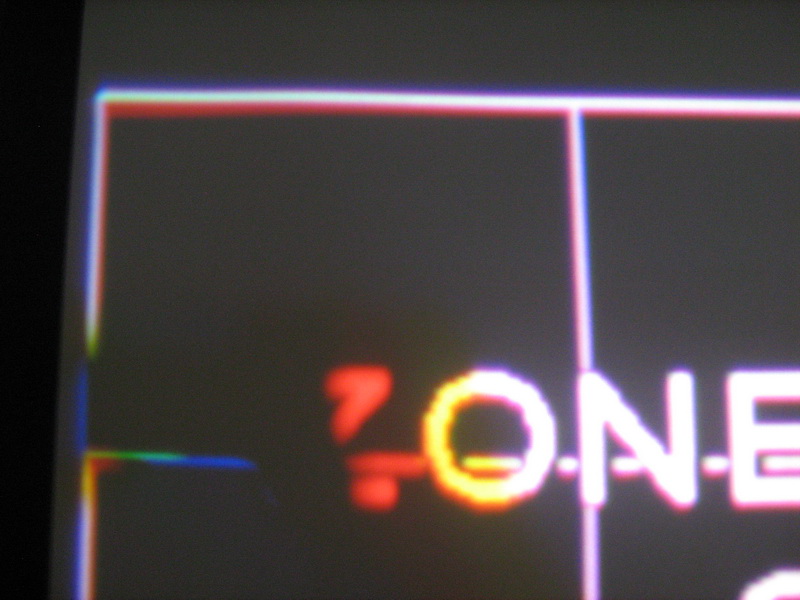
In the left, the red line is twice the thickness of green and red! how to taper; HDFury1 blame;
| Description: |
|
| Filesize: |
125.83 KB |
| Viewed: |
2008 Time(s) |
|
|
|
| Back to top |
|
 |
Curt Palme
CRT Tech
Joined: 08 Mar 2006
Posts: 24396
Location: Langley, BC
TV/Projector: All of them!
|
| Posted: Fri Sep 26, 2014 1:40 pm Post subject: |
|
|
|
This is a focusing/astig/Scheimpflug issue I would think.
|
|
| Back to top |
|
|
jeffslife

Joined: 17 Apr 2010
Posts: 4190
Location: ohio usa
|
| Posted: Sat Sep 27, 2014 2:15 am Post subject: |
|
|
I know this sounds like a dumb question but is your screen flat ? Square to the PJ ? I had a similar problem and discovered that the left bottom corner of my screen had come loose and moved forward. I reattached it and dialed it in square and the problem was gone.
_________________
We are ALL job creators !
|
|
| Back to top |
|
|
AFryia

Joined: 09 Mar 2006
Posts: 965
Location: S.E. Michigan VPH-G70Q
|
| Posted: Sat Sep 27, 2014 1:56 pm Post subject: |
|
|
It depends on how much tube face you are using. That could be mechanical (focus, scheimpflug, etc.).
If the raster is maximized it is most likely electronic MG focus. Not much you can do about it.
I setup 4:3 on my 16:9 screen (constant width), the corners you show are off the screen. I don't worry about them, they are not used in the projected image. If you aggressively adjust the corner geometry too much that will affect the adjacent zones needlessly.
_________________
My Volt Blog
|
|
| Back to top |
|
|
|
|





