| Author |
Message |
incova
Joined: 27 Nov 2006
Posts: 789
Location: london
|
| Posted: Tue Jan 31, 2012 1:04 am Post subject: lenses at extremes of adjustment advice needed |
|
|
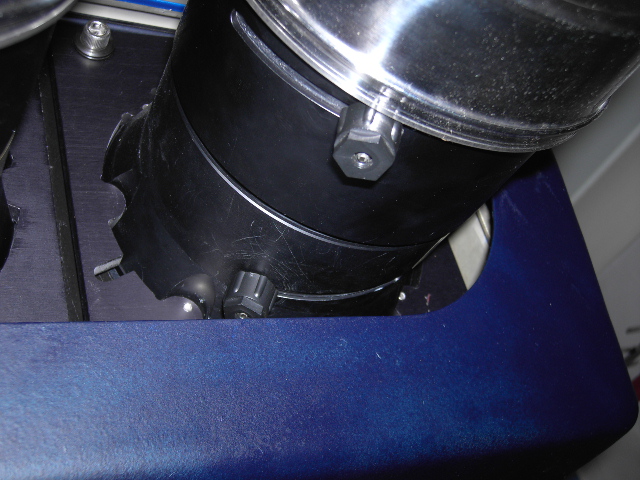
Hi all, my lenses are at their extremes of adjustment, if you are looking right at them the adjustment knob on the inside lense is far left and the outer lense far right.
Simple question I want to move both lenses inwards a bit if that means a smaller larger screen its not a problem, I just need more adjustment to play with.
So, should I move the pj foward or back, the lenses are G90 lenses. The pj is ceiling mounted so not to easy to move so I would rather ask than just move and learn, thanks. 
| Description: |
| At extremes of adjustment. |
|
| Filesize: |
181.7 KB |
| Viewed: |
1792 Time(s) |
|
_________________
The more I learn
the less I know.
|
|
| Back to top |
|
 |
dturco

Joined: 06 Feb 2009
Posts: 3778
Location: Eastern Shore Maryland
TV/Projector: Runco DLP VX-3000i Marquee 9500 parts doner
|
| Posted: Tue Jan 31, 2012 1:18 am Post subject: |
|
|
Move the P/J back away from the existing screen or wall. The screen size will get bigger as you move further away. I did this with my GT-17 lenses, I set them in the middle adjustment area then moved the P/J to where it would start to focus. This ended up being a 120" diagonal screen. My previous screen was 100" diagonal and my lenses were nearly at their lower limits on that screen.
Edit: I took the P/J off the ceiling {is that roof to you?} put it on a cart and did the above.
_________________
Firefly rules. Can't stop the signal.
http://www.hulu.com/firefly
|
|
| Back to top |
|
|
incova
Joined: 27 Nov 2006
Posts: 789
Location: london
|
| Posted: Tue Jan 31, 2012 1:21 am Post subject: Thanks |
|
|
Thanks dturco, what width screen do you end up with then?
_________________
The more I learn
the less I know.
|
|
| Back to top |
|
|
dturco
Joined: 06 Feb 2009
Posts: 3778
Location: Eastern Shore Maryland
TV/Projector: Runco DLP VX-3000i Marquee 9500 parts doner
|
|
| Back to top |
|
|
|
|





 I think 54x104 [ Edit 58x104 ]
