| Author |
Message |
shaz782
Joined: 21 Dec 2006
Posts: 45
Location: US
|
| Posted: Mon Oct 03, 2011 5:05 am Post subject: G90 Menu's not stable.... |
|
|
Hi All,
I have a slight YA board problem.
Yesterday when I turned on the G90 all the menus
seem not to synch properly. I'm not sure if synch is the right
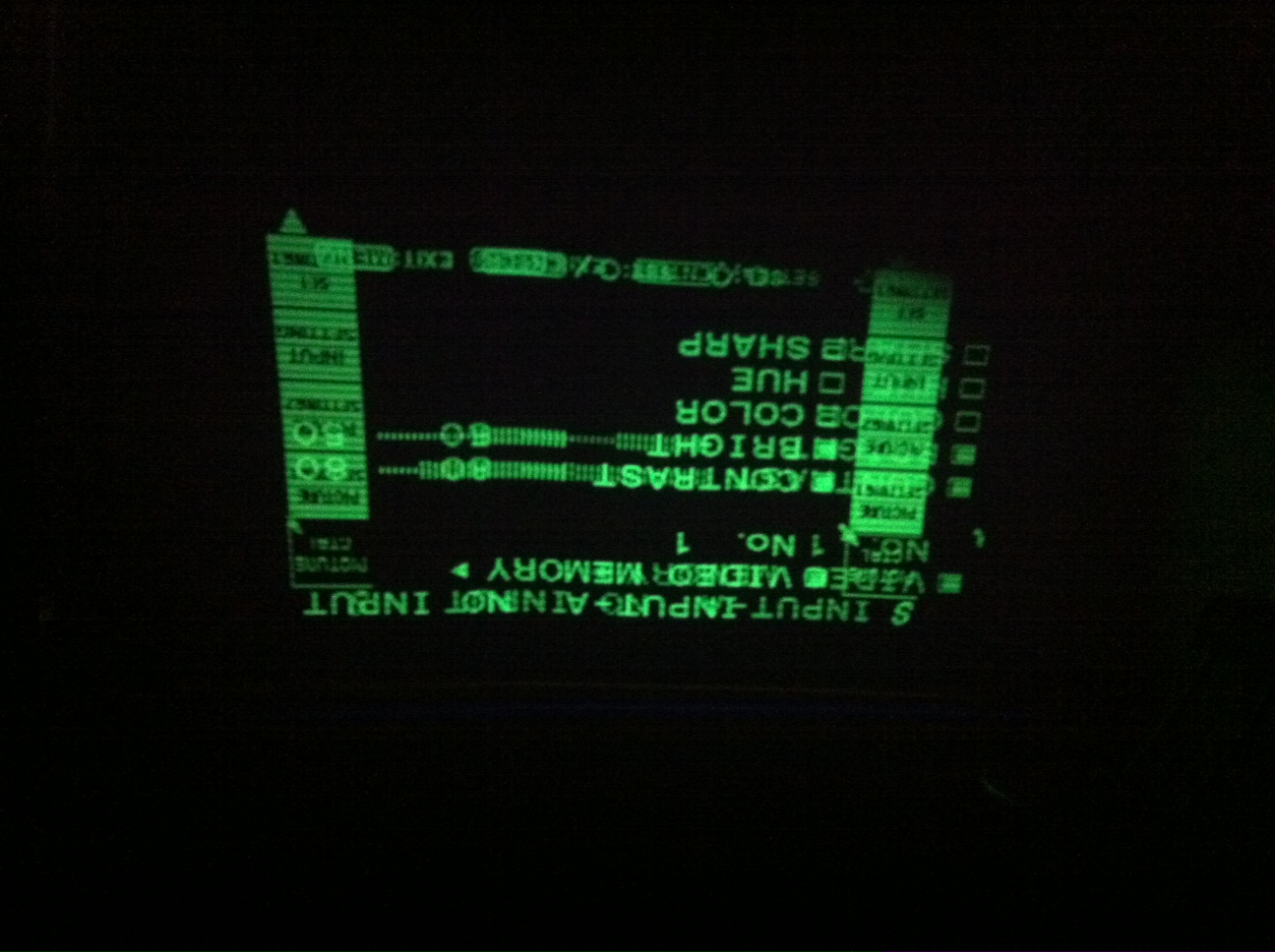
word, I can bearly see the menus, they are wavy, and move around slightly.
Though control of menu items is fine. Contrast brightness etc..all respond good.
In terms of the picture (i.e. watching movies), it is displaying
perfectly and I do not have any issues changing contrast or brightness
etc (only thing is that when pressing contrast it is readable...but very unstable).
So I can still watch movies on it with any problems!
I will try to post a picture of this.
I thought of changing IC502, IC503 (SRAM), not sure if that would make
a difference. IC501 seems a likely culprit...but I don't think this
is available.
I changed YA boards with a good board, and the problem dissapears,
so I think the issue is somewhere in the YA board, and not related to the
BA board (OSD insert IC).
If anyone has any ideas or pointers, or if there is a known fix for this, that really would
be great.
Thank you!
Shaz
|
|
| Back to top |
|
 |
JohnHWman
Joined: 15 May 2007
Posts: 215
Location: France - Grenoble
TV/Projector: Sony VPH-G90U (one unit for me, four others units repaired and sold)
|
| Posted: Mon Oct 03, 2011 2:30 pm Post subject: |
|
|
Hi Shaz,
It looks like an issue with the OSD clocking system (frequency unstable) or the PLL that sync the OSD to the displayed image (either source or internal OSC). Is this OSD problem is there with G90 internal oscillator (with no projector inputs) ?
I don't think that it is relevant to OSD SRAM unless you see incomplete characters on the screen.
Later
John
_________________
Home theater enthusiast for over 20 years !
My dedicated HT room !
|
|
| Back to top |
|
|
shaz782
Joined: 21 Dec 2006
Posts: 45
Location: US
|
| Posted: Mon Oct 03, 2011 2:55 pm Post subject: |
|
|
Hi John!
Many thanks for your reply.
This occurs even with out any input connected,
the characters are OK, so
I guess not the SRAM then....
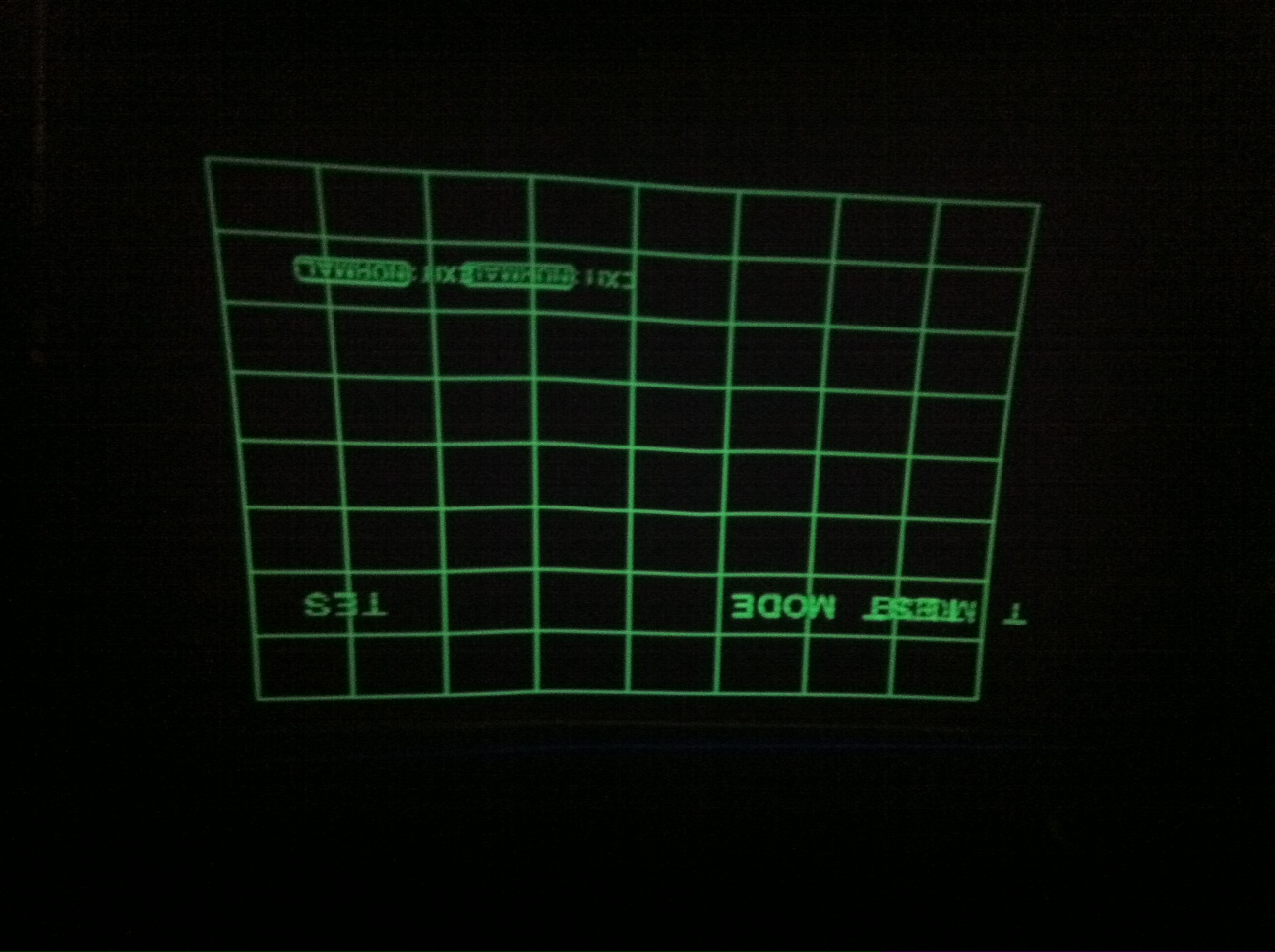
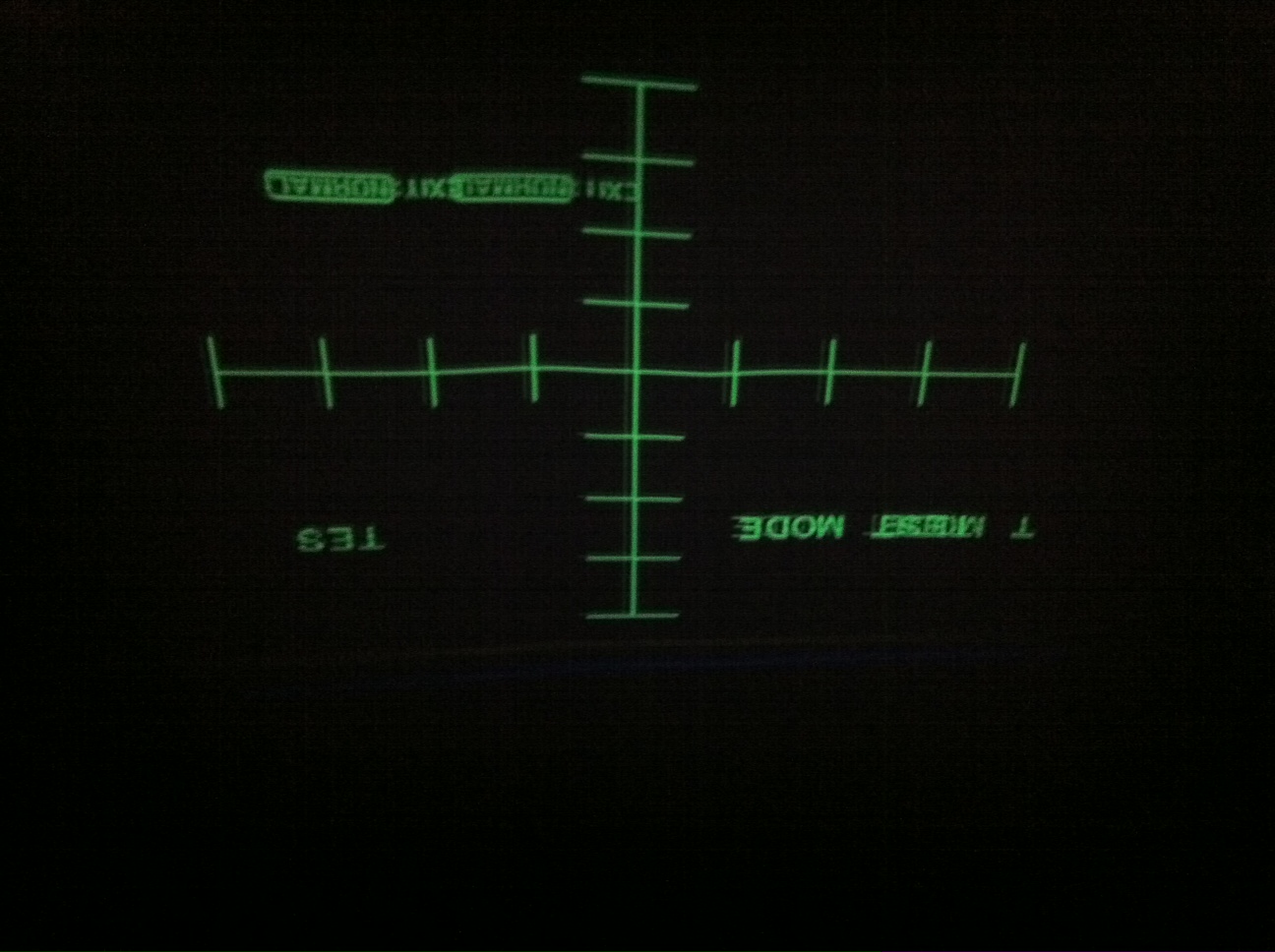
The test patterns are stable (I think these are generated via IC571 -- I will check this again
with pictures), but the menu items are very unstable.
I will get a picture today or tomorrow, just away from the PJ at the moment.
John, do u think it could be the PLL circuit, IC601, IC602 -- these are available,
and I ordered them today, and thought I might change these and see if it
fixes the problem. I hope it's not IC501.....
Thanks!
Shaz
|
|
| Back to top |
|
|
macgyver655
Joined: 22 Aug 2007
Posts: 8508
|
| Posted: Mon Oct 03, 2011 2:58 pm Post subject: |
|
|
|
Possible failing cap around ic571, ic551 or ic501.
|
|
| Back to top |
|
|
shaz782
Joined: 21 Dec 2006
Posts: 45
Location: US
|
| Posted: Mon Oct 03, 2011 3:37 pm Post subject: |
|
|
thank you for the response.
I will take a look @ the board tomorrow.
Thanks!
Shaz
| macgyver655 wrote: | | Possible failing cap around ic571, ic551 or ic501. |
|
|
| Back to top |
|
|
shaz782
Joined: 21 Dec 2006
Posts: 45
Location: US
|
| Posted: Tue Oct 04, 2011 2:12 pm Post subject: |
|
|
I've attached some pictures, for further clarification.
Test patterns are stable, but menu text moves across to the side, on off...picture is upside down,
because I did not change polarity (please ignore that).
Shaz
| Description: |
| menu only...it's OK for 0.5 seconds then like second menu is superimposed on it, but not on top, a bit to the side...on/off.... |
|
| Filesize: |
323.92 KB |
| Viewed: |
6678 Time(s) |
|
| Description: |
|
| Filesize: |
315.47 KB |
| Viewed: |
6678 Time(s) |
|
| Description: |
| test patterns are stable, but menu text moves across to the side, on off...picture is upside down, because I did not change polarity (please ignore that). |
|
| Filesize: |
291.61 KB |
| Viewed: |
6672 Time(s) |
|
|
|
| Back to top |
|
|
shaz782
Joined: 21 Dec 2006
Posts: 45
Location: US
|
| Posted: Tue Oct 04, 2011 2:14 pm Post subject: |
|
|
One more thing, waviness in test pattern is due to projecting on a blind (temporary)
thank u!
Shaz
|
|
| Back to top |
|
|
shaz782
Joined: 21 Dec 2006
Posts: 45
Location: US
|
| Posted: Thu Oct 06, 2011 1:09 pm Post subject: |
|
|
Mac,
On visual inspection the caps look OK around ic571, ic551 or ic501.
But I will change them.
If that doesn't work, next will be the PLL circuit, IC601, IC602....
Shaz
|
|
| Back to top |
|
|
CIR Engineering

Joined: 25 Aug 2008
Posts: 4269
Location: Chicago USA & Berlin Germany
|
| Posted: Sun Oct 09, 2011 11:41 am Post subject: |
|
|
I am very busy right now, but if you don't have this resolved when I get free in a week or so I will try and help too. But you are in good hands already 
Also, with YA boards you can always send them to me for repair if you run out of ideas (and I think John may sometimes take them on as well).
craigr
_________________
JETI 1501-HiRes 2nm Spectroradiometer
JETI 1211 Spectroradiometer
Photo Research PR-650 Spectroradiometer
Klein K10-A Colorimeter
Murideo Fresco SIX-G HDMI 2.x Multimedia Generator
Murideo Fresco SIX-A HDMI 2.x Analyzer
Light Illusion ColourSpace XPT Color Calibration Software
Light Illusion LightSpace XPT Pro Version 10.x Color Calibration Software
OMARDRIS JVC Software Patch to use K10-A and Jeti with JVC OEM AutoCal Software!
Sencore CR7000 CRT Tube Analyzer / Rejuvenater
Authorized Dealer for Lumagen & just about everything worth buying 
www.CIR-Engineering.com - craigr@cir-engineering.com
Phone: 865-405-6892
|
|
| Back to top |
|
|
shaz782
Joined: 21 Dec 2006
Posts: 45
Location: US
|
| Posted: Mon Oct 10, 2011 3:26 am Post subject: |
|
|
thank u very much Craig!
I'm going to change the caps this week, then
the PLL circuit....if that doesn't fix it, then
I'll send to u to take a look!
thank u!
Shaz
|
|
| Back to top |
|
|
bobcollins12
Joined: 25 Sep 2013
Posts: 8
Location: San Diego, CA
|
| Posted: Wed Sep 25, 2013 9:15 am Post subject: G90 Menu's not stable |
|
|
I'm having a similar problem with a G90. All else is OK but the all the menu characters are jittery / unstable...moving slightly to the left and then back. Seeems like some kind of horizontal sync problem or clock timing...? I know this has been a while ago, but what did you end up doing to fix.
Thanks,
Bob
|
|
| Back to top |
|
|
Curt Palme
CRT Tech
Joined: 08 Mar 2006
Posts: 24396
Location: Langley, BC
TV/Projector: All of them!
|
| Posted: Wed Sep 25, 2013 12:31 pm Post subject: |
|
|
This sounds more like a sync signal over a bad YA board. A bad YA board shakes the picture violently. I had one with a bad RGB input board that did this, or the sync settings in the menu may not be ideal for your source. If your sync and clamp settings in the service menu are set to 'auto', try setting them to something other than 'auto.
if you disconnect the input completely, are the internal menus stable?
|
|
| Back to top |
|
|
bobcollins12
Joined: 25 Sep 2013
Posts: 8
Location: San Diego, CA
|
| Posted: Thu Sep 26, 2013 11:14 am Post subject: |
|
|
Thanks for the really good suggestions. I'll try them and get back to you. It'll take a day or so. Have relatively limited time to do some of this stuff - other jobs, wife, etc. - but I am a little befuddled and would like to know what's going on. As far as I know it just happened...fine when I shut down one day and jittery the next time powered up.
There is no violent picture shaking. The PJ functions other than the menu characters being jittery are perfectly fine. And the menus are not unreadable - just not stable. They all work like they're supposed to also. Be back soon.
Bob
|
|
| Back to top |
|
|
bobcollins12
Joined: 25 Sep 2013
Posts: 8
Location: San Diego, CA
|
| Posted: Sun Sep 29, 2013 12:39 pm Post subject: |
|
|
Had a little time to experiment some. I just wrote the following:
Everything is perfectly stable with no input. I tried changing sync settings, etc. Didn't affect anything. The real problem might be that it could be intermittent. Makes diagnosis a little more difficult. I've checked 3 days in a row and it seems to have gone away just as strangely as it showed up. Will be back if the problem re-appears. Fingers crossed.
Then went to recheck before submitting...
and the problem has returned. Tried the same things again that you suggested. No effect. Clamp changes have no effect. Back on H/C. Sync changes - no effect. Back on Auto.
I've been talking with Craigr about this and a few other things. He says he's seen it before and can fix - something to do with the YA board, I believe he said. Open to more suggestions if you have any. Otherwise I think I'll wait for awhile and see if it could actually just go away, as unlikely as that may be.
I'm about to change out the Dallas Chip. Do you think it could have anything to do with that chip? I've had the PJ since 2003.
9/30 - Left Projector on and watched a recorded football game. Menu was stable with no problems after game. Could not duplicate problem. Will check again today.
Bob
|
|
| Back to top |
|
|
|
|




