| Author |
Message |
Murillo
Joined: 30 Dec 2007
Posts: 113
Location: Sweden
|
| Posted: Mon Jan 17, 2011 10:52 am Post subject: Problems unwrapping 1080p image on Barco |
|
|
Hello again.
Earlier I asked a question about wrapping and got a reply that I could solve the problem by setting my PJ to high freq mode and adjust the potentiometer P1 at the vertical deflection board. My question is how I do it practically. Do start the PJ and display an image and adjust the potentiometer until the wrapping disappears or is there another way this is done? I use HTPC (1920x1080 60hz) to Moome V.3 to Barco 1209.
I also have another question. I tired to blank the edges of the image but the wrapping don’t get blanked. On screen I don’t se the wrapping but when I look in to the tubes I can se it. Also it seems like the wrapping is moving in when I try to blank the edges some more. Another thing that I noticed when I looked in to the blue and red tube, is that it sometimes look like there’s a storm going on. I noticed this when I was setting the cut off. At higher levels it went away. On screen the image is always very calm and there is no way you can notice this. Is this something that is going to damage the tubes?
Best regards
|
|
| Back to top |
|
 |
Ile

Joined: 09 Mar 2006
Posts: 1491
Location: Jyväskylä, Finland
|
| Posted: Mon Jan 17, 2011 1:08 pm Post subject: Re: Problems unwrapping 1080p image on Barco |
|
|
| Murillo wrote: | | My question is how I do it practically. Do start the PJ and display an image and adjust the potentiometer until the wrapping disappears or is there another way this is done? I use HTPC (1920x1080 60hz) to Moome V.3 to Barco 1209. |
You can make it when projector is shut down, just turn pot to full ccw. Then turn projector on and check if high freq mode led is now on.
If there is still some problems with unwrapping or raster ringing, you need to chance resolution timings from pc. Horizontal back porch is most critical value, it determines how many blank pixel there is before actual picture. But also sync width and front porch are good to be about right.
These 1080i96Hz timings should work fine also with 1080p47.952Hz or 1080p71.928Hz.

Just remove interlaced cross and edit vertical refresh to 47.952Hz or 71.928Hz.
1080p60Hz will always have little juddering at pannings, because it's not multiple of BR native frame rate 23.976.
You can also test smaller porch settings with 1209 high scanning mode, because flyback time is smaller than in my BG808s.
Blanking problems should stop when you get proper signal to projector.
|
|
| Back to top |
|
|
Murillo
Joined: 30 Dec 2007
Posts: 113
Location: Sweden
|
| Posted: Tue Jan 18, 2011 2:25 pm Post subject: |
|
|
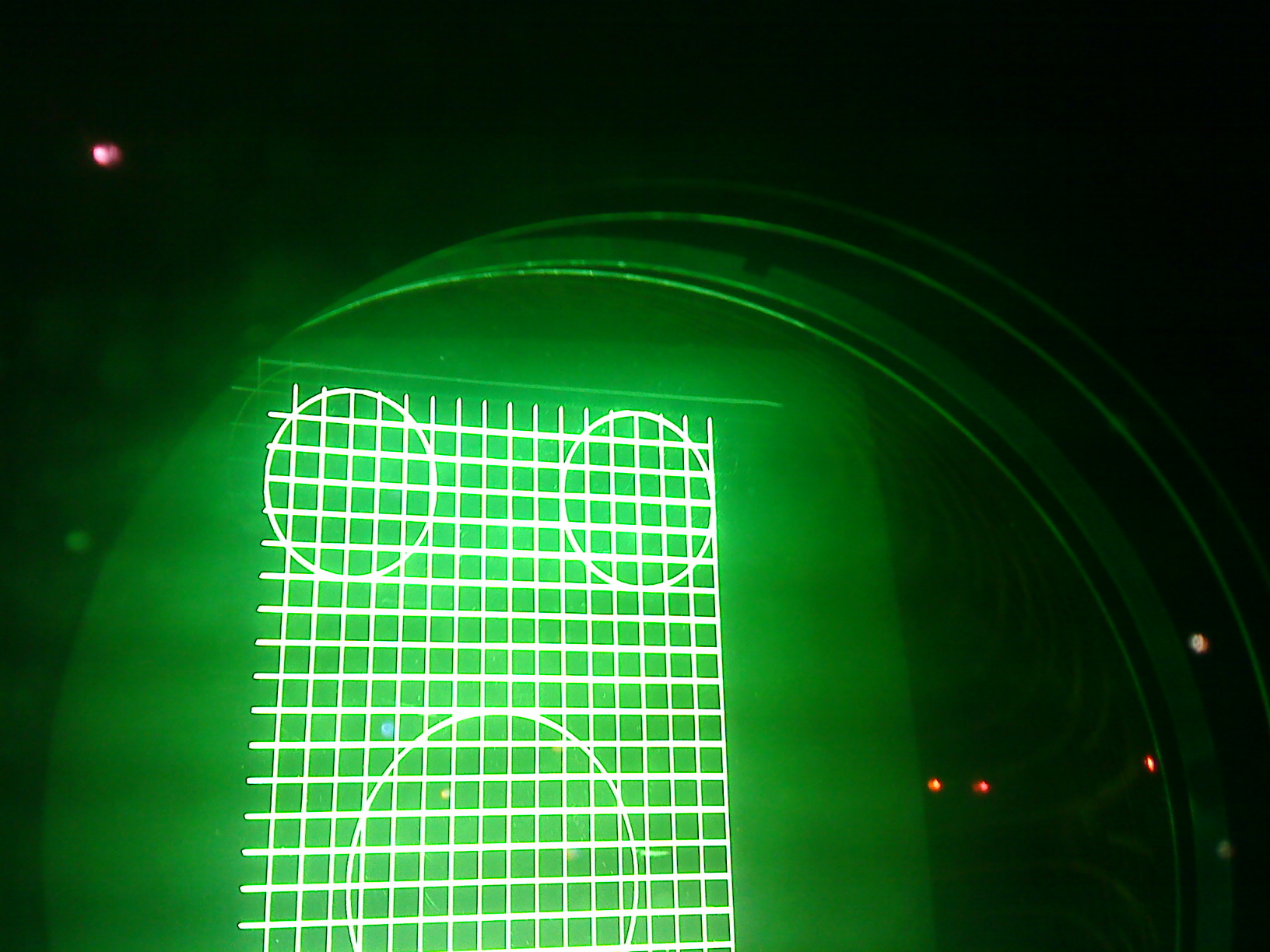
It worked, a little bit h-phase shift and the wrapping disappeared. I think I’ll have to make a complete new setup, because when I unwrapped the image the raster was wider then tube. Anyway maybe it’s best to start from scratch. I have a question I noticed a fine line at right side of the tube (attached image). When I use h-phase shift it doesn’t move but when I use raster shift it moves. Maybe it is the end of windows image, the left side looks OK. Is this something to worry about or can it be fixed with blanking?
| Description: |
|
| Filesize: |
436.64 KB |
| Viewed: |
915 Time(s) |
|
|
|
| Back to top |
|
|
Ile
Joined: 09 Mar 2006
Posts: 1491
Location: Jyväskylä, Finland
|
| Posted: Tue Jan 18, 2011 6:41 pm Post subject: |
|
|
It's probably raster edge, so no problem. It's so faint that it wont even burn phosphorus, but you can blank it if you like.
You see raster behind actual picture (win desktop is good for this) if you elevate brightness until raster start to show. It can't be seen if blankings are adjusted...
Be aware that blanking usually makes shadow line or lines to near picture edge that can be seen on screen with constant colors, so I don't use it.
|
|
| Back to top |
|
|
|
|




