| Author |
Message |
ecrabb
Forum Moderator

Joined: 13 Mar 2006
Posts: 15909
Location: Utah
TV/Projector: JVC RS40, Epson 5010
|
| Posted: Sat Sep 18, 2010 11:27 pm Post subject: CRT sucks for gaming!!! |
|
|
OK, that's an exaggeration; an attention-grabber. But, I thought I'd post my experience as another point of discussion in the CRT vs. digital debate. CRT is often suggested as superior for gaming because of the superior temporal resolution and of delay or other processing that interferes with the game. Unfortunately, that comes with a downside: Phosphor burn. IMHO, any advantages CRTs has are negated by the inherent risks of playing games with static images on a CRT.
We all know about static-image phosphor burn. We hear different opinions one way or the other. "Don't worry about it, just turn the contrast down and play." "You can burn a DVD many into a tube overnight, so obviously you can get burn playing a game." This is my account. Hopefully it'll better-inform the next go about what they're getting into if they game on their CRT projector.
I was going to write big giant post about this, but let's just say that in spite of never being a serious gamer, I got pretty hooked on this modern warfare first-person shooter called Battlefield Bad Company 2. Work and family keep me really busy, but I do like to take a little "me time" occasionally. So, a couple of friends and I started playing pretty regularly. Since we started back in March, I managed to rack up over 120 hours playing the game online, almost all late at night after kids' bed time. Yes, that's almost 5 hours/week. In hindsight, way too damn much, but a lot of guys spend that much time at the bar, football games, or golfing, so... Whatever.
Anyway, I hadn't noticed any issue, but I decided to pop off the green lens and see how the wear was looking on my G70 with 1350 hours on it. I got the lens off... Hmmm... Barely noticeable wear. Not bad... About what I was expecting for ~1200 hours. That's a lot of movie watchin'! So, I'm scanning around the tube with flashlight, and there it is... Image burn from the &*!%*#&! ammo counter on the game I've been playing so much. The kicker is I don't even ever look at the ammo counter. Ever.
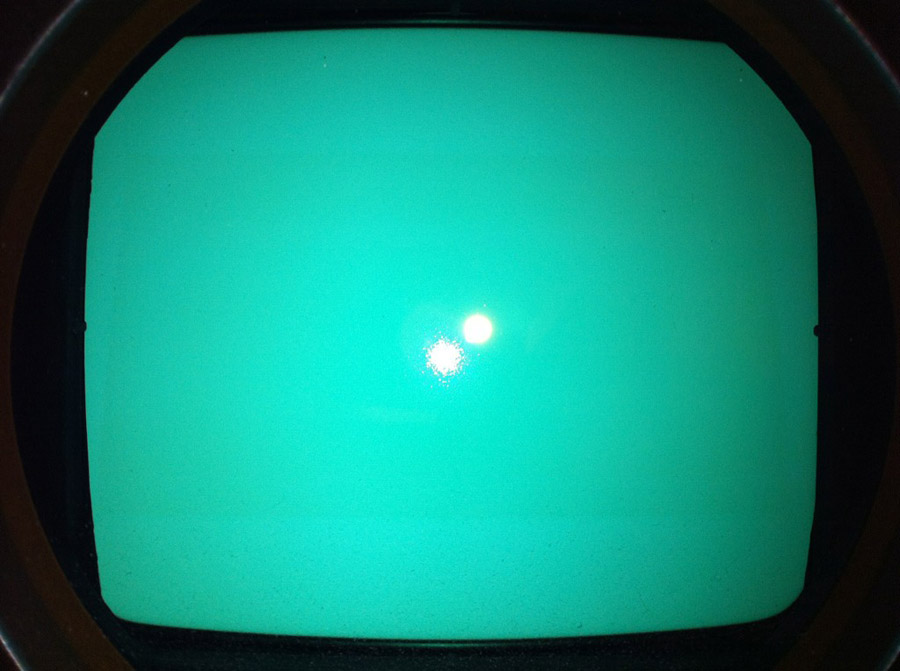
Here's what the tube looks like at a glance... It's an iPhone photo, so you can't even see the burn. I sure noticed it with a flashlight, though.
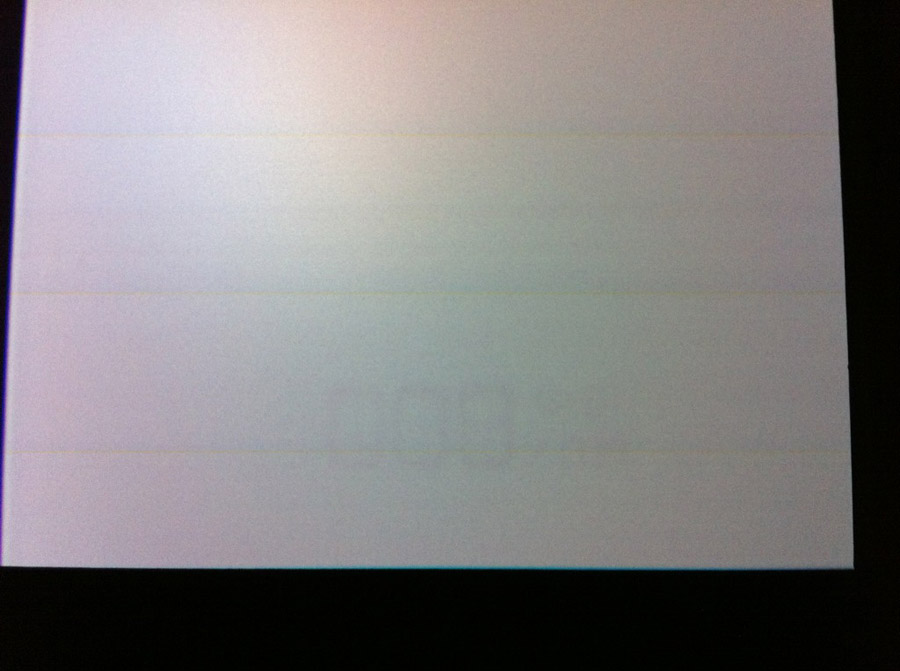
Here's what it looks like on the screen. The lines are an imaging artifact due to the interaction between the refresh rate and the CMOS sensor in the iPhone. It's not bad, and it's down in the lower-right, but it's certainly plenty noticeable if you're looking for it at all:
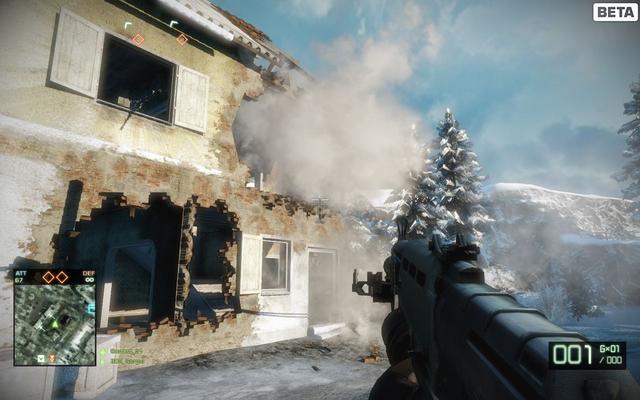
For reference, here's what the game looks like - you can see the ammo counter in the lower-right:
I don't run my machine overly hot. Just normal. It's pretty much color-calibrated for best PQ/sharpness, so definitely not hot. For probably about half of the hours playing the game, I'd even turned the contrast down and brightness up for better visibility in the shadows.
Luckily, it's in the lower-right, not really obvious except in solid grays or light colors, and not at all on scope material.
The damn G70 even is a pic orbiting function, but apparently I had it off when I was doing setup and never turned it back on. It's on now.
So, yeah... Digitals might cost a couple hundred bucks a year to operate if you watch like I do and keep a pretty fresh bulb in it, but then you don't have to deal with this sh*t, either. It will likely be several years before I switch to digital... I was already leaning that direction... But, this certainly didn't make the CRT case any better for me.
So, there you go. Be careful with games on your CRT projectors, boys - especially with anything like a white ammo counter. I'd guess it takes well under 60 hours of playing the same game to produce noticeable phosphor burn.
Cheers,
SC
|
|
| Back to top |
|
 |
akajester

Joined: 09 Jul 2008
Posts: 934
Location: Wisconsin
|
| Posted: Sun Sep 19, 2010 12:15 am Post subject: |
|
|
I played over 120 hours of fallout 3 and didn't notice anything. I'm guessing it must not have a static counter or anything like that on the screen to cause burn. At least on the 360 version. bummer man!
Dale
|
|
| Back to top |
|
|
Curt Palme
CRT Tech
Joined: 08 Mar 2006
Posts: 24396
Location: Langley, BC
TV/Projector: All of them!
|
| Posted: Sun Sep 19, 2010 12:28 am Post subject: |
|
|
I don't see any counter in the bottom right corner, but do see a big 000 burnt dead center at the bottom of your all white area.
FWIW, and certainly not to put salt in the wounds, but not enabling the orbiting is something I'd consider 'user error', esp if you know there's a bright white static counter on the screen.
NO question that the orbiting feature and minimum usable contrast applies to gaming..
|
|
| Back to top |
|
|
ecrabb
Forum Moderator
Joined: 13 Mar 2006
Posts: 15909
Location: Utah
TV/Projector: JVC RS40, Epson 5010
|
| Posted: Sun Sep 19, 2010 12:40 am Post subject: |
|
|
| Curt Palme wrote: | | I don't see any counter in the bottom right corner, but do see a big 000 burnt dead center at the bottom of your all white area. |
The screen photo is of the bottom-right square foot or so of the corner of the screen. 
| Curt Palme wrote: | | FWIW, and certainly not to put salt in the wounds, but not enabling the orbiting is something I'd consider 'user error', esp if you know there's a bright white static counter on the screen. |
No doubt. But, A) Not all projectors have pic orbiting, B) Even that doesn't eliminate the burn, but only "distributes the wear"... C) It's still a "user error" that can't happen with a digital.
I've always wondered... How much do the orbiting functions move the picture, and in what time frame do they work?
SC
|
|
| Back to top |
|
|
ecrabb
Forum Moderator
Joined: 13 Mar 2006
Posts: 15909
Location: Utah
TV/Projector: JVC RS40, Epson 5010
|
| Posted: Sun Sep 19, 2010 1:11 am Post subject: |
|
|
| akajester wrote: | | I played over 120 hours of fallout 3 and didn't notice anything. I'm guessing it must not have a static counter or anything like that on the screen to cause burn. At least on the 360 version. bummer man! |
I've never played Fallout... Is it cool? Googled some screenshots... Did it look like this?

Those doodads at the bottom-left and -right sure look like they're static enough to burn, but then maybe they're only on some of the time. What projector were you playing on, and did you have anything to orbit the picture? Did you lower contrast at all play like normal? How many hours did your tubes have on them, and was there existing wear?
SC
|
|
| Back to top |
|
|
overclkr

Joined: 08 Mar 2006
Posts: 4227
|
| Posted: Sun Sep 19, 2010 1:26 am Post subject: |
|
|
That's weird because I game on my G90's on a regular basis. Played hours upon hours of Guitar Hero and others and never had a problem. I do however, turn down the contrast 10 to 15 clicks every time I game. I've also never had that problem on any other CRT I've owned and I gamed on all of them.
Cliff
|
|
| Back to top |
|
|
km987654

Joined: 25 Jul 2007
Posts: 2874
Location: Australia
TV/Projector: Barco BG809s
|
| Posted: Sun Sep 19, 2010 1:32 am Post subject: |
|
|
The old rule of thumb applies and that is anything static for long enough on a CRT is going to burn. Since most of these games have static counters etc then I would expect they will burn tubes!! 
|
|
| Back to top |
|
|
ecrabb
Forum Moderator
Joined: 13 Mar 2006
Posts: 15909
Location: Utah
TV/Projector: JVC RS40, Epson 5010
|
| Posted: Sun Sep 19, 2010 2:10 am Post subject: |
|
|
| overclkr wrote: | | That's weird because I game on my G90's on a regular basis. Played hours upon hours of Guitar Hero and others and never had a problem. I do however, turn down the contrast 10 to 15 clicks every time I game. I've also never had that problem on any other CRT I've owned and I gamed on all of them. |
That is weird. I would have suggested that maybe since you had the stack, Ken already had them running on the conservative side, and then you were turning them down further from there... I mean, your screen is only 50% larger than mine, but has two 9" machines blasting it instead of one 8" machine... But, if you've never had a problem on other machines, I don't know what to say.
<shrugs shoulders>
SC
|
|
| Back to top |
|
|
Zebu Fellenz
Joined: 21 Dec 2006
Posts: 2567
|
| Posted: Sun Sep 19, 2010 2:28 am Post subject: |
|
|
I've never had a problem with static images on my G70. It did have some wear on the tubes when I got it, but in the thousands of hours I've run it with many, many hours of static images I have never seen any additional wear from static images. I run contrast at 80 and have a VERY punchy picture on my 8' wide high power screen.
Erik
-I wonder if tubes that have already been worn are less susceptible to static image burn?
|
|
| Back to top |
|
|
zGman
Joined: 22 May 2006
Posts: 599
|
| Posted: Sun Sep 19, 2010 3:05 am Post subject: |
|
|
""-I wonder if tubes that have already been worn are less susceptible to static image burn?""
Yes - this is very good point....
However, I suspect that the #'s on his counter were set at 100IRE in the software,
(They look very bright in the pic compared to the rest of the scene)
and even with the orbiting turned on there would still be some wear, though
perhaps less distinct....Maybe the counter can be turned off in the game menu?
G
|
|
| Back to top |
|
|
perisoft

Joined: 29 Aug 2007
Posts: 2920
Location: Ithaca, NY
|
| Posted: Sun Sep 19, 2010 4:54 am Post subject: |
|
|
Yep. This is why I've snorked a cheap 1080p digital from work to do gaming with on the few changes I have to play any games. Might use it for sports, too, though the motion and color performance of the Barco make football look great. I don't even really like football, but when your best bud comes over to watch on a huge screen, eat chips, and say, "Oh, damn!" when a guy gets his helmet knocked off, the content of the game itself is irrelevant.
Dudes running into each other? Check. Snacks? Check. Freaking awesome picture that lets you see just how pissed off the coaches are at whatever just happened, no matter what it was? Che-e-eck! 
_________________

|
|
| Back to top |
|
|
akajester
Joined: 09 Jul 2008
Posts: 934
Location: Wisconsin
|
| Posted: Sun Sep 19, 2010 12:23 pm Post subject: |
|
|
| ecrabb wrote: | | akajester wrote: | | I played over 120 hours of fallout 3 and didn't notice anything. I'm guessing it must not have a static counter or anything like that on the screen to cause burn. At least on the 360 version. bummer man! |
I've never played Fallout... Is it cool? Googled some screenshots... Did it look like this?
Those doodads at the bottom-left and -right sure look like they're static enough to burn, but then maybe they're only on some of the time. What projector were you playing on, and did you have anything to orbit the picture? Did you lower contrast at all play like normal? How many hours did your tubes have on them, and was there existing wear?
SC |
yes, that looks right. BG808s, didn't mess with contrast. Tubes have about 3000 hours on them. No orbiting and green has some wear already. Maybe it burned the tubes and I just haven't noticed. 
|
|
| Back to top |
|
|
CasetheCorvetteman

Joined: 09 Nov 2008
Posts: 6326
Location: Australia
|
| Posted: Sun Sep 19, 2010 12:37 pm Post subject: |
|
|
On the PC version of these games you can set the transparency level of those such items, it wont burn in when you set the transparency level so they are not full bright solid white.
Id imagine the game console versions would have these same options, but then i dont know, they may not due to the consoles having less video processing power than a PC, the console versions may not have these options...
Worth looking into, cause these options are there on PC games to stop or greatly reduce static image burn in on CRT monitors.
|
|
| Back to top |
|
|
Jeremy112

Joined: 28 Sep 2006
Posts: 2649
Location: Fond du Lac, WI
|
| Posted: Sun Sep 19, 2010 3:34 pm Post subject: |
|
|
| ecrabb wrote: | No doubt. But, A) Not all projectors have pic orbiting, B) Even that doesn't eliminate the burn, but only "distributes the wear"... C) It's still a "user error" that can't happen with a digital.
SC |
Actually burn in can happen with certain digitals like LCD. I only know this because an LCD projector I had wound up getting burn in from playing a game, it takes a lot more for it to happen but it does happen.
Just like an old Dell 2001FP LCD I had, I used to spend a fair amount of time in some computer chatrooms, one day I decided to start a game up and when I did I was seeing a full color holo-image of my chatroom over the blue backround of my game, that monitor was replaced later that week with a new NEC.
Burn in happens, just have to be careful
Your post has me wanting to check my tubes for gaming wear now
|
|
| Back to top |
|
|
kal
Forum Administrator

Joined: 06 Mar 2006
Posts: 18114
Location: Ottawa, Canada
TV/Projector: JVC DLA-NZ7
|
| Posted: Sun Sep 19, 2010 4:50 pm Post subject: |
|
|
That's strange since 120 hours doesn't seem like very long at all. The one good thing about gaming is that typically it's hard to rack up more than 100 hours (let alone 200-300) on any one game since you either finish it or get bored of it first.
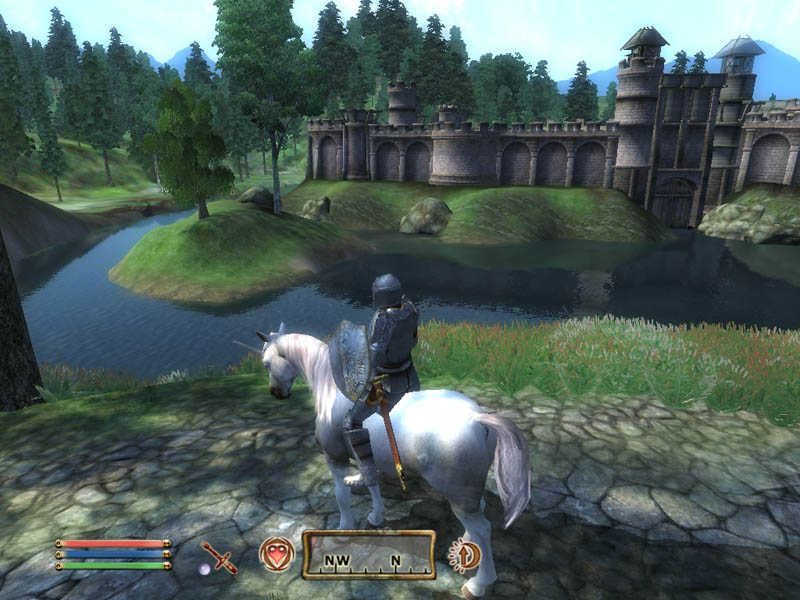
I've put a good 200-300 hours over the last 2-3 years on my Zenith 1200 playing Oblivion but no burn-in from the constant status information on the bottom:
Now Battlefield Bad Company 2 has one bad thing about it that I'm sure helped the burn-in: The White text that caused the burn is in a black box. The black box helps accentuate the burn as the black box won't wear at all.
Kal
_________________

Support our site by using our affiliate links. We thank you!
My basement/HT/bar/brewery build 2.0
|
|
| Back to top |
|
|
David_Web
Joined: 02 May 2007
Posts: 418
Location: Sweden
|
| Posted: Sun Sep 19, 2010 7:45 pm Post subject: |
|
|
The beam current will also be higher for any bright parts if the rest of the scene is dark.
I will have to think a bit about this as I intend to do a lot of gaming on my Marquee.
Good thing it's a small screen.
1.5m wide for an 8" should be very easy on the tubes.
_________________
SNR of people are ridiculously low.
|
|
| Back to top |
|
|
Hdale85
Joined: 06 Sep 2010
Posts: 56
Location: Masury, Ohio
|
| Posted: Sun Sep 19, 2010 8:00 pm Post subject: |
|
|
|
I was going to say generally a lot of those war games are very dark scenes which would make the white lettering even brighter. I imagine this would amplify the burn in since it's a high contrast item on a very dark scene. They should include the option to change the color of the counters in these games or to disable them all together.
|
|
| Back to top |
|
|
Spanky Ham

Joined: 22 Mar 2006
Posts: 5643
Location: Comedy Central
|
| Posted: Sun Sep 19, 2010 9:18 pm Post subject: |
|
|
|
This sucks, Crabb. I wonder if that could be burned around the edges of the numbers enough to make it less noticeable.
|
|
| Back to top |
|
|
jeffslife

Joined: 17 Apr 2010
Posts: 4190
Location: ohio usa
|
| Posted: Sun Sep 19, 2010 9:49 pm Post subject: |
|
|
I seldom game but my nieces and nephews do.
Thanks alot for the heads up steve
_________________
We are ALL job creators !
|
|
| Back to top |
|
|
KrisRoberts
Joined: 21 Jan 2007
Posts: 115
Location: San Diego
|
| Posted: Mon Sep 20, 2010 7:35 pm Post subject: |
|
|
I'm a professional game developer and play A LOT of games in my theater. But I almost never play on my G90. Sometimes I'll use it to show people stuff because just like anything else, games look way better with correct colors and a high contrast ratio.
Right now I have three projectors and two are just for games:
Panasonic AX200U - pretty bright LCD and super fast update time with only slightly visible pixel structure.
For PC, Xbox, PS3 and Wii games this is just fine and I use it a lot.
Unfortunately the lens shift introduces significant keystone distortion so the registration isnt perfect but its acceptable.
Acer H5360 - 120Hz DLP for 3D stereo with the nVidia 3D Vision kit.
I only use this for 3D games on the PC. Its not compatible with 3D on the PS3 or any other sources and I expect to replace it as soon as an affordable HDMI 1.4 projector is available. But for now it serves its purpose.
Even at 120Hz I see rainbows a lot and the pixel structure is plainly visible across the room.
It was cheap and lets me play with PC games and stuff in 3D on a pretty darn big screen.
I use the G90 pretty much exclusively for movies. Games can and do look better on it than they do on the digitals, but with them I can run them with no concern for wear or burn.
In our old house I did use my D50 for games a lot and never did get any clear wear patterns or burn, but I also turned the contrast way way down, used the orbit feature, and whenever possible customized the hud elements to be low contrast for PC games.
|
|
| Back to top |
|
|
|
|




