| Author |
Message |
blange
Joined: 12 Aug 2010
Posts: 16
Location: Germany
|
| Posted: Mon Sep 06, 2010 8:56 am Post subject: Sony VPH 1271 internal test pattern wont match with external |
|
|
Hey everyone. New day and a new question... 
My VPH 1271 is running at 1080i, 30/60hz. If i do switch to the internal test pattern, the middle of the screen doesn't match with the middle of the screen, when a source is connected.
So while setting it up, I needed to switch to "Zone" mode, move green to the left then switch back to input a to look if everything is right. if not, i have to switch to "Zone" again, trying to correct it and need to switch back to input a.
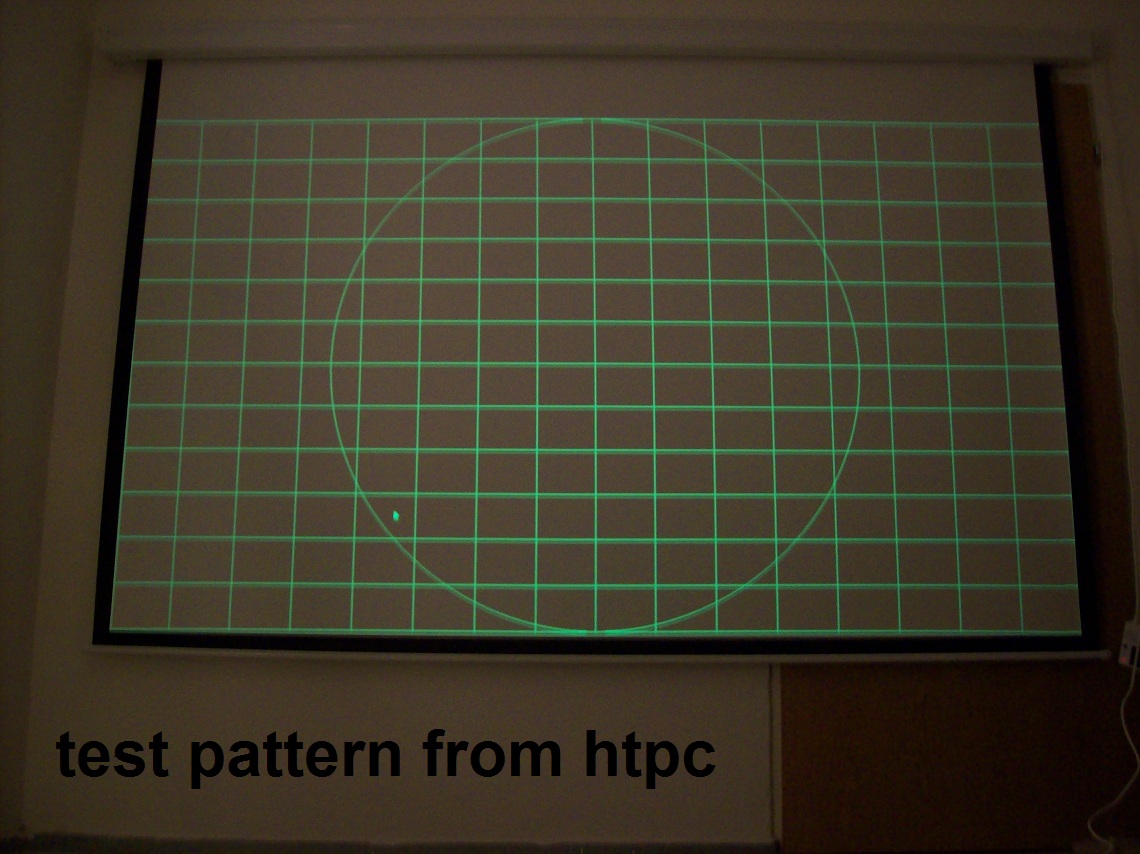
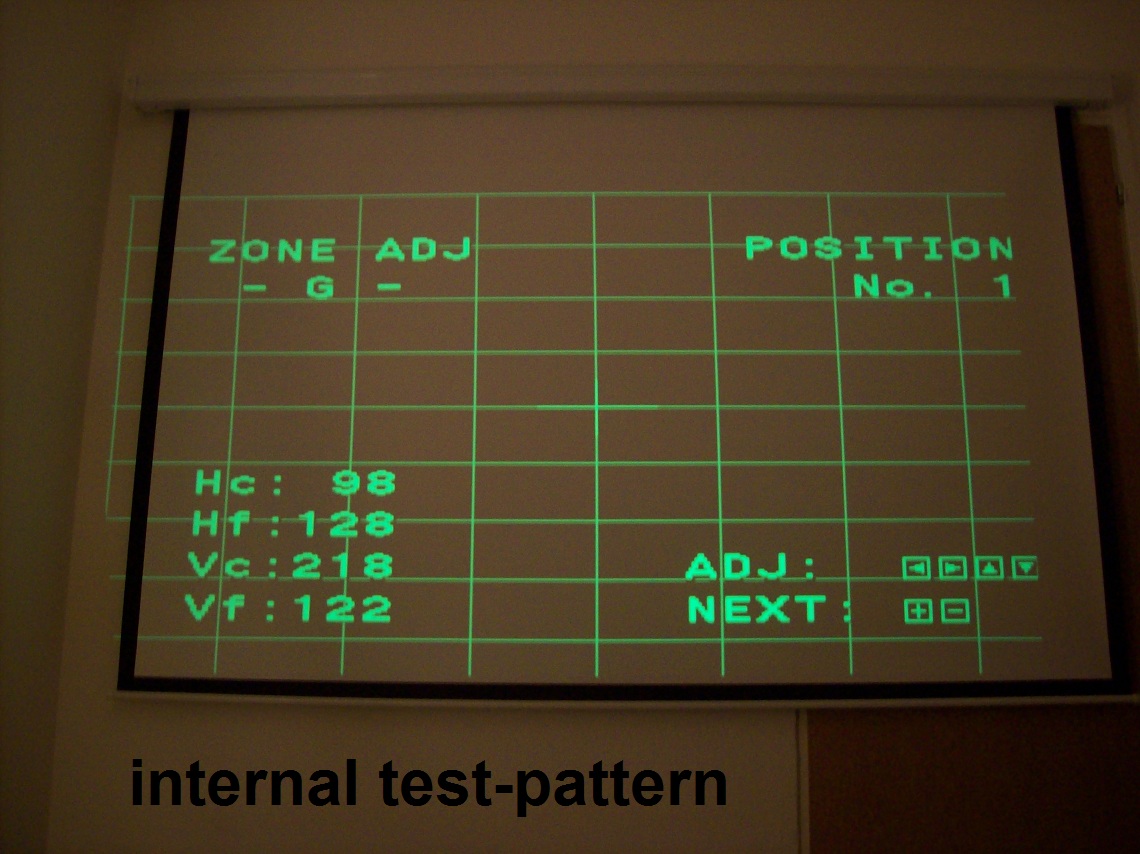
The internal test-pattern is misaligned, this means it is to far at the upper left side. So the middle of the screen at the internal text-pattern differs around 5" from the one, wich is shown by projecting my reference external test pattern to the screen(for example with nokia monitor test).
is there any possibility to setup the projector with an external test-pattern? zone, skew, pin, lin etc doesn't make sense with internal pattern because its totaly out of the screen...
|
|
| Back to top |
|
 |
blange
Joined: 12 Aug 2010
Posts: 16
Location: Germany
|
| Posted: Mon Sep 06, 2010 6:59 pm Post subject: |
|
|
here you can see 2 pics of the internal and external test pattern.
as you can see, the internal test pattern is outside the screen while the external does fit...
| Description: |
|
| Filesize: |
289.09 KB |
| Viewed: |
1309 Time(s) |
|
| Description: |
|
| Filesize: |
284.01 KB |
| Viewed: |
1303 Time(s) |
|
|
|
| Back to top |
|
|
Tim in Phoenix

Joined: 21 Oct 2006
Posts: 4409
Location: Phoenix
|
| Posted: Mon Sep 06, 2010 7:47 pm Post subject: |
|
|
Hello
Looks like the right side of your internal test pattern is blanked?
.
|
|
| Back to top |
|
|
rosenbush
Joined: 14 May 2010
Posts: 94
Location: Brownsville Texas
|
| Posted: Tue Sep 07, 2010 3:49 am Post subject: |
|
|
Use the internal test pattern while feeding your normal input.
The projector will use that frec input and all the settings will be saved for that frec.
|
|
| Back to top |
|
|
blange
Joined: 12 Aug 2010
Posts: 16
Location: Germany
|
| Posted: Tue Sep 07, 2010 7:08 am Post subject: |
|
|
|
so, i should setup the projector with the intern test-pattern? does that work so i just do need to "size" and "shift" the image after this to fit the screen? doesn't this decrease my convergence setup?
|
|
| Back to top |
|
|
rosenbush
Joined: 14 May 2010
Posts: 94
Location: Brownsville Texas
|
| Posted: Tue Sep 07, 2010 1:24 pm Post subject: |
|
|
|
Use the internal, no need for external. If you made the "hardware" convergence, won't be any problem. Remember, while feeding your normal input, otherwise doesn't work
|
|
| Back to top |
|
|
ecrabb
Forum Moderator

Joined: 13 Mar 2006
Posts: 15909
Location: Utah
TV/Projector: JVC RS40, Epson 5010
|
| Posted: Tue Sep 07, 2010 1:28 pm Post subject: |
|
|
You do your full setup first with no external signal input and once its to your liking, save to all memory locations... Then, fire up your source, do rough final size and shift, touch up convergence, and do final size/shift/blanking.
SC
|
|
| Back to top |
|
|
|
|




