| Author |
Message |
Mr. Green

Joined: 23 Feb 2007
Posts: 1394
Location: Calgary
TV/Projector: Marquee 9501LC / NEC 9PG+
|
| Posted: Fri Jul 18, 2008 1:26 am Post subject: Please help! Blu-ray and Nec 9PG+ |
|
|
Hey everybody,
I'm starting to get frustrated with this, so I figured I'd better ask.
I borrowed a PS3 from a Co-worker and I am trying to get it to work with my NEC 9PG+.
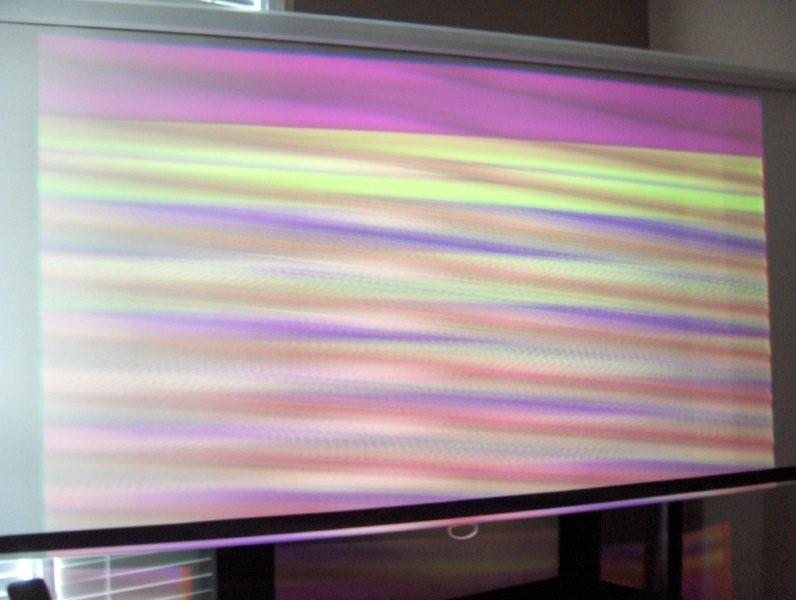
After playing around for a while this is what I get...  That's Ratatuille playing. The blu-ray is working because I can flip back and forth quickly to my plasma. Which gave a nice picture, but still had flickering horizontal snowy lines. That's Ratatuille playing. The blu-ray is working because I can flip back and forth quickly to my plasma. Which gave a nice picture, but still had flickering horizontal snowy lines.
It's obvious the projector sees the blu-ray as the screen usually goes much smaller and says "unregistered signal" when it can't. I don't know anything about PS3's and this is the first time I've ever touched one. I turned off the 1080P/24 output setting which I believe makes it send 1080i or 720P? I'm lost. Any help would be appreciated.
I just don't know what I'm doing wrong. I didn't have any trouble hooking up my old upconverting DVD player.
Please help!
| Description: |
|
| Filesize: |
44.04 KB |
| Viewed: |
3045 Time(s) |
|
_________________
You can be young only once but, you can be immature forever.
Current Projector Marquee9501LC with PS3 (BLu-Ray) at 1080P LOVE IT! Screen is an Elunevision 120" 4:3 (2.4 gain - no hotspots). (also own a NEC 9PG+)
|
|
| Back to top |
|
 |
MikeEby

Joined: 24 Jun 2007
Posts: 5237
Location: Osceola, Indiana
|
| Posted: Fri Jul 18, 2008 1:42 am Post subject: |
|
|
How are you connecting your PS3 to the NEC? What are you using to convert component to RGBHV or HDMI to RGBHV.
If you have a CRT computer monitor most will resolve 1080i or 720p with no problem you can also try that to see if you get a picture.
Mike
_________________
Doing HD since the last century!
|
|
| Back to top |
|
|
Brooklyn

Joined: 17 Sep 2007
Posts: 494
Location: Morgan Hill, CA
|
| Posted: Fri Jul 18, 2008 1:47 am Post subject: |
|
|
|
Does it run with the PS3 at all? Double check the output resolution.
|
|
| Back to top |
|
|
Mr. Green
Joined: 23 Feb 2007
Posts: 1394
Location: Calgary
TV/Projector: Marquee 9501LC / NEC 9PG+
|
| Posted: Fri Jul 18, 2008 2:56 am Post subject: |
|
|
It's an 80GB PS3 so it has HDMI out. I'm running it straight to my green edition fury with power supply which is of course connected to the projector. I know the PG+ can do it because I know people running it on a PG+. I'm about to try to update the firmware on the PS3 as I have confirmation from the owner it hasn't been done yet.
Yes, I have a 1080P plasma and it gives an image, but it's jumpy. I don't know how to tell what output resolution it's using right now.
_________________
You can be young only once but, you can be immature forever.
Current Projector Marquee9501LC with PS3 (BLu-Ray) at 1080P LOVE IT! Screen is an Elunevision 120" 4:3 (2.4 gain - no hotspots). (also own a NEC 9PG+)
|
|
| Back to top |
|
|
Mr. Green
Joined: 23 Feb 2007
Posts: 1394
Location: Calgary
TV/Projector: Marquee 9501LC / NEC 9PG+
|
| Posted: Fri Jul 18, 2008 3:21 am Post subject: |
|
|
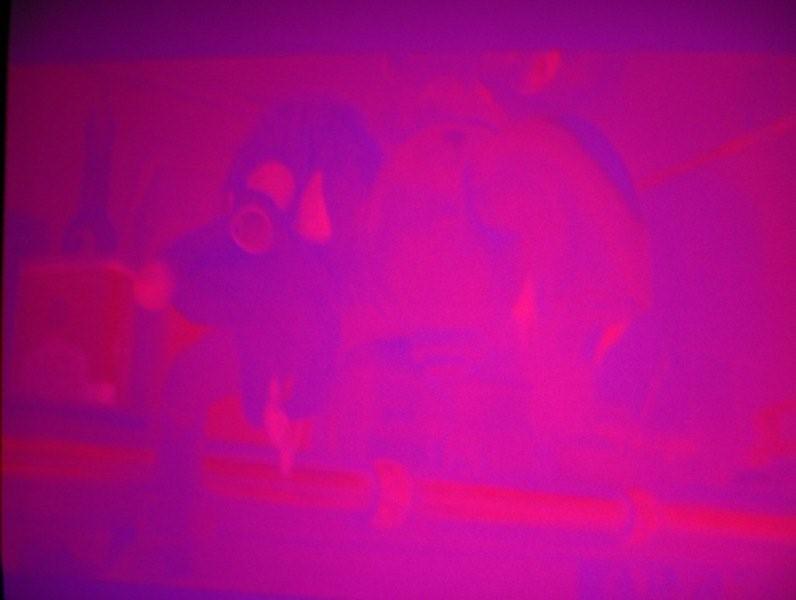
Ok, I got it to output 1080i. The green tube looks phenomenal, but the red and blue are super saturated. Now what?
_________________
You can be young only once but, you can be immature forever.
Current Projector Marquee9501LC with PS3 (BLu-Ray) at 1080P LOVE IT! Screen is an Elunevision 120" 4:3 (2.4 gain - no hotspots). (also own a NEC 9PG+)
|
|
| Back to top |
|
|
dbaisey
Joined: 09 Mar 2006
Posts: 821
Location: Southern Cal LA / Seattle WA
|
| Posted: Fri Jul 18, 2008 3:50 am Post subject: |
|
|
|
Not sure what 'super' saturated looks like from your eye but you most likely need to do a signal entry for it. Before doing pull the V sync cable and see if it vertical rolls, if so then the syncs are right. Press the info button and see what it says for signal properties. It should say 'sep' sync if your using RGBHV five wire.
|
|
| Back to top |
|
|
Mr. Green
Joined: 23 Feb 2007
Posts: 1394
Location: Calgary
TV/Projector: Marquee 9501LC / NEC 9PG+
|
| Posted: Fri Jul 18, 2008 5:18 am Post subject: |
|
|
I got it to work. I just hit "input list" to make sure it was on my Blu-ray setting and it fixed itself. Here's what it looked like before (ratatouille). It looks much better now (meet the Robinsons)... Yes I need a better camera.
| Description: |
|
| Filesize: |
80.68 KB |
| Viewed: |
2988 Time(s) |

|
| Description: |
|
| Filesize: |
27.64 KB |
| Viewed: |
2990 Time(s) |
|
_________________
You can be young only once but, you can be immature forever.
Current Projector Marquee9501LC with PS3 (BLu-Ray) at 1080P LOVE IT! Screen is an Elunevision 120" 4:3 (2.4 gain - no hotspots). (also own a NEC 9PG+)
|
|
| Back to top |
|
|
|
|




