|
As this forum is rarely used anymore, we've locked it. Feel free to browse and read. Questions? Please reach out to us directly. Cheers! |

|
 |
|
|
| Author |
Message |
rpruen
Joined: 07 Apr 2008
Posts: 67
Location: Southwest UK
TV/Projector: BD701 FTS, BD808s
|
| Posted: Sun May 25, 2008 4:46 pm Post subject: Barco 701 picture quality issues |
|
|
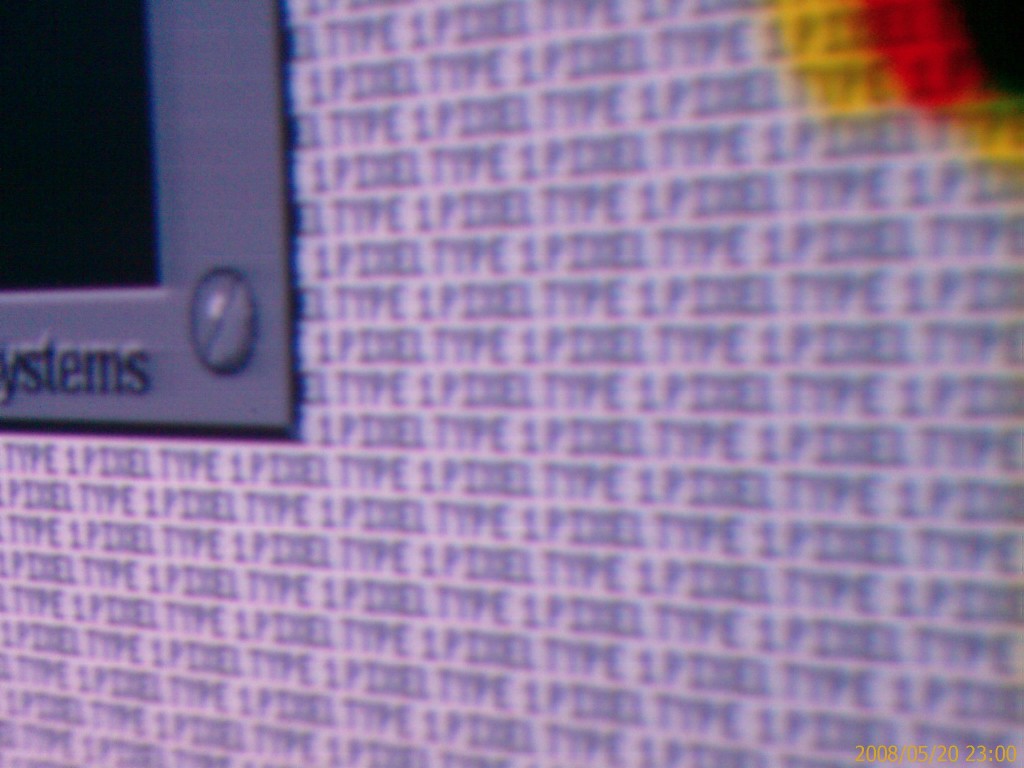
First off I apologize for the dire quality of the photo, but trying to take the picture was hard. I had to stand far to one side, so as not to be between the projector and screen, so the focus is bad.
Pic is of near mid screen, about 8 ish inches from the screen, with a 1 pixel type test pattern. The resolution is 2048x1024p and is about the limit for the projector to resolve.
The issue is the blue jagged vertical line to the right side of the dialog box. The picture shows the worst possible case, but given a DVD or better source, where there is a bright and detailed background, with dark objects in the foreground. Each dark object ends up with a blue jagged halo to the right. Ignore the red line under the box, it is there because the convergance adjustments aren't fine enough, it can't be seen from a few feet away.
It's not exactly easy to spot normally, but enough that once you know it is there, it becomes annoying. It's only possible to see when very close to the screen, more than about 6 feet away, and it isn't easy to spot at all.
Does anyone have any ideas where to start looking for the cause?
A few things that don't make sense..
Why blue, and not some other colour (or all of them), why is the line jagged....
So far I have swapped neck boards (little change), and replaced some Caps with low ESR types. Changing the caps made the image a little sharper, but nothing major. Changed the RGB cables to the neck boards to better stuff, and fitted some inductors here, and there on the power supply lines. Again slight overall improvements to image quality, but the blue line is still there (maybe it's a bit better, but not enough to tell for sure).
Any other ideas?
I have some test gear, such as a meter (both digital, and Analog), and single channel scope. I can borrow a better scope if needed.
Thanks
Richard
| Description: |
|
| Filesize: |
130.76 KB |
| Viewed: |
2776 Time(s) |
|
|
|
| Back to top |
|
 |
Curt Palme
CRT Tech
Joined: 08 Mar 2006
Posts: 24396
Location: Langley, BC
TV/Projector: All of them!
|
| Posted: Sun May 25, 2008 4:58 pm Post subject: |
|
|
Umm, you're WAY too high in resolution for those poor 5.5" tubes.
The most I'd do with that set is 1024 X 768, and if the chassis has more than 3000 hours on the tubes, I'd reduce that to 800X 600.
Check the video bandwidth of hte set in the projector spec chart, but I think it's only 50Mhz. You're simply asking too much from this set.
The problem could be the tube itself, and if you've swapped neck boards, then it could be some minor issue in the video input board, but at this point you would have to reverse engineer the set in the video section and scope the video path step by step.
|
|
| Back to top |
|
|
rpruen
Joined: 07 Apr 2008
Posts: 67
Location: Southwest UK
TV/Projector: BD701 FTS, BD808s
|
| Posted: Sun May 25, 2008 5:54 pm Post subject: |
|
|
Thanks for the reply.
Maybe I'm expecting too much then... Oh well. If only I could fit a 9" set in the room Maybe I could using the mirror trick. I am on the lookout for something better, but practice on this set can't be a bad thing.
I had turned everthing up to the max, as it makes the problem worse. The blue fuzzy is still there at 1024x768, and 800x600, but less so. I'll start working through the input board from stat to finish as soon as I get time to properly digest the drawings.
I had sort of headed towards 2048x1024, because the scanlines are just a bit too much at 1024x768. I get a good usable windows desktop, and can read text fine at the higher res, but without the annoying scanlines.
The picture (photo) looks much worse than reality, because I simply couldn't hold the camera still enough, plus it got more fuzzy when compressed to small enough to post here. I guess it doesn't help that the camera is a mobile phone either.
Hopefully it's not going to hurt the projector to run at the higher res, because at least for the moment it seems to work out better. When the tubes wear a bit, then I guess that will change. I'm not sure how many hours on the green and blue, but the red has 4 hours.
Thanks for the input though, as I'm sort of new to this and still learning.
Regards
Richard
|
|
| Back to top |
|
|
perisoft

Joined: 29 Aug 2007
Posts: 2920
Location: Ithaca, NY
|
| Posted: Sun May 25, 2008 6:05 pm Post subject: |
|
|
Jeez, that's a pretty good setup job to be resolving that well at 2kx1k on a 701! If the real focus is like it is over to the left of the image, I'd say it's resolving pretty damned well, Curt!
_________________

|
|
| Back to top |
|
|
rpruen
Joined: 07 Apr 2008
Posts: 67
Location: Southwest UK
TV/Projector: BD701 FTS, BD808s
|
| Posted: Sun May 25, 2008 7:31 pm Post subject: |
|
|
| perisoft wrote: | | Jeez, that's a pretty good setup job to be resolving that well at 2kx1k on a 701! If the real focus is like it is over to the left of the image, I'd say it's resolving pretty damned well, Curt! |
Sorry, I had tried to say this in my post. The photo is out of focus, as I was far too close to the screen. and at an odd angle. The actual projected image is fairly ok (a little sharper than the far left of the photo), and is fairly even over the whole screen, though it goes off a bit in the far corners.
I just tried to take a photo and I don't have a camera with enough resolution in low light. From 5 feet I can read the 1 pixel type as plain as day, the camera for all it's 3 megapixles only sees a blur. If I get close enough to the screen, then I have the same problems with getting in the way of the projector, or having to take a picture at an extreme angle.
The blue fuzzy problem has also decided to vanish all by itself... Some little componant somewhere has decided to wonk out from time to time... That's just great. Best add freeze spray and heat gun to the list of diagnostic tools then 
Richard
|
|
| Back to top |
|
|
rpruen
Joined: 07 Apr 2008
Posts: 67
Location: Southwest UK
TV/Projector: BD701 FTS, BD808s
|
| Posted: Sat Jul 12, 2008 8:44 am Post subject: |
|
|
Problem solved.
Turned out to be a poor connection on a jumper in the input board. As far as I can tell this is the termination resistor for the video input.
Thanks for the input.
Regards
Richard
|
|
| Back to top |
|
|
|
|
|
|
|
You cannot post new topics in this forum
You cannot reply to topics in this forum
You cannot edit your posts in this forum
You cannot delete your posts in this forum
You cannot vote in polls in this forum
You cannot attach files in this forum
You can download files in this forum
|
Forum powered by phpBB © phpBB Group
|
|



