| Author |
Message |
scardmor
Joined: 22 Jan 2008
Posts: 1
Location: Switzerland
|
| Posted: Wed Jan 23, 2008 12:26 pm Post subject: Trouble with linearity and geometry on my BG808 |
|
|
Hey
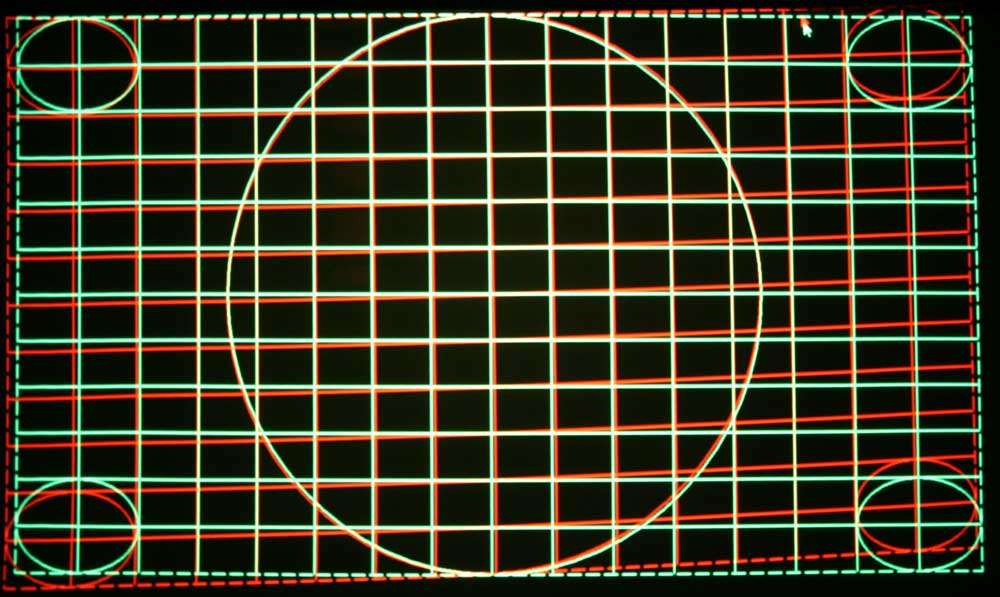
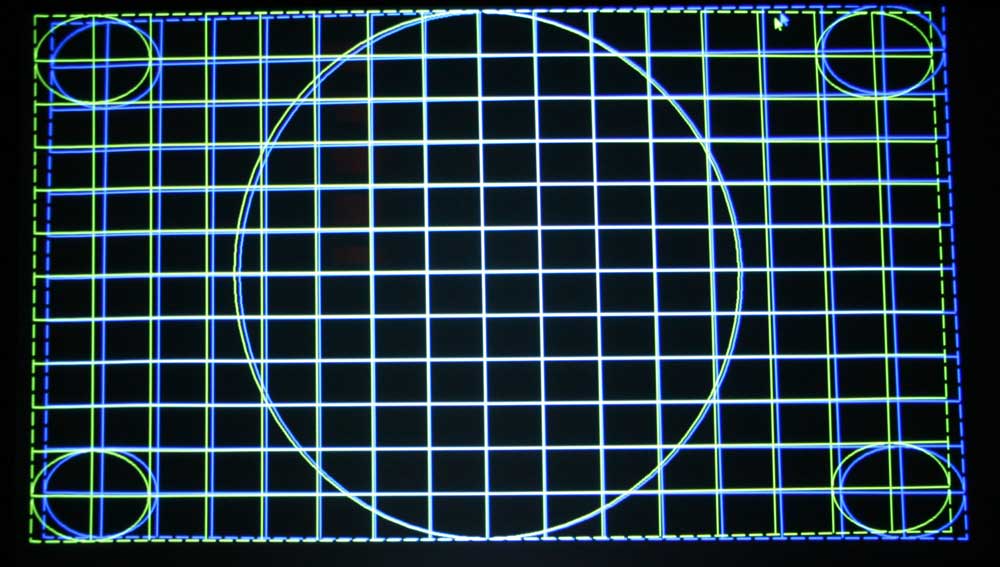
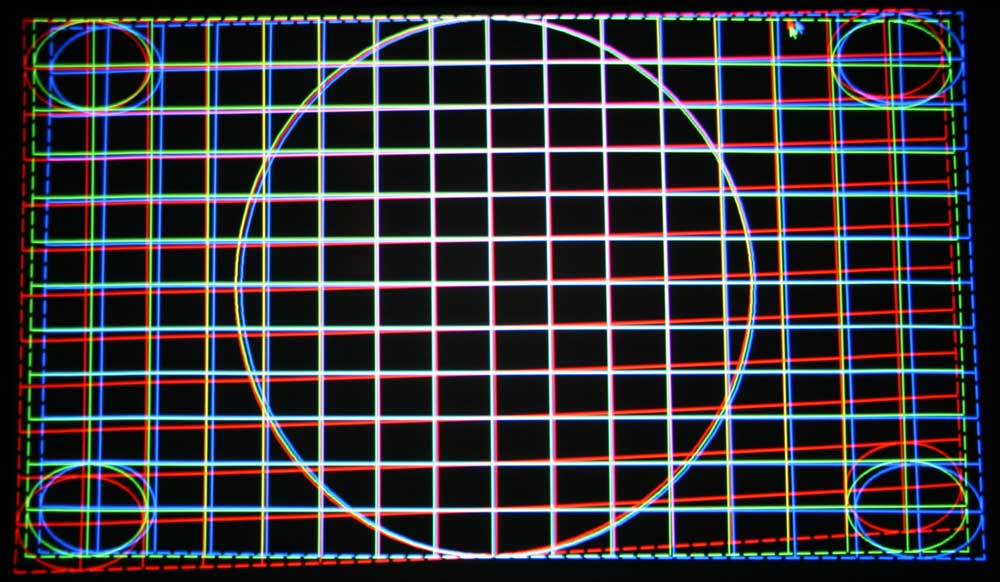
I have some troubles with my BARCO Graphics 808 with linearity and geometry as shown in the pictures below.
My setup:
BG808 with my HTPC in 720P. (VGA to RGBHV Cable), screenwidth 90inch.
I’ve been trying the following to solve the problem:
- Correct alignment to screen
- Correct scheimpflug adjustment
- Correct Astig adjustment
- Correct G2 adjustment
- Adjust with the voltmeter on SM Power Supply: „Max Hor Ampl P2 +48V“ and „P100 +17.2V”
- Testet with internal Test Pattern without source
Played around the following settings without success:
- Deflection and focus unit adjustment
- The 9 known readout potentiometer/coils for picture alignment (vertical shift red/blue (2 Potis), vertical width red/blue (2 Potis), horizontal shift red/blue (2 Potis), horizontal width Coils/Spulen Rot Blau Grün (3 Coils)
The barco drifts lots of with the convergenz because I am between 15 and 90 in the Zone convergenz menu.
Questions:
- Any possibilities to adjust linearity for red and blue?
- Does anybody have a clue why red extremely deformed is?
(Pictures with 720P without convergenz only geometry on Green, before I delete all Block and set to midpoint)
I hope anyone can help me!
Thank a lot…. Regards from Switzerland… Reto
| Description: |
|
| Filesize: |
87.01 KB |
| Viewed: |
2341 Time(s) |
|
| Description: |
|
| Filesize: |
78.76 KB |
| Viewed: |
2341 Time(s) |
|
| Description: |
|
| Filesize: |
92.69 KB |
| Viewed: |
2341 Time(s) |
|
|
|
| Back to top |
|
 |
r.bauer
Joined: 08 Apr 2006
Posts: 280
Location: The Netherlands
|
| Posted: Wed Jan 23, 2008 1:07 pm Post subject: |
|
|
Did you rotate the yoke to level the picture on all three tubes while keeping top-bottom centerline skew adjustment on Green at 49. Your goal is to level the horzontal centerline.
There is no individual linearity adjustment for Red and Blue. Left and right sides of blue and red should be corrected using convergence. Notice the overlap in adjustment between the convergence positions (Convergence position selection square)
|
|
| Back to top |
|
|
Curt Palme
CRT Tech
Joined: 08 Mar 2006
Posts: 24396
Location: Langley, BC
TV/Projector: All of them!
|
| Posted: Wed Jan 23, 2008 1:57 pm Post subject: |
|
|
|
That all looks normal to me. As r. bauer says, rotate the red yoke slightly to even out the mismatch on the V plane, but you'll add some to the H plane. THe convergence controls should correct everything out.
|
|
| Back to top |
|
|
Person99
Joined: 09 Mar 2006
Posts: 4899
Location: Flower Mound, TX
|
| Posted: Wed Jan 23, 2008 3:08 pm Post subject: |
|
|
I'll third that!  I'd get the red evened out and you are there. This is normal. I'd get the red evened out and you are there. This is normal.
_________________
Dave
A train station is where the train stops. A bus station is where the bus stops. On my desk, I have a work station....
|
|
| Back to top |
|
|
|
|




