| Author |
Message |
donr
Joined: 04 Nov 2006
Posts: 162
Location: Montreal
|
| Posted: Sun Nov 11, 2007 5:04 am Post subject: ECP ghosting |
|
|
Well, I don't know if I should call this ghosting, halos or just noise. When my rgbhv receives a signal from my dvd player or another source on that input, a few things happen:
1- I can't get sync unless I am connected composite sync.
2- The left side of the screen is streaking with the 3 rgb colors like if light was hitting the left side of the screen.
It is hard to describe but similar to cartoons fast running and leaving a transparent color trail behind . I have ruled out the source and cable as I have another ecp 4500 and all is well. The other unit will sync to the source with rgbhv and no ghosting.
Also, when connected via s- video, the screen looks great and bright but with the obvious quality of this source.
So far, I have re seated all the boards, switched the input cards with the working ones, did a hard reset and complete alignment but there is no change. Anyone have a clue?
Don
|
|
| Back to top |
|
 |
donr
Joined: 04 Nov 2006
Posts: 162
Location: Montreal
|
| Posted: Mon Nov 12, 2007 2:08 am Post subject: |
|
|
Guys
I really need help with this one. I promised this set to a friend and he is picking it up tuesday morning. It worked great last time it was used which is around 2 months ago. Now I have this awful glare that ruins the image. Please help.
Don
|
|
| Back to top |
|
|
AnalogRocks
Forum Moderator

Joined: 08 Mar 2006
Posts: 26706
Location: Toronto, Ontario, Canada
TV/Projector: Sony 1252Q, AMPRO 4000G
|
| Posted: Mon Nov 12, 2007 3:11 am Post subject: |
|
|
Can you post a picture?
_________________
Tech support for nothing
CRT.
HD done right!
|
|
| Back to top |
|
|
donr
Joined: 04 Nov 2006
Posts: 162
Location: Montreal
|
| Posted: Mon Nov 12, 2007 5:01 am Post subject: |
|
|
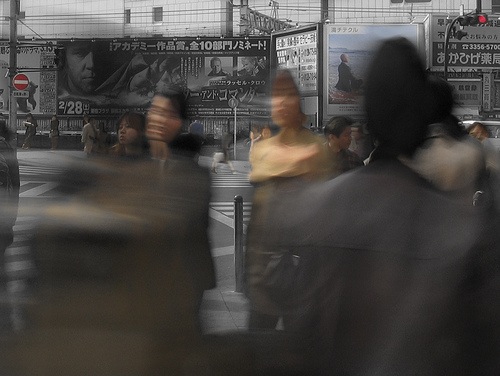
Sorry. My daughter left with my camera. I searched the net for similar images and I believe it is called motion blur even though t does this even if there is no movement and it is coming from the left side of the screen. I copied some pics from the net to give an idea of the problem although it is not as severe as the street movement picture. Hope this will help.
Don
| Description: |
|
| Filesize: |
59.62 KB |
| Viewed: |
3020 Time(s) |
|
| Description: |
|
| Filesize: |
50.96 KB |
| Viewed: |
3020 Time(s) |

|
|
|
| Back to top |
|
|
donr
Joined: 04 Nov 2006
Posts: 162
Location: Montreal
|
| Posted: Mon Nov 12, 2007 3:50 pm Post subject: |
|
|
Ok guys
Found the problem and all is well. Thanks anyway.
Don
|
|
| Back to top |
|
|
macgyver655
Joined: 22 Aug 2007
Posts: 8508
|
| Posted: Mon Nov 12, 2007 4:08 pm Post subject: |
|
|
|
So what was the problem?
|
|
| Back to top |
|
|
AnalogRocks
Forum Moderator
Joined: 08 Mar 2006
Posts: 26706
Location: Toronto, Ontario, Canada
TV/Projector: Sony 1252Q, AMPRO 4000G
|
| Posted: Mon Nov 12, 2007 5:37 pm Post subject: |
|
|
Wow that's a lot of blur. Yeah I'm with Mac, what caused it?
_________________
Tech support for nothing
CRT.
HD done right!
|
|
| Back to top |
|
|
|
|





