| Author |
Message |
dvh99

Joined: 25 Dec 2009
Posts: 2158
Location: nederland
|
| Posted: Tue Sep 28, 2010 7:22 pm Post subject: |
|
|
just wait till i finish my vim it`ll be a 100 megaton nuke in this thread.
_________________
1 answer always poses multiple questions.
marquee 9500ultra HD10L moome hdmi1.3 v3+ some mods.
|
|
| Back to top |
|
 |
Nashou66

Joined: 12 Jan 2007
Posts: 16171
Location: West Seneca NY
|
| Posted: Tue Sep 28, 2010 7:35 pm Post subject: |
|
|
Not exactly, its the same resolution and scan rate but different timing numbers. I have a few different timing numbers set up to help TV-One debug some issues.
Some times the one i use freezes up on one of the units and i need to do a firmware update to clear it out and reload the resolutions I use again.
I am still working on the calibration with FULL CMS. I think i figured out an issue with the radiance unit. Not sure if it suppose to behave a certain way but i noticed my units clip the whites really bad. Even though Jim at lumagen told me they are close to THX specs. I cant see how. On the AVS HD disc there is a set of flashing white bars from 230-253 none flash with the radiance set to stock.
I'll explain more in the Radiance thread. maybe you can answer there since you also have one.
so its still 1920x800p@72 between two PJ's.
Athanasios
_________________
Don't blame your underwear for your crooked ass~ unknown Greek philosopher
"Republicans believe every day is the Fourth of July, but the Democrats believe every day is April 15." --- President Reagan
One Smart Dog!!!
Marquee High Performance Bellows now shipping!!
Marquee Modifications and Performance Enhancement
Marquee C-element and Bellow removal
|
|
| Back to top |
|
|
mp20748
Joined: 12 Sep 2006
Posts: 5689
Location: Maryland
TV/Projector: 9500LC Ultra / Super 02 and 03 VIM
|
| Posted: Tue Sep 28, 2010 9:37 pm Post subject: |
|
|
|
Ok, I'll follow you on the radiance thread. I'm now also curious about the white clipping. I've not gotten that far in setup, so this should be interesting.
|
|
| Back to top |
|
|
stefuel

Joined: 07 Mar 2006
Posts: 3353
Location: Green Harbor MA USA
|
| Posted: Tue Sep 28, 2010 10:06 pm Post subject: |
|
|
| mp20748 wrote: | | Ok, I'll follow you on the radiance thread. I'm now also curious about the white clipping. I've not gotten that far in setup, so this should be interesting. |
White clipping and actual "blooming" happen at just about the same time. If blooming is in check so shouldn't clipping.
_________________
Chip
A Barco is only a AmPro with training wheels
Card carrying member of the AVS chain gang.
|
|
| Back to top |
|
|
Nashou66
Joined: 12 Jan 2007
Posts: 16171
Location: West Seneca NY
|
|
| Back to top |
|
|
mp20748
Joined: 12 Sep 2006
Posts: 5689
Location: Maryland
TV/Projector: 9500LC Ultra / Super 02 and 03 VIM
|
|
| Back to top |
|
|
Nashou66
Joined: 12 Jan 2007
Posts: 16171
Location: West Seneca NY
|
| Posted: Thu Sep 30, 2010 2:51 am Post subject: |
|
|
I'm getting closer, I know i have to start from the Ground up with the calibration.
I wish i had a few days with no work, no internet, and no phones, and lots of ambition
along with patients. Although most of you think I have tons of the latter for doing the blend.
There are many Times i feel like taking it all down, converting the 8500's to 9500LC's and stacking them.
However after i get this close and forgot about taking screen shots to show the progress and I
end up watching half the movie !!! I then think, nope!!! I am going to keep going forward!!!


Now using the Zoom on the camera, they always add lots of noise. Just tried it for fun.


Athanasios
_________________
Don't blame your underwear for your crooked ass~ unknown Greek philosopher
"Republicans believe every day is the Fourth of July, but the Democrats believe every day is April 15." --- President Reagan
One Smart Dog!!!
Marquee High Performance Bellows now shipping!!
Marquee Modifications and Performance Enhancement
Marquee C-element and Bellow removal
|
|
| Back to top |
|
|
mp20748
Joined: 12 Sep 2006
Posts: 5689
Location: Maryland
TV/Projector: 9500LC Ultra / Super 02 and 03 VIM
|
|
| Back to top |
|
|
mp20748
Joined: 12 Sep 2006
Posts: 5689
Location: Maryland
TV/Projector: 9500LC Ultra / Super 02 and 03 VIM
|
|
| Back to top |
|
|
kal
Forum Administrator

Joined: 06 Mar 2006
Posts: 18114
Location: Ottawa, Canada
TV/Projector: JVC DLA-NZ7
|
| Posted: Thu Sep 30, 2010 1:24 pm Post subject: |
|
|
| mp20748 wrote: | | I'm posting these showing the text in the bar. The blooming text shows me that I'm in the wrong camera mode. |
Err, no. Not exactly. It shows that you don't know how your camera works. 
Blooming of brighter areas simply tells you that exposure was set for darker areas of the image, not lighter. You have to understand and pick and choose what to expose for.
Check your camera manual to see if there's a way to lock the exposure for the part of the image you care about.
More information: http://www.all-things-photography.com/exposure-lock.html
In the "It's important that you understand this" department:
Cameras cannot expose the entire image from black to white correctly. They have a limited number of stops (or contrast range) available. With all cameras available today (from $50 to $50,000) it is absolutely impossible to take a picture and properly expose everthing from the blackest of blacks to the whitest of whites. They do not have enough dynamic range/contrast ratio.
For example, the Canon EOS-1D Mark II professional DSLR camera only has a contrast ratio of 2048:1. (ie: 11 stops).

Read that again: The professional camera above that sells for $6,000 *without* lenses only has a contrast ratio of 2048:1 !!
A $200 point and shoot is much worst!
So trying to take a picture of CRT projector that has a near infinite contrast ratio is absolutely impossible. In fact, professional cameras can barely contain the entire contrast ratio of the cheapest digital projector.
There is a solution: Take multiple shots at different exposures and combine them. That's called High Dynamic Range imaging (or HDR). More info: http://en.wikipedia.org/wiki/High_dynamic_range_imaging
Before anyone can even consider taking good screenshots consistently they need to understand how cameras work so that you can work with them to offset camera limitations. Understanding what terms like f-stop, ISO, shutter speed, and exposure mean is important.
For the most part, people with point & shoot cameras simply (well) "point and shoot" and have no idea how the camera works. If you do that it's a crapshoot. You never know what you're going to get. There's no "magic settings" on a camera that can be used to always take good screenshots. Once someone understands how a camera actually works, they'll start to see why certain shots are downright impossible.
Kal
_________________

Support our site by using our affiliate links. We thank you!
My basement/HT/bar/brewery build 2.0
|
|
| Back to top |
|
|
mp20748
Joined: 12 Sep 2006
Posts: 5689
Location: Maryland
TV/Projector: 9500LC Ultra / Super 02 and 03 VIM
|
| Posted: Thu Sep 30, 2010 2:08 pm Post subject: |
|
|
| kal wrote: | | mp20748 wrote: | | I'm posting these showing the text in the bar. The blooming text shows me that I'm in the wrong camera mode. |
Err, no. Not exactly. It shows that you don't know how your camera works.
Kal |
Yep, I'm almost clueless. It's a point and shoot, and that's exactly how I've been using it..
And if somehow we can finally get to a point where it's understood that I have absolutely no interest in cameras and how they work. I have several of them and have never read any of the manuals, and will never read any of the manuals.
I only know a few settings....maybe that explains why all my shots look like DVD..
.
|
|
| Back to top |
|
|
kal
Forum Administrator
Joined: 06 Mar 2006
Posts: 18114
Location: Ottawa, Canada
TV/Projector: JVC DLA-NZ7
|
| Posted: Thu Sep 30, 2010 2:25 pm Post subject: |
|
|
| mp20748 wrote: | | And if somehow we can finally get to a point where it's understood that I have absolutely no interest in cameras and how they work. I have several of them and have never read any of the manuals, and will never read any of the manuals. |
Wow.
Then your screenshots will continue to have problems like you said they do and nobody will ever see anything that even remotely resembles the image you're seeing in person.
I don't understand why you'd waste your time posting screenshots day after day if you have no interest in making them any better.
It's completely illogical.
You may not want to learn, but maybe others do. Anyone else looking at producing good screenshots should take a look at HDR and/or learn the ins and outs of their camera to know the limitations.
Kal
_________________
Support our site by using our affiliate links. We thank you!
My basement/HT/bar/brewery build 2.0
|
|
| Back to top |
|
|
overclkr

Joined: 08 Mar 2006
Posts: 4227
|
| Posted: Thu Sep 30, 2010 3:24 pm Post subject: |
|
|
| perisoft wrote: | OK, so, I couldn't resist doing a quick check. I grabbed a couple of Cliff's shots and checked in photoshop.
Sure enough, unsharp masking - probably done automatically by the camera or whatever software he's using
to downscale to the res he posts at (photoshop recommends 'bicubic sharper' which throws some unsharp
masking on there, for example).
This isn't to disparage his shots, but it gives you an idea how hard it is to get a feel for what's on-screen from
screens. It's not obvious until you blow it up. I checked a few others and compared to mine to make sure it
wasn't a fluke, and it doesn't appear to be.
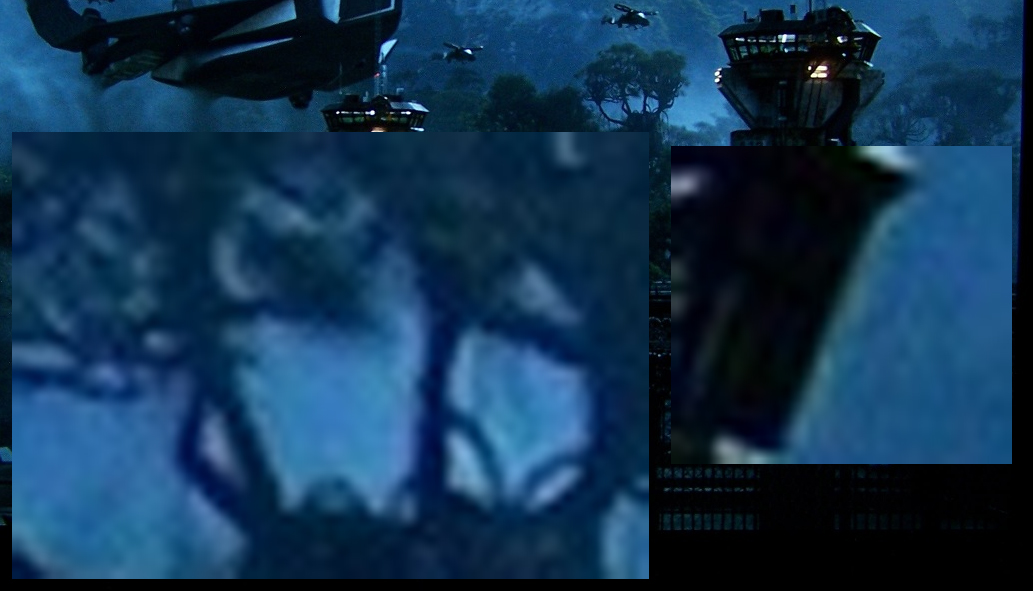
So, there's a bunch of EE going on there. I don't think it was in the movie originally, because as shown there
it would have been three pixels wide or so in the original; I can't believe they'd release a print like that.
And it shows up in the shots of other movies at the same level and size per output pixel - the
EE is scaled to the end size of the screenshot, not the original, which says to me that it got put in afterword.
I tried putting an equivalent unsharp mask on a couple of my shots, and it makes them pop out like hell.
But if you did the same when you watched the movie it'd be terrible. It's a funny business. |
Just so you know, the camera is picking up my SMX Screen! That is the EXACT pattern of the weave! 
Cliffy
|
|
| Back to top |
|
|
karmat63
Joined: 19 Dec 2007
Posts: 157
Location: Italy
|
| Posted: Fri Oct 01, 2010 12:50 am Post subject: |
|
|
| kal wrote: |
For example, the Canon EOS-1D Mark II professional DSLR camera only has a contrast ratio of 2048:1. (ie: 11 stops).
A $200 point and shoot is much worst!
So trying to take a picture of CRT projector that has a near infinite contrast ratio is absolutely impossible. In fact, professional cameras can barely contain the entire contrast ratio of the cheapest digital projector.
There is a solution: Take multiple shots at different exposures and combine them. That's called High Dynamic Range imaging (or HDR). More info: http://en.wikipedia.org/wiki/High_dynamic_range_imaging
Kal |
Have to say I disagree, for a couple of reasons:
First, films are shot with cameras that doesn't have more then 11 stops of latitude (maybe computer graphics films differ?)
Second, CRT projectors has a virtually infinite ON/OFF contrast ratio, but ANSI contrast (intraframe) is well under 11 stops (2048:1).
So, I think that a correctly exposed pic can capture a still image, without the need of HDR.
Correct me if I'm wrong.
Carmine
|
|
| Back to top |
|
|
Spanky Ham

Joined: 22 Mar 2006
Posts: 5643
Location: Comedy Central
|
| Posted: Fri Oct 01, 2010 1:20 am Post subject: |
|
|
| overclkr wrote: |
Just so you know, the camera is picking up my SMX Screen! That is the EXACT pattern of the weave!
Cliffy |
You obviously don't have the newest SMX screen material. That stuff is the bomb.
|
|
| Back to top |
|
|
kal
Forum Administrator
Joined: 06 Mar 2006
Posts: 18114
Location: Ottawa, Canada
TV/Projector: JVC DLA-NZ7
|
| Posted: Fri Oct 01, 2010 1:24 am Post subject: |
|
|
| karmat63 wrote: | | So, I think that a correctly exposed pic can capture a still image, without the need of HDR. |
I've never been able to properly expose a screenshot image with my camera equipment. If I expose for the bottom end (blacks) the top end (whites) get clipped. If I expose for the top end (white) the bottom end (black) gets crushed.
Kal
_________________
Support our site by using our affiliate links. We thank you!
My basement/HT/bar/brewery build 2.0
|
|
| Back to top |
|
|
overclkr
Joined: 08 Mar 2006
Posts: 4227
|
| Posted: Fri Oct 01, 2010 3:21 am Post subject: |
|
|
| Spanky Ham wrote: | | overclkr wrote: |
Just so you know, the camera is picking up my SMX Screen! That is the EXACT pattern of the weave!
Cliffy |
You obviously don't have the newest SMX screen material. That stuff is the bomb. |
I'll have to look into it!
|
|
| Back to top |
|
|
karmat63
Joined: 19 Dec 2007
Posts: 157
Location: Italy
|
| Posted: Fri Oct 01, 2010 8:24 am Post subject: |
|
|
| kal wrote: | | karmat63 wrote: | | So, I think that a correctly exposed pic can capture a still image, without the need of HDR. |
I've never been able to properly expose a screenshot image with my camera equipment. If I expose for the bottom end (blacks) the top end (whites) get clipped. If I expose for the top end (white) the bottom end (black) gets crushed.
Kal |
That's true.
But if you expose for middle lights you should keep from low to high end; or better: measure top end and overexpose 2-3 stops (you know you don't have much room on top end before clipping, but have a lot more on low lights)... Than, in Camera Raw (or other equivalent software), you can open shadows a little bit, if needed.
Carmine
|
|
| Back to top |
|
|
mp20748
Joined: 12 Sep 2006
Posts: 5689
Location: Maryland
TV/Projector: 9500LC Ultra / Super 02 and 03 VIM
|
| Posted: Sat Oct 02, 2010 1:22 am Post subject: |
|
|
The power of 1920X1080P @ 72HZ...

Uploaded with ImageShack.us
|
|
| Back to top |
|
|
macgyver655
Joined: 22 Aug 2007
Posts: 8508
|
| Posted: Sat Oct 02, 2010 2:07 am Post subject: |
|
|
Is that what you actually see on your screen. It looks pretty blurry.

|
|
| Back to top |
|
|
|
|





