| Author |
Message |
Nashou66

Joined: 12 Jan 2007
Posts: 16171
Location: West Seneca NY
|
|
| Back to top |
|
 |
mp20748
Joined: 12 Sep 2006
Posts: 5689
Location: Maryland
TV/Projector: 9500LC Ultra / Super 02 and 03 VIM
|
| Posted: Thu Sep 16, 2010 7:15 pm Post subject: |
|
|
| kal wrote: | I give up Mike! You simply seem unable to follow a linear discussion and keep veering off.
I'm saying the same thing over and over again and you just don't seem to grasp it.
Keep posting those great screenshots! Well done! 
I'm out of here...
Kal |
Oh well, I guess we have to pick back up on this the next time you chime in here telling me where my shots are not up to the others.
The discussion so far on this is really not important to me. That was so simple when I indicated that the projector was not setup and calibrated... not much to understand beyond that..
|
|
| Back to top |
|
|
overclkr

Joined: 08 Mar 2006
Posts: 4227
|
| Posted: Thu Sep 16, 2010 7:54 pm Post subject: |
|
|
MUWAHAHAHAHAHAHAHAHA!!!!!!!!!!


Take care ladies!!!!! 
|
|
| Back to top |
|
|
skippyar
Joined: 22 May 2009
Posts: 108
Location: Bristol, UK
|
|
| Back to top |
|
|
Nashou66
Joined: 12 Jan 2007
Posts: 16171
Location: West Seneca NY
|
|
| Back to top |
|
|
skippyar
Joined: 22 May 2009
Posts: 108
Location: Bristol, UK
|
| Posted: Thu Sep 16, 2010 8:07 pm Post subject: |
|
|
| overclkr wrote: | MUWAHAHAHAHAHAHAHAHA!!!!!!!!!!
Take care ladies!!!!! |
Haha, hilarious comment! Stunning photos. 
_________________
Barco 500 Data Owner.
|
|
| Back to top |
|
|
overclkr
Joined: 08 Mar 2006
Posts: 4227
|
| Posted: Thu Sep 16, 2010 11:49 pm Post subject: |
|
|
| Nashou66 wrote: | The Cliffster !!!!!!!!
Nashou |
Was' shakin my NY Brother?
Bout to put up my AE4000 for sale so I can fund new tubes. TIME TO DUMP THE DIGITAL.
So check this out big dog, Mike has offered to mod a Marquee switcher for me to drive the stack. Now I can dump that NEC from the chain. Looking foward to seeing the results. I'll be sure to report here first. 
Now for some more G90 stack luv.
Cliffy


|
|
| Back to top |
|
|
overclkr
Joined: 08 Mar 2006
Posts: 4227
|
| Posted: Thu Sep 16, 2010 11:50 pm Post subject: |
|
|
| skippyar wrote: | | overclkr wrote: | MUWAHAHAHAHAHAHAHAHA!!!!!!!!!!
Take care ladies!!!!! |
Haha, hilarious comment! Stunning photos. |
Thanks!
|
|
| Back to top |
|
|
skippyar
Joined: 22 May 2009
Posts: 108
Location: Bristol, UK
|
| Posted: Thu Sep 16, 2010 11:55 pm Post subject: |
|
|
Phoebe Cates what a stunner  likewise are the projector images. likewise are the projector images.
_________________
Barco 500 Data Owner.
|
|
| Back to top |
|
|
CxTurbo
Joined: 13 Oct 2008
Posts: 425
Location: Ontario, Canada
|
| Posted: Fri Sep 17, 2010 12:14 am Post subject: |
|
|
I was hoping that was where those shots were leading. My all time favorite part in that flick.
_________________
Paradigm Studio 100's,Studio 20's,CC-690, Paradigm DSP-3400 V1 SUB
Pioneer Elite SC-35 AVR
Pioneer Elite BDP-05FD Bluray
3x Bryston 3B's
URC Complete Control Medius TX-1000 Remote
HTPC (LGA775 Q6600, 8GB DDR2, 7TB Storage) Mediaportal
Lumagen MINI 3D
Moome FULLHD-EXT V2
Audioquest Cable Top to Bottom
9501LC
|
|
| Back to top |
|
|
stefuel

Joined: 07 Mar 2006
Posts: 3353
Location: Green Harbor MA USA
|
| Posted: Fri Sep 17, 2010 10:32 pm Post subject: |
|
|
He He, He He...........He said placebo...............or was it placenta? 
_________________
Chip
A Barco is only a AmPro with training wheels
Card carrying member of the AVS chain gang.
|
|
| Back to top |
|
|
Nashou66
Joined: 12 Jan 2007
Posts: 16171
Location: West Seneca NY
|
|
| Back to top |
|
|
perisoft

Joined: 29 Aug 2007
Posts: 2920
Location: Ithaca, NY
|
| Posted: Sun Sep 19, 2010 5:11 am Post subject: |
|
|
You want to show off resolution? Post 'em at 1920. Good photography and
careful scene selection trumps crap PJ setup. I was lucky to be resolving
1920x1080 in the center, and the corner were total crap. Unretouched
shots - that show you how useless screenshots are for evaluating PJ setup.
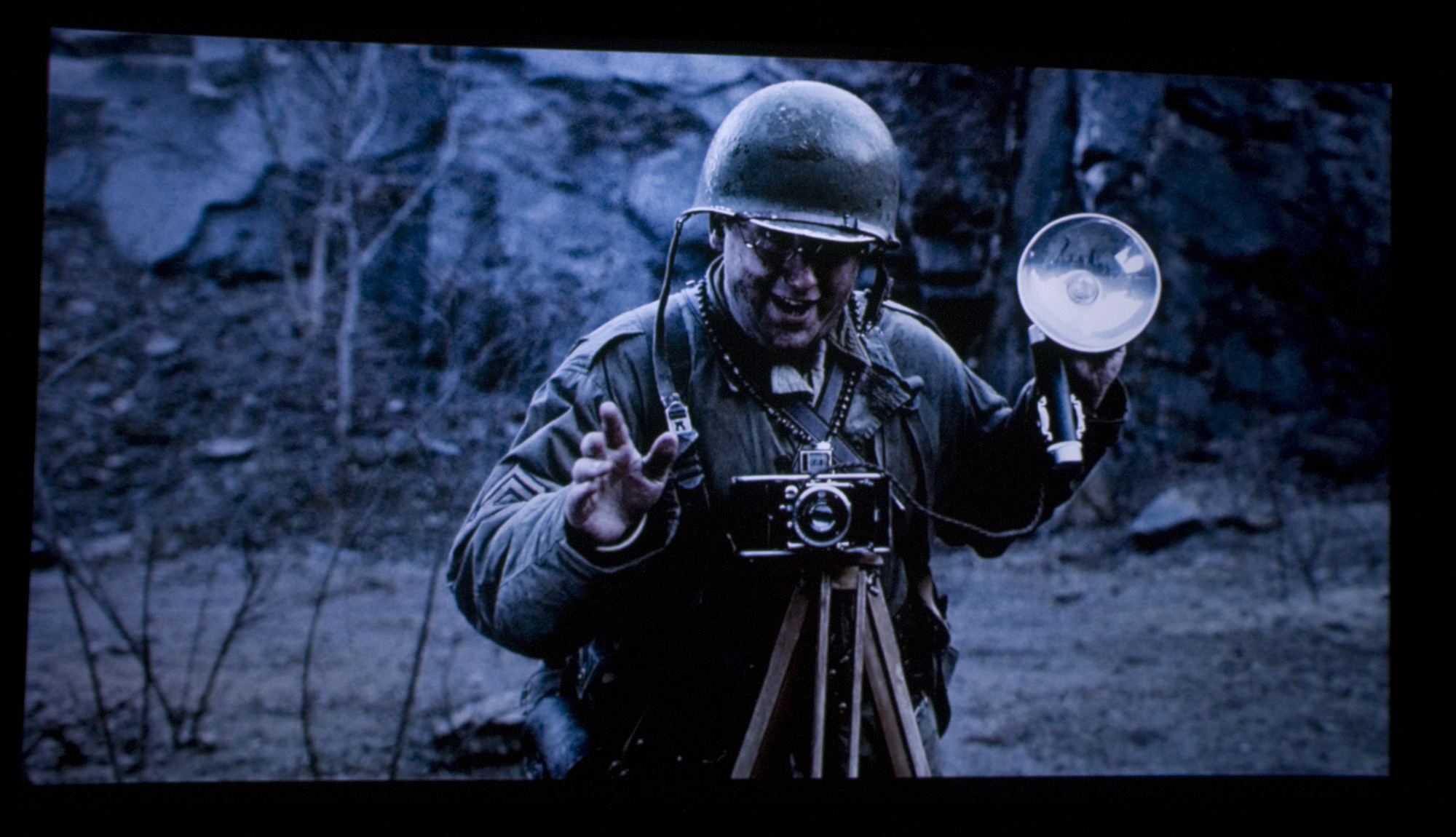
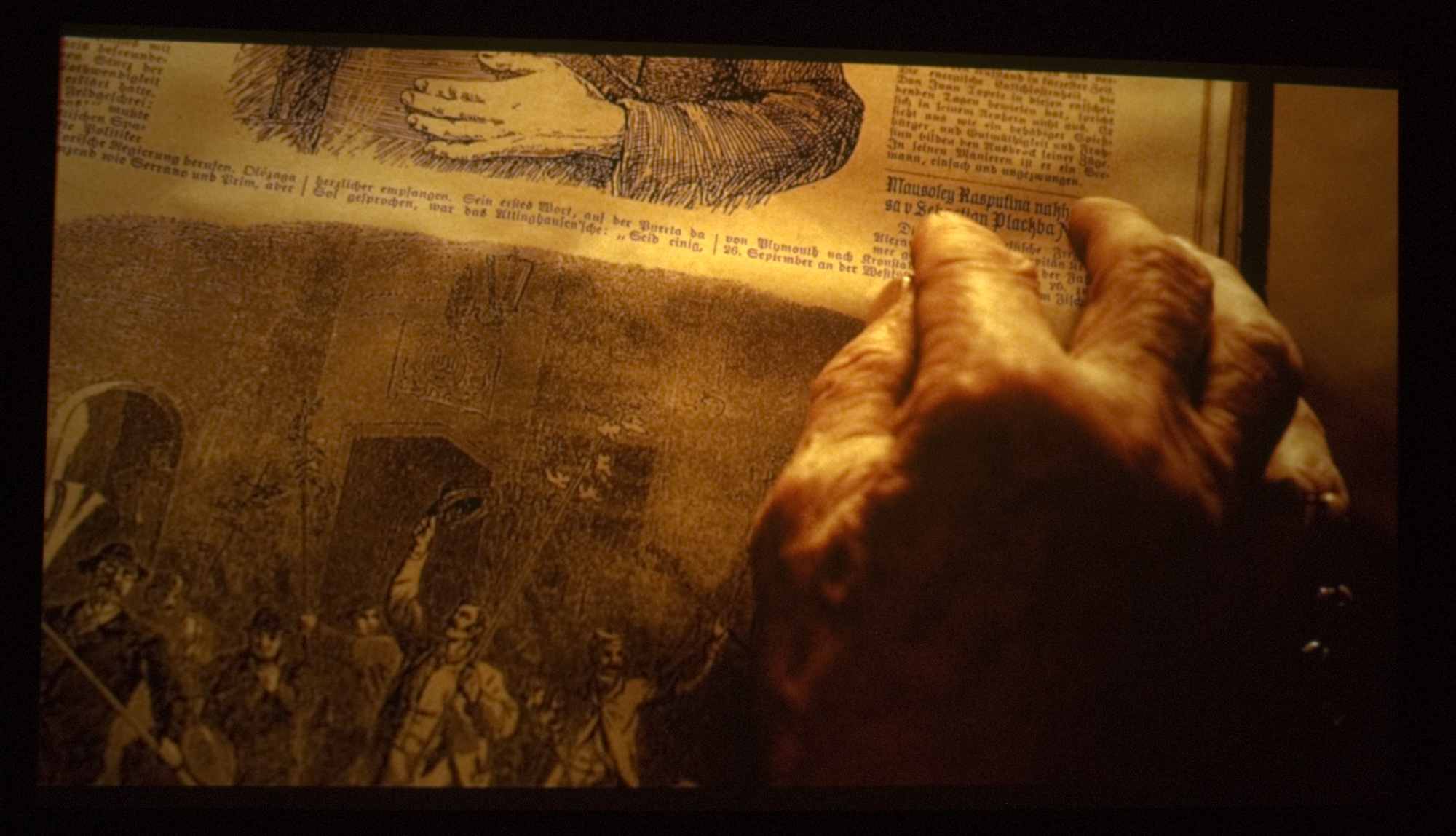
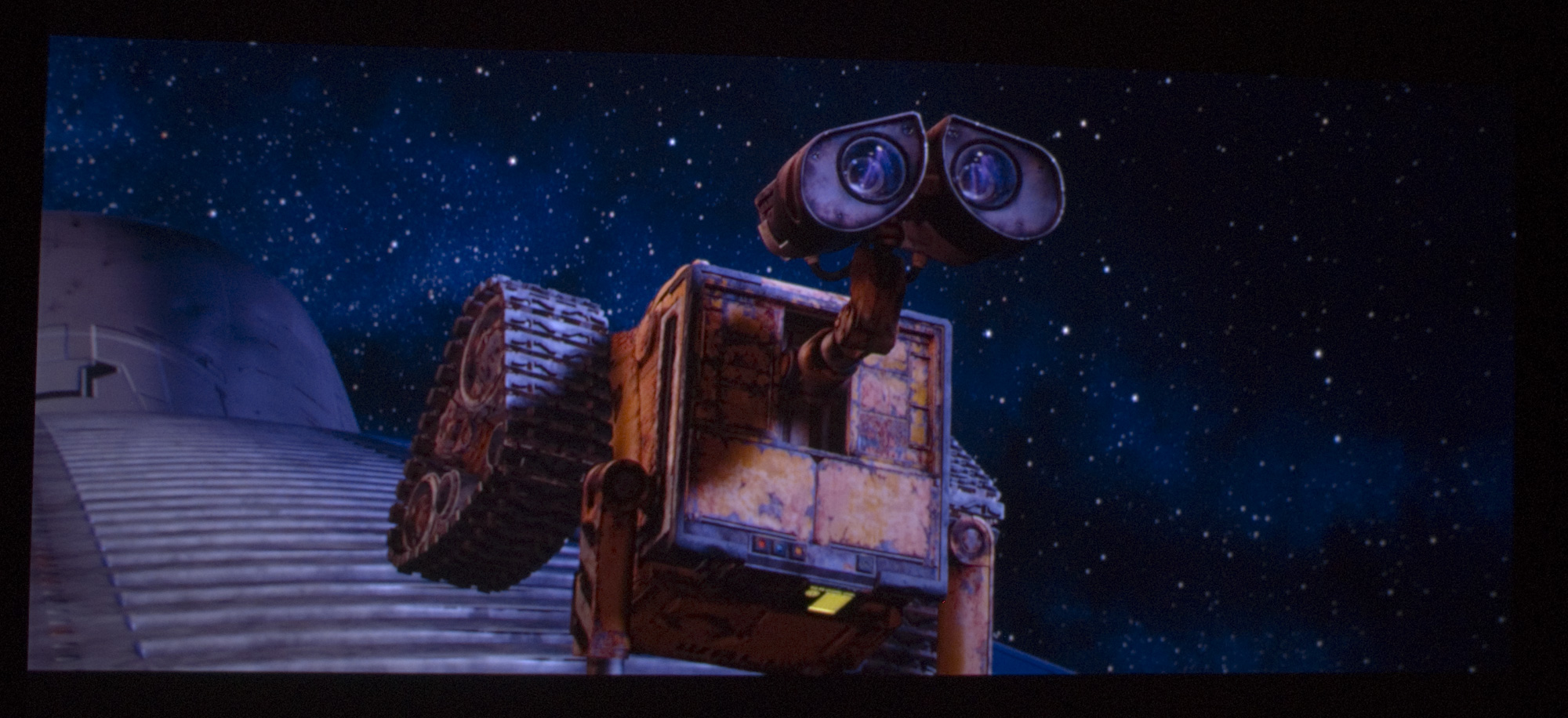
...and non full size, for added fake sharpness:
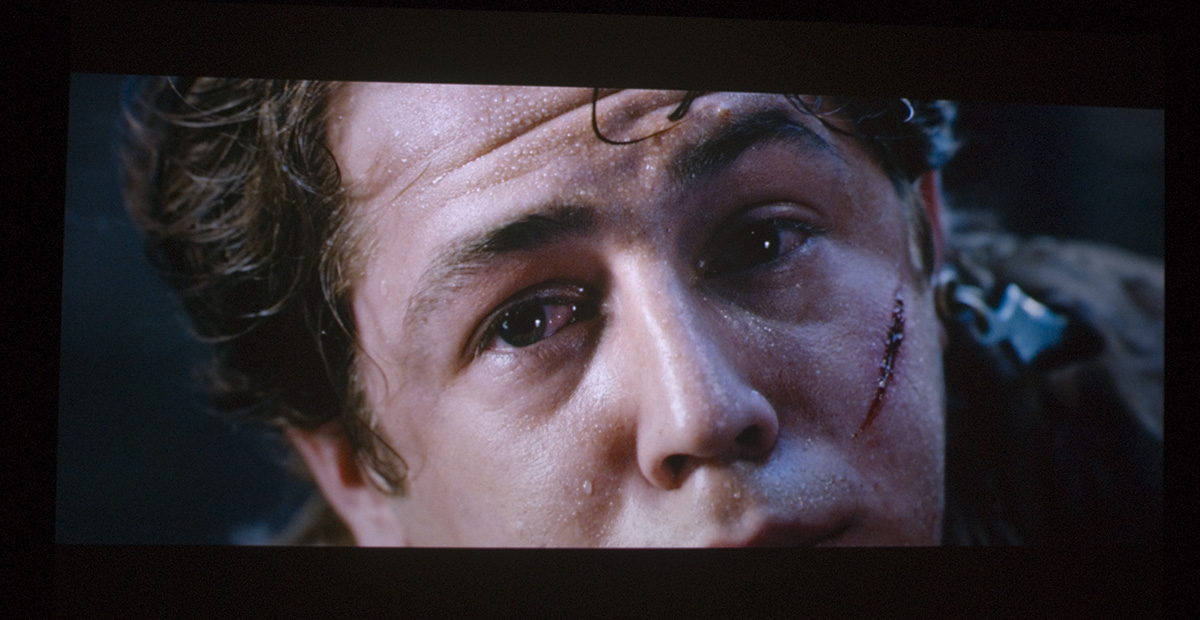
Lies, damn lies, and screenshots. And those are unretouched and without
in-camera sharpening - so they're honest, and still lies!
If you're using anything other than a DSLR, there's a pretty good chance
it's throwing some unsharp masking on there by default, which is going to
make things look *dramatically* better as well.
The moral? Pick scenes with in-focus foreground and blurred background;
it makes the stuff in the foreground look far sharper. Pick scenes with all
the detail in the center and not much in the corners, which aren't focussed
at all. And pick scenes that are zoomed in shots of people; when we see
pores and sweat we think "detail" even if it's not really very detailed.
Edit: Oh, and one other thing - nyquist. Even a perfectly taken 1920x1080
screenshot won't show the full resolution of a perfectly resolved 1920x1080 image,
unless you line your sensor up exactly with the pixel output. Try taking
a screenshot of a digital PJ showing one-on-one-off lines: It'll be either grey
or have horrible moire. You might originally shoot a 5k wide image, but
when you downsample to 1920 wide, you slice the high frequencies off
way below the real pixel size. Even if those frequencies (ie, sharpness/detail
or whatever you want to call it) are there in the original, you flat out won't
see them in the reproduction.
If you've got your projector resolving 1920x1080 perfectly, imagine the kind
of image you'd have to post to show one-on-one-off pixels on the screen.
Huge, right? Well, that's what you need to show off the extra 20% in bandwidth
a super-high-end well-set-up projector achieves over my haphazard Barco.
_________________

|
|
| Back to top |
|
|
perisoft
Joined: 29 Aug 2007
Posts: 2920
Location: Ithaca, NY
|
| Posted: Sun Sep 19, 2010 5:38 am Post subject: |
|
|
OK, so, I couldn't resist doing a quick check. I grabbed a couple of Cliff's shots and checked in photoshop.
Sure enough, unsharp masking - probably done automatically by the camera or whatever software he's using
to downscale to the res he posts at (photoshop recommends 'bicubic sharper' which throws some unsharp
masking on there, for example).
This isn't to disparage his shots, but it gives you an idea how hard it is to get a feel for what's on-screen from
screens. It's not obvious until you blow it up. I checked a few others and compared to mine to make sure it
wasn't a fluke, and it doesn't appear to be.
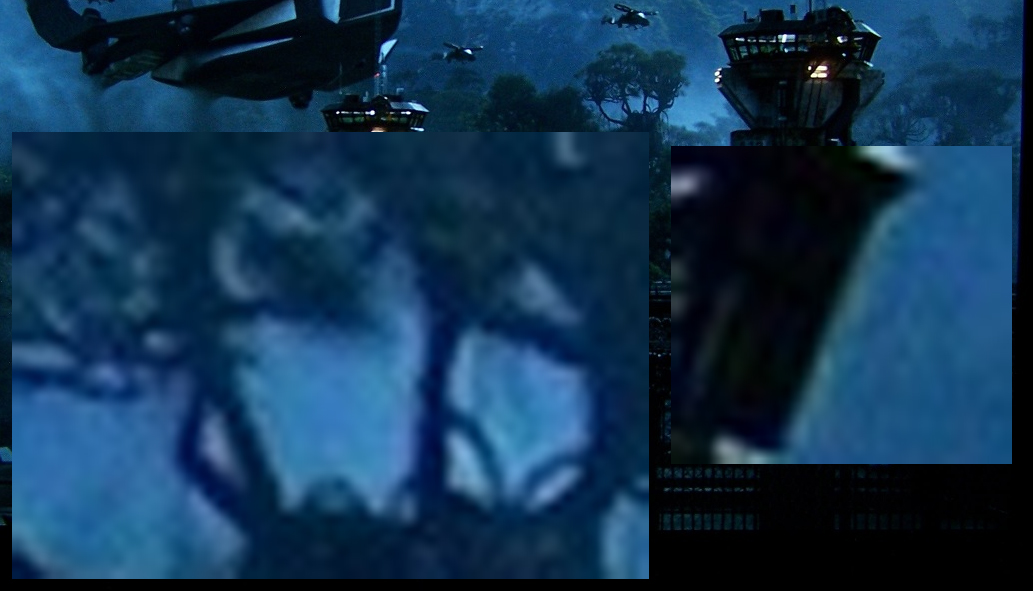
So, there's a bunch of EE going on there. I don't think it was in the movie originally, because as shown there
it would have been three pixels wide or so in the original; I can't believe they'd release a print like that.
And it shows up in the shots of other movies at the same level and size per output pixel - the
EE is scaled to the end size of the screenshot, not the original, which says to me that it got put in afterword.
I tried putting an equivalent unsharp mask on a couple of my shots, and it makes them pop out like hell.
But if you did the same when you watched the movie it'd be terrible. It's a funny business.
_________________
|
|
| Back to top |
|
|
mp20748
Joined: 12 Sep 2006
Posts: 5689
Location: Maryland
TV/Projector: 9500LC Ultra / Super 02 and 03 VIM
|
| Posted: Sun Sep 19, 2010 10:50 am Post subject: |
|
|
It's getting time to dial things in...
Already started on the coils/focus last night. Will work on the geometry and finish things up next week. Should have everything finished by next weekend, and will wrap things up and finally put the covers back on the projector.
Blu Ray - Moome - Lumagen - Marquee 9500LC - 8' wide JB screen / Contrast 59
Still FULL 1080P @ 72hz - 100% RAW / un-touched.

Uploaded with ImageShack.us

Uploaded with ImageShack.us

Uploaded with ImageShack.us

Uploaded with ImageShack.us

Uploaded with ImageShack.us
|
|
| Back to top |
|
|
Nashou66
Joined: 12 Jan 2007
Posts: 16171
Location: West Seneca NY
|
| Posted: Sun Sep 19, 2010 11:11 am Post subject: |
|
|
Peri you are right about the resolution of screen shots, it means nothing. Also pausing a scene adds noise, and lots
of it with most BD players.
I'm not trying to show resolution here because with a blend it means nothing. Just want to show what a good
Color calibration does for shadow details in all shades of colors . The Camera will also play into this as well and the final
viewing monitor of the computer.
That close up of Cliffs shot could the the pause function or his Weaved SMX screen, if its the former then his cam
did a good job of showing it.
And your shots are not to bad for HD 8 lenses. Wait till you get the G70 into your theater!
And you right about what shots you choose.
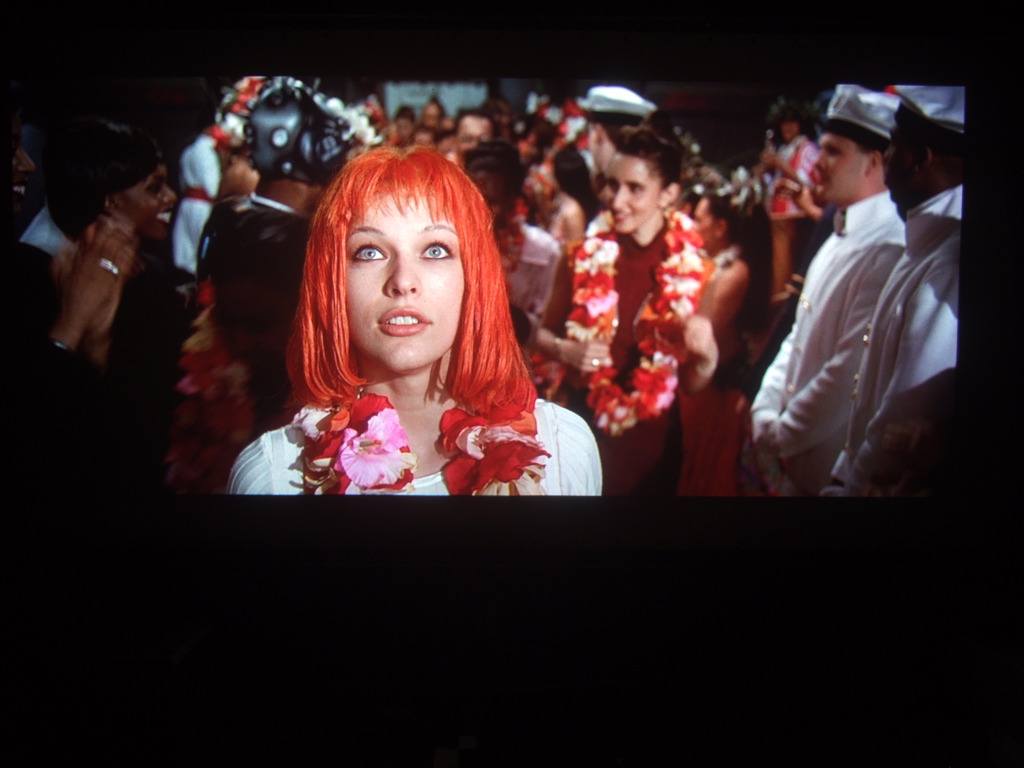
Now back to proper calibration, Mike look at your shot of Leelou and her shirt on the right shoulder facing us. your shows no detail at all.
your camera or your calibration clips it.
I use night mode and 80 iso for my shots. Try it if you have it.
Athanasios
.
_________________
Don't blame your underwear for your crooked ass~ unknown Greek philosopher
"Republicans believe every day is the Fourth of July, but the Democrats believe every day is April 15." --- President Reagan
One Smart Dog!!!
Marquee High Performance Bellows now shipping!!
Marquee Modifications and Performance Enhancement
Marquee C-element and Bellow removal
|
|
| Back to top |
|
|
mp20748
Joined: 12 Sep 2006
Posts: 5689
Location: Maryland
TV/Projector: 9500LC Ultra / Super 02 and 03 VIM
|
| Posted: Sun Sep 19, 2010 11:37 am Post subject: |
|
|
| Nashou66 wrote: |
Now back to proper calibration, Mike look at your shot of Leelou and her shirt on the right shoulder facing us. your shows no detail at all.
your camera or your calibration clips it.
I use night mode and 80 iso for my shots. Try it if you have it.
Athanasios
. |
Concerning "proper" calibration, we'll get more into that next weekend, when I do get around to actually calibrating the projector. And as far as Leelou's shirt, that is clearly a camera issue. In no way would that have anything to do with the calibration, especially since the other images (in comparison) has a much better overall gamma.
But do wait until next weekend, when I've wrapped things up. And when that happens, I promise I'll do a shot to shot comparison, and will also switch back over to the Sony camera.
As indicated at the top of the post "started on the coils/focus last night"
I've never indicated anywhere that the setup was calibrated. I've been very clear almost through out all these shots - it's Not calibrated at all..
Now when and after I finish the setup first, then the calibration last, it's then that things will be better. An do note that I also said "Should have everything finished by next weekend, and will wrap things up and finally put the covers back on the projector"
I've been waiting on a screen for a long time now, and thanks to JB, it was assembled and installed on the wall..
Now, after a get everything finished and dialed in, not only watch how sharp and clear the image will be, but watch the range of colors I'll also display through that cheap P/S camera..
|
|
| Back to top |
|
|
stefuel
Joined: 07 Mar 2006
Posts: 3353
Location: Green Harbor MA USA
|
| Posted: Sun Sep 19, 2010 11:45 am Post subject: |
|
|
Screen shots are only good for apparent resolution/focus???
Calibration is only as good as the monitor you view it on???
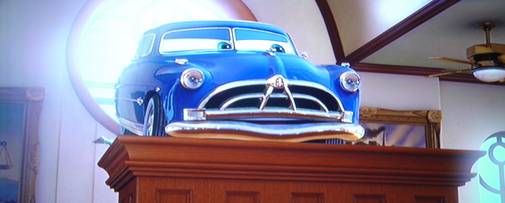
How do you show a re-sized picture in a post without the frame around it like this
| Description: |
|
| Filesize: |
101.14 KB |
| Viewed: |
6350 Time(s) |
|
_________________
Chip
A Barco is only a AmPro with training wheels
Card carrying member of the AVS chain gang.
|
|
| Back to top |
|
|
Boilermaker
Joined: 21 May 2006
Posts: 527
|
| Posted: Sun Sep 19, 2010 12:08 pm Post subject: |
|
|
| Quote: | | And as far as Leelou's shirt, that is clearly a camera issue. In no way would that have anything to do with the calibration, especially since the other images (in comparison) has a much better overall gamma. |
Mike, it must be more than just a camera issue. I believe it to also be a gamma issue.
If you look between Lelu's shoulder and the guy with the white jacket, there is a lady way in the background turned sideways with long black hair. On Nashou's shot you can see where her hair ends and the shape of her back, and on your shot it is all crushed.
Either way, it will be interesting to see the difference once you get it calibrated. Let the wars begin!
Bob
|
|
| Back to top |
|
|
mp20748
Joined: 12 Sep 2006
Posts: 5689
Location: Maryland
TV/Projector: 9500LC Ultra / Super 02 and 03 VIM
|
| Posted: Sun Sep 19, 2010 1:57 pm Post subject: |
|
|
| Boilermaker wrote: | | Quote: | | And as far as Leelou's shirt, that is clearly a camera issue. In no way would that have anything to do with the calibration, especially since the other images (in comparison) has a much better overall gamma. |
Mike, it must be more than just a camera issue. I believe it to also be a gamma issue.
If you look between Lelu's shoulder and the guy with the white jacket, there is a lady way in the background turned sideways with long black hair. On Nashou's shot you can see where her hair ends and the shape of her back, and on your shot it is all crushed.
Either way, it will be interesting to see the difference once you get it calibrated. Let the wars begin!
Bob |
OK, let me try it this way. And I'll say this from my experience with these point and shoot cameras...
It's very difficult for these cameras to capture the entire IRE range.. try it for yourself, bring up a step pattern showing a complete steps from black to white. And when you do, the whites will most likely clip at the contrast level that you watch your projector at.
Plus, if you look at the compared shots, my shot is a lot brighter. If I lowered the contrast, then the "clipping" would be less. And if you also compare the two shots, my shot has a better gamma in the lower areas.
But again, If you want to compare the shots, why not compare based on my alignment gains. So If I've made improvements in focus as I've mentioned, then why not compare them based on focus. Which should be an easy one, because you'll be comparing a 1920X1080P 72hz shots against a blended dual much much lower resolution shot each projector. Which would also make a CRT projector running at the bandwidth I'm running mine at impossible to meet or exceed the sharpness of a CRT blended image. And let me say that I'm still not finished with the focus.
Now check out the finer hairs on her head, in comparison...
My shot @ 1920X1080P 72hz - NO sharpening
Uploaded with ImageShack.us
-----------
One other thing, let's size out the shots to a larger size. The smaller shots are sharper and you'll loose sharpness by posting them larger. But it'll be easier to compare if they are larger.
| Description: |
|
| Filesize: |
123.53 KB |
| Viewed: |
6318 Time(s) |
|
|
|
| Back to top |
|
|
|
|





