| Author |
Message |
stefuel

Joined: 07 Mar 2006
Posts: 3353
Location: Green Harbor MA USA
|
| Posted: Mon Sep 20, 2010 10:27 pm Post subject: |
|
|
Looks like the "zoom" got bumped on the right hand (viewed from the front) projector. The image looks overall smaller which could be why the blend zone doesn't overlap correctly
Just a quick observation.
_________________
Chip
A Barco is only a AmPro with training wheels
Card carrying member of the AVS chain gang.
|
|
| Back to top |
|
 |
mp20748
Joined: 12 Sep 2006
Posts: 5689
Location: Maryland
TV/Projector: 9500LC Ultra / Super 02 and 03 VIM
|
| Posted: Mon Sep 20, 2010 11:10 pm Post subject: |
|
|
| stefuel wrote: | Looks like the "zoom" got bumped on the right hand (viewed from the front) projector. The image looks overall smaller which could be why the blend zone doesn't overlap correctly
Just a quick observation. |
Good observation.
This is what's going on there. the two images are moved to those places on the screen with the mouse, so they're not really placed evenly.
|
|
| Back to top |
|
|
stefuel
Joined: 07 Mar 2006
Posts: 3353
Location: Green Harbor MA USA
|
| Posted: Tue Sep 21, 2010 12:34 am Post subject: |
|
|
I have a Silicon Optix Image Anyplace scaler here. I wish I had a second one and the key to unlock the warp and blend features built in. The only draw back is it's limited to a max of 1050 60Hz.
_________________
Chip
A Barco is only a AmPro with training wheels
Card carrying member of the AVS chain gang.
|
|
| Back to top |
|
|
mp20748
Joined: 12 Sep 2006
Posts: 5689
Location: Maryland
TV/Projector: 9500LC Ultra / Super 02 and 03 VIM
|
| Posted: Tue Sep 21, 2010 1:28 am Post subject: |
|
|
| stefuel wrote: | | I have a Silicon Optix Image Anyplace scaler here. I wish I had a second one and the key to unlock the warp and blend features built in. The only draw back is it's limited to a max of 1050 60Hz. |
That unit I'm not familiar with at all. I get to see a lot of them. On this system they're using a 'Spyder'. I took a picture of it but can't show it because the asset label is on the front of the unit.
needing a second unit is confusing. Does it not have dual analog outs?
Blend units at least most of the ones I've been dealing with has that 1050P rate. The Spyder is VERY expensive, but the things that it also does beyond blending makes for the cost. It really does a LOT of things.
Oh, it just came to me that you're in Massachusetts. I was just up there on the 8th of this month. In Cambridge not far from MIT, on Technology Way.
|
|
| Back to top |
|
|
kal
Forum Administrator

Joined: 06 Mar 2006
Posts: 18114
Location: Ottawa, Canada
TV/Projector: JVC DLA-NZ7
|
| Posted: Tue Sep 21, 2010 2:34 pm Post subject: |
|
|
| perisoft wrote: | Lies, damn lies, and screenshots. And those are unretouched and without
in-camera sharpening - so they're honest, and still lies!
If you're using anything other than a DSLR, there's a pretty good chance
it's throwing some unsharp masking on there by default, which is going to
make things look *dramatically* better as well. |
THANK YOU FOR POSTING THIS!
Even shooting in RAW mode with a DSLR will add sharpness after the fact using the software that you use to develop the photos. In my Phase One Capture One Pro software I get to choose the sharpness and the sharpening algorithms on a powerful PC are generally better than the in-camera ones. This sharpness HAS to be added, otherwise the picture will look a lot softer than it does in real life.
Point and shoots add the sharpness automatically. You have no control over it generally. The manufacturers chose the level of sharpness to use.
Moral of the story:
Every camera that creates JPGs does all kinds of edits and sharpness enhancements to get to the final pictures we see here. There's no such thing as posting a JPG picture that is "raw" from the camera. That, by definition is completely illigical since JPG is not a RAW format. Someone who says they're posting "raw" pictures directly from the camera simply has no idea how digital cameras work.
Kal
_________________

Support our site by using our affiliate links. We thank you!
My basement/HT/bar/brewery build 2.0
|
|
| Back to top |
|
|
mp20748
Joined: 12 Sep 2006
Posts: 5689
Location: Maryland
TV/Projector: 9500LC Ultra / Super 02 and 03 VIM
|
| Posted: Tue Sep 21, 2010 5:58 pm Post subject: |
|
|
| kal wrote: | Someone who says they're posting "raw" pictures directly from the camera simply has no idea how digital cameras work.
Kal |
I'm learning, but what I meant was RAW as in not being sharpened or touched up in software. One can easily take a shot and sharpen, lighten, darken, add or decrease the colors. Mine is not seeing that process, so it's raw coming from a P/S camera.
So I'll need a DSLR camera...
|
|
| Back to top |
|
|
kal
Forum Administrator
Joined: 06 Mar 2006
Posts: 18114
Location: Ottawa, Canada
TV/Projector: JVC DLA-NZ7
|
| Posted: Tue Sep 21, 2010 6:13 pm Post subject: |
|
|
| mp20748 wrote: | | kal wrote: | Someone who says they're posting "raw" pictures directly from the camera simply has no idea how digital cameras work.
Kal |
I'm learning, but what I meant was RAW as in not being sharpened or touched up in software. One can easily take a shot and sharpen, lighten, darken, add or decrease the colors. Mine is not seeing that process, so it's raw coming from a P/S camera.
So I'll need a DSLR camera... |
That doesn't make any sense.
Your camera applies sharpening using built-in software in the camera. All cameras do. So yours is seeing a process too. Doesn't matter if it's a point and shoot or DSLR, at one point or another, sharpening has to be added. The website that you're uploading your photos to to be hosted probably does the same.
Digital cameras don't even understand the concept of "colour" at all. They have to estimate it.
All this to say that no matter what camera you use, even if you don't use any external software yourself, the picture's undergone at least half a dozen different changes and multilations to get what you see on the screen now.
The idea of a "raw" digital photo that will look anything like what you see in real life just doesn't make any sense. This is what people need to get their heads around. There's no such thing as a "pure" digital photo. Massive processing and changing of the data has to occur at one point or another to get the JPG that you see on screen and every camera does it differently. There's no right or wrong. It's either done in the camera (point and shoot creating JPGs) or by the user after the fact (DSLR camera shooting 'RAW').
Once again:
There's no such thing as a "pure" JPG digital output from a digital camera. We like to think of digital as pure/unchanged because we know about digital audio and other data and stream types. It doesn't apply to digital photography. Massive alternations must be done to the raw data captured by the camera sensor before it looks like a picture we recognize and every camera does it differently.
Perisoft showed some examples of this in previous posts.
Kal
_________________
Support our site by using our affiliate links. We thank you!
My basement/HT/bar/brewery build 2.0
|
|
| Back to top |
|
|
mp20748
Joined: 12 Sep 2006
Posts: 5689
Location: Maryland
TV/Projector: 9500LC Ultra / Super 02 and 03 VIM
|
| Posted: Tue Sep 21, 2010 6:42 pm Post subject: |
|
|
| kal wrote: | | mp20748 wrote: | | kal wrote: | Someone who says they're posting "raw" pictures directly from the camera simply has no idea how digital cameras work.
Kal |
I'm learning, but what I meant was RAW as in not being sharpened or touched up in software. One can easily take a shot and sharpen, lighten, darken, add or decrease the colors. Mine is not seeing that process, so it's raw coming from a P/S camera.
So I'll need a DSLR camera... |
That doesn't make any sense.
Your camera applies sharpening using built-in software in the camera. All cameras do. So yours is seeing a process too. Doesn't matter if it's a point and shoot or DSLR, at one point or another, sharpening has to be added. The website that you're uploading your photos to to be hosted probably does the same.
Digital cameras don't even understand the concept of "colour" at all. They have to estimate it.
All this to say that no matter what camera you use, even if you don't use any external software yourself, the picture's undergone at least half a dozen different changes and multilations to get what you see on the screen now.
The idea of a "raw" digital photo that will look anything like what you see in real life just doesn't make any sense. This is what people need to get their heads around. There's no such thing as a "pure" digital photo. Massive processing and changing of the data has to occur at one point or another to get the JPG that you see on screen and every camera does it differently. There's no right or wrong. It's either done in the camera (point and shoot creating JPGs) or by the user after the fact (DSLR camera shooting 'RAW').
Once again:
There's no such thing as a "pure" JPG digital output from a digital camera. We like to think of digital as pure/unchanged because we know about digital audio and other data and stream types. It doesn't apply to digital photography. Massive alternations must be done to the raw data captured by the camera sensor before it looks like a picture we recognize and every camera does it differently.
Perisoft showed some examples of this in previous posts.
Kal |
My point is beyond whatever goes on in the camera. I was ONLY referring to what happens after the camera. And since none of us have any control over what goes on in any of the cameras, we can only deal with the end results of what comes out of the camera.
And I think it's fair to understand that we're not expecting excellence from these cameras. At least that's not what I've been doing. That would also explain why I don't get so wrapped up in the outcome, claiming that the gamma is perfect, colors are correct, etc. We're using cheap P/S cameras and taking shots that could be hindered from a 100 different things or reasons.
Bottom line, we're not photographers or picture taking experts (I know I'm not). And I'm not interested in taking a class on cameras or how to take better screenshots. I just plan to continue taking shots using my cheap P/S or DSLR camera and that's that.
It's not a professional contest or anything to make a big deal out of. We're just taking a few shots off our screens.
|
|
| Back to top |
|
|
mp20748
Joined: 12 Sep 2006
Posts: 5689
Location: Maryland
TV/Projector: 9500LC Ultra / Super 02 and 03 VIM
|
|
| Back to top |
|
|
mp20748
Joined: 12 Sep 2006
Posts: 5689
Location: Maryland
TV/Projector: 9500LC Ultra / Super 02 and 03 VIM
|
|
| Back to top |
|
|
stefuel
Joined: 07 Mar 2006
Posts: 3353
Location: Green Harbor MA USA
|
| Posted: Sat Sep 25, 2010 12:05 am Post subject: |
|
|
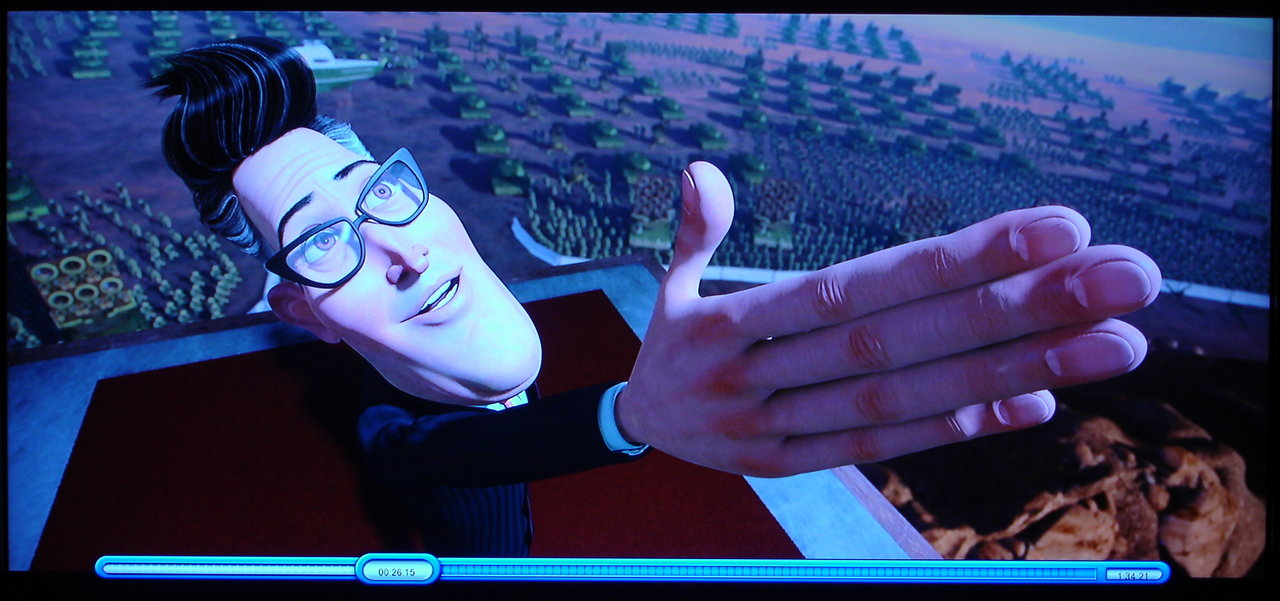
Test picture
Can't seem to make imageshack work with AOL 
| Description: |
|
| Filesize: |
156.79 KB |
| Viewed: |
6867 Time(s) |
|
_________________
Chip
A Barco is only a AmPro with training wheels
Card carrying member of the AVS chain gang.
|
|
| Back to top |
|
|
mp20748
Joined: 12 Sep 2006
Posts: 5689
Location: Maryland
TV/Projector: 9500LC Ultra / Super 02 and 03 VIM
|
| Posted: Sat Sep 25, 2010 12:20 am Post subject: |
|
|
| stefuel wrote: | Test picture
Can't seem to make imageshack work with AOL |
stay with it Chip. It'll take a while, but you'll get it. I'm still trying to figure this all out myself still.
|
|
| Back to top |
|
|
mp20748
Joined: 12 Sep 2006
Posts: 5689
Location: Maryland
TV/Projector: 9500LC Ultra / Super 02 and 03 VIM
|
| Posted: Sat Sep 25, 2010 12:26 am Post subject: |
|
|
Several more, but this time I've modified an 03 VIM, and it's SMOKING!
Still dialing it in, with still a lot more to do before it's ready.
Same camera, same settings, everything the same, with the exception of the VIM and finer projector tweaking...
Still Full 1080P @ 72HZ - Moome - Lumagen - Marquee 9500LC w/ Super 03 VIM - 8' wide screen

Uploaded with ImageShack.us

Uploaded with ImageShack.us

Uploaded with ImageShack.us

Uploaded with ImageShack.us

Uploaded with ImageShack.us

Uploaded with ImageShack.us

Uploaded with ImageShack.us

Uploaded with ImageShack.us
|
|
| Back to top |
|
|
dvh99

Joined: 25 Dec 2009
Posts: 2158
Location: nederland
|
| Posted: Sat Sep 25, 2010 12:39 am Post subject: |
|
|
mike did you put the ths3201 on that vim?
_________________
1 answer always poses multiple questions.
marquee 9500ultra HD10L moome hdmi1.3 v3+ some mods.
|
|
| Back to top |
|
|
mp20748
Joined: 12 Sep 2006
Posts: 5689
Location: Maryland
TV/Projector: 9500LC Ultra / Super 02 and 03 VIM
|
| Posted: Sat Sep 25, 2010 12:42 am Post subject: |
|
|
No, I'm using something different in both places (first stage and last).
The THS3201 is fine, but it can also pick up a bit too much noise in those stages.
|
|
| Back to top |
|
|
mp20748
Joined: 12 Sep 2006
Posts: 5689
Location: Maryland
TV/Projector: 9500LC Ultra / Super 02 and 03 VIM
|
|
| Back to top |
|
|
mp20748
Joined: 12 Sep 2006
Posts: 5689
Location: Maryland
TV/Projector: 9500LC Ultra / Super 02 and 03 VIM
|
| Posted: Tue Sep 28, 2010 1:12 pm Post subject: |
|
|
| mp20748 wrote: | | Boilermaker wrote: | | Quote: | And that would mean like I've already said, that blended setup should easily blow away any single CRT setup when it comes to resolution, especially the very higher resolutions like 1920x1080P 72hz...
It should waltz around a single CRT. and when that happens, the image should be super sharp with absolutely ever substance, nuance, lines, dot, pixel, etc far exceeding anything you'll ever get to see happen when compared to a single CRT projectors that's running more of less twice the bandwidth of the blend - right? |
Don't know about all the hyperbole, but; Yes, a properly setup blend of two EM 8" projectors with HD programming material will produce a higher overall quality picture than any 9" projector.
Bob |
Wow, those are powerful words there. I take it you're willing to prove that statement since you have two properly setup EM 8" projectors.
let me know when you're ready.. |
Are you ready yet?
I'm looking at this coming weekend. That will give you time to do any tweaking or whatever to make sure your setup is where you're comfortable with it. I'll also need a little time to finish things up.
As Marvin Gaye was once known for saying: Let's get it on!

Here's a good read on bandwidth:
http://www.amx.com/assets/whitePapers/AutoPatch.ImportanceOfBandwidth.pdf
|
|
| Back to top |
|
|
JOneil
Joined: 05 Jul 2010
Posts: 47
|
| Posted: Tue Sep 28, 2010 2:54 pm Post subject: |
|
|
| mp20748 wrote: | | Boilermaker wrote: |
One of us is pitching mods, and I think it is you. You need to deliver the goods that you asked me to "not go anywhere" so I don't miss them.
Bob |
Oh, I got it now.
I made that happen, and acording to the person it was turned over to, it worked very well. I still have the screenshots he sents me showing how well his NEC XG resolved 1080P.
Everything about this happened as promised. It was a DIY mod that was turned over to someone else to distribute or make happen. So I did my part, made it clear what i was doing and who it was turned over to.
So no, I did not ditch anything. I made it happen for sure and turned it over to someone else as agreed. And did so not looking for or expecting a dime. |
I have been looking high and low for the info on this mod but can't find it. Its a DIY, correct? So it should be available for everyone, correct?
Its not lost in the mail, is it? 
|
|
| Back to top |
|
|
Nashou66

Joined: 12 Jan 2007
Posts: 16171
Location: West Seneca NY
|
|
| Back to top |
|
|
mp20748
Joined: 12 Sep 2006
Posts: 5689
Location: Maryland
TV/Projector: 9500LC Ultra / Super 02 and 03 VIM
|
| Posted: Tue Sep 28, 2010 7:17 pm Post subject: |
|
|
|
Say Nash. Is that a different scan rate?
|
|
| Back to top |
|
|
|
|





