| Author |
Message |
jbmeyer13

Joined: 03 Dec 2010
Posts: 1135
|
| Posted: Fri May 26, 2017 1:24 pm Post subject: |
|
|
| gjaky wrote: |
If the screenshot looks bad that's a problem, but if it looks too good is that also a problem? We should set a standard here then how good a screenshot can look like...  |
Screenshots are a waste of time. I suppose if you had identical cameras, settings (ISO, exposure, etc.), hosting site you might be able to draw some comparison but then there's the screen material, size and PJ lenses and calibration to account for. So unless all of those variables were constants with the lone variable being the video chain it would be difficult to ascertain any definitive conclusions.
I've seen MP's projector in person (not his most recent mods) but a few years ago and his screenshots never came close to doing justice to what was onscreen. I've told Mike several times I think his screen shots stink  Kurt and I have the same set up and while his screen shots are far closer to capturing what is on screen it still doesn't perfectly represent what the image is like in person. Kurt and I have the same set up and while his screen shots are far closer to capturing what is on screen it still doesn't perfectly represent what the image is like in person.
There are plenty of knowledgable experts on this site who just don't care to waste their time with this crap. Most don't bother to step in because these arguments are about the only thing drawing traffic in the forum these days.
_________________
Projector: Modded 9501LC ULtra- MP VIM, Vold VNB, ETECH LVPS, Silver VIM Cables, HD10F's & a V1 case!
|
|
| Back to top |
|
 |
kal
Forum Administrator

Joined: 06 Mar 2006
Posts: 18114
Location: Ottawa, Canada
TV/Projector: JVC DLA-NZ7
|
| Posted: Fri May 26, 2017 1:42 pm Post subject: |
|
|
| mp20748 wrote: | | No Kal, the professional cameras used to "capture from screen" for DVD or Blu Ray production are not DSLR or Point and Shoot comsumer. |
Do you have more information about this? What sort of cameras are used? And what do you mean exactly by "capture from screen" for DVD or Blu Ray production? (As producing DVDs or Blu-rays are typically 100% digital all the way these days.) Do you mean scanning of 70mm or similar film stock to convert to DVD/Blu-ray? Those are speciality machines of course.
| Quote: | | But I do agree, because of the limitations of the common camera and what happens in their processing, is why I've been saying "they can only be used for an idea of what's on the screen" and in no way should be used for anything reference or to determine what's on the screen itself. |
Agreed. I always find it odd that people try and use a camera (which has limits and adds it's own bias) to show screenshots on someone else's monitor (that also has limitations and likely isn't calibrated).
Using a screenshots to judge image quality makes as much sense as having your friend go to the hifi shop and letting you audition various speakers through his cell phone. People get that comparing audio through a cell phone is silly, but for some reason don't get that doing video through a camera is not. It's has similar limitations and is nonsensical in the same way.
Kal
_________________

Support our site by using our affiliate links. We thank you!
My basement/HT/bar/brewery build 2.0
|
|
| Back to top |
|
|
kal
Forum Administrator
Joined: 06 Mar 2006
Posts: 18114
Location: Ottawa, Canada
TV/Projector: JVC DLA-NZ7
|
| Posted: Fri May 26, 2017 1:45 pm Post subject: |
|
|
| jbmeyer13 wrote: | | Screenshots are a waste of time. I suppose if you had identical cameras, settings (ISO, exposure, etc.), hosting site you might be able to draw some comparison but then there's the screen material, size and PJ lenses and calibration to account for. So unless all of those variables were constants with the lone variable being the video chain it would be difficult to ascertain any definitive conclusions. |
Don't forget the person's monitor that is looking at the pics. You can't control that. It is likely not calibrated, and it may be severely limited in certain aspects (like contrast ratio).
Comparing picture quality of a $50,000 CRT projector against a $10,000 digital projector using a $100 laptop monitor is stupid. It's like playing high end speakers through AM radio to compare the sound quality.
| Quote: | | I've seen MP's projector in person (not his most recent mods) but a few years ago and his screenshots never came close to doing justice to what was onscreen. I've told Mike several times I think his screen shots stink |
As have I.  I'm sure they're much better in person. I'm sure they're much better in person.
Kal
_________________
Support our site by using our affiliate links. We thank you!
My basement/HT/bar/brewery build 2.0
Last edited by kal on Fri May 26, 2017 1:54 pm; edited 1 time in total
|
|
| Back to top |
|
|
mp20748
Joined: 12 Sep 2006
Posts: 5689
Location: Maryland
TV/Projector: 9500LC Ultra / Super 02 and 03 VIM
|
| Posted: Fri May 26, 2017 1:48 pm Post subject: |
|
|
| jbmeyer13 wrote: | | gjaky wrote: |
If the screenshot looks bad that's a problem, but if it looks too good is that also a problem? We should set a standard here then how good a screenshot can look like... |
Screenshots are a waste of time. I suppose if you had identical cameras, settings (ISO, exposure, etc.), hosting site you might be able to draw some comparison but then there's the screen material, size and PJ lenses and calibration to account for. So unless all of those variables were constants with the lone variable being the video chain it would be difficult to ascertain any definitive conclusions.
I've seen MP's projector in person (not his most recent mods) but a few years ago and his screenshots never came close to doing justice to what was onscreen. I've told Mike several times I think his screen shots stink Kurt and I have the same set up and while his screen shots are far closer to capturing what is on screen it still doesn't perfectly represent what the image is like in person.
There are plenty of knowledgable experts on this site who just don't care to waste their time with this crap. Most don't bother to step in because these arguments are about the only thing drawing traffic in the forum these days. |
Exactly..
There is no way I'd be able to show what's really on my screen, so I only hope to post something to give an idea. The level of detail and low end, the camera fails terrible at, so it is what it is. But I only hope the shots I post are not taking to be exactly what's on the screen, and some like doing that and that's what bothers me.
|
|
| Back to top |
|
|
racerxnet
Joined: 20 Jun 2007
Posts: 362
Location: Illinois
|
| Posted: Fri May 26, 2017 1:48 pm Post subject: |
|
|
| jbmeyer13 wrote: | | gjaky wrote: |
If the screenshot looks bad that's a problem, but if it looks too good is that also a problem? We should set a standard here then how good a screenshot can look like... |
Screenshots are a waste of time. I suppose if you had identical cameras, settings (ISO, exposure, etc.), hosting site you might be able to draw some comparison but then there's the screen material, size and PJ lenses and calibration to account for. So unless all of those variables were constants with the lone variable being the video chain it would be difficult to ascertain any definitive conclusions.
I've seen MP's projector in person (not his most recent mods) but a few years ago and his screenshots never came close to doing justice to what was onscreen. I've told Mike several times I think his screen shots stink Kurt and I have the same set up and while his screen shots are far closer to capturing what is on screen it still doesn't perfectly represent what the image is like in person.
There are plenty of knowledgable experts on this site who just don't care to waste their time with this crap. Most don't bother to step in because these arguments are about the only thing drawing traffic in the forum these days. |
If you are going to try and use the screen cap as for reference then you have to calibrate.
If I am going to print a product on a Goss Sunday 3000, I have to fingerprint the press and have consistent output work flow to match the proof. From Pre-Press to printing, the fingerprinting of the press is the same as calibrating a projector. This insures that the dot gain ,grey scale, ink densities, and other factors are managed to produce the desired outcome. The fingerprinting or calibration insures the final product will closely match what the customer desires. There are a tremendous amount of variables, but without standards it would not be consistent when printed.
MAK
|
|
| Back to top |
|
|
mp20748
Joined: 12 Sep 2006
Posts: 5689
Location: Maryland
TV/Projector: 9500LC Ultra / Super 02 and 03 VIM
|
| Posted: Fri May 26, 2017 1:59 pm Post subject: |
|
|
| racerxnet wrote: |
If you are going to try and use the screen cap as for reference then you have to calibrate.
MAK |
With CRT you cannot use a screencap as a reference. You can with a digital projector, but not CRT. Because it does not produce perfectly square pixels, it could never have the sharpness of a screencap. Plus CRT has a tendency to over saturate the image and that's why when you look at a screencap it looks kind of dull. It is a true digital reproduction, that CRT's limitations will not allow it to look comparable.
|
|
| Back to top |
|
|
racerxnet
Joined: 20 Jun 2007
Posts: 362
Location: Illinois
|
| Posted: Fri May 26, 2017 2:09 pm Post subject: |
|
|
| mp20748 wrote: | | racerxnet wrote: |
If you are going to try and use the screen cap as for reference then you have to calibrate.
MAK |
With CRT you cannot use a screencap as a reference. You can with a digital projector, but not CRT. Because it does not produce perfectly square pixels, it could never have the sharpness of a screencap. Plus CRT has a tendency to over saturate the image and that's why when you look at a screencap it looks kind of dull. It is a true digital reproduction, that CRT's limitations will not allow it to look comparable. |
Then why bother calibrating if you cannot match what the director intended? If I remember correctly, my old Canopus DV-rex was able to output round or square pixels when transcoding to DVD. Would that have a effect on color? Doesn't the LUT correct the color when calibrating to REC 610 or 709 with a 2.2 gamma? In other words, it may not be as sharp, but the colors of the image should look very similar.
|
|
| Back to top |
|
|
racerxnet
Joined: 20 Jun 2007
Posts: 362
Location: Illinois
|
| Posted: Fri May 26, 2017 2:14 pm Post subject: |
|
|
| Quote: | back on topic for educational purpose 1080p 72hz showing enhancement and no enhancement
and yes crt can look really good if you figure it out. |
Greg tell us exactly what you have figured out in detail that makes your projector so good. And please spare us the 9ft x 9ft images.
MAK
|
|
| Back to top |
|
|
mp20748
Joined: 12 Sep 2006
Posts: 5689
Location: Maryland
TV/Projector: 9500LC Ultra / Super 02 and 03 VIM
|
| Posted: Fri May 26, 2017 2:20 pm Post subject: |
|
|
| racerxnet wrote: |
Then why bother calibrating if you cannot match what the director intended? |
Yes calibration would make a huge difference and can be seen on the screen in some cases. And I will get around to that, but was waiting initially until I swapped the green CRT.
|
|
| Back to top |
|
|
racerxnet
Joined: 20 Jun 2007
Posts: 362
Location: Illinois
|
| Posted: Fri May 26, 2017 3:25 pm Post subject: |
|
|
| GREG1292 wrote: | | racerxnet wrote: | | Quote: | back on topic for educational purpose 1080p 72hz showing enhancement and no enhancement
and yes crt can look really good if you figure it out. |
Greg tell us exactly what you have figured out in detail that makes your projector so good. And please spare us the 9ft x 9ft images.
MAK |
It is possible to get a great calibration for crt and this is very important but crt will never have the same sharpness as a screencap as there is always loss in the video chain some more than others.
I have not figured out anything on crt but had a friend to setup and calibrate. I am an end user with a well setup crt.
heres a link https://discuss.avscience.com/?topic=30.120 |
I can have an uncalibrated printing press and though it can print an image, I could never achieve color balance on the printed image. If fingerprinted, the image may not be sharp due to poor roller condition, blankets, bearer pressure, but I CAN still achieve a reasonable reproduction of the proof. To me I see your shots are pretty sharp compared to the screen cap. It looks suspect.
MAK
|
|
| Back to top |
|
|
kal
Forum Administrator
Joined: 06 Mar 2006
Posts: 18114
Location: Ottawa, Canada
TV/Projector: JVC DLA-NZ7
|
| Posted: Sat May 27, 2017 12:52 am Post subject: |
|
|
| racerxnet wrote: | | mp20748 wrote: | | Plus CRT has a tendency to over saturate the image and that's why when you look at a screencap it looks kind of dull. |
Then why bother calibrating if you cannot match what the director intended? If I remember correctly, my old Canopus DV-rex was able to output round or square pixels when transcoding to DVD. Would that have a effect on color? Doesn't the LUT correct the color when calibrating to REC 610 or 709 with a 2.2 gamma? In other words, it may not be as sharp, but the colors of the image should look very similar. |
Exactly! CRT can certainly be calibrated to avoid any sort of over-saturation. If you have over-saturation on a CRT display, it's simply because it's not calibrated right.
racerxnet is right: Assuming you have good tools (like a Radiance video processor) and your Rec.709 gamut's not limited (like untinted glycol or c-elements) a CRT projector should be able to be calibrated the same way as a full Rec.709 gamut digital display. racerxnet is again right that the only difference should be things like the inherent softness of CRT, interscene ansi contrast ratio, and so forth.
Calibration is calibration. It's a levelling of the playing field. I'm not really sure what Mike is getting at.
Kal
_________________
Support our site by using our affiliate links. We thank you!
My basement/HT/bar/brewery build 2.0
|
|
| Back to top |
|
|
mp20748
Joined: 12 Sep 2006
Posts: 5689
Location: Maryland
TV/Projector: 9500LC Ultra / Super 02 and 03 VIM
|
| Posted: Sat May 27, 2017 1:14 am Post subject: |
|
|
| kal wrote: | | racerxnet wrote: | | mp20748 wrote: | | Plus CRT has a tendency to over saturate the image and that's why when you look at a screencap it looks kind of dull. |
Then why bother calibrating if you cannot match what the director intended? If I remember correctly, my old Canopus DV-rex was able to output round or square pixels when transcoding to DVD. Would that have a effect on color? Doesn't the LUT correct the color when calibrating to REC 610 or 709 with a 2.2 gamma? In other words, it may not be as sharp, but the colors of the image should look very similar. |
Exactly! CRT can certainly be calibrated to avoid any sort of over-saturation. If you have over-saturation on a CRT display, it's simply because it's not calibrated right.
racerxnet is right: Assuming you have good tools (like a Radiance video processor) and your Rec.709 gamut's not limited (like untinted glycol or c-elements) a CRT projector should be able to be calibrated the same way as a full Rec.709 gamut digital display. racerxnet is again right that the only difference should be things like the inherent softness of CRT, interscene ansi contrast ratio, and so forth.
Calibration is calibration. It's a levelling of the playing field. I'm not really sure what Mike is getting at.
Kal |
I'm not at all speaking against calibration. Coming from calibrating Blend units as anyone with any blend experience would know, if you calibrate both projectors to REC709, and then looked at the both on a white or any other color field, the two would still not be matched. There will be a difference you would have to tweak one projector to the other by eye.
My point is when looking at a calibrated CRT image in comparison to a screencap, there will still be a difference, that will make them not match.
|
|
| Back to top |
|
|
kal
Forum Administrator
Joined: 06 Mar 2006
Posts: 18114
Location: Ottawa, Canada
TV/Projector: JVC DLA-NZ7
|
| Posted: Sat May 27, 2017 1:51 am Post subject: |
|
|
If they don't match, then they're not both calibrated the same way. Or there are limits to how you're calibrating. For example, only doing a 2-point (hi and low) calibration that's built into the projector. You'd have to get something like a Radiance to do a 20+ point calibration across the greyscale to get them to match.
Kal
_________________
Support our site by using our affiliate links. We thank you!
My basement/HT/bar/brewery build 2.0
|
|
| Back to top |
|
|
racerxnet
Joined: 20 Jun 2007
Posts: 362
Location: Illinois
|
| Posted: Sat May 27, 2017 2:09 am Post subject: |
|
|
| mp20748 wrote: | | kal wrote: | | racerxnet wrote: | | mp20748 wrote: | | Plus CRT has a tendency to over saturate the image and that's why when you look at a screencap it looks kind of dull. |
Then why bother calibrating if you cannot match what the director intended? If I remember correctly, my old Canopus DV-rex was able to output round or square pixels when transcoding to DVD. Would that have a effect on color? Doesn't the LUT correct the color when calibrating to REC 610 or 709 with a 2.2 gamma? In other words, it may not be as sharp, but the colors of the image should look very similar. |
Exactly! CRT can certainly be calibrated to avoid any sort of over-saturation. If you have over-saturation on a CRT display, it's simply because it's not calibrated right.
racerxnet is right: Assuming you have good tools (like a Radiance video processor) and your Rec.709 gamut's not limited (like untinted glycol or c-elements) a CRT projector should be able to be calibrated the same way as a full Rec.709 gamut digital display. racerxnet is again right that the only difference should be things like the inherent softness of CRT, interscene ansi contrast ratio, and so forth.
Calibration is calibration. It's a levelling of the playing field. I'm not really sure what Mike is getting at.
Kal |
I'm not at all speaking against calibration. And coming from calibrating Blend units as anyone with any blend experience would know, if you calibrate both projectors to REC709, and then looked at the both on a white or any other color field, the two would still not be matched. There will be a difference you would have to tweak one projector to the other by eye.
My point is when looking at a calibrated CRT image in comparison to a screencap, there will still be a difference, that will make them not match. |
If 2 projectors are calibrated to D6500 with a 2.2 gamma and you want to compare image quality to one another, then you only have the details of the image itself to compare. We don't have to speculate or try to discern which is better when obvious variables are present in the the color or gamma. The screen cap is a reference that the calibrated machine should match fairly close. It is useful in some instances.
MAK
|
|
| Back to top |
|
|
mp20748
Joined: 12 Sep 2006
Posts: 5689
Location: Maryland
TV/Projector: 9500LC Ultra / Super 02 and 03 VIM
|
| Posted: Sat May 27, 2017 2:58 am Post subject: |
|
|
| racerxnet wrote: |
If 2 projectors are calibrated to D6500 with a 2.2 gamma and you want to compare image quality to one another, then you only have the details of the image itself to compare. We don't have to speculate or try to discern which is better when obvious variables are present in the the color or gamma. The screen cap is a reference that the calibrated machine should match fairly close. It is useful in some instances.
MAK |
Absolutely, the screencaps is a reference, but trust me when I tell you calibrating two projectors to perfectly match is more complicated than just reaching 6500 on both. And I would suspect it's also a bit complicated to expect a calibrated projector to simply match a screencap.
|
|
| Back to top |
|
|
gregstv
Joined: 27 Aug 2007
Posts: 628
Location: Australia
|
| Posted: Sat May 27, 2017 3:24 am Post subject: |
|
|
I got a chance to play with the 1292 again today. 1080p@60 clear C-Elements.
| Description: |
|
| Filesize: |
169.44 KB |
| Viewed: |
10203 Time(s) |
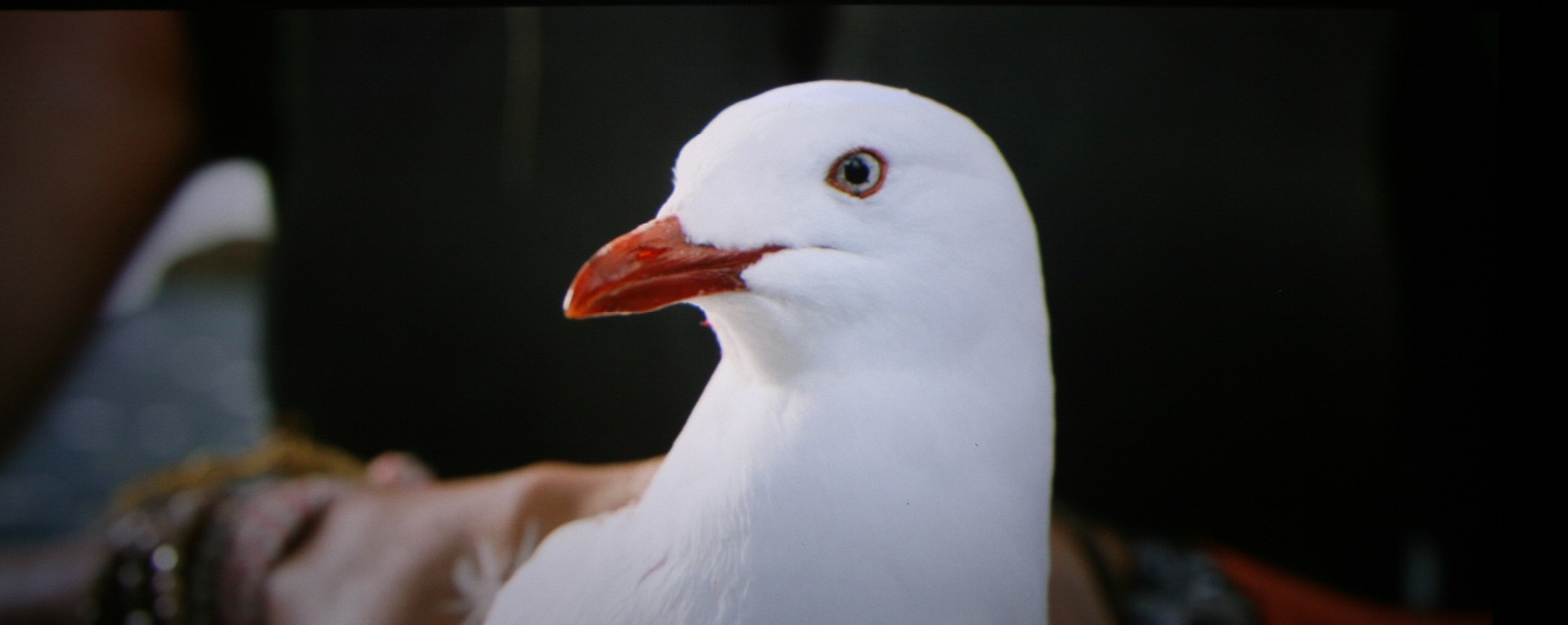
|
| Description: |
|
| Filesize: |
226.28 KB |
| Viewed: |
10203 Time(s) |
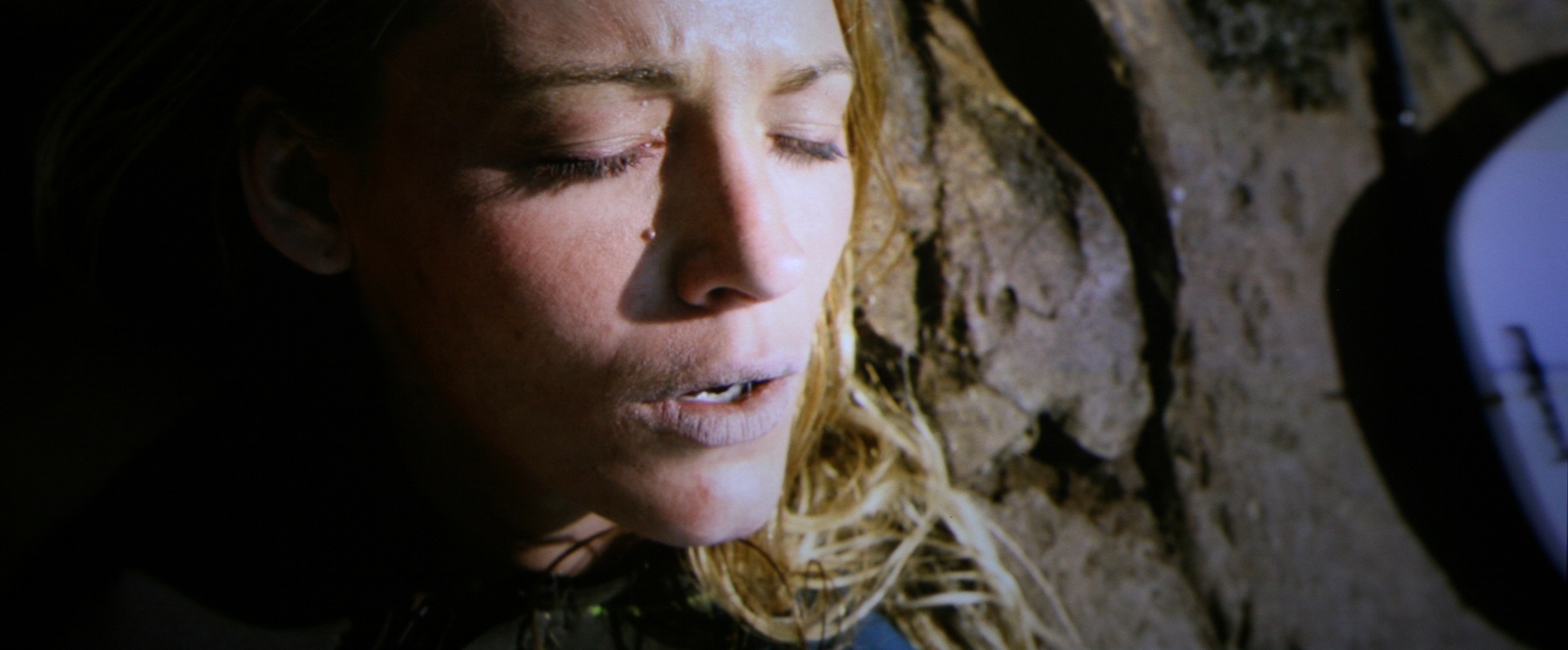
|
| Description: |
|
| Filesize: |
266.78 KB |
| Viewed: |
10203 Time(s) |
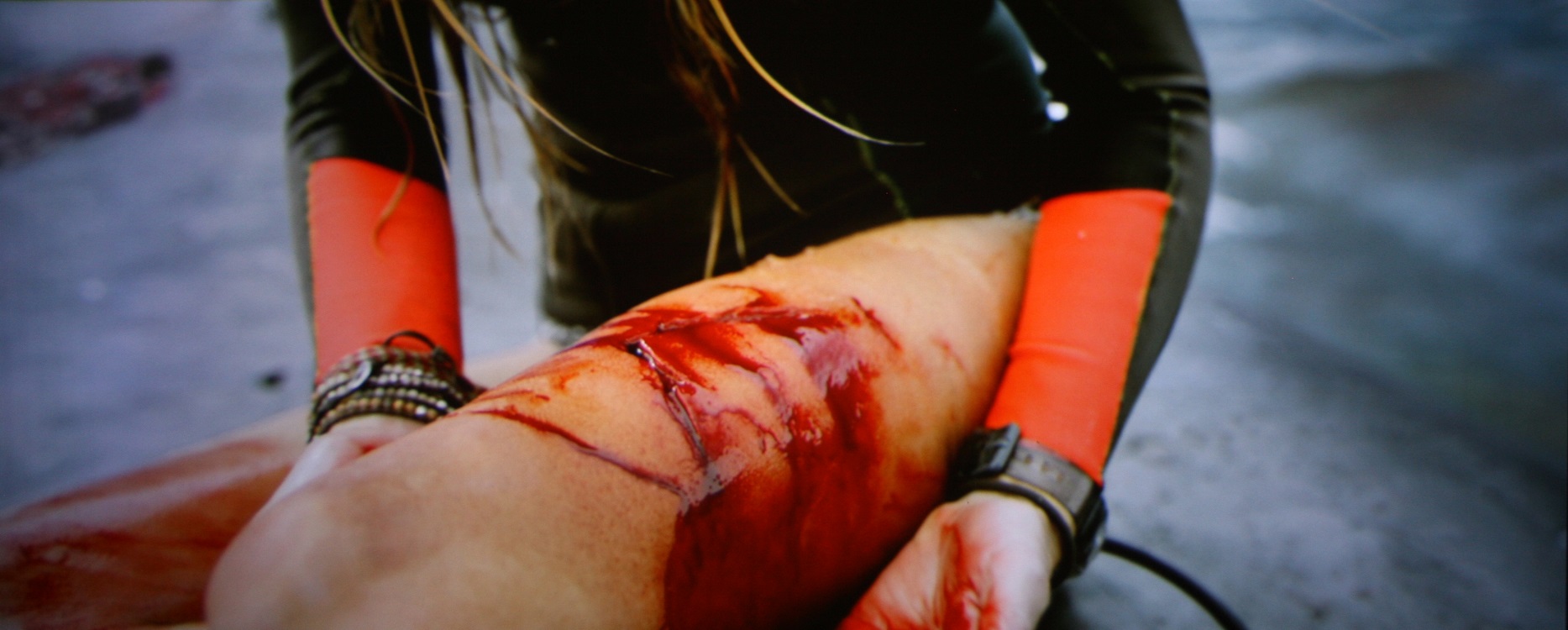
|
|
|
| Back to top |
|
|
mp20748
Joined: 12 Sep 2006
Posts: 5689
Location: Maryland
TV/Projector: 9500LC Ultra / Super 02 and 03 VIM
|
| Posted: Sat May 27, 2017 3:41 am Post subject: |
|
|
That looks really good Greg. Better than I'd expect from that projector.
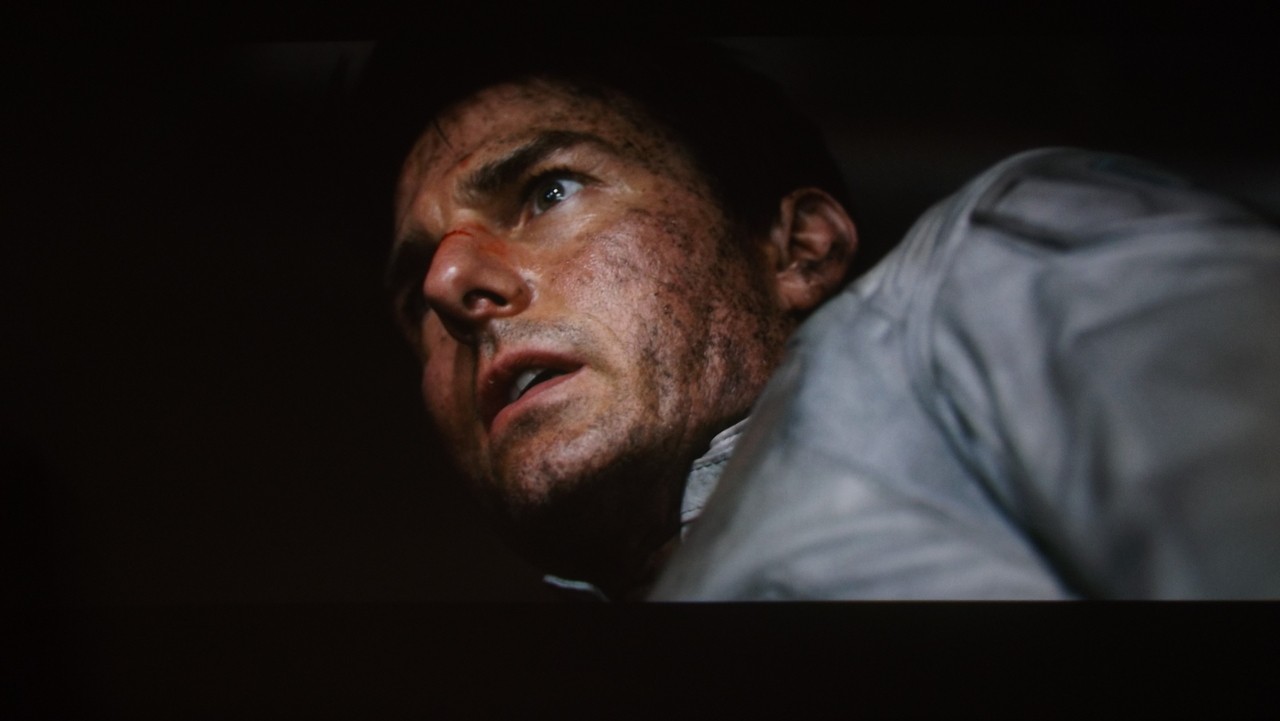
I got to look at Oblivion on Blu Ray a few hours ago. Can't wait to post on that one, but first I'm looking at doing a little calibration. I'm thinking I need a better camera, because this Blu Ray is loaded with amazing shots in all ranges from low light to deep low end detail. My new test disk and my setup rocks it..
|
|
| Back to top |
|
|
gregstv
Joined: 27 Aug 2007
Posts: 628
Location: Australia
|
| Posted: Sat May 27, 2017 3:56 am Post subject: |
|
|
|
Thank Mike, I have bypassed all the switching circuit in the 1292. This has really helped. I am also using a HDFUY4. I was hoping to try 1080p@72 but the 1292 wont lock. 1080p@60 seems to be its max. But I am happy with how it is coming up. Not sure what I will ever do with it, but its fun to play with. It also has a HQF900 lens on the green and HD10RM5's on the red and blue. 120inch screen.
|
|
| Back to top |
|
|
gregstv
Joined: 27 Aug 2007
Posts: 628
Location: Australia
|
| Posted: Sat May 27, 2017 3:58 am Post subject: |
|
|
|
Also these are from Blu-ray. I will do the same shots using the 4K version on the Barco tonight.
|
|
| Back to top |
|
|
mp20748
Joined: 12 Sep 2006
Posts: 5689
Location: Maryland
TV/Projector: 9500LC Ultra / Super 02 and 03 VIM
|
| Posted: Sat May 27, 2017 7:18 pm Post subject: |
|
|
| gregstv wrote: | | Also these are from Blu-ray. I will do the same shots using the 4K version on the Barco tonight. |
Oh, can you say if you notice an improvement when using 4K disk over the 1080P Blu Rays?
I'm playing with this Oblivion Blu Ray and may take a few more when it gets darker out. Right now there's too much light in the room. These are really quick shots and of course NO enhancements from me
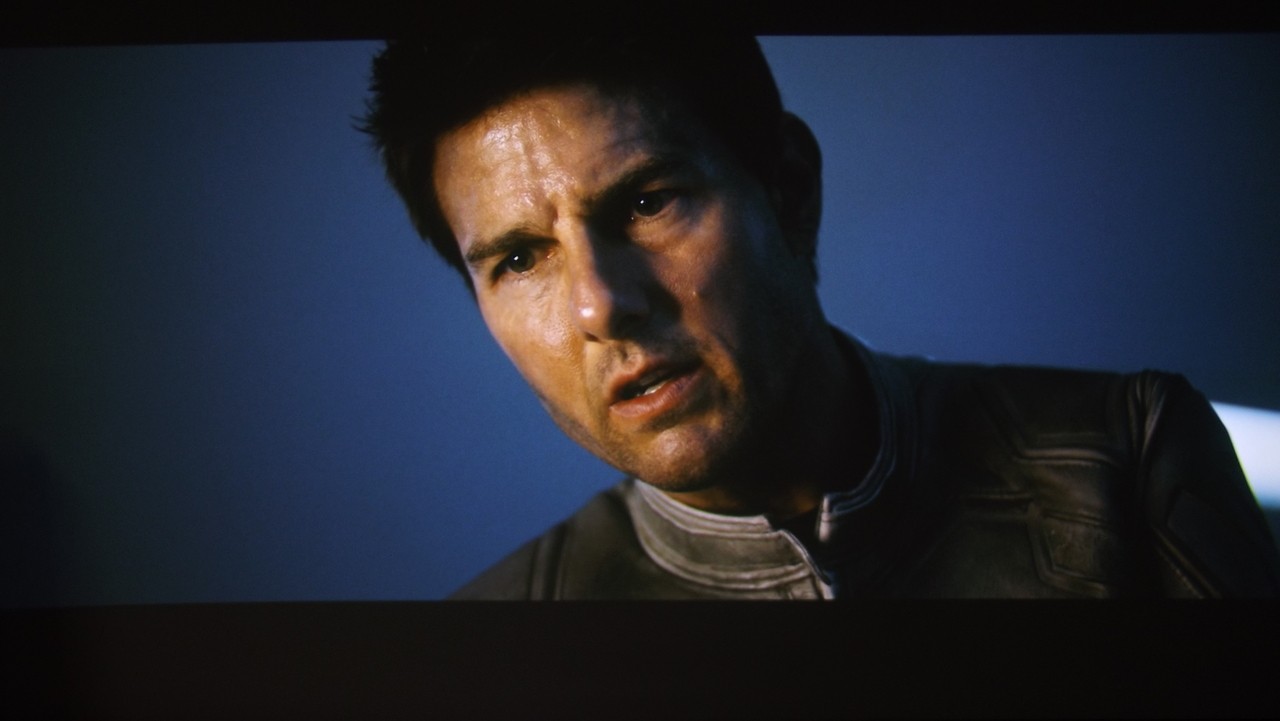
|
|
| Back to top |
|
|
|
|





