| Author |
Message |
Meemil
Joined: 25 Mar 2016
Posts: 96
Location: Finland
|
| Posted: Tue Dec 31, 2019 12:38 pm Post subject: Marquee 9500 - bright rectangles on rasters |
|
|
Hey guys,
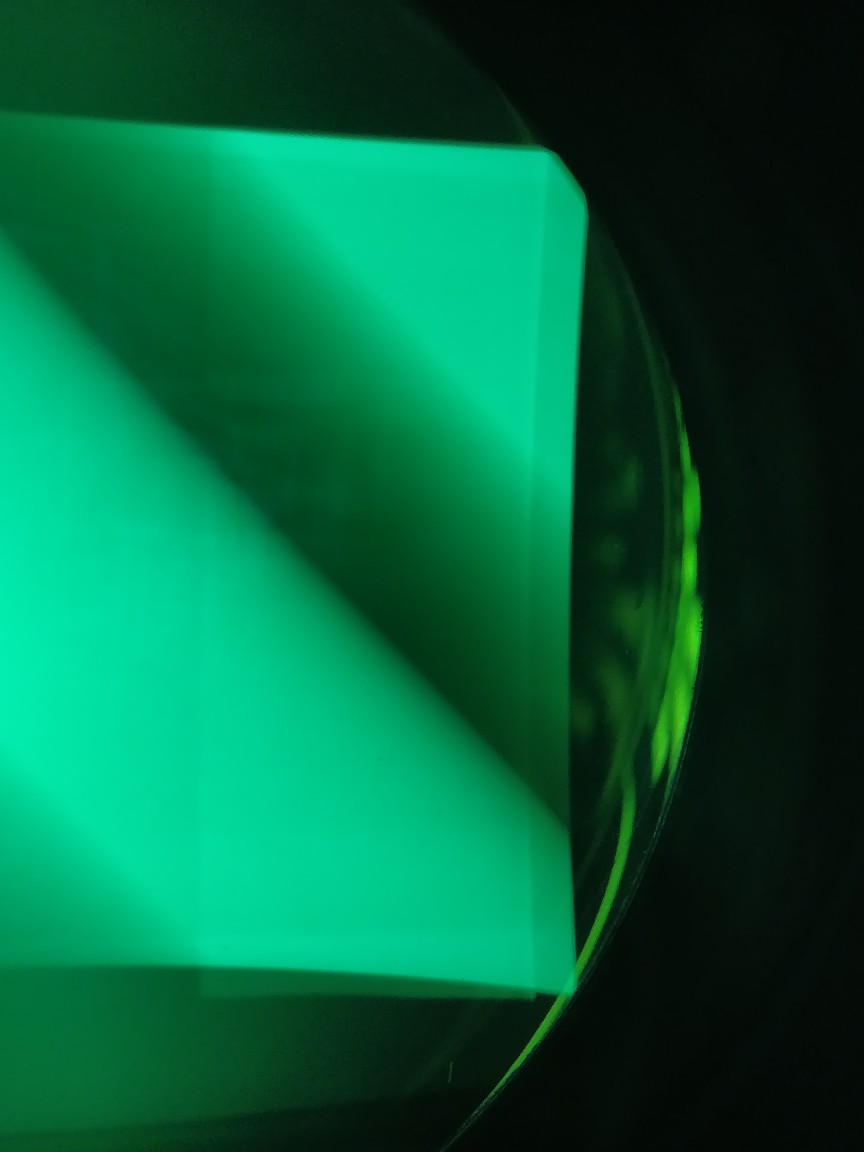
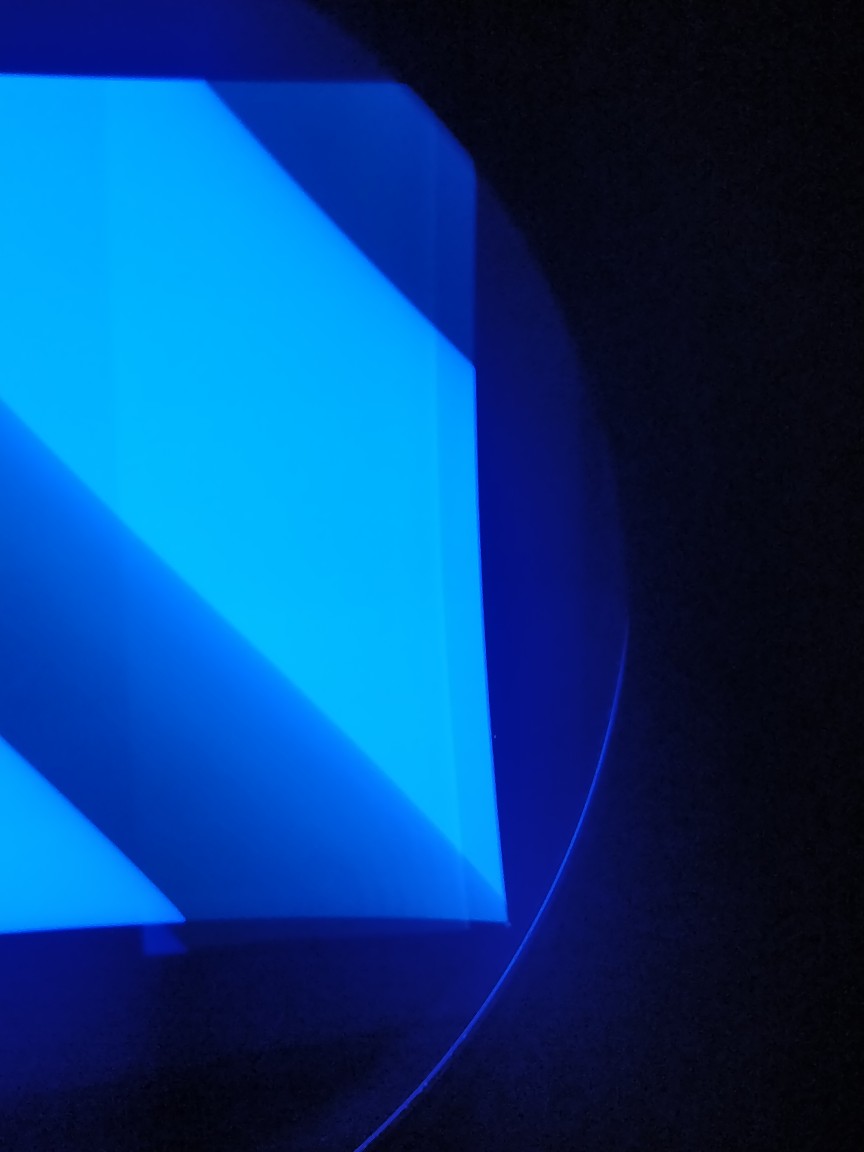
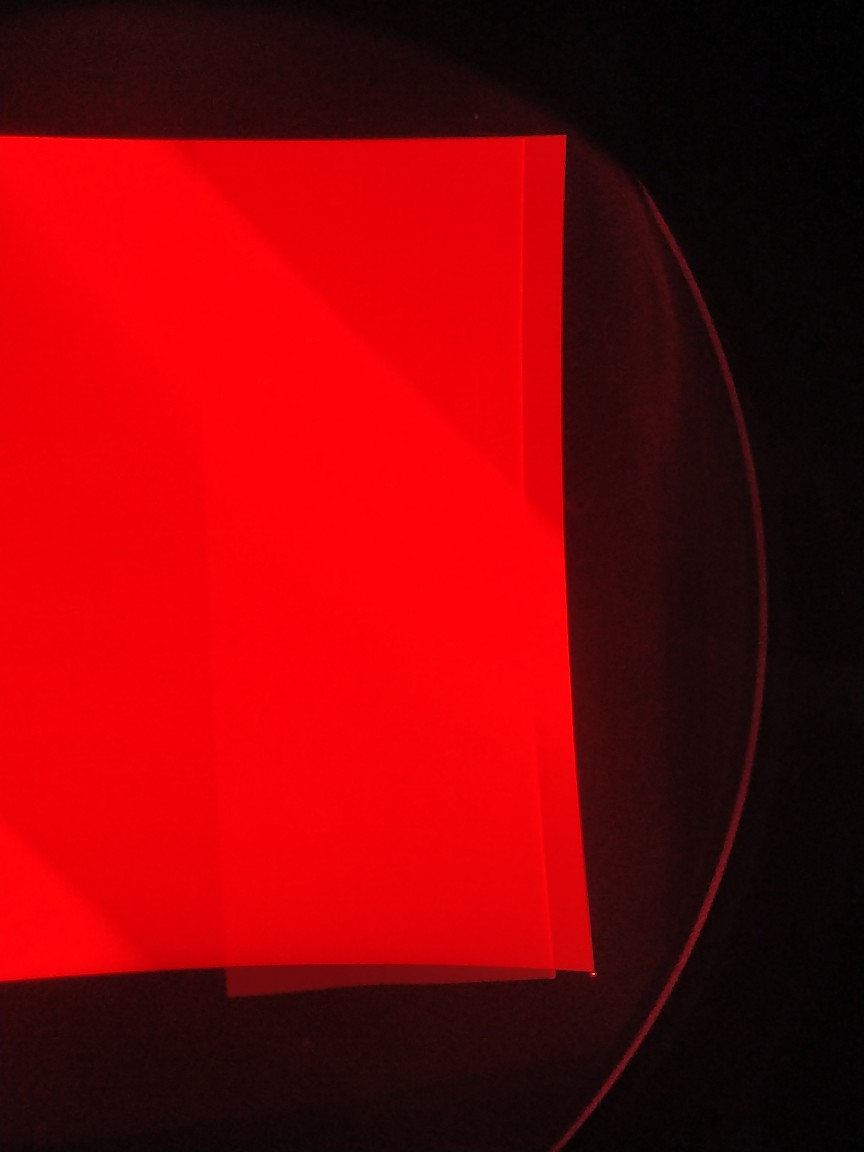
I found out today that there's odd brighter rectangles on all three rasters. They appear on internal patterns and external sources. So far I've tried changing CLM, VIM, FGM, and taking out astig + convergence cables. No change. I don't have working spares for HVPS, LVPS or Deflection boards, could one of those cause this?
Oh also, no color corretion card installed.
Thanks!
| Description: |
|
| Filesize: |
59.35 KB |
| Viewed: |
3688 Time(s) |
|
| Description: |
|
| Filesize: |
67.18 KB |
| Viewed: |
3688 Time(s) |
|
| Description: |
|
| Filesize: |
59.73 KB |
| Viewed: |
3688 Time(s) |
|
|
|
| Back to top |
|
 |
Tim in Phoenix

Joined: 21 Oct 2006
Posts: 4409
Location: Phoenix
|
| Posted: Tue Dec 31, 2019 3:44 pm Post subject: |
|
|
Hello
Try changing your retrace setting in the Pic menu. Could be a fold in the raster; try another HDM if available.
|
|
| Back to top |
|
|
gjaky

Joined: 05 Jun 2010
Posts: 2802
Location: Budapest, Hungary
|
| Posted: Tue Dec 31, 2019 9:12 pm Post subject: |
|
|
Nope. That is a very normal behaviour for a Marquee. The reason for the rectangle is that is an injected black level reference during the retrace time that is used for black level clamping for the VNB. There is not much you can do with that. With normal brightness settings you should not see that rectangle though.
_________________
projectors in the past : NEC 6-9PG xtra, Electrohome Marquee 6-7500, NEC XG 1351 LC ( with super modified Electrohome VNB neckboard !!!)
current: VDC Marquee 9500LC
The MOD: VNB-DB, VIM-DB
|
|
| Back to top |
|
|
Tim in Phoenix
Joined: 21 Oct 2006
Posts: 4409
Location: Phoenix
|
| Posted: Wed Jan 01, 2020 5:53 pm Post subject: |
|
|
Guys
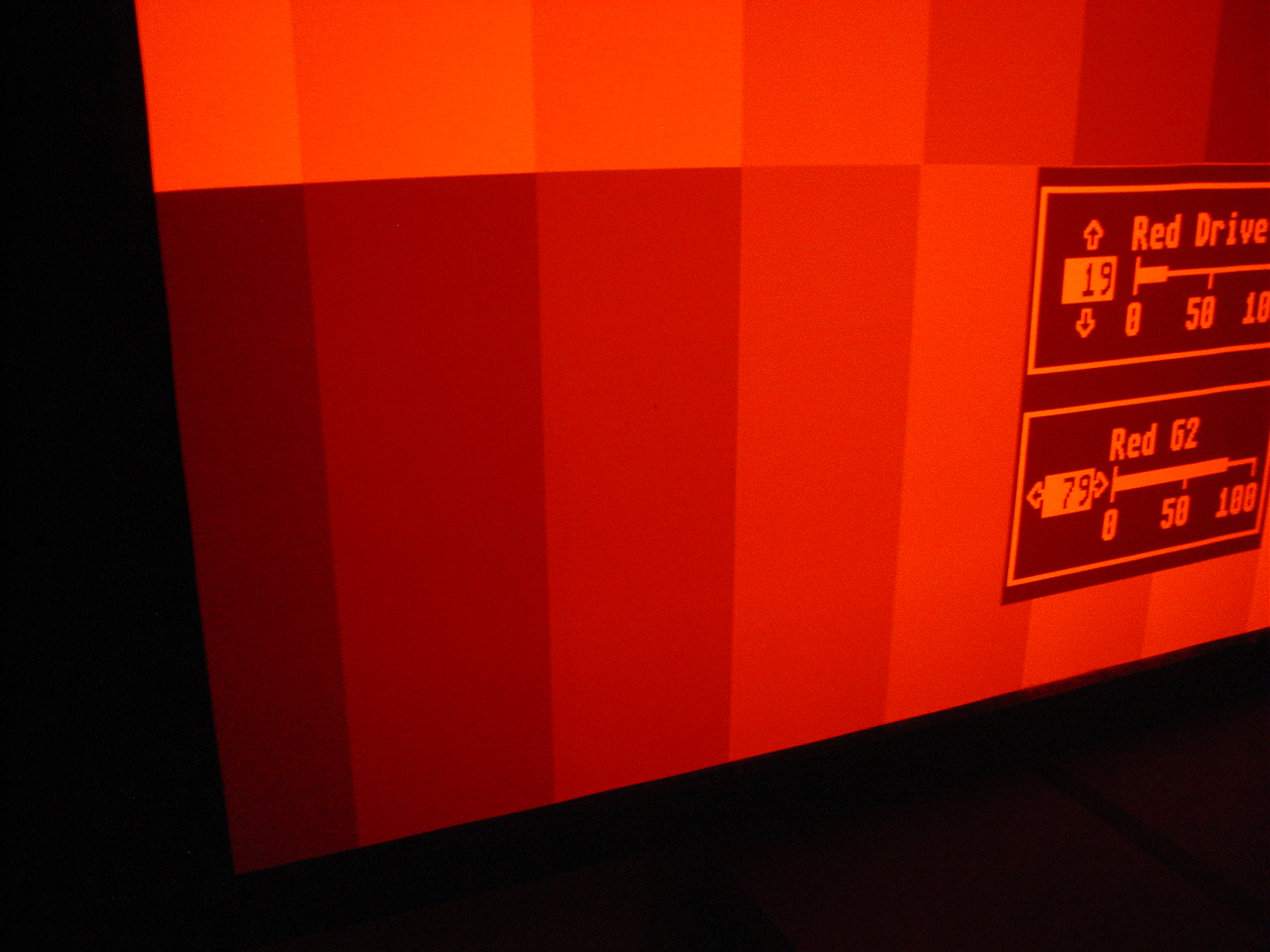
Try my Gray Scale Setup Procedure as described here: http://etechvideo.com/techtip1.htm
You want the second block of the stair step pattern to just be visible with the first block not visible. Obviously the G2 setting in the picture needs to be lowered. A tube needing G2 at 80 or more is near worn out; low emission from the gun.
| Description: |
|
| Filesize: |
482.02 KB |
| Viewed: |
3600 Time(s) |
|
|
|
| Back to top |
|
|
robin36mac
Joined: 24 Jan 2009
Posts: 46
|
| Posted: Wed Jan 01, 2020 6:45 pm Post subject: |
|
|
I had something similar on Barco (not sure if it was the same cause), and was able to remove it with the blanking. But I don't know Marquee at all if they have the same setting.
Robin
|
|
| Back to top |
|
|
Meemil
Joined: 25 Mar 2016
Posts: 96
Location: Finland
|
| Posted: Sat Jan 04, 2020 9:59 pm Post subject: |
|
|
|
Hmm.. thanks for the replies! I'm 100% sure that I didn't have those before as it's very evident when setting the black level. Might be a soon failing HDM but it's not really bothering so I'll just watch some movies till it gets worse lol.
|
|
| Back to top |
|
|
gjaky
Joined: 05 Jun 2010
Posts: 2802
Location: Budapest, Hungary
|
| Posted: Sun Jan 05, 2020 7:09 am Post subject: |
|
|
This is pure video thing, not connected to HDM. Also, with proper G2 / brightness setup you should not see it.
_________________
projectors in the past : NEC 6-9PG xtra, Electrohome Marquee 6-7500, NEC XG 1351 LC ( with super modified Electrohome VNB neckboard !!!)
current: VDC Marquee 9500LC
The MOD: VNB-DB, VIM-DB
|
|
| Back to top |
|
|
Meemil
Joined: 25 Mar 2016
Posts: 96
Location: Finland
|
| Posted: Sun Jan 05, 2020 8:02 am Post subject: |
|
|
|
I hear ya, that's most definitely what's going on then.
|
|
| Back to top |
|
|
|
|




