| Author |
Message |
jmetal88
Joined: 06 Apr 2017
Posts: 108
|
| Posted: Wed Aug 01, 2018 12:53 am Post subject: |
|
|
| jmetal88 wrote: | | Here's a picture of the screen itself. I'm still working on adjusting the setup. I'm thinking it might be a better idea to set the angle off, so that the hot spots are off the top of the screen. That gives uneven brightness from top to bottom, but I think that might be less annoying for me to deal with. |
Eh, this setup was good for some content, but not good for others. I think it may just be best to deal with the hot spot for now.
EDIT: I decided to try seeing what putting strips of tape in front of my lenses would do to the picture. It actually helps, surprisingly enough. I arranged them to dim the light coming from the outside halves of the red and blue lenses and it does make the color gradient a lot less noticeable (although it isn't totally eliminated). Interesting discovery.
The hot spot in the middle of the screen is still noticeable, though, and probably can't be eliminated unless I take Mocom's suggestion and move the projector further back (which I don't know if I want to do since that would leave me with a significantly smaller phosphor area to use -- but maybe if I decide to upgrade in the future I can look for a projector with a longer throw for a given screen size).
|
|
| Back to top |
|
 |
AnalogRocks
Forum Moderator

Joined: 08 Mar 2006
Posts: 26706
Location: Toronto, Ontario, Canada
TV/Projector: Sony 1252Q, AMPRO 4000G
|
| Posted: Wed Aug 01, 2018 7:24 am Post subject: |
|
|
Moving it back makes no sense. I tested a retro reflective screen here. My projector is on a cart just over my head. Hot spot was there but color cast wasn't as noticable
_________________
Tech support for nothing
CRT.
HD done right!
|
|
| Back to top |
|
|
UncleWill
Joined: 11 Dec 2012
Posts: 417
Location: Northern Virginia (outside Washington DC)
|
| Posted: Fri Aug 03, 2018 7:34 pm Post subject: |
|
|
|
Can we see some pics of the new screen in use?
|
|
| Back to top |
|
|
jmetal88
Joined: 06 Apr 2017
Posts: 108
|
| Posted: Fri Aug 03, 2018 7:59 pm Post subject: |
|
|
| UncleWill wrote: | | Can we see some pics of the new screen in use? |
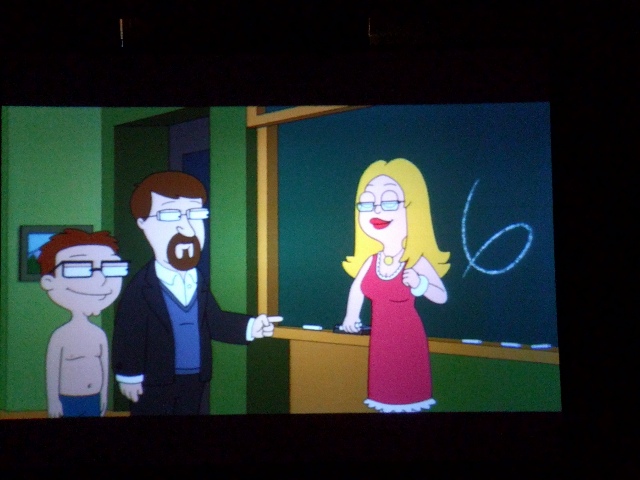
I've been having a hard time getting my phone to focus on it for some reason.
But here's a (blurry) shot from after I put strips of tape in front of my lenses to even out the color gradient.
| Description: |
|
| Filesize: |
97.25 KB |
| Viewed: |
19327 Time(s) |
|
|
|
| Back to top |
|
|
AnalogRocks
Forum Moderator
Joined: 08 Mar 2006
Posts: 26706
Location: Toronto, Ontario, Canada
TV/Projector: Sony 1252Q, AMPRO 4000G
|
| Posted: Fri Aug 03, 2018 9:13 pm Post subject: |
|
|
That looks like you took a picture of a rear projection TV
_________________
Tech support for nothing
CRT.
HD done right!
|
|
| Back to top |
|
|
jmetal88
Joined: 06 Apr 2017
Posts: 108
|
| Posted: Sat Aug 04, 2018 4:08 am Post subject: |
|
|
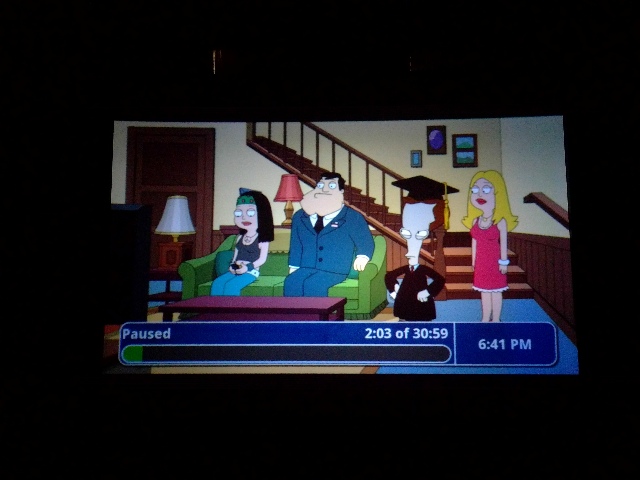
The focus is a little better here, but I'm struggling to take a picture in a way that doesn't exaggerate the hot spot (the corners really don't look this dim in person... I mean, they do still look dimmer than the center of the picture, it's just really not as noticeable as it is on camera).
| Description: |
|
| Filesize: |
79.77 KB |
| Viewed: |
19305 Time(s) |
|
|
|
| Back to top |
|
|
AnalogRocks
Forum Moderator
Joined: 08 Mar 2006
Posts: 26706
Location: Toronto, Ontario, Canada
TV/Projector: Sony 1252Q, AMPRO 4000G
|
| Posted: Sat Aug 04, 2018 7:06 pm Post subject: |
|
|
If you have a camera put it in manual mode and try adjusting the shutter speeds
_________________
Tech support for nothing
CRT.
HD done right!
|
|
| Back to top |
|
|
jmetal88
Joined: 06 Apr 2017
Posts: 108
|
| Posted: Sat Aug 04, 2018 8:07 pm Post subject: |
|
|
| AnalogRocks wrote: | | If you have a camera put it in manual mode and try adjusting the shutter speeds |
I've been trying, but so far the latest phone picture still looks the best, haha.
I think it's just a case of the hot spot being too much of a brightness variation for the camera sensors to handle, whereas the human eye kind of adjusts itself so that it winds up looking like a normal picture.
|
|
| Back to top |
|
|
AnalogRocks
Forum Moderator
Joined: 08 Mar 2006
Posts: 26706
Location: Toronto, Ontario, Canada
TV/Projector: Sony 1252Q, AMPRO 4000G
|
| Posted: Sat Aug 04, 2018 9:19 pm Post subject: |
|
|
I found adjusting f stop and shuter speed for a timed exposure worked well. I was using my old Canonn G6
_________________
Tech support for nothing
CRT.
HD done right!
|
|
| Back to top |
|
|
jmetal88
Joined: 06 Apr 2017
Posts: 108
|
| Posted: Sun Aug 05, 2018 1:02 am Post subject: |
|
|
|
Well, I decided I just was not happy with the way the Videobeam looks on the Mocom screen. While I can get the Sony projecting on it acceptably well, there's just no way to adjust the Videobeam for an image with even brightness on it (not to mention the angle adjuster can't move far enough in, so I actually had to take it off the wall to aim the new screen down at the Videobeam). So, I thought, why compromise? I moved the Videobeam down to the other end of the basement and set it up to project on the old screen across the short side of the basement next to the bathroom. Now I have two home theaters in my basement! One semi-modern CRT setup and one totally vintage CRT setup! My only problem is that this will displace part of my 'computer museum' and now I have a lot of reorganizing to do.
|
|
| Back to top |
|
|
AnalogRocks
Forum Moderator
Joined: 08 Mar 2006
Posts: 26706
Location: Toronto, Ontario, Canada
TV/Projector: Sony 1252Q, AMPRO 4000G
|
| Posted: Sun Aug 05, 2018 2:25 am Post subject: |
|
|
Haa great work around! Just FYI within arms reach tonight I have 2 CRT projectors, 2 CRT TV's and one flat screen TV as well as 3 flat screen monitors and this lap top. You can never have enough screens.
_________________
Tech support for nothing
CRT.
HD done right!
Last edited by AnalogRocks on Sun Aug 05, 2018 2:40 am; edited 1 time in total
|
|
| Back to top |
|
|
jmetal88
Joined: 06 Apr 2017
Posts: 108
|
| Posted: Sun Aug 05, 2018 2:29 am Post subject: |
|
|
| AnalogRocks wrote: | | Haa great work around! Just FYI within arms reach tonight I have 2 CRT projectors, 2 CRT TV's and one flat screen TV as well as 3 flat screen monitors and this lap top. You can never have enough screens. |
Heh, I have a flat screen and a 32" CRT in my living room as well. I use the LCD for all my digital stuff and the CRT for all the analog (Laserdisc, CED, VHS, and Betamax currently).
|
|
| Back to top |
|
|
AnalogRocks
Forum Moderator
Joined: 08 Mar 2006
Posts: 26706
Location: Toronto, Ontario, Canada
TV/Projector: Sony 1252Q, AMPRO 4000G
|
| Posted: Sun Aug 05, 2018 4:55 pm Post subject: |
|
|
| jmetal88 wrote: | | AnalogRocks wrote: | | Haa great work around! Just FYI within arms reach tonight I have 2 CRT projectors, 2 CRT TV's and one flat screen TV as well as 3 flat screen monitors and this lap top. You can never have enough screens. |
Heh, I have a flat screen and a 32" CRT in my living room as well. I use the LCD for all my digital stuff and the CRT for all the analog (Laserdisc, CED, VHS, and Betamax currently). |
One of the CRT Tv's has a VHS built in but it being held up on a Betamax.
I never got into CED. How's the picture?
_________________
Tech support for nothing
CRT.
HD done right!
|
|
| Back to top |
|
|
jmetal88
Joined: 06 Apr 2017
Posts: 108
|
| Posted: Sun Aug 05, 2018 4:59 pm Post subject: |
|
|
| AnalogRocks wrote: | | jmetal88 wrote: | | AnalogRocks wrote: | | Haa great work around! Just FYI within arms reach tonight I have 2 CRT projectors, 2 CRT TV's and one flat screen TV as well as 3 flat screen monitors and this lap top. You can never have enough screens. |
Heh, I have a flat screen and a 32" CRT in my living room as well. I use the LCD for all my digital stuff and the CRT for all the analog (Laserdisc, CED, VHS, and Betamax currently). |
One of the CRT Tv's has a VHS built in but it being held up on a Betamax.
I never got into CED. How's the picture? |
Pretty bad, honestly. If I'd paid market price for it, I'd have been disappointed. But I got the player and a box of ~20 movies at a Salvation Army store for $20, so that was hard to pass up.
|
|
| Back to top |
|
|
AnalogRocks
Forum Moderator
Joined: 08 Mar 2006
Posts: 26706
Location: Toronto, Ontario, Canada
TV/Projector: Sony 1252Q, AMPRO 4000G
|
| Posted: Sun Aug 05, 2018 5:30 pm Post subject: |
|
|
Yeah I've resisted buying CED quite a few times. The last time I saw it the Salvation Army wanted $60 per disk LOL
_________________
Tech support for nothing
CRT.
HD done right!
|
|
| Back to top |
|
|
jmetal88
Joined: 06 Apr 2017
Posts: 108
|
| Posted: Sun Aug 05, 2018 7:20 pm Post subject: |
|
|
| AnalogRocks wrote: | | Yeah I've resisted buying CED quite a few times. The last time I saw it the Salvation Army wanted $60 per disk LOL |
Yeah, that is pretty high. When I bought mine, it had been marked down twice (I think it was originally $60 for the set, and was marked down to $50, then $20 by the time I found it).
|
|
| Back to top |
|
|
UncleWill
Joined: 11 Dec 2012
Posts: 417
Location: Northern Virginia (outside Washington DC)
|
| Posted: Tue Oct 23, 2018 4:04 am Post subject: |
|
|
I have a soft spot for CED. Watched so many movies on that format.
Also the proud owner of two CRT beamer setups.
|
|
| Back to top |
|
|
UncleWill
Joined: 11 Dec 2012
Posts: 417
Location: Northern Virginia (outside Washington DC)
|
|
| Back to top |
|
|
AnalogRocks
Forum Moderator
Joined: 08 Mar 2006
Posts: 26706
Location: Toronto, Ontario, Canada
TV/Projector: Sony 1252Q, AMPRO 4000G
|
| Posted: Tue Jan 29, 2019 5:24 am Post subject: |
|
|
Oooo nice. Shipping is twice the price though....ouch!
_________________
Tech support for nothing
CRT.
HD done right!
|
|
| Back to top |
|
|
|
|





