| Author |
Message |
ElTopo

Joined: 07 Nov 2006
Posts: 1640
|
| Posted: Mon Jan 04, 2016 7:10 am Post subject: |
|
|
@Curt: How have you lift the 909 to the ceiling ?
_________________
Barco Cine 9 the one and only
|
|
| Back to top |
|
 |
redfox001

Joined: 16 Mar 2009
Posts: 2257
Location: The Netherlands
|
| Posted: Mon Jan 04, 2016 11:08 am Post subject: |
|
|
Ah Mike mentioned it in the PFC from the 909 series the current is monitored and the voltage is adjusted. That must have something to do with reduced warmup.
_________________
701s->runco933->8500ultra->cinemax->9500mp->919 splitpack + cinemax
|
|
| Back to top |
|
|
Curt Palme
CRT Tech
Joined: 08 Mar 2006
Posts: 24396
Location: Langley, BC
TV/Projector: All of them!
|
| Posted: Mon Jan 04, 2016 2:42 pm Post subject: |
|
|
| ElTopo wrote: | | @Curt: How have you lift the 909 to the ceiling ? |
Remove the lenses and have a friend help me. We've lifted so many sets on and off the bench and ceilings that it's easy for us. He's a short guy, but with ridiculous upper body strength, since he spent years pulling in long runs of 50 pair telephone cables. 
I got the HDMI path working last night, and played around with the two Barcos. I think I found which projector is drifting. One has significant issues getting the H lin accurate, and the V lin is really compressed at the top. I haven't used any zone convergence, only the H and V lin fine adjustment. Both sets needed significant correction in certain areas of the screen, but one unit simply will not align on top of the digital grid. I'll swap H and V boards tonight, and may need to swap controller trays. I'll test one of those later in the week.
|
|
| Back to top |
|
|
mp20748
Joined: 12 Sep 2006
Posts: 5689
Location: Maryland
TV/Projector: 9500LC Ultra / Super 02 and 03 VIM
|
| Posted: Mon Jan 04, 2016 4:33 pm Post subject: |
|
|
|
The 909 convergence is digital. The convergence board alone cannot cause that abnormality seen in that shot. So any convergence issues outside of overall control would he caused from the digital control section
|
|
| Back to top |
|
|
Curt Palme
CRT Tech
Joined: 08 Mar 2006
Posts: 24396
Location: Langley, BC
TV/Projector: All of them!
|
| Posted: Mon Jan 04, 2016 5:41 pm Post subject: |
|
|
Yeah, you could well be right. Will update for sure. It's still strange that the image per projector is completely solid, it's only when the two are fired up that you can see the issues.
one other thing to note.. I've known about using a digital as a reference for geometry, but last night was the first time I'd tried it. I'd done some setups before using a ruler to measure crosshatch grid squares, but man, using a digital projector makes it a snap! Highly recommended for those serious about wanting perfect geometry. Get a cheapie digital, hang it behind the CRT (as most have longer throws), split your HDMI signal, and only turn on the digital when tweaking the geometry.
Having said that, I'm getting 25 digital projectors in at the end of the week that I'll sell cheap.. hint hint... 
|
|
| Back to top |
|
|
garyfritz

Joined: 08 Apr 2006
Posts: 12088
Location: Fort Collins, CO
|
| Posted: Tue Jan 05, 2016 12:20 am Post subject: |
|
|
| Curt Palme wrote: | | It's still strange that the image per projector is completely solid, it's only when the two are fired up that you can see the issues. |
Wait. You mean 909-#1 projecting over the digital reference is rock solid, and 909-#2 projecting over the digital reference is rock solid -- but if you turn them both on at the same time, weird drifting happens??
I thought the drifting happened all the time, but you could only see it when you had the other 909 on to use as a reference. If the drifting doesn't **HAPPEN** unless both are turned on... then that's weird as hell. There is apparently some kind of coupling between the two projectors??
|
|
| Back to top |
|
|
Curt Palme
CRT Tech
Joined: 08 Mar 2006
Posts: 24396
Location: Langley, BC
TV/Projector: All of them!
|
| Posted: Tue Jan 05, 2016 1:22 am Post subject: |
|
|
No, you read correctly. The drifting is a subtle change in geometry BETWEEN the two units, so the geometry drifts ever so slightly between the two sets. Convergence is rock solid on each set, and between sets, it's the geometry only that changes.
I've got a separate 15 amp breaker powering the projectors that draw 5-ish amps each, so there's plenty of solid power available. New breakers as well, and it's maybe a 40' run to the panel.
Now, with the digital as a rock solid reference, I'll be able to see which set is drifting. I'll spend an hour tonight aligning machine 1 to the digital, and I'll see if I can watch the CRT and the digital together without motion lag. If not, then I'll mute the CRT (as it won't be fully aligned after an hour), and put up the test grid during each commercial break to see how they do together. I'll work on the second problematic 909 later this week, as I'll start popping boards to see if I can get the linearity issue worked out.
|
|
| Back to top |
|
|
Spanky Ham

Joined: 22 Mar 2006
Posts: 5643
Location: Comedy Central
|
| Posted: Tue Jan 05, 2016 2:56 am Post subject: |
|
|
|
Good to hear. Rocco is using his digital to set up his CRTs as well.
|
|
| Back to top |
|
|
Curt Palme
CRT Tech
Joined: 08 Mar 2006
Posts: 24396
Location: Langley, BC
TV/Projector: All of them!
|
| Posted: Tue Jan 05, 2016 4:12 am Post subject: |
|
|
So I dinked around with the projectors a bit, and got the one more or less aligned. One thing is for sure, you can't mix and match digital and CRT. The motion artifacting is completely different between the two, and even a slow pan ends up in a blur, totally unacceptable.
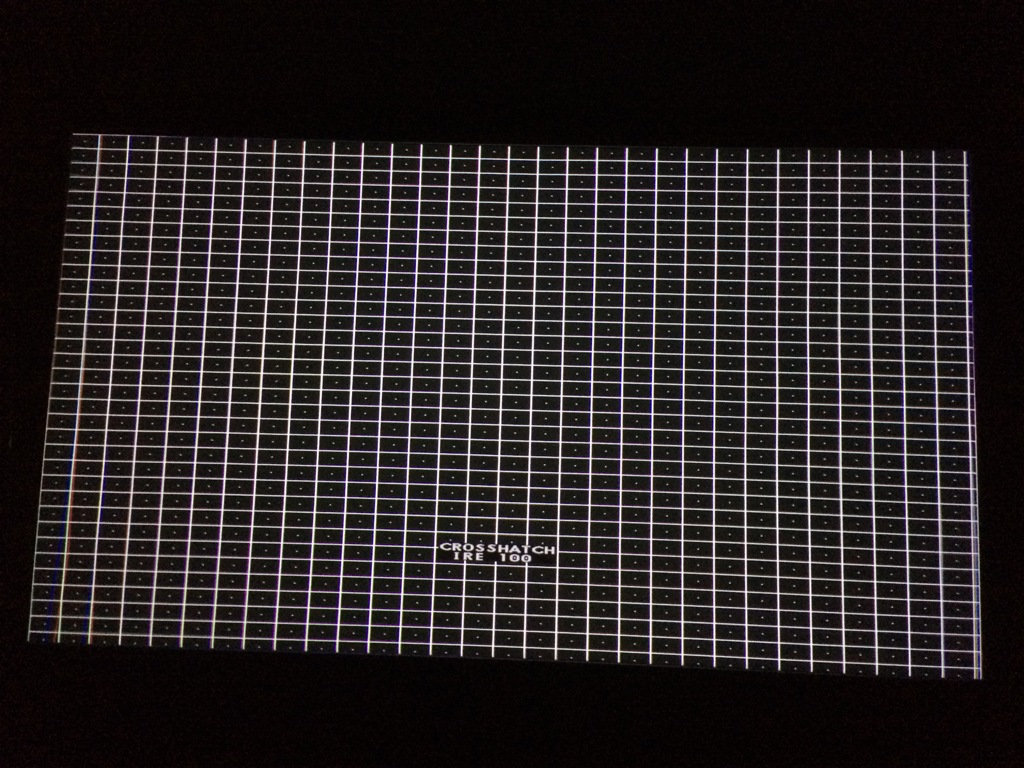
These pix are taken from a handheld Iphone 4G, so they are far from great. even the 'good' projector has some issues in the bottom left corner. This is either a controller or convergence board issue. I did get the geometry pretty damn close though, save for a tiny 'hook' in the extreme left of the screen. The R and B convergence are out at the far left as shown as well. I've only used the 909 'coarse' convergence, and have left the 'fine' alone, save for aligning the green on top of the digital. No point in doing hours of alignment if I'm going to swap boards..
So the pix are as follows: This one is digital and one CRT together.
| Description: |
|
| Filesize: |
287.16 KB |
| Viewed: |
5763 Time(s) |
|
|
|
| Back to top |
|
|
Curt Palme
CRT Tech
Joined: 08 Mar 2006
Posts: 24396
Location: Langley, BC
TV/Projector: All of them!
|
| Posted: Tue Jan 05, 2016 4:14 am Post subject: |
|
|
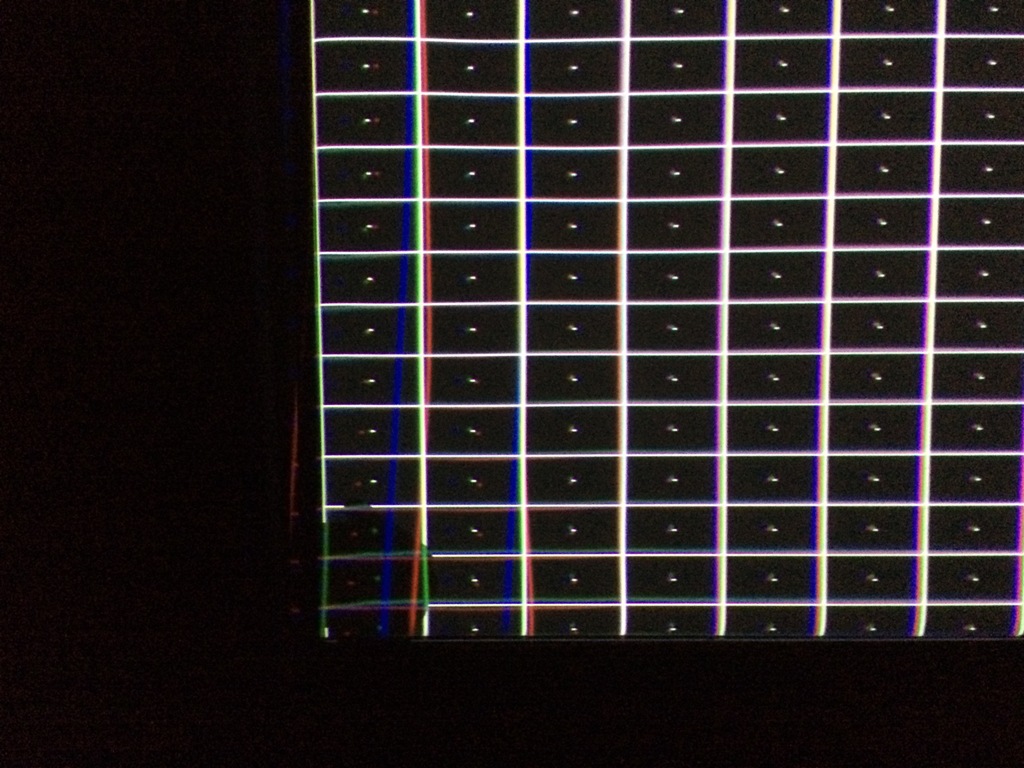
Here's the anomaly on the CRT in the bottom left corner. It can be fine tuned much better than this with the fine convergence, but something is out of tolerance. I may as well chase it now (tomorrow)
| Description: |
|
| Filesize: |
226.43 KB |
| Viewed: |
5761 Time(s) |
|
|
|
| Back to top |
|
|
Curt Palme
CRT Tech
Joined: 08 Mar 2006
Posts: 24396
Location: Langley, BC
TV/Projector: All of them!
|
| Posted: Tue Jan 05, 2016 4:15 am Post subject: |
|
|
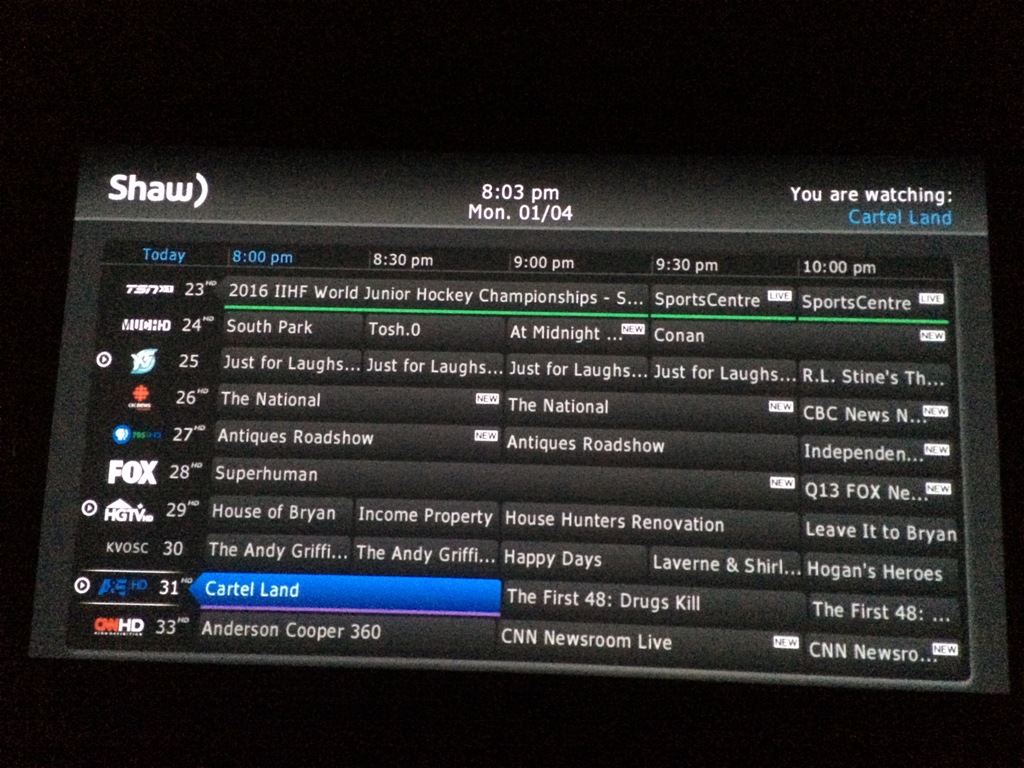
Just the digital. BTW, it is a 1080p projector, a Sim 2 Domino D80. 4000:1 contrast ratio... I was wondering last night why it looked so good, and I also wondered why someone threw it out. It's at 1600 out of 2000 hours on the bulb, and new bulbs are $100 on ebay. I may as well pick one up. 
| Description: |
|
| Filesize: |
257.72 KB |
| Viewed: |
5759 Time(s) |
|
|
|
| Back to top |
|
|
Curt Palme
CRT Tech
Joined: 08 Mar 2006
Posts: 24396
Location: Langley, BC
TV/Projector: All of them!
|
| Posted: Tue Jan 05, 2016 4:16 am Post subject: |
|
|
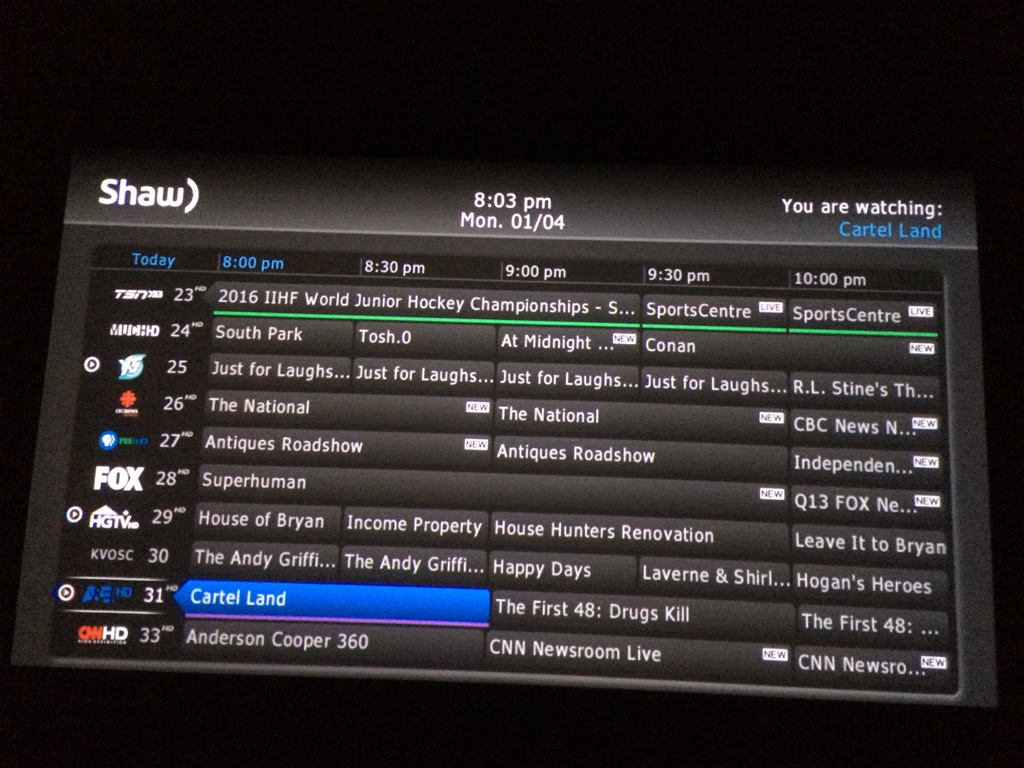
Same shot, but CRT added. More brightness and punch, and the alignment is pretty damn good, even if it only took me 30 minutes. Now I'll watch the digital for an hour and a half, and will put the test grid up every commercial break, and will unmute the CRT to see if the alignment has changed. (color balance is a mile off between the two sets.. the Domino seems greenish, so I pushed the red and blue on the BArco to compensate. Ghetto!
| Description: |
|
| Filesize: |
229.02 KB |
| Viewed: |
5757 Time(s) |
|
|
|
| Back to top |
|
|
km987654

Joined: 25 Jul 2007
Posts: 2874
Location: Australia
TV/Projector: Barco BG809s
|
| Posted: Tue Jan 05, 2016 5:40 am Post subject: |
|
|
|
The second image with the CRT projector seems to have less artifacts or noise. It seems to be an improvement over digital alone or is that because I am looking at a screen shot.
|
|
| Back to top |
|
|
barclay66

Joined: 27 Jun 2011
Posts: 1304
Location: Germany
TV/Projector: Marquee 9500 Ultra
|
| Posted: Tue Jan 05, 2016 7:50 am Post subject: |
|
|
Hi,
The artifacts most likely are due to noise from the iPhone's camera sensor. The lower the light level is the more You will see it. Having two PJs throwing light on the screen will therefore reduce the noise in the picture. I bet that all of the noise in both pictures is produced by the iPhone camera itself...
Regards,
barclay66
|
|
| Back to top |
|
|
ElTopo
Joined: 07 Nov 2006
Posts: 1640
|
| Posted: Tue Jan 05, 2016 9:00 am Post subject: |
|
|
Hey Curt,
looking good.
What are your brightness/contrast settings on each ?
My single Cine9 has 40/78 with new tubes on a 3m wide screen.
I'm loosing light output due to cinemascope.
Going back to 16/9 is no option so a blend would be the only option besides the single Barco.
Will try to post some pics VW200 vs. Cine9
cheers
ElTopo
_________________
Barco Cine 9 the one and only
|
|
| Back to top |
|
|
mp20748
Joined: 12 Sep 2006
Posts: 5689
Location: Maryland
TV/Projector: 9500LC Ultra / Super 02 and 03 VIM
|
| Posted: Tue Jan 05, 2016 9:55 am Post subject: |
|
|
| Curt Palme wrote: | | Here's the anomaly on the CRT in the bottom left corner. It can be fine tuned much better than this with the fine convergence, but something is out of tolerance. I may as well chase it now (tomorrow) |
Oh that. I was thinking the problem was the isolated grid issue the second on that link.
Do you have the Blend option (mounted on control board) on these these 909's?
The problem you're showing here I'm familiar with. It should be correctable somewhat dealing with the left horizontal linearity settings in the menu. If not the H Deflection can also distort the image very similar to that
|
|
| Back to top |
|
|
Curt Palme
CRT Tech
Joined: 08 Mar 2006
Posts: 24396
Location: Langley, BC
TV/Projector: All of them!
|
| Posted: Tue Jan 05, 2016 2:41 pm Post subject: |
|
|
Barclay, you're exactly right, it's Iphone noise.
So, after running the CRdigi stack (!) for 90 minutes, the pix was rock solid. Safe to say that other than the anomaly at the bottom left, this set is good to go.
Mike, I've seen this distortion on 7 and 8 series Barcos as well. I am going to do board swapping tonight to see where it's coming from, but not much work will progress with board swapping until I set up another 909 on the bench, as I'm pretty sure it's in the controller tray, either the controller or the convergence output board. I really need to 'scope' the output, and then it should be easy to track down.
I agree, you can fix it to some degree by playing with the key, pin or linearity, but frankly most of my settings are pretty close to 50, or at least between 40 and 60, so I need to find this problem.
|
|
| Back to top |
|
|
tschaeikaei
Joined: 08 Apr 2013
Posts: 490
Location: Germany/Saarland
|
| Posted: Tue Jan 05, 2016 4:01 pm Post subject: |
|
|
| Quote: | | I was wondering last night why it looked so good |
And then Curt became a digital fanboy. So everything came to an end and CRT was dead.
And if they didn't die (what they did indeed), everyone lived happily to their ends.
_________________
Marquee 9500U edgeblend P43 | NEC 9PG
|
|
| Back to top |
|
|
Curt Palme
CRT Tech
Joined: 08 Mar 2006
Posts: 24396
Location: Langley, BC
TV/Projector: All of them!
|
| Posted: Tue Jan 05, 2016 4:15 pm Post subject: |
|
|
No, THAT won't happen!
I will say, if the lag wasn't present between the digital and CRT, a stack between the two could prove interesting, overlapping the sharpness of a digital with the natural colors of the CRT. It certainly has potential with still images, that's for sure, but the smearing as soon as anything moves made it unacceptable.
|
|
| Back to top |
|
|
garyfritz
Joined: 08 Apr 2006
Posts: 12088
Location: Fort Collins, CO
|
| Posted: Tue Jan 05, 2016 7:11 pm Post subject: |
|
|
|
I'm still confused by that. What causes the smearing? Is the CRT "faster" than the digital for some reason, so its motion is "ahead" of the digital? I can't think of any reason why the CRT would be delayed...
|
|
| Back to top |
|
|
|
|




