| Author |
Message |
huggy

Joined: 02 Aug 2008
Posts: 927
Location: Melbourne,Australia
|
| Posted: Thu Jan 01, 2015 11:58 am Post subject: |
|
|
|
Ok there's something wrong with this blue, no matter what i do i cant get the 4 pole right, no matter how muxh i twist and turn the magnet i just cant get the diagonal flare right, any tips?
|
|
| Back to top |
|
 |
CasetheCorvetteman

Joined: 09 Nov 2008
Posts: 6326
Location: Australia
|
| Posted: Thu Jan 01, 2015 12:02 pm Post subject: |
|
|
Did you null the magnets so they have no effect?
Check all the electronic zones on the blue to make sure theyre 49 on both 4 and 6 pole.
_________________
Barco Cine 9, ,Sony VPL570ES 4K SXRD, 135" OZ Theatre Majestic 16:9 screen, Denon X6700in preamp mode, 2x 7ch Tonewinner amps, 2x Tonewinner 15" subs, 2x 10" subs, 7.2.6...
RUNCO DTV991 LC ( NEC XG 852 LC ) 100" 4:3 screen, H/K AVR 7.1...
|
|
| Back to top |
|
|
huggy
Joined: 02 Aug 2008
Posts: 927
Location: Melbourne,Australia
|
| Posted: Thu Jan 01, 2015 12:14 pm Post subject: |
|
|
Null the magnets? How the heck do i do that? Remember this is my first ever attempt 
|
|
| Back to top |
|
|
CasetheCorvetteman
Joined: 09 Nov 2008
Posts: 6326
Location: Australia
|
| Posted: Thu Jan 01, 2015 11:29 pm Post subject: |
|
|
Twist the little handle that you use to move them 
_________________
Barco Cine 9, ,Sony VPL570ES 4K SXRD, 135" OZ Theatre Majestic 16:9 screen, Denon X6700in preamp mode, 2x 7ch Tonewinner amps, 2x Tonewinner 15" subs, 2x 10" subs, 7.2.6...
RUNCO DTV991 LC ( NEC XG 852 LC ) 100" 4:3 screen, H/K AVR 7.1...
|
|
| Back to top |
|
|
huggy
Joined: 02 Aug 2008
Posts: 927
Location: Melbourne,Australia
|
| Posted: Mon Jan 05, 2015 12:45 pm Post subject: |
|
|
I cant access my mabuals so can someone point me to where the horizontal raster shift for red tube is please, when i changed frim floor to ceiling mount everything got messed up and now dont have enough range to move red in centre of tube.
_________________
Proud owner of stacked 909's on a 12 ft wide 16:9 screen.
|
|
| Back to top |
|
|
km987654

Joined: 25 Jul 2007
Posts: 2874
Location: Australia
TV/Projector: Barco BG809s
|
| Posted: Mon Jan 05, 2015 10:33 pm Post subject: |
|
|
|
That should be on the horizontal shift board.Should be two tiny screws facing the top of the board as you look down one for red and one for blue. There are also two on the vertical board.
|
|
| Back to top |
|
|
huggy
Joined: 02 Aug 2008
Posts: 927
Location: Melbourne,Australia
|
| Posted: Mon Jan 05, 2015 11:28 pm Post subject: |
|
|
If you mean the Horizontal def board,then no, there are no pots on there to turn, well none that I've been able to see anyway.
There are vertical size and shift pots on vertical def board but nothing anywhere I can find for horizontal shift, it's weird though,everything was perfect when floor mounted but once I switched over to ceiling mount,everything went to sh*t 
|
|
| Back to top |
|
|
CasetheCorvetteman
Joined: 09 Nov 2008
Posts: 6326
Location: Australia
|
| Posted: Mon Jan 05, 2015 11:37 pm Post subject: |
|
|
Not there on 909 that ive seen.
Center your fine raster shift, then center the raster with the coarse shift.
_________________
Barco Cine 9, ,Sony VPL570ES 4K SXRD, 135" OZ Theatre Majestic 16:9 screen, Denon X6700in preamp mode, 2x 7ch Tonewinner amps, 2x Tonewinner 15" subs, 2x 10" subs, 7.2.6...
RUNCO DTV991 LC ( NEC XG 852 LC ) 100" 4:3 screen, H/K AVR 7.1...
|
|
| Back to top |
|
|
km987654
Joined: 25 Jul 2007
Posts: 2874
Location: Australia
TV/Projector: Barco BG809s
|
| Posted: Mon Jan 05, 2015 11:40 pm Post subject: |
|
|
|
H shift and focus on 808 whoops.
|
|
| Back to top |
|
|
km987654
Joined: 25 Jul 2007
Posts: 2874
Location: Australia
TV/Projector: Barco BG809s
|
| Posted: Mon Jan 05, 2015 11:44 pm Post subject: |
|
|
|
The vertical board is the same though so those adjustments for vertical shift are on the vertical board.
|
|
| Back to top |
|
|
km987654
Joined: 25 Jul 2007
Posts: 2874
Location: Australia
TV/Projector: Barco BG809s
|
| Posted: Mon Jan 05, 2015 11:55 pm Post subject: |
|
|
|
Is the horizontal raster position an electronic adjustment via a menu?
|
|
| Back to top |
|
|
huggy
Joined: 02 Aug 2008
Posts: 927
Location: Melbourne,Australia
|
| Posted: Tue Jan 06, 2015 1:14 am Post subject: |
|
|
|
problem is the red raster runs out of adjustment before its even close to centre of tube.
|
|
| Back to top |
|
|
Curt Palme
CRT Tech
Joined: 08 Mar 2006
Posts: 24396
Location: Langley, BC
TV/Projector: All of them!
|
| Posted: Tue Jan 06, 2015 2:33 am Post subject: |
|
|
|
There isn't an internal trimpot. Have you adjusted the raster shift in the geometry menu, which I think has more range than in the convergence menu?
|
|
| Back to top |
|
|
CasetheCorvetteman
Joined: 09 Nov 2008
Posts: 6326
Location: Australia
|
| Posted: Tue Jan 06, 2015 7:18 am Post subject: |
|
|
What about when you go through the setup menu?
_________________
Barco Cine 9, ,Sony VPL570ES 4K SXRD, 135" OZ Theatre Majestic 16:9 screen, Denon X6700in preamp mode, 2x 7ch Tonewinner amps, 2x Tonewinner 15" subs, 2x 10" subs, 7.2.6...
RUNCO DTV991 LC ( NEC XG 852 LC ) 100" 4:3 screen, H/K AVR 7.1...
|
|
| Back to top |
|
|
huggy
Joined: 02 Aug 2008
Posts: 927
Location: Melbourne,Australia
|
| Posted: Tue Jan 06, 2015 7:19 am Post subject: |
|
|
Yes I completely forgot that 
I keep forgetting there are red and blue raster shift in geometry as well, all good now 
Dave
|
|
| Back to top |
|
|
CasetheCorvetteman
Joined: 09 Nov 2008
Posts: 6326
Location: Australia
|
| Posted: Tue Jan 06, 2015 7:20 am Post subject: |
|
|
Yes, the one in geometry has coarse and fine under RASTER SHIFT, in coarse you can only shift left and right for blue and red.
_________________
Barco Cine 9, ,Sony VPL570ES 4K SXRD, 135" OZ Theatre Majestic 16:9 screen, Denon X6700in preamp mode, 2x 7ch Tonewinner amps, 2x Tonewinner 15" subs, 2x 10" subs, 7.2.6...
RUNCO DTV991 LC ( NEC XG 852 LC ) 100" 4:3 screen, H/K AVR 7.1...
|
|
| Back to top |
|
|
km987654
Joined: 25 Jul 2007
Posts: 2874
Location: Australia
TV/Projector: Barco BG809s
|
| Posted: Tue Jan 06, 2015 11:54 am Post subject: |
|
|
| CasetheCorvetteman wrote: | | Yes, the one in geometry has coarse and fine under RASTER SHIFT, in coarse you can only shift left and right for blue and red. |
Well that's it then Dave as suggested. As mentioned though there are trim pots for vertical blue and red on the vertical deflection board.
|
|
| Back to top |
|
|
huggy
Joined: 02 Aug 2008
Posts: 927
Location: Melbourne,Australia
|
| Posted: Tue Jan 06, 2015 4:29 pm Post subject: |
|
|
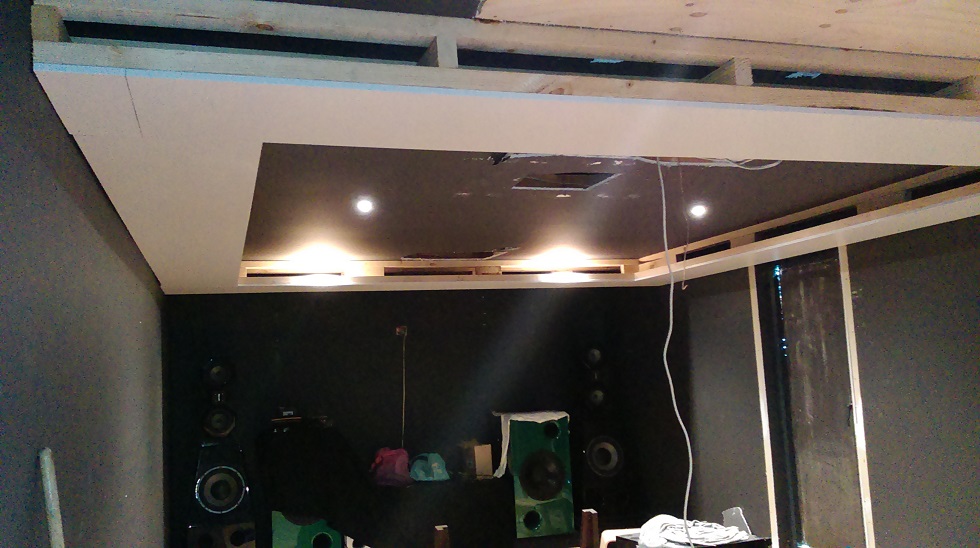
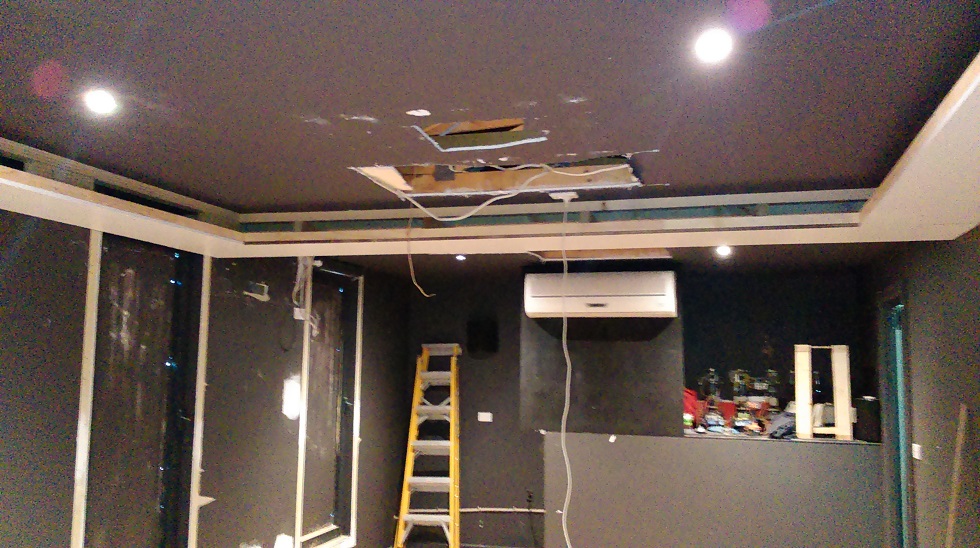
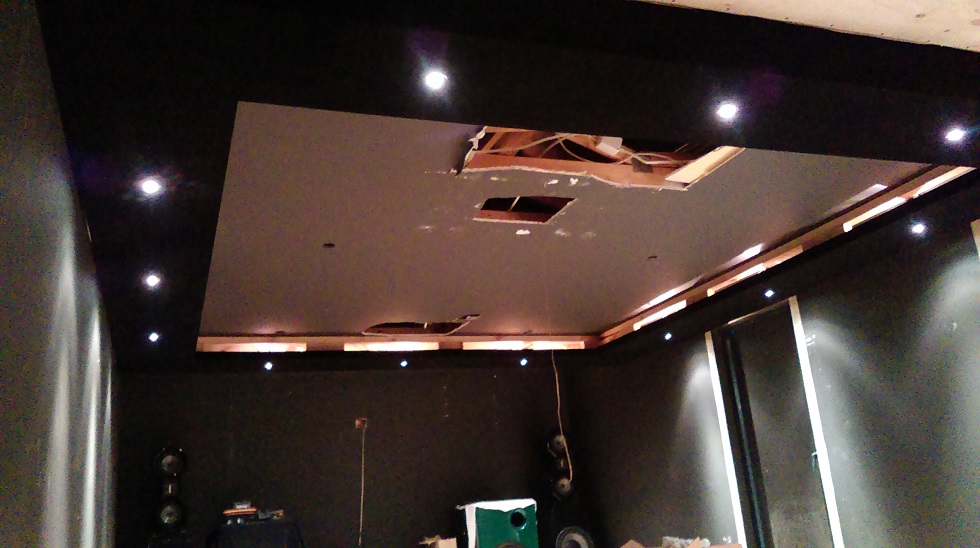
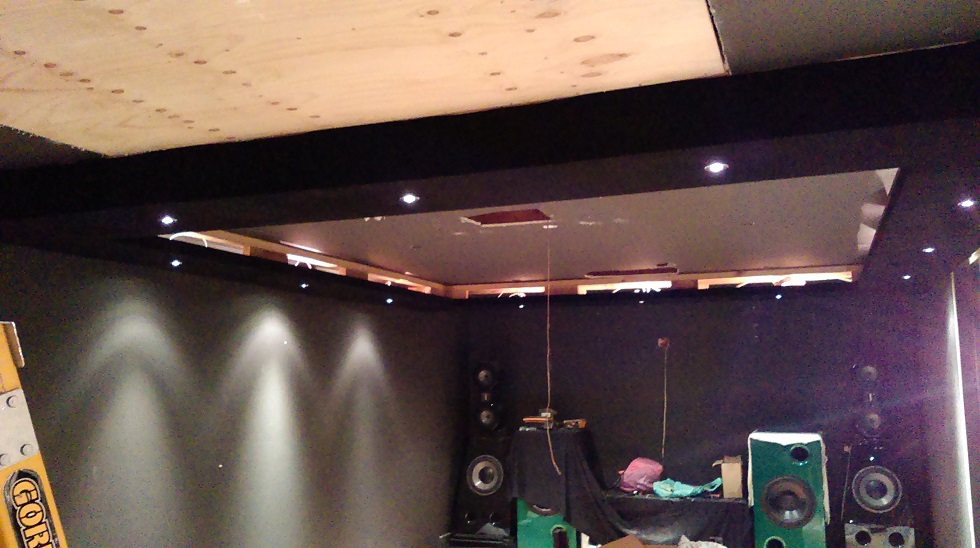
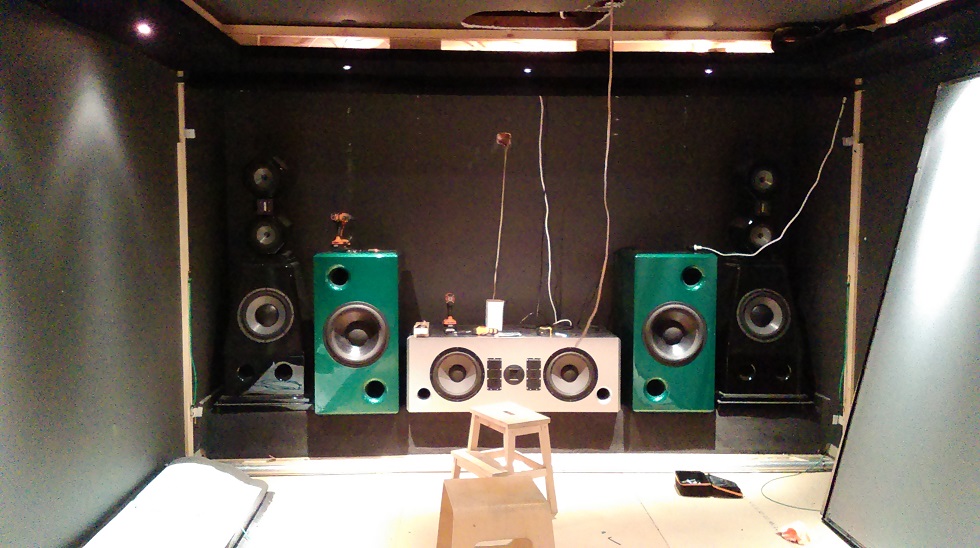
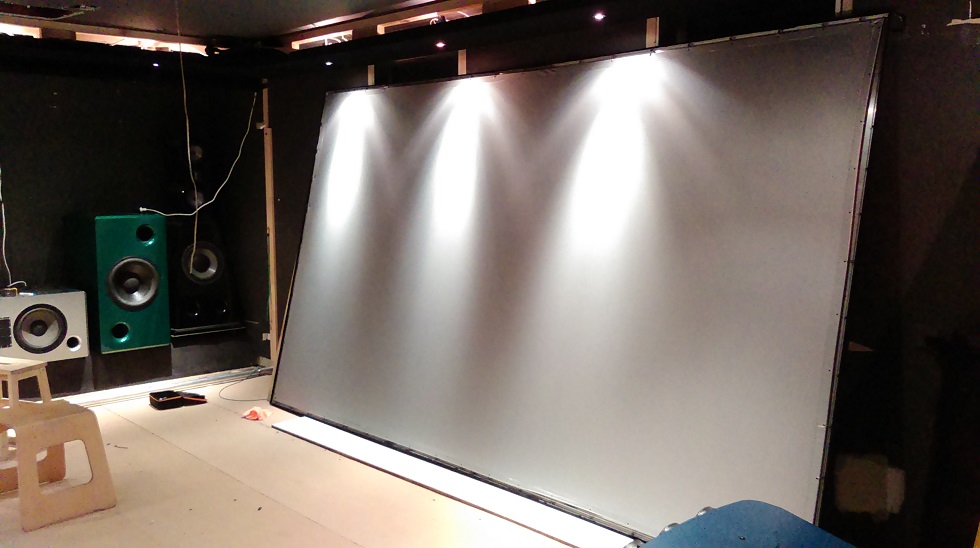
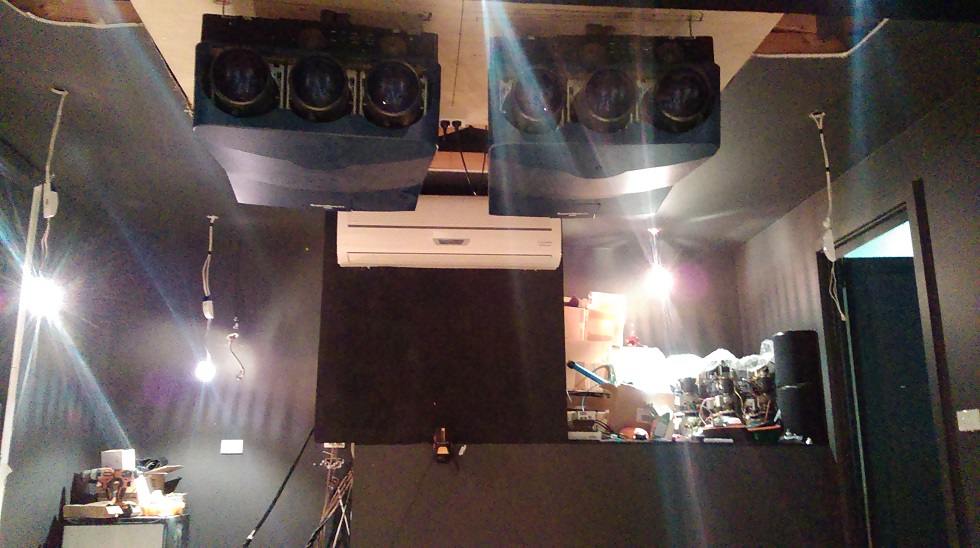
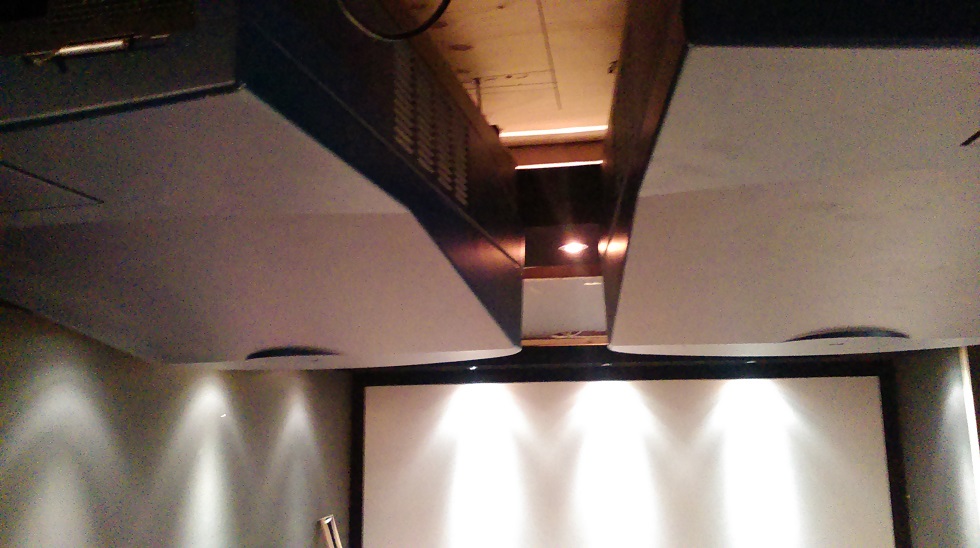
Well I've been lazy lately so bout time I threw up some pics of the never ending HT build. I have the black wall panels, custom lounge on order and star ceiling to put together, fun!
Dave
| Description: |
| bulkheads for led lighting |
|
| Filesize: |
164.8 KB |
| Viewed: |
5083 Time(s) |
|
| Description: |
|
| Filesize: |
240.02 KB |
| Viewed: |
5083 Time(s) |
|
| Description: |
|
| Filesize: |
166.38 KB |
| Viewed: |
5083 Time(s) |
|
| Description: |
| Black velvet covering bulkheads |
|
| Filesize: |
174.58 KB |
| Viewed: |
5083 Time(s) |
|
| Description: |
| over 1000 lbs of speakers and subs |
|
| Filesize: |
187.69 KB |
| Viewed: |
5083 Time(s) |
|
| Description: |
|
| Filesize: |
123.78 KB |
| Viewed: |
5083 Time(s) |
|
| Description: |
|
| Filesize: |
202.94 KB |
| Viewed: |
5083 Time(s) |
|
| Description: |
|
| Filesize: |
154.64 KB |
| Viewed: |
5083 Time(s) |
|
|
|
| Back to top |
|
|
Nashou66

Joined: 12 Jan 2007
Posts: 16171
Location: West Seneca NY
|
|
| Back to top |
|
|
macgyver655
Joined: 22 Aug 2007
Posts: 8508
|
| Posted: Tue Jan 06, 2015 4:56 pm Post subject: |
|
|
|
Very nice.
|
|
| Back to top |
|
|
|
|




