| Author |
Message |
Zubik
Joined: 10 Sep 2014
Posts: 23
|
| Posted: Sun Sep 14, 2014 6:07 pm Post subject: NEC Pic |
|
|
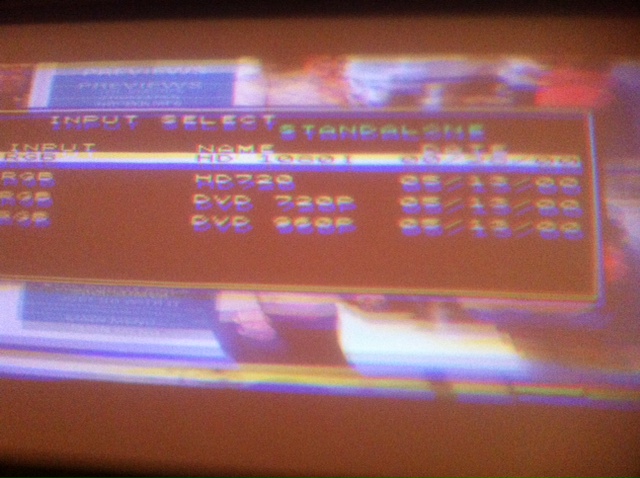
Here is one pic. One more to follow
| Description: |
|
| Filesize: |
120.77 KB |
| Viewed: |
5331 Time(s) |
|
|
|
| Back to top |
|
 |
Zubik
Joined: 10 Sep 2014
Posts: 23
|
| Posted: Sun Sep 14, 2014 6:10 pm Post subject: NEC Pic 2 of 3 |
|
|
NEC Pic 2 of 3
| Description: |
|
| Filesize: |
120.77 KB |
| Viewed: |
5325 Time(s) |
|
|
|
| Back to top |
|
|
Zubik
Joined: 10 Sep 2014
Posts: 23
|
| Posted: Sun Sep 14, 2014 6:11 pm Post subject: |
|
|
|
NEC Pic 2 of 3
|
|
| Back to top |
|
|
Zubik
Joined: 10 Sep 2014
Posts: 23
|
| Posted: Sun Sep 14, 2014 6:13 pm Post subject: nec pic 2 |
|
|
nec pic 2
| Description: |
|
| Filesize: |
120.77 KB |
| Viewed: |
5318 Time(s) |
|
|
|
| Back to top |
|
|
Zubik
Joined: 10 Sep 2014
Posts: 23
|
| Posted: Sun Sep 14, 2014 6:14 pm Post subject: |
|
|
|
here is another pic
|
|
| Back to top |
|
|
Zubik
Joined: 10 Sep 2014
Posts: 23
|
| Posted: Sun Sep 14, 2014 6:24 pm Post subject: |
|
|
| AnalogRocks wrote: | That looks like a double picture. Is it the same picture top and bottom? One over the other?
Are you sure you have the correct memory location selected in the projector? |
yes
|
|
| Back to top |
|
|
macgyver655
Joined: 22 Aug 2007
Posts: 8508
|
| Posted: Mon Sep 15, 2014 12:15 am Post subject: |
|
|
|
That input screen does not mean anything at this point. Even if you select that input does not mean that is what is being sent to the projector. IIRC push the info button and post that screen.
|
|
| Back to top |
|
|
CasetheCorvetteman

Joined: 09 Nov 2008
Posts: 6326
Location: Australia
|
| Posted: Mon Sep 15, 2014 1:01 am Post subject: |
|
|
That will tell you which input is in use yes, it should automatically select the correct one anyway.
_________________
Barco Cine 9, ,Sony VPL570ES 4K SXRD, 135" OZ Theatre Majestic 16:9 screen, Denon X6700in preamp mode, 2x 7ch Tonewinner amps, 2x Tonewinner 15" subs, 2x 10" subs, 7.2.6...
RUNCO DTV991 LC ( NEC XG 852 LC ) 100" 4:3 screen, H/K AVR 7.1...
|
|
| Back to top |
|
|
macgyver655
Joined: 22 Aug 2007
Posts: 8508
|
| Posted: Mon Sep 15, 2014 1:10 am Post subject: |
|
|
| CasetheCorvetteman wrote: | | That will tell you which input is in use yes, it should automatically select the correct one anyway. |
Actually it should give you the current input resolution. It can only select an entry that was made for that resolution. It will not select an entry that is not specifically for it and cannot be force to.
Maybe I am thinking the wrong screen. It has been a while since I've looked at the NECs menus. I will look it up.
|
|
| Back to top |
|
|
macgyver655
Joined: 22 Aug 2007
Posts: 8508
|
| Posted: Mon Sep 15, 2014 1:25 am Post subject: |
|
|
|
The scanning frequency should be on that source info page.
|
|
| Back to top |
|
|
CasetheCorvetteman
Joined: 09 Nov 2008
Posts: 6326
Location: Australia
|
| Posted: Mon Sep 15, 2014 2:26 am Post subject: |
|
|
| macgyver655 wrote: | | CasetheCorvetteman wrote: | | That will tell you which input is in use yes, it should automatically select the correct one anyway. |
Actually it should give you the current input resolution. It can only select an entry that was made for that resolution. It will not select an entry that is not specifically for it and cannot be force to.
Maybe I am thinking the wrong screen. It has been a while since I've looked at the NECs menus. I will look it up. |
Thats basically what i was confirming happens when upu press info yes, it wont say the resolution, only the scan rates.
_________________
Barco Cine 9, ,Sony VPL570ES 4K SXRD, 135" OZ Theatre Majestic 16:9 screen, Denon X6700in preamp mode, 2x 7ch Tonewinner amps, 2x Tonewinner 15" subs, 2x 10" subs, 7.2.6...
RUNCO DTV991 LC ( NEC XG 852 LC ) 100" 4:3 screen, H/K AVR 7.1...
|
|
| Back to top |
|
|
Zubik
Joined: 10 Sep 2014
Posts: 23
|
| Posted: Mon Sep 15, 2014 2:42 am Post subject: Nec PJ |
|
|
|
Well what looks like what happened was that one cable came disconnected and I tried to make adjustments. I still am not 100% if the white or yellow BNC connector is horizontal or vertical. The PJ looks like it is flashing like crazy in the green tube. I still don't feel I have a stable pic. Case I'm willing to call you in Australia if you have time. I sure could use some guidance here.
|
|
| Back to top |
|
|
macgyver655
Joined: 22 Aug 2007
Posts: 8508
|
| Posted: Mon Sep 15, 2014 3:35 am Post subject: |
|
|
| CasetheCorvetteman wrote: | | macgyver655 wrote: | | CasetheCorvetteman wrote: | | That will tell you which input is in use yes, it should automatically select the correct one anyway. |
Actually it should give you the current input resolution. It can only select an entry that was made for that resolution. It will not select an entry that is not specifically for it and cannot be force to.
Maybe I am thinking the wrong screen. It has been a while since I've looked at the NECs menus. I will look it up. |
Thats basically what i was confirming happens when upu press info yes, it wont say the resolution, only the scan rates. |
okey dokey. 
|
|
| Back to top |
|
|
CasetheCorvetteman
Joined: 09 Nov 2008
Posts: 6326
Location: Australia
|
| Posted: Mon Sep 15, 2014 4:05 am Post subject: Re: Nec PJ |
|
|
| Zubik wrote: | | Well what looks like what happened was that one cable came disconnected and I tried to make adjustments. I still am not 100% if the white or yellow BNC connector is horizontal or vertical. The PJ looks like it is flashing like crazy in the green tube. I still don't feel I have a stable pic. Case I'm willing to call you in Australia if you have time. I sure could use some guidance here. |
We can do that, but itll be abit later on in the week before i will have time.
There is no harm in trying both white and yellow cables on both H and V, if its wrong it just wont work. If it works with just the H lead connected id say that is in the right spot.
_________________
Barco Cine 9, ,Sony VPL570ES 4K SXRD, 135" OZ Theatre Majestic 16:9 screen, Denon X6700in preamp mode, 2x 7ch Tonewinner amps, 2x Tonewinner 15" subs, 2x 10" subs, 7.2.6...
RUNCO DTV991 LC ( NEC XG 852 LC ) 100" 4:3 screen, H/K AVR 7.1...
|
|
| Back to top |
|
|
CasetheCorvetteman
Joined: 09 Nov 2008
Posts: 6326
Location: Australia
|
| Posted: Mon Sep 15, 2014 4:06 am Post subject: |
|
|
| macgyver655 wrote: | | CasetheCorvetteman wrote: | | macgyver655 wrote: | | CasetheCorvetteman wrote: | | That will tell you which input is in use yes, it should automatically select the correct one anyway. |
Actually it should give you the current input resolution. It can only select an entry that was made for that resolution. It will not select an entry that is not specifically for it and cannot be force to.
Maybe I am thinking the wrong screen. It has been a while since I've looked at the NECs menus. I will look it up. |
Thats basically what i was confirming happens when upu press info yes, it wont say the resolution, only the scan rates. |
okey dokey. |
You know my writing is hard to read  
_________________
Barco Cine 9, ,Sony VPL570ES 4K SXRD, 135" OZ Theatre Majestic 16:9 screen, Denon X6700in preamp mode, 2x 7ch Tonewinner amps, 2x Tonewinner 15" subs, 2x 10" subs, 7.2.6...
RUNCO DTV991 LC ( NEC XG 852 LC ) 100" 4:3 screen, H/K AVR 7.1...
|
|
| Back to top |
|
|
Zubik
Joined: 10 Sep 2014
Posts: 23
|
| Posted: Mon Sep 15, 2014 4:30 am Post subject: |
|
|
|
Awesome. What day and what time would you like me to give you a call? What is the time zone difference from Australia to Texas. What year is your Vette?
|
|
| Back to top |
|
|
CasetheCorvetteman
Joined: 09 Nov 2008
Posts: 6326
Location: Australia
|
| Posted: Mon Sep 15, 2014 4:45 am Post subject: |
|
|
It was 94, i sold that though
Its 2:45pm right now.
I will confirm a time with you when i know more 
_________________
Barco Cine 9, ,Sony VPL570ES 4K SXRD, 135" OZ Theatre Majestic 16:9 screen, Denon X6700in preamp mode, 2x 7ch Tonewinner amps, 2x Tonewinner 15" subs, 2x 10" subs, 7.2.6...
RUNCO DTV991 LC ( NEC XG 852 LC ) 100" 4:3 screen, H/K AVR 7.1...
|
|
| Back to top |
|
|
Zubik
Joined: 10 Sep 2014
Posts: 23
|
| Posted: Mon Sep 15, 2014 11:56 pm Post subject: |
|
|
|
Let me know the day and time
|
|
| Back to top |
|
|
|
|





