| Author |
Message |
Zubik
Joined: 10 Sep 2014
Posts: 23
|
| Posted: Wed Sep 10, 2014 2:27 pm Post subject: Nec 9 pg |
|
|
Link Posted: Wed Sep 10, 2014 2:25 pm Post subject:
Can or of you guys give me call. My pj was
Fine. I was running a nec 9pg plus with
Hd fury and a cressindo unit taking the
Signal from my blue ray to 5bnc. I unplugged
The cressindo to clean up wires and now
I get a message H-frequecy over limit
Cannot input signal and on the screen
I horizontal rolling lines with the image of
My blue ray in the back round. What could
It be? Any input would be helpful. Please
Let met me know. My cell is also 817-403-4037
Thanks
Joseph
|
|
| Back to top |
|
 |
AnalogRocks
Forum Moderator

Joined: 08 Mar 2006
Posts: 26706
Location: Toronto, Ontario, Canada
TV/Projector: Sony 1252Q, AMPRO 4000G
|
| Posted: Wed Sep 10, 2014 2:30 pm Post subject: |
|
|
Hi Joseph, your Bluray player probably reset its output to 1080p. If you can see through the mess to reset it to 1080i or 720p which ever you were running before it will likely fix the issue.
Alternatively you can hook up the yellow video cable to your TV and see the Blurays menu that way and reset the output resolution.
Also make sure 24hz is turned OFF
_________________
Tech support for nothing
CRT.
HD done right!
|
|
| Back to top |
|
|
Zubik
Joined: 10 Sep 2014
Posts: 23
|
| Posted: Wed Sep 10, 2014 4:00 pm Post subject: |
|
|
Words of help:) thank you !!
Can I disconnect the blu ray and hook it
Up to a different tv and check that?
My problem is that I'm going from
Hdmi to dvi to 5bnc. What's your contact number
I can call you. You are very gelpful
|
|
| Back to top |
|
|
redfox001

Joined: 16 Mar 2009
Posts: 2257
Location: The Netherlands
|
| Posted: Fri Sep 12, 2014 4:01 am Post subject: |
|
|
Is there a button on your remote to set the blu ray player to the lowest resolution? On some sony you have to press the stop button on the player for more than 10 seconds. Check the manual.
_________________
701s->runco933->8500ultra->cinemax->9500mp->919 splitpack + cinemax
|
|
| Back to top |
|
|
AnalogRocks
Forum Moderator
Joined: 08 Mar 2006
Posts: 26706
Location: Toronto, Ontario, Canada
TV/Projector: Sony 1252Q, AMPRO 4000G
|
| Posted: Fri Sep 12, 2014 4:43 am Post subject: |
|
|
Were you running 1080i or 720p before?
Did you power the projector all the way down when you cleaned things up. Was the power cord removed from the projector?
It still sounds like you are outputting 1080p to the projector.
_________________
Tech support for nothing
CRT.
HD done right!
|
|
| Back to top |
|
|
CasetheCorvetteman

Joined: 09 Nov 2008
Posts: 6326
Location: Australia
|
| Posted: Fri Sep 12, 2014 7:32 am Post subject: |
|
|
Powering down or unplugging the projector wont have any ill effect on this, i used to leave mine turned off at the wall when not in use.
1920x1080p is too high for a 9PG, it should lock to it though as mine did. 92kHz is the max h scan rate for a 9PG, and 1080p from a bluray player is 67.5kHz, so youre way under.
You can connect the composite video to the composite input on the front of the 9PG, press 1 on the remote, and go into the menus to make any required changes. I am not sure that the bluray player is the issue here though, if the Cresendo is some form of scaler then there is a chance it is the culprit, as 1080p 60Hz wont give you the H-Over message and neither will 1080p 24Hz
Which version of the HD Fury? Some of them have a switch to limit output to 1920x1080i, if yours has that turn it on.
_________________
Barco Cine 9, ,Sony VPL570ES 4K SXRD, 135" OZ Theatre Majestic 16:9 screen, Denon X6700in preamp mode, 2x 7ch Tonewinner amps, 2x Tonewinner 15" subs, 2x 10" subs, 7.2.6...
RUNCO DTV991 LC ( NEC XG 852 LC ) 100" 4:3 screen, H/K AVR 7.1...
|
|
| Back to top |
|
|
AnalogRocks
Forum Moderator
Joined: 08 Mar 2006
Posts: 26706
Location: Toronto, Ontario, Canada
TV/Projector: Sony 1252Q, AMPRO 4000G
|
| Posted: Fri Sep 12, 2014 12:56 pm Post subject: |
|
|
(Via PM to me ) | Zubic wrote: | | I tried the reset and the blu ray is set to 1080i. What could this be? |
Case, he said DVI so HDFury1, the Cresendo unit is a transcoder/gama box with RGBHV passthrough:
https://www.curtpalme.com/forum_archived/viewtopic.php@t=6860.html
HDFury1 and RTC2200 is a nice combination.
Joseph, check your RGBHV cable. Are you sure you don't have the H and V switched around?
Also as I asked above. Were you running 1080i or 720p before?
_________________
Tech support for nothing
CRT.
HD done right!
|
|
| Back to top |
|
|
Zubik
Joined: 10 Sep 2014
Posts: 23
|
| Posted: Fri Sep 12, 2014 7:02 pm Post subject: |
|
|
I'll check the cables. Doug set the resolution
At 1080i. It worked great till I unplugged
The Cressendo unit.
|
|
| Back to top |
|
|
Mr. Green

Joined: 23 Feb 2007
Posts: 1394
Location: Calgary
TV/Projector: Marquee 9501LC / NEC 9PG+
|
| Posted: Sat Sep 13, 2014 4:03 am Post subject: |
|
|
With My 9PG+ I run HDMI out from PS3 to DVI in on Fury then a 25 foot BNC cable from Fury out to projector and no problems. Wonder why unplugging the Crescendo made a difference.
I have a box 1040, but haven't used it in last setup.
Make sure blue light is on the Fury as it indicates HDMI Handshake (I think). If I remember the last time I had issues getting an image. If you are running through a receiver you could have a handshake issue. I never did resolve the handshake issue with my stupid Pioneer receiver. I found some notes in my printed version of the setup guide which had a few additional notes on my setup. I ran it as above, instead of going through the receiver I had set sound to Optical out on PS3 and just ran sound to receiver and then used the HDMI out from the PS3 to Fury and the Blue light came on and I got my image back. You might have a similar issue. I've heard Sony's also had issues.
_________________
You can be young only once but, you can be immature forever.
Current Projector Marquee9501LC with PS3 (BLu-Ray) at 1080P LOVE IT! Screen is an Elunevision 120" 4:3 (2.4 gain - no hotspots). (also own a NEC 9PG+)
|
|
| Back to top |
|
|
AnalogRocks
Forum Moderator
Joined: 08 Mar 2006
Posts: 26706
Location: Toronto, Ontario, Canada
TV/Projector: Sony 1252Q, AMPRO 4000G
|
| Posted: Sat Sep 13, 2014 5:43 am Post subject: |
|
|
| Zubik wrote: | I'll check the cables. Doug set the resolution
At 1080i. It worked great till I unplugged
The Cressendo unit. |
I wonder if your Cressendo went bad on you?
OR
Are you sure you didn't hook the Cressendo up backwards? Plug the HDFury into the output and the input into your cables to the projector?
_________________
Tech support for nothing
CRT.
HD done right!
|
|
| Back to top |
|
|
CasetheCorvetteman
Joined: 09 Nov 2008
Posts: 6326
Location: Australia
|
| Posted: Sat Sep 13, 2014 6:55 am Post subject: |
|
|
Then get rid of the Cresendo.
_________________
Barco Cine 9, ,Sony VPL570ES 4K SXRD, 135" OZ Theatre Majestic 16:9 screen, Denon X6700in preamp mode, 2x 7ch Tonewinner amps, 2x Tonewinner 15" subs, 2x 10" subs, 7.2.6...
RUNCO DTV991 LC ( NEC XG 852 LC ) 100" 4:3 screen, H/K AVR 7.1...
|
|
| Back to top |
|
|
CasetheCorvetteman
Joined: 09 Nov 2008
Posts: 6326
Location: Australia
|
| Posted: Sat Sep 13, 2014 6:57 am Post subject: |
|
|
| AnalogRocks wrote: | | Zubik wrote: | I'll check the cables. Doug set the resolution
At 1080i. It worked great till I unplugged
The Cressendo unit. |
I wonder if your Cressendo went bad on you?
OR
Are you sure you didn't hook the Cressendo up backwards? Plug the HDFury into the output and the input into your cables to the projector? |
If he did that i wouldnt expect he would get a picture rolling, just plain nothing!
_________________
Barco Cine 9, ,Sony VPL570ES 4K SXRD, 135" OZ Theatre Majestic 16:9 screen, Denon X6700in preamp mode, 2x 7ch Tonewinner amps, 2x Tonewinner 15" subs, 2x 10" subs, 7.2.6...
RUNCO DTV991 LC ( NEC XG 852 LC ) 100" 4:3 screen, H/K AVR 7.1...
|
|
| Back to top |
|
|
Mr. Green
Joined: 23 Feb 2007
Posts: 1394
Location: Calgary
TV/Projector: Marquee 9501LC / NEC 9PG+
|
| Posted: Sat Sep 13, 2014 10:58 pm Post subject: |
|
|
I agree with Analog, either the bluray reverted to 1080p, somethings not plugged in correctly, power to Fury might not be working (one of my fury's doesn't connect well to power supply) or as I said could be a handshake issue. those are a pain in the a$$.
_________________
You can be young only once but, you can be immature forever.
Current Projector Marquee9501LC with PS3 (BLu-Ray) at 1080P LOVE IT! Screen is an Elunevision 120" 4:3 (2.4 gain - no hotspots). (also own a NEC 9PG+)
|
|
| Back to top |
|
|
CasetheCorvetteman
Joined: 09 Nov 2008
Posts: 6326
Location: Australia
|
| Posted: Sun Sep 14, 2014 2:44 am Post subject: |
|
|
If it reverted to 1080p it should show an image on a 9PG, albeit a pretty blured and slured one.
_________________
Barco Cine 9, ,Sony VPL570ES 4K SXRD, 135" OZ Theatre Majestic 16:9 screen, Denon X6700in preamp mode, 2x 7ch Tonewinner amps, 2x Tonewinner 15" subs, 2x 10" subs, 7.2.6...
RUNCO DTV991 LC ( NEC XG 852 LC ) 100" 4:3 screen, H/K AVR 7.1...
|
|
| Back to top |
|
|
Mr. Green
Joined: 23 Feb 2007
Posts: 1394
Location: Calgary
TV/Projector: Marquee 9501LC / NEC 9PG+
|
| Posted: Sun Sep 14, 2014 3:13 am Post subject: |
|
|
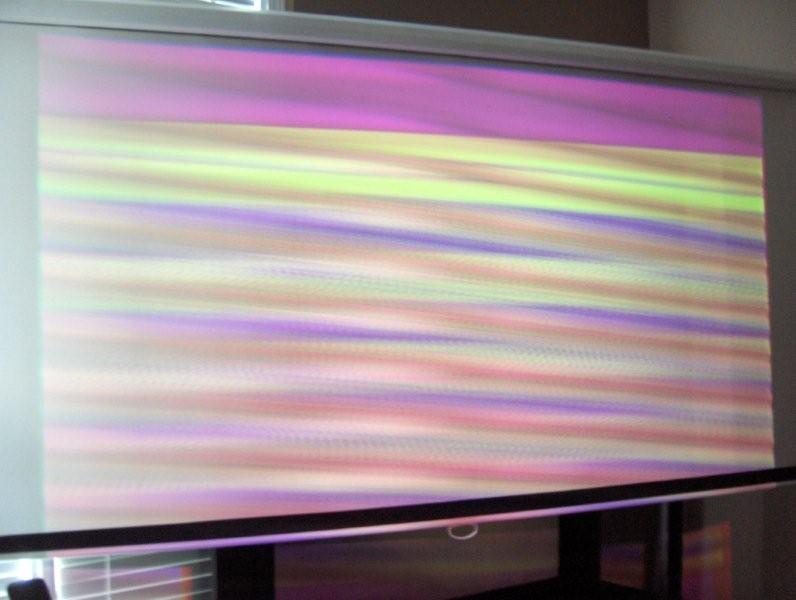
Mine won't, it gives an error message and nothing but wavy lines. Can't remember the error... Vsink out of range or something. This is what 1080P looked like on my 9PG+.
| Description: |
|
| Filesize: |
44.04 KB |
| Viewed: |
9045 Time(s) |
|
_________________
You can be young only once but, you can be immature forever.
Current Projector Marquee9501LC with PS3 (BLu-Ray) at 1080P LOVE IT! Screen is an Elunevision 120" 4:3 (2.4 gain - no hotspots). (also own a NEC 9PG+)
|
|
| Back to top |
|
|
CasetheCorvetteman
Joined: 09 Nov 2008
Posts: 6326
Location: Australia
|
| Posted: Sun Sep 14, 2014 4:58 am Post subject: |
|
|
Mine did that when the DEF board was full of leaky capacitors. After I fixed that it showed the image simular to the way the XG will show 1080p standard timings, streaking like made and very dark.
_________________
Barco Cine 9, ,Sony VPL570ES 4K SXRD, 135" OZ Theatre Majestic 16:9 screen, Denon X6700in preamp mode, 2x 7ch Tonewinner amps, 2x Tonewinner 15" subs, 2x 10" subs, 7.2.6...
RUNCO DTV991 LC ( NEC XG 852 LC ) 100" 4:3 screen, H/K AVR 7.1...
|
|
| Back to top |
|
|
Zubik
Joined: 10 Sep 2014
Posts: 23
|
| Posted: Sun Sep 14, 2014 3:49 pm Post subject: NEC 9 PG Pic |
|
|
|
Got image back but what is going on now is that when I plug in my BNC connectors to my projector it goes crazy when I put the last one in the yellow vertical one. I tried switching incase it was pluged in wrong and it does the same thing. as so as I disconnect the yellow vertical cable the pj pic comes back. I messed up my pic from trying to make adjustments. this is very frusterating and I appreciate all of your help
|
|
| Back to top |
|
|
AnalogRocks
Forum Moderator
Joined: 08 Mar 2006
Posts: 26706
Location: Toronto, Ontario, Canada
TV/Projector: Sony 1252Q, AMPRO 4000G
|
| Posted: Sun Sep 14, 2014 3:58 pm Post subject: |
|
|
Do you have a stable picture now?
Can you post a picture of what you are seeing now?
_________________
Tech support for nothing
CRT.
HD done right!
|
|
| Back to top |
|
|
Zubik
Joined: 10 Sep 2014
Posts: 23
|
| Posted: Sun Sep 14, 2014 5:34 pm Post subject: NEC PIC 3 |
|
|
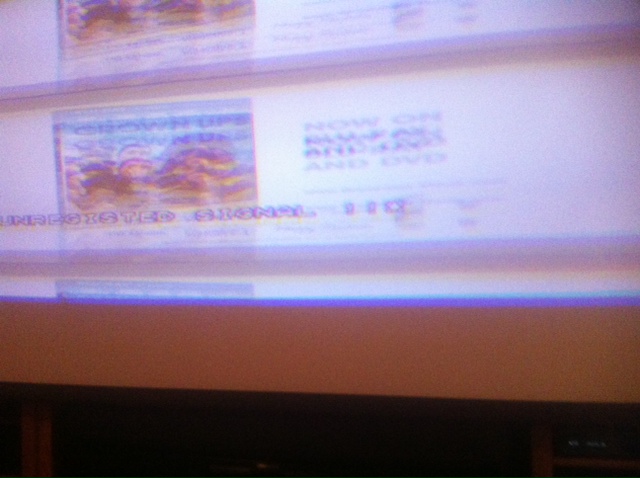
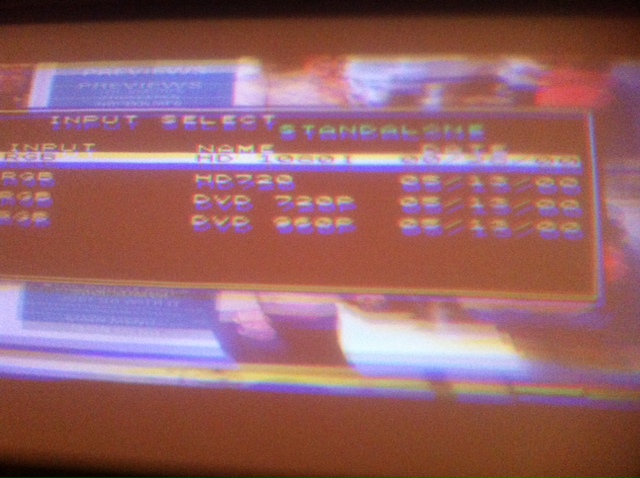
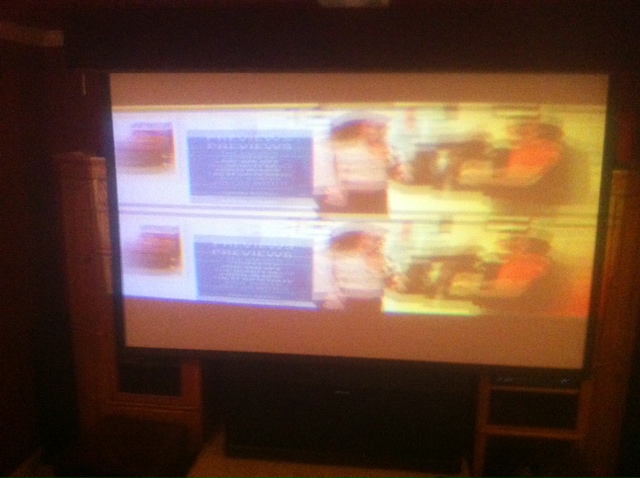
Here is my pic of what it is doing. Can someone let me know where the Yellow and White BNC go? Which one is horizontal and which one is vertical?[img][/img]
| Description: |
|
| Filesize: |
92.58 KB |
| Viewed: |
8970 Time(s) |
|
| Description: |
|
| Filesize: |
120.77 KB |
| Viewed: |
8971 Time(s) |
|
| Description: |
|
| Filesize: |
120.77 KB |
| Viewed: |
8971 Time(s) |
|
| Description: |
| here is the pic. please let me know also what color cable goes to vertical and Horizontal. I have a yellow and white BNC |
|
| Filesize: |
100.11 KB |
| Viewed: |
8981 Time(s) |
|
| Description: |
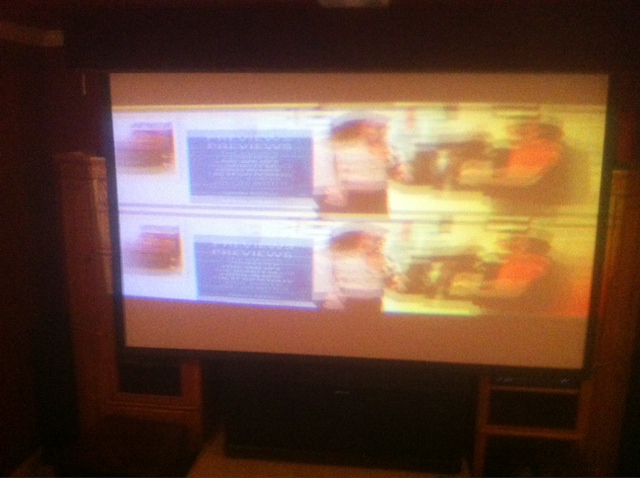
| here is the pic. please let me know also what color cable goes to vertical and Horizontal. I have a yellow and white BNC |
|
| Filesize: |
100.11 KB |
| Viewed: |
8981 Time(s) |
|
Last edited by Zubik on Sun Sep 14, 2014 6:19 pm; edited 2 times in total
|
|
| Back to top |
|
|
AnalogRocks
Forum Moderator
Joined: 08 Mar 2006
Posts: 26706
Location: Toronto, Ontario, Canada
TV/Projector: Sony 1252Q, AMPRO 4000G
|
| Posted: Sun Sep 14, 2014 5:46 pm Post subject: |
|
|
That looks like a double picture. Is it the same picture top and bottom? One over the other?
Are you sure you have the correct memory location selected in the projector?
_________________
Tech support for nothing
CRT.
HD done right!
|
|
| Back to top |
|
|
|
|




