| Author |
Message |
CasetheCorvetteman

Joined: 09 Nov 2008
Posts: 6326
Location: Australia
|
| Posted: Mon Jul 07, 2014 12:30 am Post subject: |
|
|
Was that the internal white screen or a white screen from the source?
_________________
Barco Cine 9, ,Sony VPL570ES 4K SXRD, 135" OZ Theatre Majestic 16:9 screen, Denon X6700in preamp mode, 2x 7ch Tonewinner amps, 2x Tonewinner 15" subs, 2x 10" subs, 7.2.6...
RUNCO DTV991 LC ( NEC XG 852 LC ) 100" 4:3 screen, H/K AVR 7.1...
|
|
| Back to top |
|
 |
macgyver655
Joined: 22 Aug 2007
Posts: 8508
|
| Posted: Mon Jul 07, 2014 1:24 am Post subject: |
|
|
|
Does this have that soft edge modulation unit?
|
|
| Back to top |
|
|
redfox001

Joined: 16 Mar 2009
Posts: 2257
Location: The Netherlands
|
| Posted: Mon Jul 07, 2014 6:13 am Post subject: |
|
|
| CasetheCorvetteman wrote: | | Was that the internal white screen or a white screen from the source? |
From the source. Is there an internal whitescreen? When displaying the internal picture of the distances for mouting I could see the noise when I turn the contrast and brightness low and look into the lens. It does not get worse with contrast and does hardly depend onbrightness but when brightness is 0 there is no light in the tube and it does disappear.
|
|
| Back to top |
|
|
redfox001
Joined: 16 Mar 2009
Posts: 2257
Location: The Netherlands
|
| Posted: Mon Jul 07, 2014 6:39 am Post subject: |
|
|
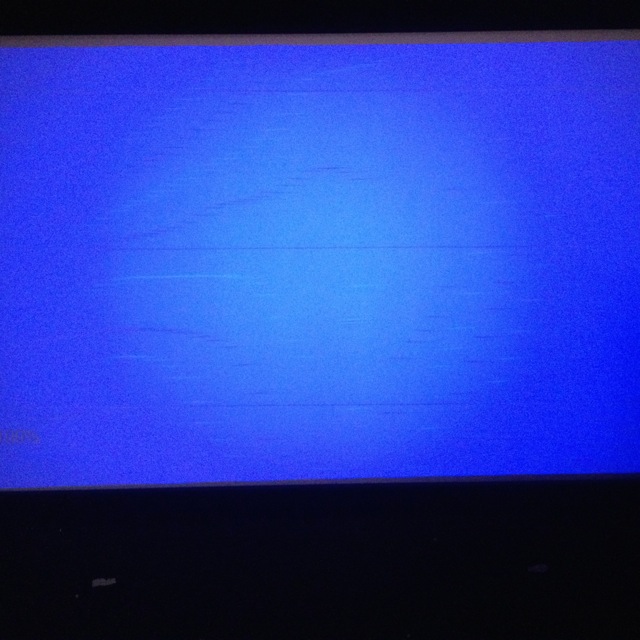
Ok done one tube shot with the internal raster during installation menu's. With brightness you can make the raster visible but the noise is more permanent than the raster is.
The others are on the screen with full white from the external source. In white mostle a horizontal line is visible and you might argue that it is not that visible during watching but in the blue screen it is very visible.
These pictures show most of what it is I think. Probable controller I understand.
| Description: |
|
| Filesize: |
101.43 KB |
| Viewed: |
5231 Time(s) |
|
_________________
701s->runco933->8500ultra->cinemax->9500mp->919 splitpack + cinemax
Last edited by redfox001 on Sun Dec 07, 2014 12:38 pm; edited 1 time in total
|
|
| Back to top |
|
|
redfox001
Joined: 16 Mar 2009
Posts: 2257
Location: The Netherlands
|
| Posted: Mon Jul 07, 2014 8:52 am Post subject: |
|
|
| macgyver655 wrote: | | Does this have that soft edge modulation unit? |
No.
The only thing I can take off is the Iris unit.
|
|
| Back to top |
|
|
CasetheCorvetteman
Joined: 09 Nov 2008
Posts: 6326
Location: Australia
|
| Posted: Mon Jul 07, 2014 9:03 am Post subject: |
|
|
No reason to take that off, i can be useful if youre in a hurry to set up a new source. If it is calibrated correctly, its reasonably accurate.
There is a full white pattern, but i dont remember exactly where youll find it.
Does this machine ever make buzzing and squealing sounds that change with the brightness and contrast?
_________________
Barco Cine 9, ,Sony VPL570ES 4K SXRD, 135" OZ Theatre Majestic 16:9 screen, Denon X6700in preamp mode, 2x 7ch Tonewinner amps, 2x Tonewinner 15" subs, 2x 10" subs, 7.2.6...
RUNCO DTV991 LC ( NEC XG 852 LC ) 100" 4:3 screen, H/K AVR 7.1...
|
|
| Back to top |
|
|
redfox001
Joined: 16 Mar 2009
Posts: 2257
Location: The Netherlands
|
| Posted: Mon Jul 07, 2014 9:06 am Post subject: |
|
|
HE guys I might be onto something. I resetted everything to midposition and when I got to the convergence it might have disappeared. Perhaps I converged the blue edge to much because the wave on the edge with the wrong timings!!!!
(also took the iris of)
|
|
| Back to top |
|
|
redfox001
Joined: 16 Mar 2009
Posts: 2257
Location: The Netherlands
|
| Posted: Mon Jul 07, 2014 9:16 am Post subject: |
|
|
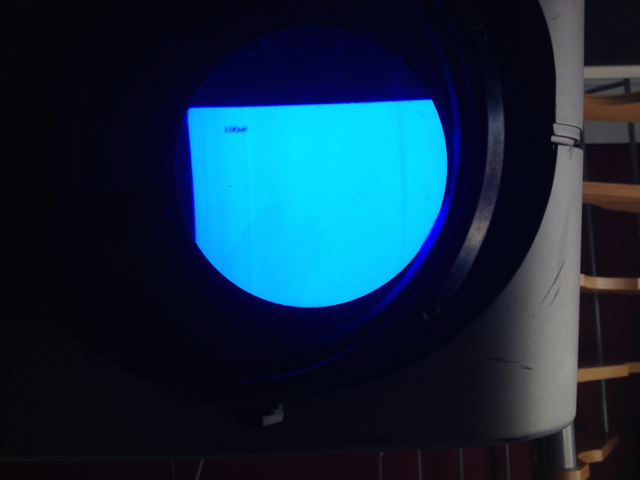
Only the vertical banding is very faintly left but not visible on the screen. The streaking is there still but the noise has disappeared.
However pushing brightness and or contrast above 50 made a black band appear across the screen. What the .. is that? But perhaps it will disappear with setup...
Could it be that if this controller is not stretched to much it still works?
| Description: |
|
| Filesize: |
190.87 KB |
| Viewed: |
5207 Time(s) |
|
|
|
| Back to top |
|
|
redfox001
Joined: 16 Mar 2009
Posts: 2257
Location: The Netherlands
|
| Posted: Mon Jul 07, 2014 9:33 am Post subject: |
|
|
|
the focus in now of by 8 points on all tubes and perhaps pushing the contrast and brightness might make the smps give up causing the black banding? Related to the streaking it might be.
|
|
| Back to top |
|
|
redfox001
Joined: 16 Mar 2009
Posts: 2257
Location: The Netherlands
|
| Posted: Mon Jul 07, 2014 12:40 pm Post subject: |
|
|
Boldly done another testrun and indead the focus brightness and contrast are related. Out of focus and to mucht contrast or brightness causes a black bar. With the right focus I could not even see vertical shades anymore. I am tempted to say it looked perfect and I tested for some time so it does not seem to come back 
Again my own stupid mistake LOL!
|
|
| Back to top |
|
|
CasetheCorvetteman
Joined: 09 Nov 2008
Posts: 6326
Location: Australia
|
| Posted: Tue Jul 08, 2014 2:14 am Post subject: |
|
|
Why did you take the IRIS off?
_________________
Barco Cine 9, ,Sony VPL570ES 4K SXRD, 135" OZ Theatre Majestic 16:9 screen, Denon X6700in preamp mode, 2x 7ch Tonewinner amps, 2x Tonewinner 15" subs, 2x 10" subs, 7.2.6...
RUNCO DTV991 LC ( NEC XG 852 LC ) 100" 4:3 screen, H/K AVR 7.1...
|
|
| Back to top |
|
|
redfox001
Joined: 16 Mar 2009
Posts: 2257
Location: The Netherlands
|
| Posted: Tue Jul 08, 2014 3:59 am Post subject: |
|
|
Because it was plugged to the controller it might have a short or something that affected the controller but that does not seem the case I can put it back.
But now that we are on the subject of convergence I mentioned the problem that to much convergence makes the black noise appear. Now I tried hard yesterday and what ever I did in the corners I still had to go beyond 70 with blue. That seemed a little to much and a little noise appeared. So I am left with the question how to make blue better match green in the first place. Blue was on the right side very much to far to the right and to the left also to far to the right. This was with the middle exactly right at value 50. it appeared blue was further of to the right than red to the left.
Could be that I am to close to the screen and that the lenses have to look to much to the center to get the middle right?
Could also be that the beamer is not completely at right angle to the screen. With sheimpflug correcting this. It seems to me that the whole image would be a little shifted too. I have to use some horizontal linearity to get the left and right at the same distance so that might be my problem.
I guess the question is if it is possible to stay below 70 and above 30 everywhere? And the second one is it possible to have no horizontal linearity correction away from 50? My vertical linearity was exactly on 50.
|
|
| Back to top |
|
|
CasetheCorvetteman
Joined: 09 Nov 2008
Posts: 6326
Location: Australia
|
| Posted: Tue Jul 08, 2014 5:54 am Post subject: |
|
|
No because i dont have that issue and im about 5mm of the tube edges, so i dont think youre too close 
_________________
Barco Cine 9, ,Sony VPL570ES 4K SXRD, 135" OZ Theatre Majestic 16:9 screen, Denon X6700in preamp mode, 2x 7ch Tonewinner amps, 2x Tonewinner 15" subs, 2x 10" subs, 7.2.6...
RUNCO DTV991 LC ( NEC XG 852 LC ) 100" 4:3 screen, H/K AVR 7.1...
|
|
| Back to top |
|
|
redfox001
Joined: 16 Mar 2009
Posts: 2257
Location: The Netherlands
|
| Posted: Tue Jul 08, 2014 7:10 pm Post subject: |
|
|
Well I succeeded in lining everything up as good as possible and moving the unit backward a little than with only blue convergetn everything at most at 71 no noise appeared but as soon as I also converged red the noise was there again. Also the voltages are not completely stable I mean all voltages and the 210 read 180 now.
So it is a hardware problem that I have to solve and it is clearly related to to much current going through the machine. So the smps is not a stupid thing to look for as the possible cause.
If it would be the controll board I guess the fets there would be the problem and I could have someone look at these but I suspect the SMPS for now. I might get a test unit.
|
|
| Back to top |
|
|
redfox001
Joined: 16 Mar 2009
Posts: 2257
Location: The Netherlands
|
| Posted: Tue Jul 08, 2014 7:56 pm Post subject: |
|
|
|
Aaaaarch! This machine is driving me crazy. I wanted to check the voltages and it reads 195V now and guess what the noise is gone again. This definitely is the SMPS.
|
|
| Back to top |
|
|
CasetheCorvetteman
Joined: 09 Nov 2008
Posts: 6326
Location: Australia
|
| Posted: Tue Jul 08, 2014 11:58 pm Post subject: |
|
|
I wouldnt worry too much about those voltages just yet, wait for someone that knows what they all mean.
_________________
Barco Cine 9, ,Sony VPL570ES 4K SXRD, 135" OZ Theatre Majestic 16:9 screen, Denon X6700in preamp mode, 2x 7ch Tonewinner amps, 2x Tonewinner 15" subs, 2x 10" subs, 7.2.6...
RUNCO DTV991 LC ( NEC XG 852 LC ) 100" 4:3 screen, H/K AVR 7.1...
|
|
| Back to top |
|
|
redfox001
Joined: 16 Mar 2009
Posts: 2257
Location: The Netherlands
|
| Posted: Thu Jul 10, 2014 6:31 pm Post subject: |
|
|
| Hulio wrote: | It's pretty much what Case is describing in his last post.
If it helps, here a quote from a Barco tech guy about proper astig adjustments. Back in that time (2000), product engineers were giving custom support on Barco home theater forum.
Procedure on how to do astigmatism adjustments
Johan Coudyser - Thursday, 12 Apr
--------------------------------------------------------------------------------
Please find hereafter the description on how to do proper astigmatism adjustment.
PREPARATION :
- Proceed to quick optical lens focusing.
- Select a source that will generate a field of small dots and crosshairs.
* Adjustment of the stigmators (4-pole magnet ring closest to the deflection yoke) :
- lower the brightness and increase the contrast.
- Overdrive the midpoint focus
- Adjust the four pole rings until the defocused dots are circular.
- Realign the electrical and optical focus
* Adjustment of the 2-pole magnets (The rings closests to the CRT soket)
- Underdrive the electronic focus
- Adjust the 2-pole magnets rings by rotating one or both up to a point where
the 'shading' of both sides of the vertical and horizontal lines is equal.
- Realign the electrical and optical focus.
Note : Repeat the alignment of the stigmators if necessary, as both adjustments
(stigmator and 2-pole magnets) influence each other.
Best Regards,
Johan Coudyser
Customer Support Engineer |
Have to quote this one so I can find it back
|
|
| Back to top |
|
|
Nashou66

Joined: 12 Jan 2007
Posts: 16171
Location: West Seneca NY
|
|
| Back to top |
|
|
redfox001
Joined: 16 Mar 2009
Posts: 2257
Location: The Netherlands
|
| Posted: Fri Jul 11, 2014 8:43 am Post subject: |
|
|
| Nashou66 wrote: | | Interesting method...... |
Yes I try to get in my head. 24 from Jack Bauer. 2 pole is the first 4 pole the second.
2 pole lines and underfocus contrast high and brightness low
4 pole dots and overfocus contrast high and brightness low
I am still left with the question why Barco says in the install manual to set focus on 58 and than optimise the position of the focus coil? Why not 50?
|
|
| Back to top |
|
|
CasetheCorvetteman
Joined: 09 Nov 2008
Posts: 6326
Location: Australia
|
| Posted: Sat Jul 12, 2014 8:11 am Post subject: |
|
|
Dont question that, there is a good reason. Id say that reason is for best achievable corner focus.
_________________
Barco Cine 9, ,Sony VPL570ES 4K SXRD, 135" OZ Theatre Majestic 16:9 screen, Denon X6700in preamp mode, 2x 7ch Tonewinner amps, 2x Tonewinner 15" subs, 2x 10" subs, 7.2.6...
RUNCO DTV991 LC ( NEC XG 852 LC ) 100" 4:3 screen, H/K AVR 7.1...
|
|
| Back to top |
|
|
|
|




