| Author |
Message |
srm73
Joined: 23 May 2013
Posts: 32
|
| Posted: Wed Jun 05, 2013 6:59 pm Post subject: Setup Failure |
|
|
So I read the steps and performed the least intrusive parts of it.
I losened the bolts holding the angle of the lenses in place and I angled them until they primarily overlay one another.
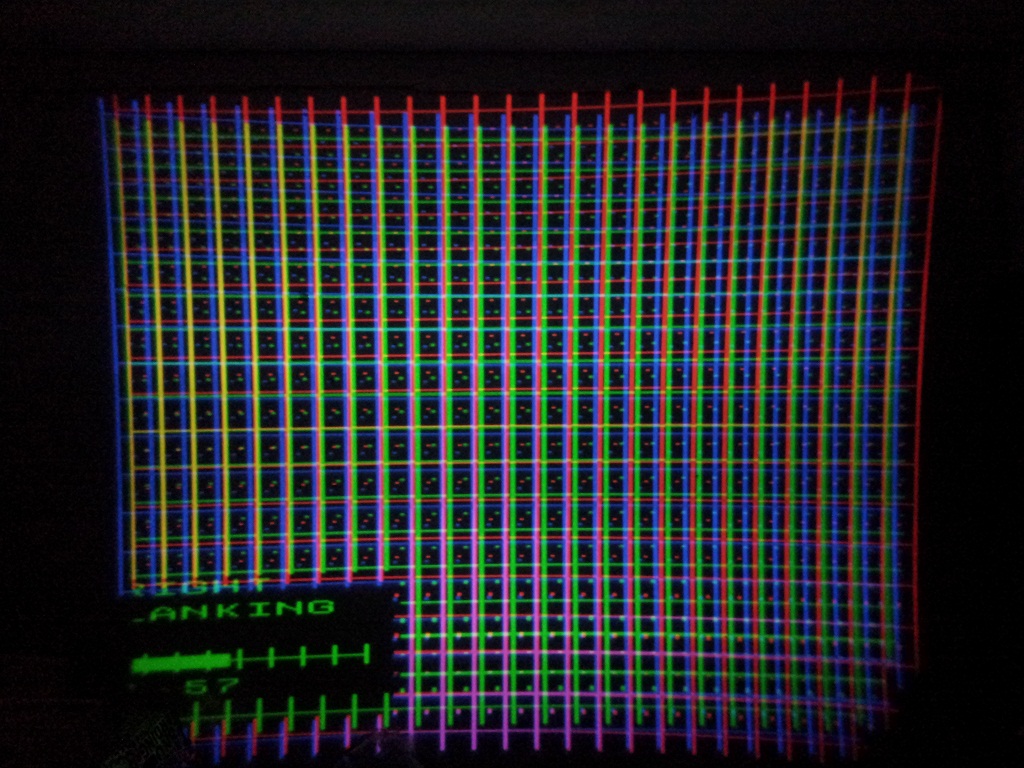
As you can see they do not overlay very well.
To keep them in focus that was the best I could do. I could nearly match them up perfectly if I didn't care that it was extremely out of focus for say, blue.
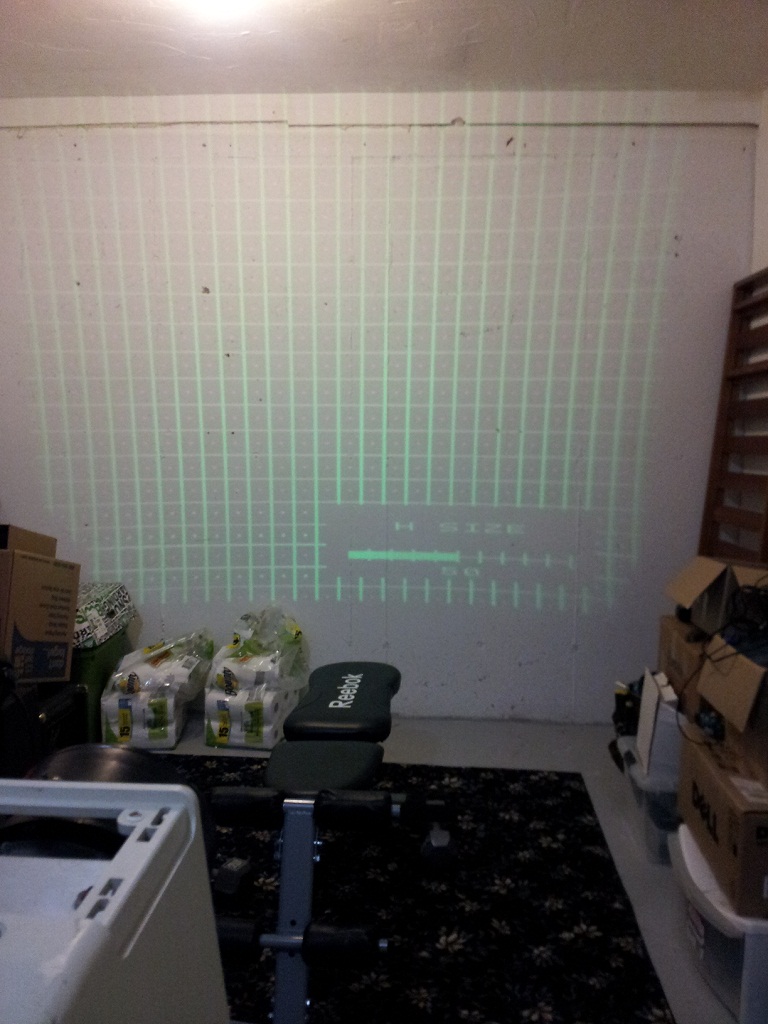
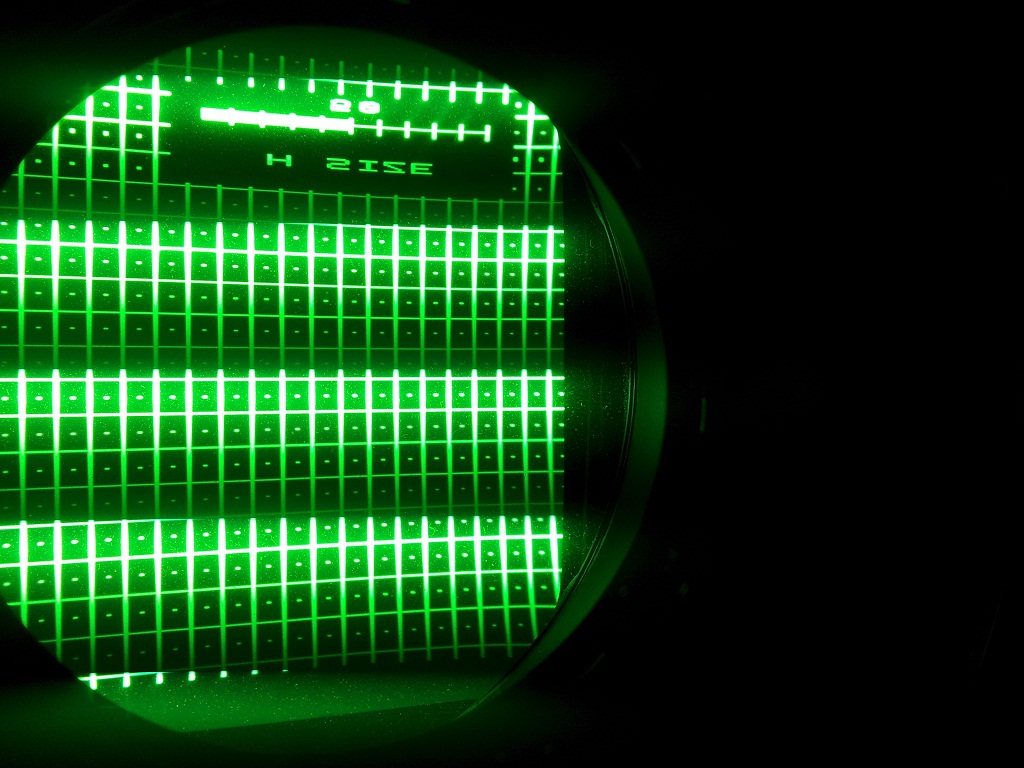
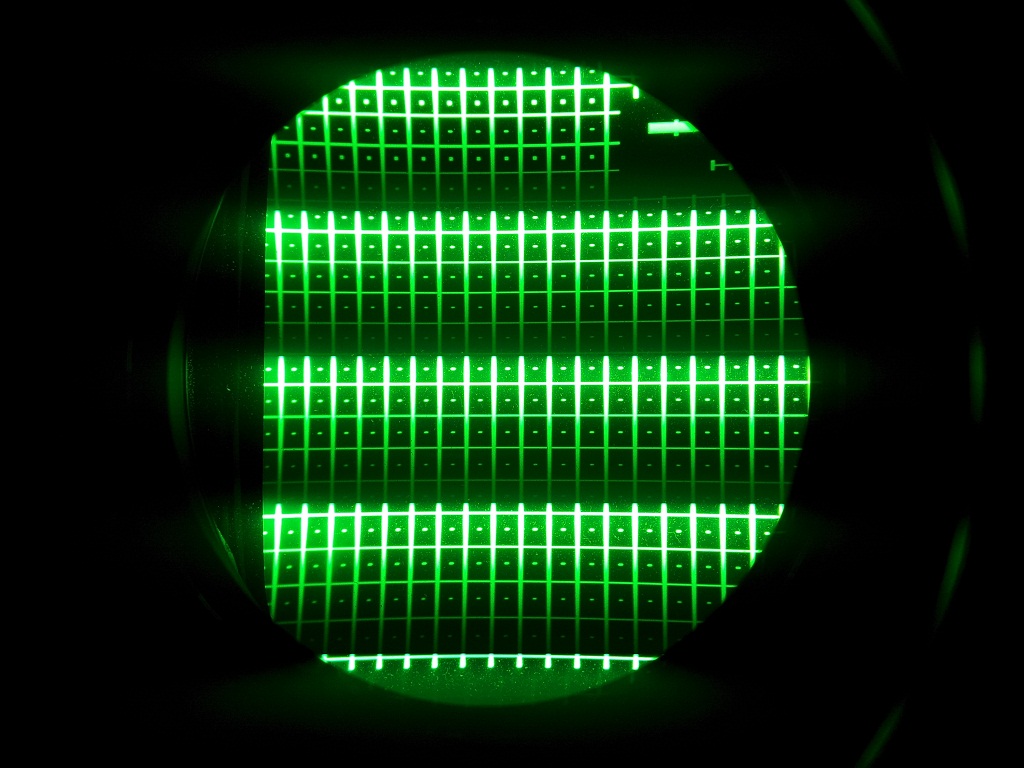
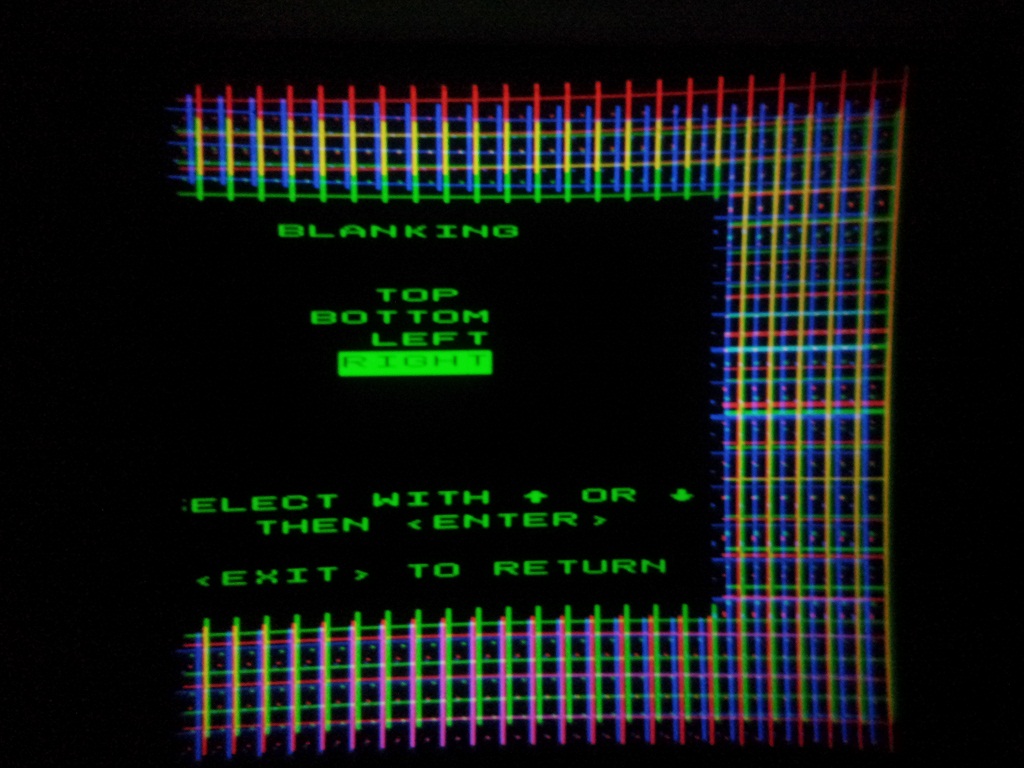
When I stared into the green bulb to check the raster size the horizontal was WAY outside the phosphor zone. When I shortened it to the point where I could actually see the left and right sides the whole picture got pretty gnarly.
I would lose half of the popup menus on the screen. During the fine tuning with the ~30 rectangles some of them would be 95% off the side of the screen.
Before I started to mess with this I went through and set everything to 50 so I'd have a baseline. I fiddled with it for about 2hrs last night trying to figure it out.
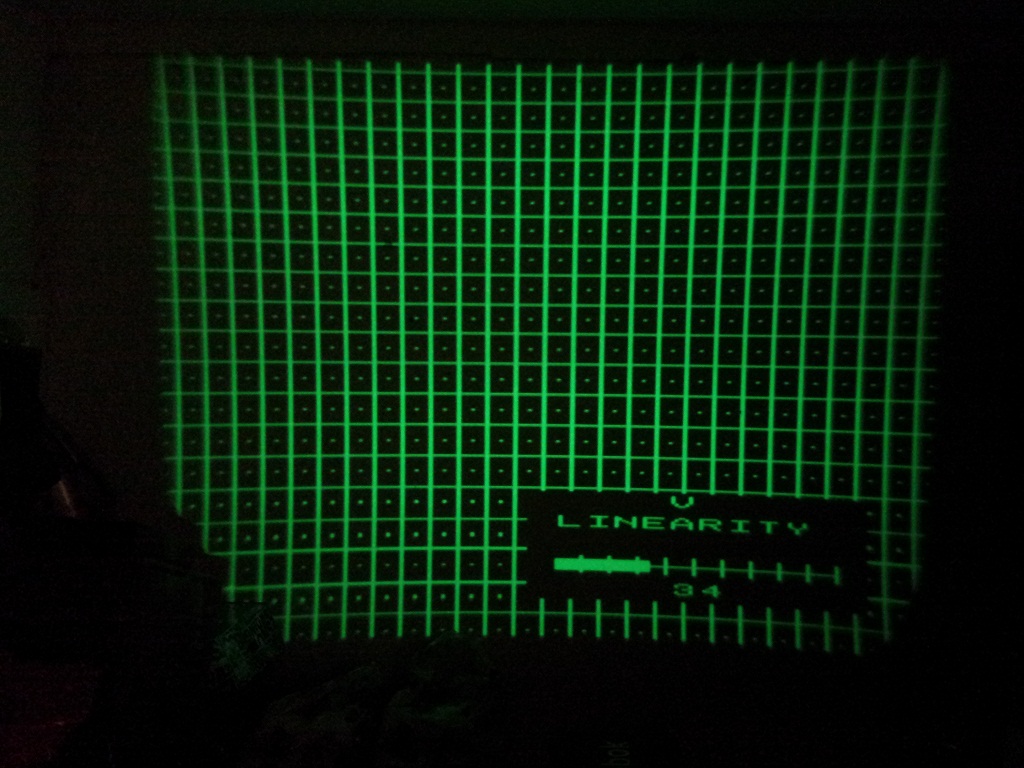
This is some examples of how everything just didn't want to behave.
Oh! One last thing... the rectangular cover that goes over the bulbs says Barco 801s but the startup splash screen says Barco 801 and when I hit the text button the remote it changed to 801 Graphics I'm sorta confused by all this.
Here are the images:
I know the room is no great shakes.
Thanks for looking!
| Description: |
| Horizontal size seems normal until you look into the bulb. |
|
| Filesize: |
195.06 KB |
| Viewed: |
8847 Time(s) |
|
| Description: |
| Right Raster is way past the phospher |
|
| Filesize: |
216.69 KB |
| Viewed: |
8847 Time(s) |
|
| Description: |
| Left Raster is way past the Phospher |
|
| Filesize: |
196.02 KB |
| Viewed: |
8847 Time(s) |
|
| Description: |
| Vertical Linearity is a little wonky |
|
| Filesize: |
228.64 KB |
| Viewed: |
8847 Time(s) |
|
| Description: |
| Color_Overlay is way off. |
|
| Filesize: |
295.7 KB |
| Viewed: |
8847 Time(s) |
|
| Description: |
|
| Filesize: |
201.88 KB |
| Viewed: |
8847 Time(s) |
|
|
|
| Back to top |
|
 |
Curt Palme
CRT Tech
Joined: 08 Mar 2006
Posts: 24396
Location: Langley, BC
TV/Projector: All of them!
|
| Posted: Wed Jun 05, 2013 7:12 pm Post subject: |
|
|
First question: Do you have the manual? If not, it's on the main site in the FAQ/tips section. FOLLOW IT STEP BY STEP.
You can reset all parameters to 50 by going into the service menu and selecting 'set to midposition'.
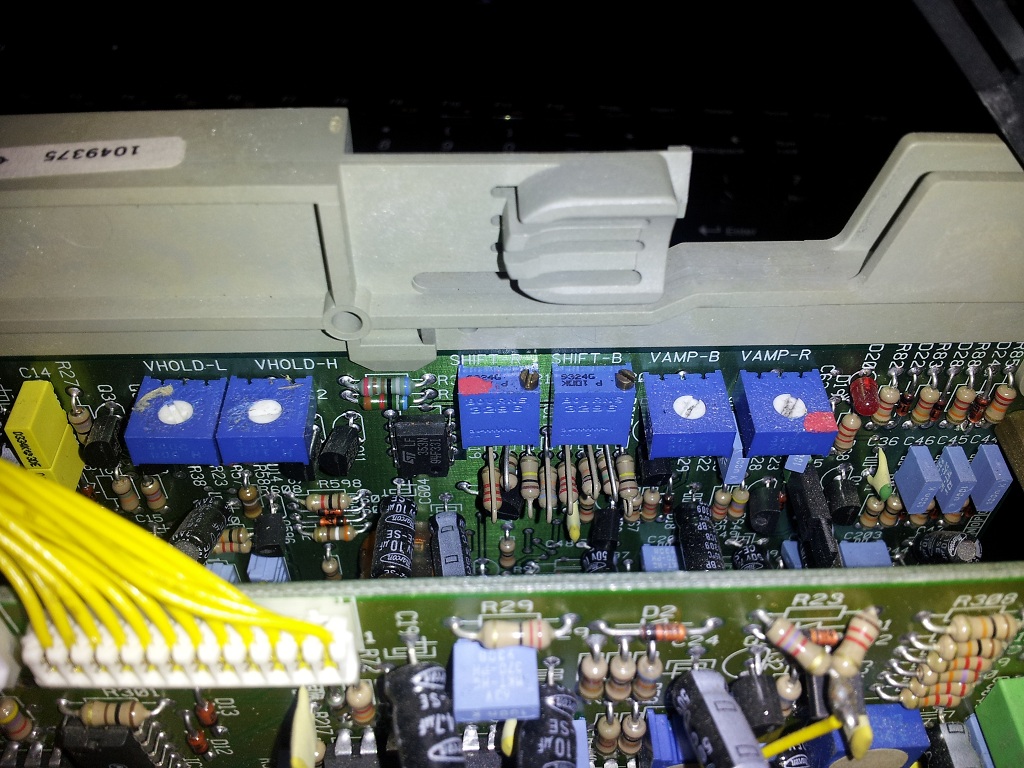
The other issue you have is that the V size of the R and B tubes aren't matched to the green, and the raster of the R and B needs to be shifted. That's not in the manual, but that's done via these 4 pots:
http://curtpalme.com/Barco500_Layout4.shtm
Other than that, follow the manual, and run through the 'guided' setup, which will sequentially take you through every step. If you get stuck, post away, but if you're taking a stab at this without the manual, you'll end up stabbing yourself in frustration. 
|
|
| Back to top |
|
|
Curt Palme
CRT Tech
Joined: 08 Mar 2006
Posts: 24396
Location: Langley, BC
TV/Projector: All of them!
|
| Posted: Wed Jun 05, 2013 7:14 pm Post subject: |
|
|
Oh, and set the width to 50%, and adjust the master width pot:
http://curtpalme.com/Barco500_Layout7.shtm
The test pattern should be _just_ off the face of the tube, then the image will be within it.
|
|
| Back to top |
|
|
srm73
Joined: 23 May 2013
Posts: 32
|
| Posted: Wed Jun 05, 2013 7:16 pm Post subject: |
|
|
| Curt Palme wrote: | First question: Do you have the manual? If not, it's on the main site in the FAQ/tips section. FOLLOW IT STEP BY STEP.
You can reset all parameters to 50 by going into the service menu and selecting 'set to midposition'.
The other issue you have is that the V size of the R and B tubes aren't matched to the green, and the raster of the R and B needs to be shifted. That's not in the manual, but that's done via these 4 pots:
http://curtpalme.com/Barco500_Layout4.shtm
Other than that, follow the manual, and run through the 'guided' setup, which will sequentially take you through every step. If you get stuck, post away, but if you're taking a stab at this without the manual, you'll end up stabbing yourself in frustration. |
Thanks Curt,
I'll give it a shot straight from the manual step by step.
I need to find some hard plastic screwdrivers now.
also, is there a software update I should try to apply to update the firmware?
Thanks!
|
|
| Back to top |
|
|
srm73
Joined: 23 May 2013
Posts: 32
|
| Posted: Wed Jun 05, 2013 7:20 pm Post subject: |
|
|
Forgot to ask...
Those trimpots on the vertical board, can that be done while the unit is running, so i can see the effect?
Or wil it blow up / trimpots not reachable / dangerous to do for me and the pj?
Thanks!
|
|
| Back to top |
|
|
srm73
Joined: 23 May 2013
Posts: 32
|
| Posted: Thu Jun 06, 2013 3:19 am Post subject: |
|
|
My Board looks different from the 800 listed in your article however all the familiar faces are included.
| Description: |
| My Board looks different from the 800 listed in your article however all the familiar faces are included. |
|
| Filesize: |
290.71 KB |
| Viewed: |
8781 Time(s) |
|
|
|
| Back to top |
|
|
Curt Palme
CRT Tech
Joined: 08 Mar 2006
Posts: 24396
Location: Langley, BC
TV/Projector: All of them!
|
| Posted: Thu Jun 06, 2013 1:37 pm Post subject: |
|
|
Yes, the 801 is a newer board than the 800, but as you can see, the pots are labelled. Do it while the set is on.
No firmware updates. There's no need to. Remember, this is a 22 year old set, made long before firmware updates were made mandatory for a piece of product to work... this week. Ha!
|
|
| Back to top |
|
|
srm73
Joined: 23 May 2013
Posts: 32
|
| Posted: Sat Jun 08, 2013 5:55 pm Post subject: |
|
|
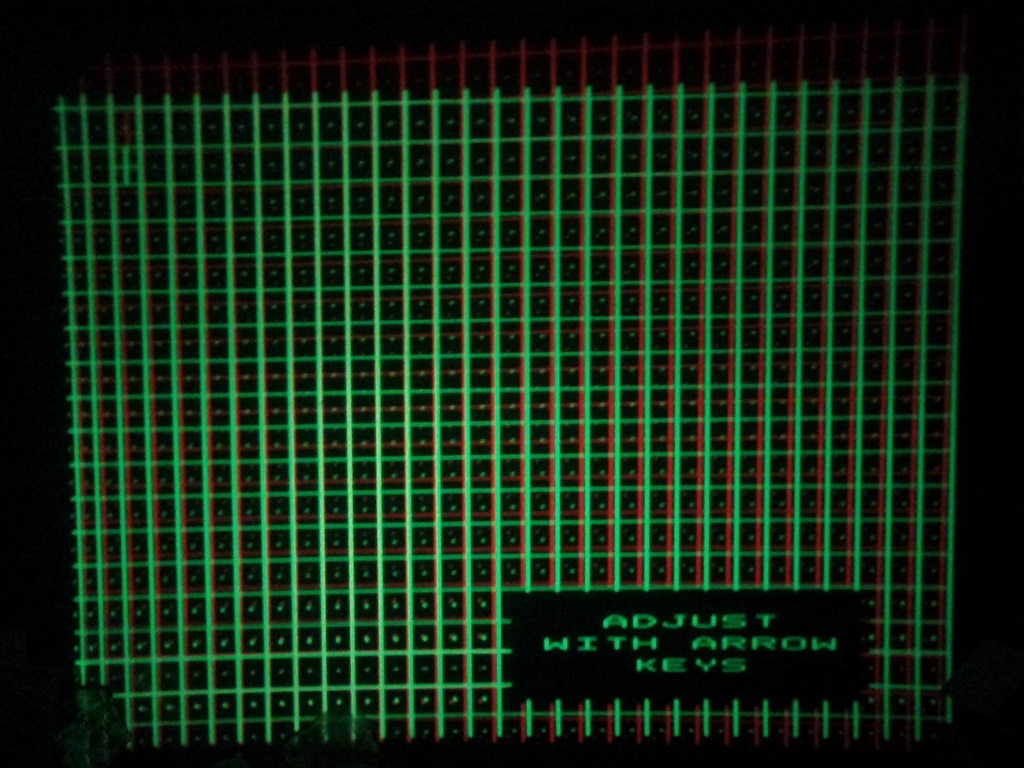
I just had a thought.. but I cannot remember the setting name - The setting makes the top boxes the same size as the bottom boxes. At any rate - is there individual adjustment for just Red and Just blue? I think that's where there's a real problem here.
Shift-R & Shift-B at smallest setting and still they extend far past the Green.
Is there any other setting I can use?
I couldn't figure out from your configuration picture where the Shift H setting was located. There are a few trimpots in that area and I didn't want to break anything. I'll upload a pic of my board later and maybe you can point them out to me.
Here's what it looks like now, this was the best Icould do without the fine tune vector adjustments. I did do that later however it did not improve it very much. The colors still overlap.
I chose to use VGA 60hz when it asked the frequency setting before fine tune process.
Do you ever need to deconstruct the tube housing and reseat it?
Who knows what treatment this projector received before I got it? It's possible it was handled very roughly and the tubes were physically impacted.
Lastly, the image is still way beyond the left and right edges still. Of course I only fooled with the vertical adjustment.
I appreciate your guidance to all that contribute to this (lost?) cause
| Description: |
| Red & Green after trimpot Adj. |
|
| Filesize: |
246.36 KB |
| Viewed: |
8698 Time(s) |
|
| Description: |
| Green & Blue after trimpot adj. |
|
| Filesize: |
230.71 KB |
| Viewed: |
8698 Time(s) |
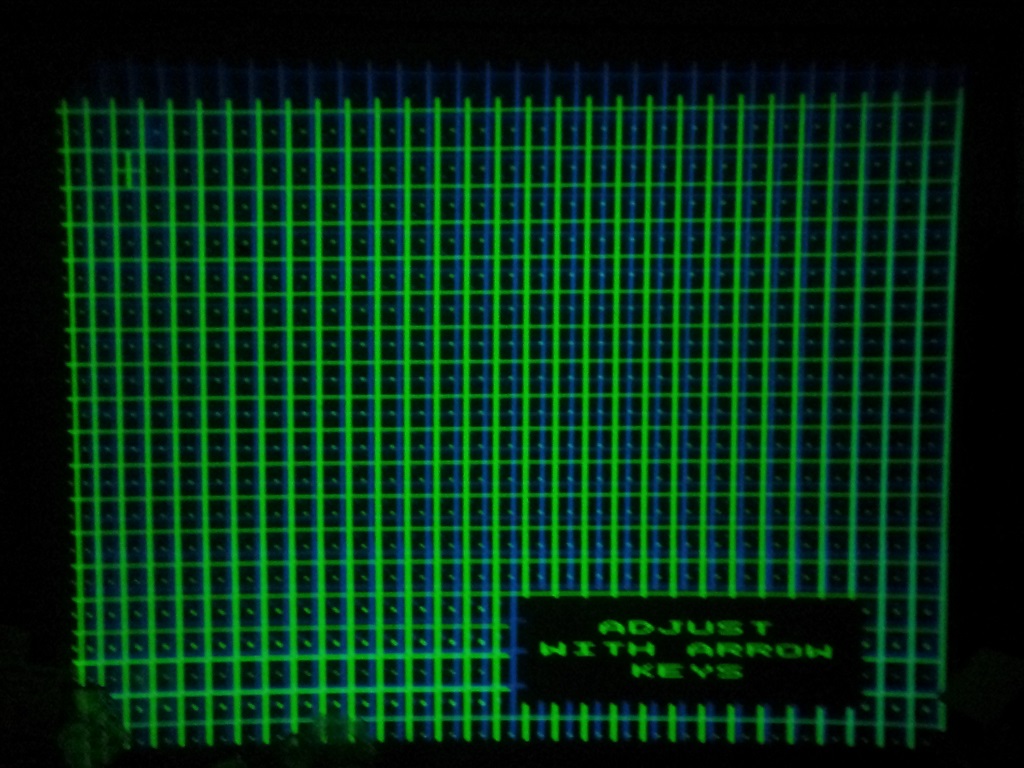
|
| Description: |
| RGB Adjusted with a menu on screen. |
|
| Filesize: |
200.68 KB |
| Viewed: |
8698 Time(s) |
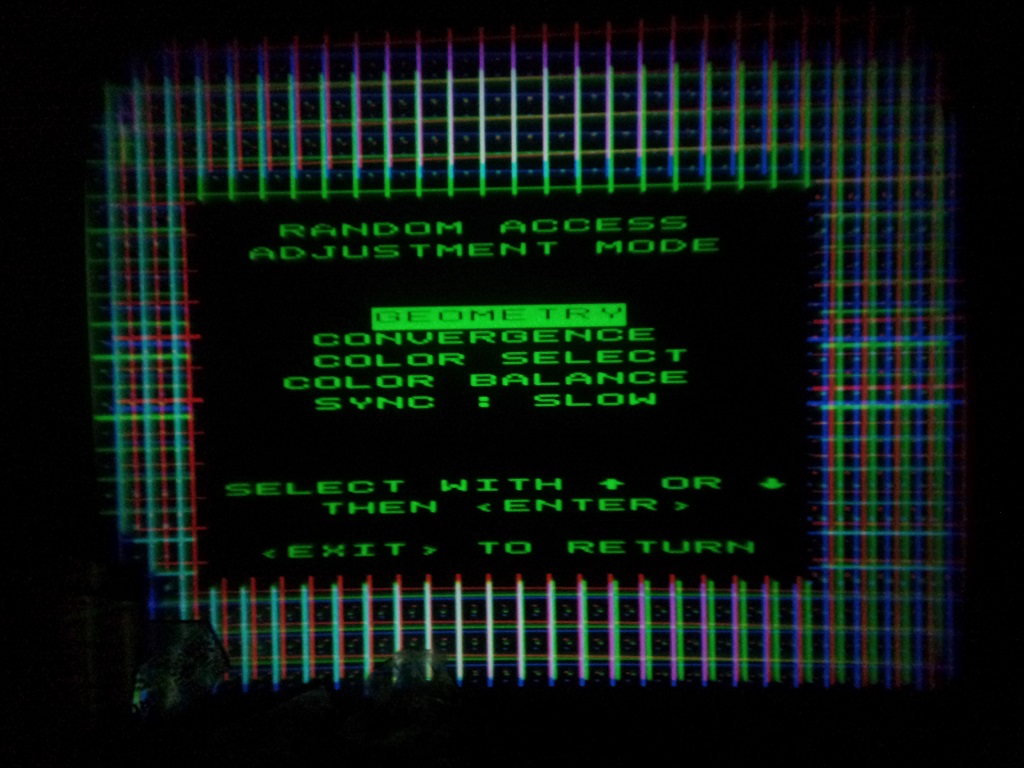
|
| Description: |
| Trimpot for R & B adjusted and H-size shrunk to zero. |
|
| Filesize: |
282.88 KB |
| Viewed: |
8698 Time(s) |
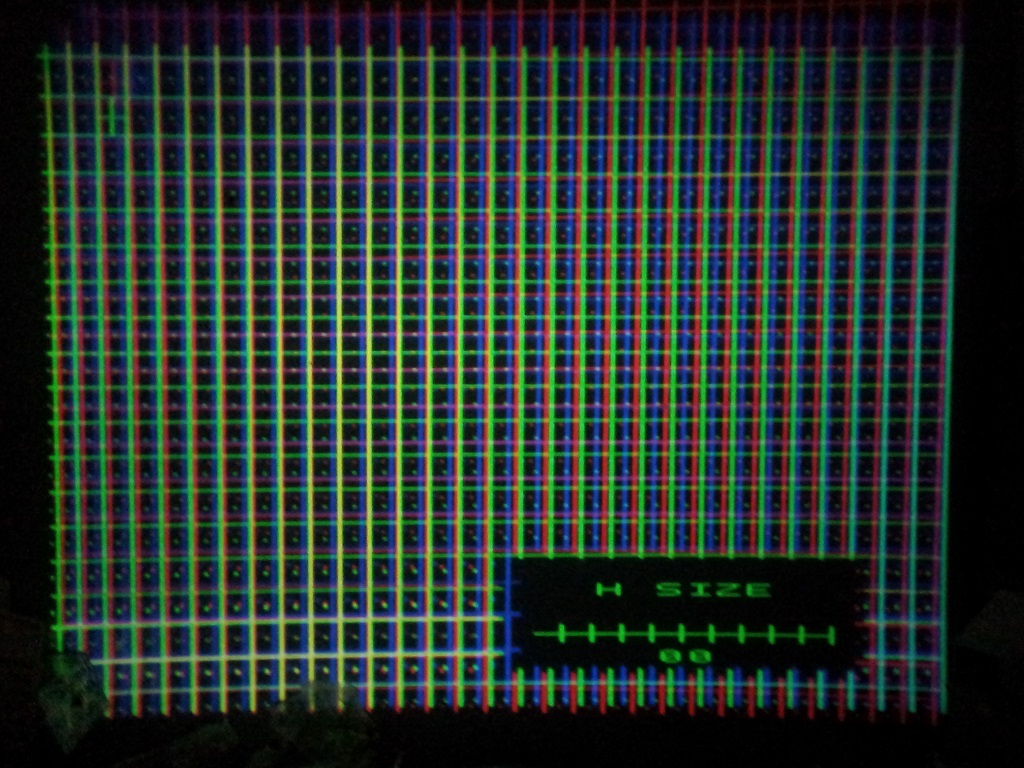
|
|
|
| Back to top |
|
|
Curt Palme
CRT Tech
Joined: 08 Mar 2006
Posts: 24396
Location: Langley, BC
TV/Projector: All of them!
|
| Posted: Sat Jun 08, 2013 8:53 pm Post subject: |
|
|
|
Are you sure you used the SHIFT trimpots? If so, you may have a fault on the V board, as it should allow enough shift to get the images to align on top of each other.
|
|
| Back to top |
|
|
srm73
Joined: 23 May 2013
Posts: 32
|
| Posted: Sat Jun 08, 2013 10:33 pm Post subject: |
|
|
It was the dark metallic ones. The center pair.
The others made the screen flicker.
Is this a board I can repair if it is bad?
|
|
| Back to top |
|
|
srm73
Joined: 23 May 2013
Posts: 32
|
| Posted: Mon Jun 17, 2013 8:04 pm Post subject: |
|
|
Curt (or anyone else) do you have a board for sale? Does it matter Graphics vs Data?
Can you PM me with prices for this?
Nothing I do will level those colors at the top.
Would rebuilding (taking apart and reassembling) the tube frames help at all with this? I don't know why I keep thinking of this but it's a shot in the dark sort of idea I guess.
I found a home formula for cleaning the focus lens and the crt lens. I'm scared to use it LOL.
I think I need to buy a microfibre cloth first tho.
|
|
| Back to top |
|
|
Curt Palme
CRT Tech
Joined: 08 Mar 2006
Posts: 24396
Location: Langley, BC
TV/Projector: All of them!
|
| Posted: Mon Jun 17, 2013 8:26 pm Post subject: |
|
|
What the problem with the V height could be is that the green V circuit is too small and that the red and blue are actually the right size. It's a rare fault, but I've seen it a couple of times with the BArco boards.
What's the 761XXX or 762XXX board number? I'm sure I have one, It will be cheaper sending you a replacement over sending that one up for repair.
The pincushioning issue could be the H shift board or the V board as well. Shoot me the part number off the H shift board as well.
Cheers!
|
|
| Back to top |
|
|
SisterOfMercy

Joined: 31 Oct 2007
Posts: 155
Location: Zwart Nazareth, The Netherlands
|
| Posted: Mon Jun 17, 2013 9:20 pm Post subject: |
|
|
| srm73 wrote: | I found a home formula for cleaning the focus lens and the crt lens. I'm scared to use it LOL.
I think I need to buy a microfibre cloth first tho. |
First make closeups of the lenses and put them here. Somebody will probably tell you that you do not need to clean your lenses, the homemade formula will eat up the coatings on the lenses, and that it is a bad idea generally.
| srm73 wrote: | | Would rebuilding (taking apart and reassembling) the tube frames help at all with this? I don't know why I keep thinking of this but it's a shot in the dark sort of idea I guess. |
Probably not. If you need an excuse to buy another projector, it will probably help.
Just read the manual a few times. Make a few pictures of the tubes without the lenses (with and without the pj turned on and showing an image).
At least you have come to the right place 
_________________
The kissing and the colour come crashing down
|
|
| Back to top |
|
|
srm73
Joined: 23 May 2013
Posts: 32
|
| Posted: Tue Jun 18, 2013 6:37 pm Post subject: |
|
|
I'm almost ashamed to take a picture of the lenses.
They came to me all manky.
They definitely need cleaning
I'll get those part numbers tonight. It's been a hectic weekend and beginning to the week.
|
|
| Back to top |
|
|
srm73
Joined: 23 May 2013
Posts: 32
|
| Posted: Thu Jun 20, 2013 10:49 pm Post subject: |
|
|
| Curt Palme wrote: | What the problem with the V height could be is that the green V circuit is too small and that the red and blue are actually the right size. It's a rare fault, but I've seen it a couple of times with the BArco boards.
What's the 761XXX or 762XXX board number? I'm sure I have one, It will be cheaper sending you a replacement over sending that one up for repair.
The pincushioning issue could be the H shift board or the V board as well. Shoot me the part number off the H shift board as well.
Cheers! |
Horizontal board is: 7618425
Vertical board is: 762268S
There's a few numbers on the Vertical board actually. The board did not have the tag that the Horizontal did.. just stickers with numbers..
there was also: 762269 on a sticker as well.
Thanks
-Steve
|
|
| Back to top |
|
|
Curt Palme
CRT Tech
Joined: 08 Mar 2006
Posts: 24396
Location: Langley, BC
TV/Projector: All of them!
|
| Posted: Thu Jun 20, 2013 10:51 pm Post subject: |
|
|
|
I've got those. Assumig you're within North America, I'll sell them at $50 each incl ground shipping, about $80 incl shipping overseas.
|
|
| Back to top |
|
|
srm73
Joined: 23 May 2013
Posts: 32
|
| Posted: Thu Jun 20, 2013 10:56 pm Post subject: |
|
|
Can you tell me how to tell if my 801s is a 'graphics'? when I hit the txt key it says graphics but the label on the unit says data.
I've read the unit can be upgraded from a data to a graphics. I'm not really looking to do that per se but it would be nice to know if it's already been upgraded.
Thank you!
|
|
| Back to top |
|
|
Curt Palme
CRT Tech
Joined: 08 Mar 2006
Posts: 24396
Location: Langley, BC
TV/Projector: All of them!
|
| Posted: Thu Jun 20, 2013 11:14 pm Post subject: |
|
|
|
If the internal menu says Graphics, then at least the firmware within the unit is a Graphics. It really doesn't matter, the set's resolution is best at 1024 X 768, so I'd run a 720p signal to it, not a 1080p. A Data unit will not display a 1080p signal, a Graphics one will, but the image will be soft.
|
|
| Back to top |
|
|
RaWsHaRk
Joined: 01 May 2009
Posts: 131
Location: Finland
|
| Posted: Fri Jun 21, 2013 11:27 am Post subject: |
|
|
| srm73 wrote: | Can you tell me how to tell if my 801s is a 'graphics'? when I hit the txt key it says graphics but the label on the unit says data.
I've read the unit can be upgraded from a data to a graphics. I'm not really looking to do that per se but it would be nice to know if it's already been upgraded.
Thank you! |
801s data doesnt have scheimplugft or whatever they call it, graphics has it (long metal bars protruding next to the lenses that you can turn to get better corner focus) . controller and couple cards are the only other differences (h/v cards) if i remember correct.
_________________
Electrohome Marquee 7500.
|
|
| Back to top |
|
|
km987654

Joined: 25 Jul 2007
Posts: 2874
Location: Australia
TV/Projector: Barco BG809s
|
| Posted: Sat Jun 22, 2013 1:03 am Post subject: |
|
|
| Curt Palme wrote: | | If the internal menu says Graphics, then at least the firmware within the unit is a Graphics. It really doesn't matter, the set's resolution is best at 1024 X 768, so I'd run a 720p signal to it, not a 1080p. A Data unit will not display a 1080p signal, a Graphics one will, but the image will be soft. |
1080i should also look good especially if you feed that from a Blu-ray player.
|
|
| Back to top |
|
|
|
|




