|
As this forum is rarely used anymore, we've locked it. Feel free to browse and read. Questions? Please reach out to us directly. Cheers! |

|
 |
|
|
| Author |
Message |
loudmouse2
Joined: 30 Sep 2009
Posts: 72
Location: Portland, Oregon
|
| Posted: Thu Dec 13, 2012 5:18 pm Post subject: I thought I knew what I was doing. |
|
|
Finally settled in the new house enough to start tinkering with setting up the home theater in the garage.
I started with a floor setup of my Sony D50 to get it dialed in enough to show it worked and sell it off. Easy enough but I sure didn't like having a PJ on the floor right in the way. I knew I was going to have to ceiling mount my Runco 980.
Sold off the D50 to some college age kids that were going to use it for gaming. I was glad to get it out of the way and it went to someone that will use it.
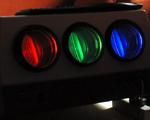
I installed unistrut type stuff for the Runco mount, and pulled the lenses to make it lighter for it's trip up to the almost 9' ceiling. Got it in place and remounted the lenses and fired it up. The colors were way off and the blue tube looked like it was barely on. Oh, crap, must have damaged it when I moved. And I just sold my backup PJ.
So, do I try and fix the Runco or is it time to go digital throwaway? I was thinking as I tried turning the blue tube on and off with the remote hoping it would magically fix itself. Hey, wait a minute, that's turning the red image off and on.
That's right, some moron(me) switched the blue and red color filtered lenses when they mounted them. I switched them to where they belong and the old Runco works just fine now. Hooray!
Another issue I've run in to is the fact that I've always run the PJ 480p full screen 4:3, and letterbox 16:9 which worked great on the roll up 4:3 screen at the old place. The new place is a garage and I built a screen mount that's like a goal post so I can raise the screen and then open the garage door with little fuss. To bad my powered screen is 16:9 and when I show 4:3 content it's off the top and bottom by a few feet because I set up the PJ just like I had it before.
I thought I knew what I was doing.
|
|
| Back to top |
|
 |
garyfritz

Joined: 08 Apr 2006
Posts: 12088
Location: Fort Collins, CO
|
| Posted: Thu Dec 13, 2012 5:57 pm Post subject: |
|
|
|
I suspect all of us have said that too many times.........
|
|
| Back to top |
|
|
ecrabb
Forum Moderator

Joined: 13 Mar 2006
Posts: 15909
Location: Utah
TV/Projector: JVC RS40, Epson 5010
|
| Posted: Thu Dec 13, 2012 6:37 pm Post subject: Re: I thought I knew what I was doing. |
|
|
Yes, we've all uttered the, "WTF? I thought I knew what I was doing phrase a few times."
| loudmouse2 wrote: | | Another issue I've run in to is the fact that I've always run the PJ 480p full screen 4:3, and letterbox 16:9 which worked great on the roll up 4:3 screen at the old place. The new place is a garage and I built a screen mount that's like a goal post so I can raise the screen and then open the garage door with little fuss. To bad my powered screen is 16:9 and when I show 4:3 content it's off the top and bottom by a few feet because I set up the PJ just like I had it before. |
What's your source? You should be sending the projector a 16:9 signal and pillarboxing the 4:3 content in the middle of the screen. The 4:3 content is typically older, lower-resolution content, anyway.
SC
|
|
| Back to top |
|
|
AnalogRocks
Forum Moderator

Joined: 08 Mar 2006
Posts: 26706
Location: Toronto, Ontario, Canada
TV/Projector: Sony 1252Q, AMPRO 4000G
|
| Posted: Fri Dec 14, 2012 12:03 am Post subject: Re: I thought I knew what I was doing. |
|
|
| ecrabb wrote: | Yes, we've all uttered the, "WTF? I thought I knew what I was doing phrase a few times."
| loudmouse2 wrote: | | Another issue I've run in to is the fact that I've always run the PJ 480p full screen 4:3, and letterbox 16:9 which worked great on the roll up 4:3 screen at the old place. The new place is a garage and I built a screen mount that's like a goal post so I can raise the screen and then open the garage door with little fuss. To bad my powered screen is 16:9 and when I show 4:3 content it's off the top and bottom by a few feet because I set up the PJ just like I had it before. |
What's your source? You should be sending the projector a 16:9 signal and pillarboxing the 4:3 content in the middle of the screen. The 4:3 content is typically older, lower-resolution content, anyway.
SC |
No no no. 4:3 should be FULL screen. Everything else can get reduced. 
_________________
Tech support for nothing
CRT.
HD done right!
|
|
| Back to top |
|
|
loudmouse2
Joined: 30 Sep 2009
Posts: 72
Location: Portland, Oregon
|
| Posted: Fri Dec 14, 2012 12:50 am Post subject: Re: I thought I knew what I was doing. |
|
|
| ecrabb wrote: |
What's your source? You should be sending the projector a 16:9 signal and pillarboxing the 4:3 content in the middle of the screen. The 4:3 content is typically older, lower-resolution content, anyway.
SC |
Okay, don't laugh- my source is 480p from an old Faroudja LD200. Okay, go ahead and laugh.
The way I set it up originally was for a lot of 4:3 content that I have, and I maximized the image width and height on the tube face more for that ratio. Then I'd watch movies on DVD letterboxed. It was okay but now my electric screen is 16:9 and that "trick" doesn't work on it. The 4:3 image is too tall top and bottom.
Especially now that I had to mount the PJ at a longer throw distance than for the old 4:3 setup I had. I knew I'd have to reduce to a smaller image on the tube face already, but I figured it would be okay because I had it way maxed, and I'd be bringing it back down to around what NEC recommends.
Then I set up the screen, plugged it in and rolled it down for the first time since I got it years ago and discovered it was 16:9!
Heck at least it still worked and wasn't moldy or anything after being stored for years.
To add to the problems, I can't really move the PJ or the screen, both are in about the only places that they'll work in my garage. I could set up my old gigantic 4:3 screen, but it will block my garage door and be a big pain to take down if I want to open the door for anything. If I go to 16:9 HD like I was hoping, now the image for 4:3 pillarbox will be like a big postage stamp size on the tube face unless I move the PJ closer to the screen and maximize the image at 16:9.
If only there was some sort of website where I could have learned how to properly position and set up a CRT projector.
|
|
| Back to top |
|
|
fuchs
Joined: 27 Jun 2012
Posts: 153
Location: the NL
|
| Posted: Fri Dec 14, 2012 12:21 pm Post subject: |
|
|
you could blank out some of the 4:3 image.
So it'll just be as wide as the 16:9 screen, but cropped in height.
Also, shift the image down a little bit, so people's heads are more visible.
I'm not saying that it is in any way good or true or original or something, but I find the result watchable.
To prevent those post stamp sized images indeed.
_________________
onkel fuchs' cheapskate cinema
NEC plain 9PG
|
|
| Back to top |
|
|
|
|
|
|
|
You cannot post new topics in this forum
You cannot reply to topics in this forum
You cannot edit your posts in this forum
You cannot delete your posts in this forum
You cannot vote in polls in this forum
You cannot attach files in this forum
You can download files in this forum
|
Forum powered by phpBB © phpBB Group
|
|




