| Author |
Message |
dkap
Joined: 14 Aug 2008
Posts: 109
|
| Posted: Thu Dec 13, 2012 12:53 am Post subject: two new projector projects |
|
|
I picked up two projectors today to hopefully find something that will get my system back up and running:
Barco Graphics 800
Vidikron TGS 550 D
The Vidikron was a throw-in originally, as the guy just wanted to clear space. Asking price was $200 but he said he'd take $120. I got up there (drove an hour plus each way) and it turns out he hadn't fired up the Barco in three years... It powers up and registers IR remote signals, but nothing quite happens.  It's out in the car still, until I get a hand or three moving it in, so I can't get to it to open the cover and double check, but I believe it was the Processor Cycles [edit: hauled it in from the car and confirmed that's the light] light that kept blinking. I couldn't find anything in the manual detailing what that means. The red light on the back of the unit is lit, which apparently means standby mode ... as opposed to operational mode, which would be lit up green. Pressing the power switch on the back doesn't seem to have any effect on the indicator lights, which makes me think there's a secondary power switch somewhere. It's out in the car still, until I get a hand or three moving it in, so I can't get to it to open the cover and double check, but I believe it was the Processor Cycles [edit: hauled it in from the car and confirmed that's the light] light that kept blinking. I couldn't find anything in the manual detailing what that means. The red light on the back of the unit is lit, which apparently means standby mode ... as opposed to operational mode, which would be lit up green. Pressing the power switch on the back doesn't seem to have any effect on the indicator lights, which makes me think there's a secondary power switch somewhere.
The Vidikron appears to be fully functional.
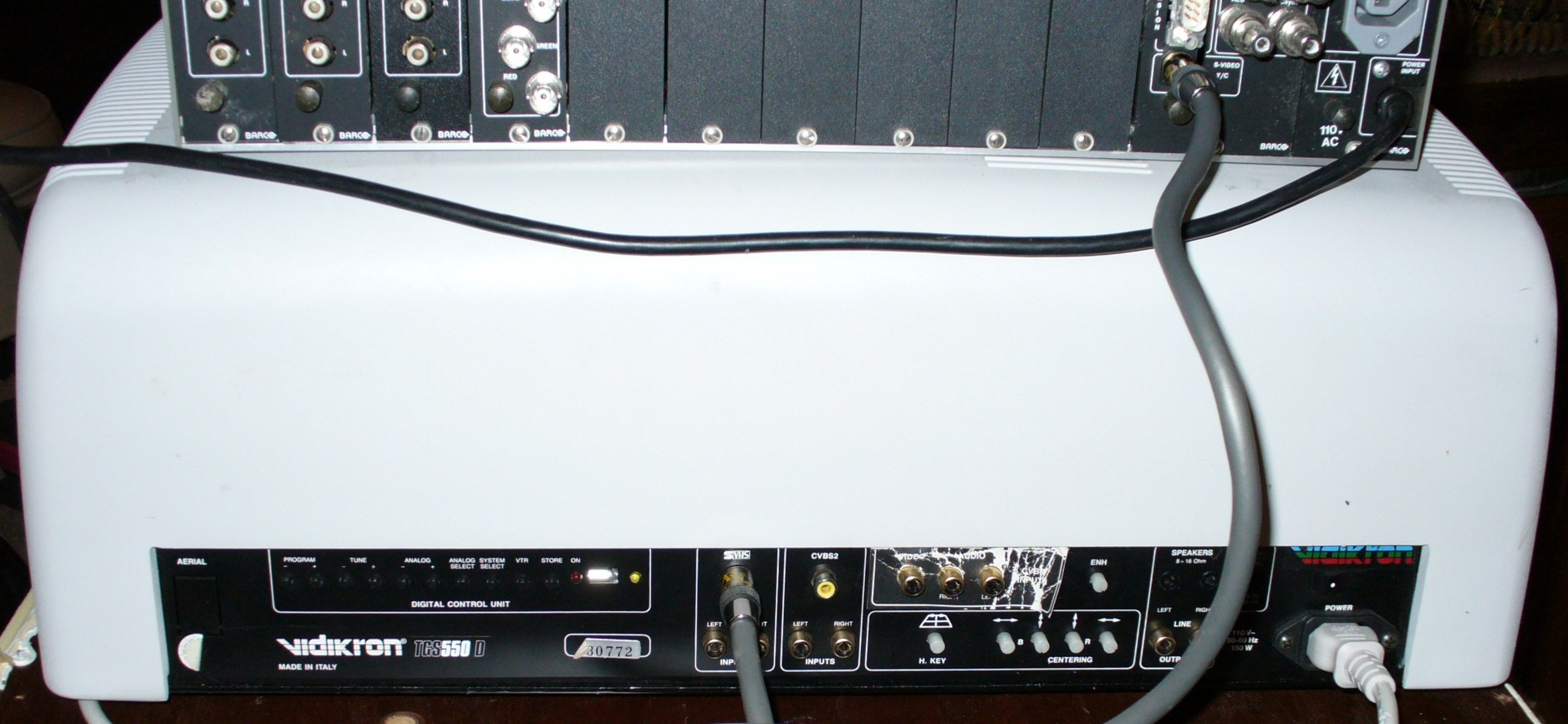
Since I had driven that far and was more interested in the Barco than the Vidikron, I made him an offer for what I figured it's all worth as parts if I can't get it running. He was okay with $60, so no huge loss if the Barco is a massive paperweight. I've got both Barco remotes, the Barco ceiling mount, three Barco manuals, the Barco RCVDS 800 Remote Controlled Video/Data Selector, Vidikron ceiling mount, and the Vidikron remote.
I haven't been able to find any specs on the Vidikron -- I didn't know the model before heading up to look at it -- other than this page which indicates a mere 200 lumens and no resolution listed:
http://www.hcinema.de/pro/anzeigen.php?angabe=vidikrontgs550
Any pointers?
Dan
Last edited by dkap on Thu Dec 13, 2012 5:11 am; edited 1 time in total
|
|
| Back to top |
|
 |
dkap
Joined: 14 Aug 2008
Posts: 109
|
| Posted: Thu Dec 13, 2012 1:09 am Post subject: |
|
|
I'm wondering if I have to use the RCVDS 800 box in conjunction with the projector for it to work?
It also occurred to me, I can't even use the Vidikron unless I can get my TV-out card (HTPC use) working, which has proven futile so far. The Vidikron only accepts s-video or composite.
Dan
|
|
| Back to top |
|
|
jeffslife

Joined: 17 Apr 2010
Posts: 4190
Location: ohio usa
|
| Posted: Thu Dec 13, 2012 1:10 am Post subject: |
|
|
Enjoy !
_________________
We are ALL job creators !
|
|
| Back to top |
|
|
AnalogRocks
Forum Moderator

Joined: 08 Mar 2006
Posts: 26706
Location: Toronto, Ontario, Canada
TV/Projector: Sony 1252Q, AMPRO 4000G
|
| Posted: Thu Dec 13, 2012 1:19 am Post subject: |
|
|
| dkap wrote: | I'm wondering if I have to use the RCVDS 800 box in conjunction with the projector for it to work?
It also occurred to me, I can't even use the Vidikron unless I can get my TV-out card (HTPC use) working, which has proven futile so far. The Vidikron only accepts s-video or composite.
Dan |
DVD player and S-video cable. Fire it up!
_________________
Tech support for nothing
CRT.
HD done right!
|
|
| Back to top |
|
|
dkap
Joined: 14 Aug 2008
Posts: 109
|
| Posted: Thu Dec 13, 2012 1:25 am Post subject: |
|
|
That sounds like a warning. 
| AnalogRocks wrote: | | DVD player and S-video cable. Fire it up! |
Sure, but I meant for hooking up to the HTPC to get that system working going forward. I already know the Vidikron produces a picture, and if it requires going back to the DVD player hookup to use it, there's probably not much point taking down the Sony 1040Q that I haven't been able to get working with the HTPC. Either will work with the DVD player.
Dan
|
|
| Back to top |
|
|
AnalogRocks
Forum Moderator
Joined: 08 Mar 2006
Posts: 26706
Location: Toronto, Ontario, Canada
TV/Projector: Sony 1252Q, AMPRO 4000G
|
| Posted: Thu Dec 13, 2012 1:28 am Post subject: |
|
|
VGA to S-video box.....
_________________
Tech support for nothing
CRT.
HD done right!
|
|
| Back to top |
|
|
dkap
Joined: 14 Aug 2008
Posts: 109
|
| Posted: Thu Dec 13, 2012 1:33 am Post subject: |
|
|
| AnalogRocks wrote: | | VGA to S-video box..... |
I should've known that was coming! Hmm, the Barco selector box might actually work for that... It has RGB input and s-video output options.
Dan
|
|
| Back to top |
|
|
dkap
Joined: 14 Aug 2008
Posts: 109
|
|
| Back to top |
|
|
CasetheCorvetteman

Joined: 09 Nov 2008
Posts: 6326
Location: Australia
|
| Posted: Thu Dec 13, 2012 7:15 am Post subject: |
|
|
|
The VPH1040Q is a 15.75kHz only set, 768x576i 50Hz is the highest resolution itll do.
|
|
| Back to top |
|
|
AnalogRocks
Forum Moderator
Joined: 08 Mar 2006
Posts: 26706
Location: Toronto, Ontario, Canada
TV/Projector: Sony 1252Q, AMPRO 4000G
|
|
| Back to top |
|
|
Curt Palme
CRT Tech
Joined: 08 Mar 2006
Posts: 24396
Location: Langley, BC
TV/Projector: All of them!
|
| Posted: Thu Dec 13, 2012 2:06 pm Post subject: |
|
|
Vidikron- I think it's a video only set, most of the TGS series were, and were made by Vidikron. I have only had maybe 4-5 of all models through here ever, that's why there's not much on the site, and with the trend 10 years ago to go with HD ready sets, I didn't spend a lot of time on them. Spend your time on the Barcos, it' s a better set.
As for the Barco, the processor light only really shows that the standby power supply is working, and that the CPU is working. If you press the 'stby' button on the wired keypad on the back of the set, and the error light flashes a few times, and nothing else happens, then the SMPS is bad. I can repair that for relatively cheap, some of them can be tricky repairs. Here's more info on the 800:
http://curtpalme.com/Barco500.shtm
Before you spend any money on the Barco, pull the lens off the blue tube and post a pix. Oh, and if you post a couple of pix of the Vidikron, I can probably tell you more about it.
|
|
| Back to top |
|
|
dkap
Joined: 14 Aug 2008
Posts: 109
|
| Posted: Thu Dec 13, 2012 4:27 pm Post subject: |
|
|
| Curt Palme wrote: | | Vidikron- I think it's a video only set, most of the TGS series were, and were made by Vidikron. I have only had maybe 4-5 of all models through here ever, that's why there's not much on the site |
Just about the only info I found on them was you saying how little you've been able to find about them.
| Quote: | | As for the Barco, the processor light only really shows that the standby power supply is working, and that the CPU is working. If you press the 'stby' button on the wired keypad on the back of the set, and the error light flashes a few times, and nothing else happens, then the SMPS is bad. I can repair that for relatively cheap |
Probably a lot cheaper to ship than the big control board for my Barco 708s, too!
| Quote: | | Before you spend any money on the Barco, pull the lens off the blue tube and post a pix. Oh, and if you post a couple of pix of the Vidikron, I can probably tell you more about it. |
Will do. What exactly do you mean by the bolded part, though? I've never removed a tube before... How do I go about that and what am I posting a pic of with it removed?
| AnalogRocks wrote: | | I doubt the Barco box transcodes from VGA to S-video. |
Really? That seems to be its stated purpose, with up to 10 input boards (modules) and a series of output options. Of course, I haven't been able to get it to work... Seems like it's either stuck on an error code (half lit up LCD) or isn't fully functional.
| CasetheCorvetteman wrote: | | The VPH1040Q is a 15.75kHz only set, 768x576i 50Hz is the highest resolution itll do. |
The point is, without knowing the Vidikron's resolution, the 1040Q may be the better of the two options.
Dan
|
|
| Back to top |
|
|
Curt Palme
CRT Tech
Joined: 08 Mar 2006
Posts: 24396
Location: Langley, BC
TV/Projector: All of them!
|
| Posted: Thu Dec 13, 2012 4:47 pm Post subject: |
|
|
I think the Vidikron and the Sony may have the same tubes. Pop the cover to check. If so, mix and match the best looking of both sets of tubes.
THe lens comes off the front of the tubes with 4 8mm bolts, one at the 2, 4, 8 and 10 oclock positions. Then post a picture of the tube face(s) here, so we can see what shape the tubes are in. If they are roasted, there's no point in spending time or money on the set.
Cheers!
|
|
| Back to top |
|
|
dkap
Joined: 14 Aug 2008
Posts: 109
|
| Posted: Thu Dec 13, 2012 4:50 pm Post subject: |
|
|
I looked into the Barco lenses with a flashlight and didn't see any signs of wear (the guy said it only has ~250 hrs on it, but then he also said it worked), but maybe pulling them off is more revealing?
Dan
|
|
| Back to top |
|
|
Curt Palme
CRT Tech
Joined: 08 Mar 2006
Posts: 24396
Location: Langley, BC
TV/Projector: All of them!
|
| Posted: Thu Dec 13, 2012 4:56 pm Post subject: |
|
|
|
You're probably fine then, you'd see any significant wear, but the lenses do hide it sometimes.
|
|
| Back to top |
|
|
dkap
Joined: 14 Aug 2008
Posts: 109
|
| Posted: Thu Dec 13, 2012 5:36 pm Post subject: |
|
|
| Curt Palme wrote: | | You're probably fine then, you'd see any significant wear, but the lenses do hide it sometimes. |
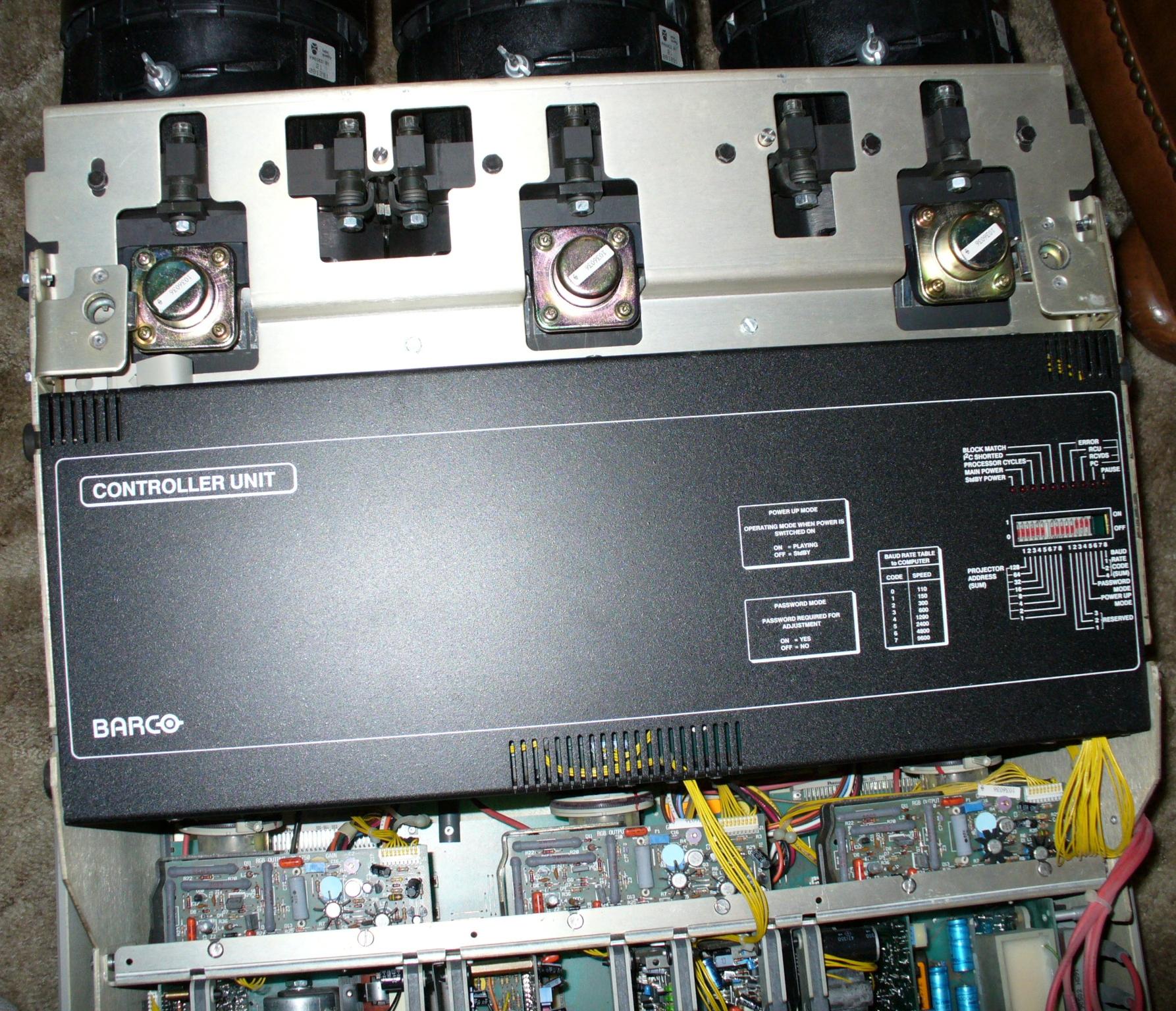
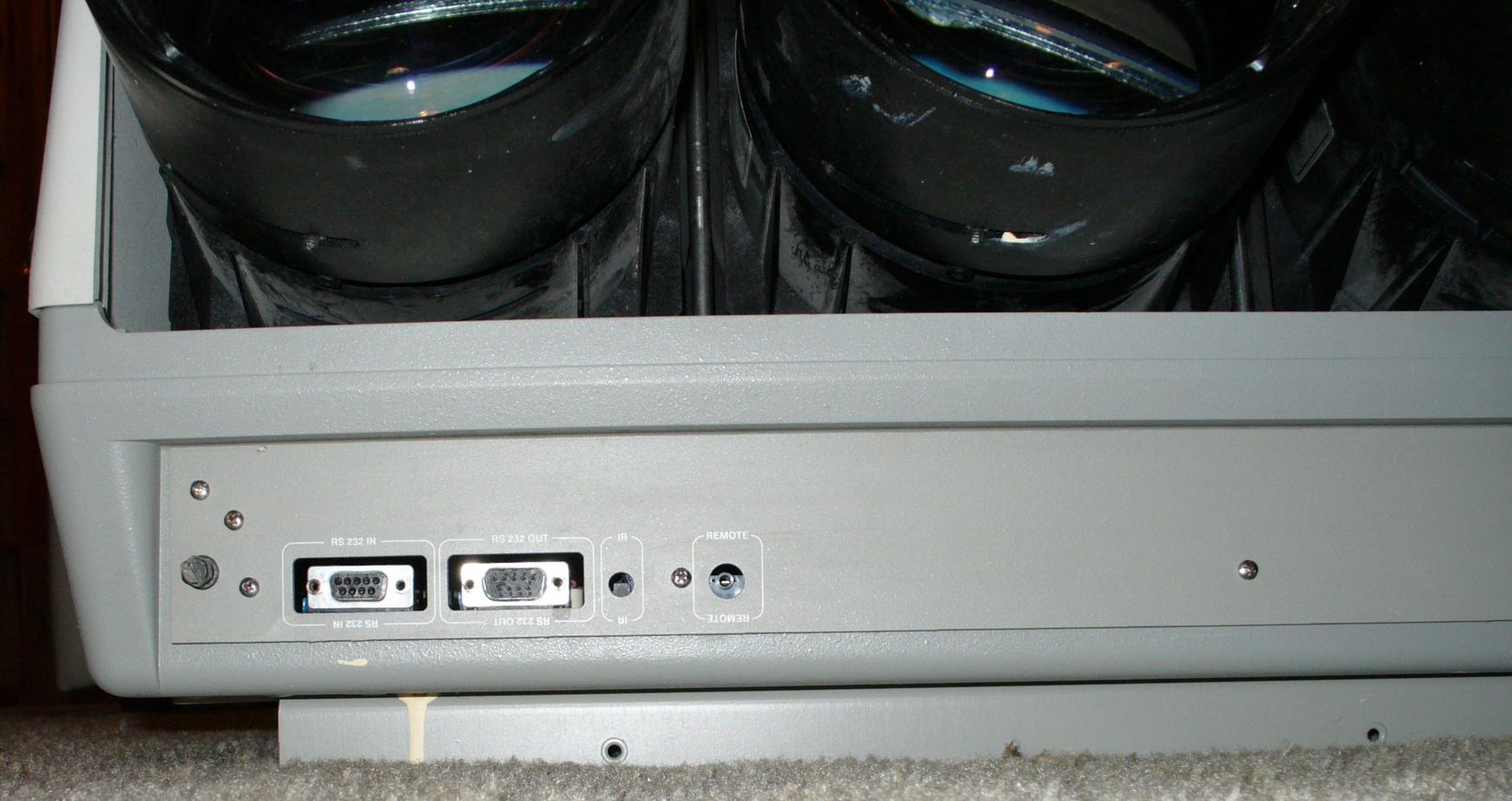
Looks like you guessed right. I took pictures of the blue and green tubes and saw absolutely no sign of wear. If nothing else, what sort of value does the set have for tubes in that condition (plus remotes, bracket, manuals, etc.)? Manufacture date on the set looks to be 1990, so it's presumably one of the late model 800's.
I optimized the pics a bit for the attachment size limits, but I kept them full-size. [edit: I meant to have the main pictures listed first for a more logical presentation, but I guess they attach in the opposite order ... last in, first out.]
Dan
| Description: |
|
| Filesize: |
396.26 KB |
| Viewed: |
7213 Time(s) |
|
| Description: |
|
| Filesize: |
462.41 KB |
| Viewed: |
7210 Time(s) |
|
| Description: |
|
| Filesize: |
153.29 KB |
| Viewed: |
7203 Time(s) |
|
| Description: |
|

Download |
| Filename: |
Vidikron - front.jpg |
| Filesize: |
377.42 KB |
| Downloaded: |
359 Time(s) |
| Description: |
| Barco RCVDS 800 Selector. |
|
Download |
| Filename: |
Barco RCVDS 800 - back.jpg |
| Filesize: |
252.16 KB |
| Downloaded: |
325 Time(s) |
| Description: |
|
Download |
| Filename: |
Barco 800 innards - b.jpg |
| Filesize: |
488.01 KB |
| Downloaded: |
316 Time(s) |
| Description: |
|
Download |
| Filename: |
Barco 800 innards - a.jpg |
| Filesize: |
478.55 KB |
| Downloaded: |
316 Time(s) |
| Description: |
|
Download |
| Filename: |
Barco 800 back - a.jpg |
| Filesize: |
219.54 KB |
| Downloaded: |
322 Time(s) |
| Description: |
|
Download |
| Filename: |
Barco 800 green tube.jpg |
| Filesize: |
450.51 KB |
| Downloaded: |
347 Time(s) |
| Description: |
| Barco 800 blue tube, not sure how to get it to show the blue color when unlit. |
|
Download |
| Filename: |
Barco 800 blue tube.jpg |
| Filesize: |
421.65 KB |
| Downloaded: |
308 Time(s) |
|
|
| Back to top |
|
|
CasetheCorvetteman
Joined: 09 Nov 2008
Posts: 6326
Location: Australia
|
| Posted: Thu Dec 13, 2012 11:47 pm Post subject: |
|
|
|
All tubes are white when unlit.
|
|
| Back to top |
|
|
AnalogRocks
Forum Moderator
Joined: 08 Mar 2006
Posts: 26706
Location: Toronto, Ontario, Canada
TV/Projector: Sony 1252Q, AMPRO 4000G
|
| Posted: Fri Dec 14, 2012 12:19 am Post subject: |
|
|
Take pictures of the tubes without flash
_________________
Tech support for nothing
CRT.
HD done right!
|
|
| Back to top |
|
|
dkap
Joined: 14 Aug 2008
Posts: 109
|
| Posted: Fri Dec 14, 2012 12:42 am Post subject: |
|
|
| AnalogRocks wrote: | | Take pictures of the tubes without flash |
I tried that, but it was basically a black picture. My house gets very little direct light, and the theater room is quite dim, so it's flash or nothing. Maybe there's some way to set up a flood light to illuminate it without washing it out, but I lack the photography skills to know.
Dan
|
|
| Back to top |
|
|
AnalogRocks
Forum Moderator
Joined: 08 Mar 2006
Posts: 26706
Location: Toronto, Ontario, Canada
TV/Projector: Sony 1252Q, AMPRO 4000G
|
| Posted: Fri Dec 14, 2012 12:45 am Post subject: |
|
|
| dkap wrote: | | AnalogRocks wrote: | | Take pictures of the tubes without flash |
I tried that, but it was basically a black picture. My house gets very little direct light, and the theater room is quite dim, so it's flash or nothing. Maybe there's some way to set up a flood light to illuminate it without washing it out, but I lack the photography skills to know.
Dan |
The flash tends to hide the wear. Do you have a lamp you can put near by?
Or try partially blocking the flash maybe.
_________________
Tech support for nothing
CRT.
HD done right!
|
|
| Back to top |
|
|
|
|





