| Author |
Message |
HK-Steve

Joined: 15 Jul 2006
Posts: 849
Location: Switzerland
TV/Projector: Marquee 9500, Epson 8100
|
| Posted: Fri Sep 28, 2012 2:19 pm Post subject: |
|
|
That is the way it is suppose to be,
the pins are completely seperate top and bottom.
So nothing to worry about.
Glad the issues have been sorted out.
Cheers
Steve
_________________

|
|
| Back to top |
|
 |
ronaldus
Joined: 25 Dec 2010
Posts: 183
Location: france
|
| Posted: Sat Sep 29, 2012 1:40 pm Post subject: |
|
|
Good to hear. I can now close up the unit again
Thanks again for all your help.
Whats left is mechanical setup and grayscale and then I'm done.
Regards,
Ron.
|
|
| Back to top |
|
|
ronaldus
Joined: 25 Dec 2010
Posts: 183
Location: france
|
| Posted: Sun Sep 30, 2012 4:16 pm Post subject: |
|
|
Hi Me again,
This morning I switched on the projector again (was unplugged all night) and it fired up without the need for tapping here and there. But the focus problem was there again. I switched the thing off with the remote (keeping it plugged in) and when i switched it back on again a few minutes later the focus was good and behaving normal. Bad contacts normally don't go away if you power cycle things so i guess its a board thats unstable. Would a bad focus or astig board be the cause of this? I have not yet updated those boards with new caps or chips.
I have put ferrite cores on the astig leads though.
This is a strange one.
Any suggestions?
Regards,
Ron.
|
|
| Back to top |
|
|
macgyver655
Joined: 22 Aug 2007
Posts: 8508
|
| Posted: Sun Sep 30, 2012 4:25 pm Post subject: |
|
|
| ronaldus wrote: | Bad contacts normally don't go away if you power cycle things .
|
Sure it could. 
|
|
| Back to top |
|
|
dvh99

Joined: 25 Dec 2009
Posts: 2158
Location: nederland
|
| Posted: Sun Sep 30, 2012 4:38 pm Post subject: |
|
|
have you cleaned the connectors from the lvps with alcohol and did you clean the p14 pin and measure 6,3 volts?
there is a cap in the lvps that might need to be replaced (1000uf) with a 2200 uf as in nashous thread.
don`t know if this will solve your problems but i`m guessing here too of course.
quote from the thread from nashou (no pics anymore)
The cap that is used in the heater voltage circuit is a 1000uf 10 volt. Jeahong lee says its too
small for three big heaters in the tubes so he up'd them to 2200uf 25 volt caps, I used the FM
series.
_________________
1 answer always poses multiple questions.
marquee 9500ultra HD10L moome hdmi1.3 v3+ some mods.
|
|
| Back to top |
|
|
ronaldus
Joined: 25 Dec 2010
Posts: 183
Location: france
|
| Posted: Sun Sep 30, 2012 5:51 pm Post subject: |
|
|
Hi again,
P14 voltage was check long time ago and the regulation circuit has been modified with two resistors instead of a pot.
I used contact cleaner and a cloth to clean the contacts. The female connector was harder to get to because it's deep inside the projector.
i spayed them and then used a screwdriver covered with cloth to wipe the contacts (maybe not good enough).
I never had problems before ceiling mounting the projector. Now off course the LVPS is upside down and the pressure is different on the connector.
It could not be the focus board? If it comes from the LVPS the contrast and V and H board should be influenced as well no?
Regards,
Ron.
|
|
| Back to top |
|
|
dvh99
Joined: 25 Dec 2009
Posts: 2158
Location: nederland
|
| Posted: Sun Sep 30, 2012 6:58 pm Post subject: |
|
|
how do the voltages measure over a 5 minute time span?
solder wires to the points on the focus board where the voltages enter (5-15-25) and see if they stay the same.
also make sure that a screw from the side that hold the side panels do not touch the lvps chassis.
best to check with a flash light to see if a screw is sticking to far inside.
_________________
1 answer always poses multiple questions.
marquee 9500ultra HD10L moome hdmi1.3 v3+ some mods.
|
|
| Back to top |
|
|
ronaldus
Joined: 25 Dec 2010
Posts: 183
Location: france
|
| Posted: Thu Oct 04, 2012 4:14 pm Post subject: |
|
|
Hi Everybody,
I didn't have time to check the voltages yet but I discovered the following:
My setup is: freebox (internet set-top box with blue-ray player) => Moome v3 external Full HD => marquee
Method 1:
If I switch on the projector before switching on the freebox but the moome powered up focus problem is there. The projector gives some warning no sync or something. When I then switch on the freebox the images stays unsharp.
Method 2.
If I switch on the freebox first (with the moome already powered) then the projector comes up sharp.
When I executed method 1 I can recover from this by keeping the projector in standby for a few minutes and then doing method 2. The image is then sharp and everything is fine.
For the moment I keep it like that but it still is strange.
regards,
Ron.
|
|
| Back to top |
|
|
Tim in Phoenix

Joined: 21 Oct 2006
Posts: 4409
Location: Phoenix
|
| Posted: Thu Oct 04, 2012 4:21 pm Post subject: |
|
|
Hello
Are you using ASR? If so, the clm may be grabbing the wrong memory or interpolating with improper focus value.
What year was this machine built? What main firmware version?
Put up picture of the dots pattern with the focus problem.
.
|
|
| Back to top |
|
|
ronaldus
Joined: 25 Dec 2010
Posts: 183
Location: france
|
| Posted: Thu Oct 04, 2012 5:22 pm Post subject: |
|
|
Hi Tim,
I'm not using ASR. What is strange is that when i ramp the contrast up and down the focus flips from good to bad and in different areas of the image. That should not happen if the clm picks up a wrong focus value.
I'll try to make a small film of it tonight.
Thanks ron.
|
|
| Back to top |
|
|
Tim in Phoenix
Joined: 21 Oct 2006
Posts: 4409
Location: Phoenix
|
| Posted: Thu Oct 04, 2012 7:11 pm Post subject: |
|
|
Hello
What year was this machine built? What main firmware version?
Put up picture of the dots pattern with the focus problem.
.
|
|
| Back to top |
|
|
draganm

Joined: 08 Mar 2006
Posts: 8990
Location: Colorado
|
| Posted: Thu Oct 04, 2012 7:57 pm Post subject: |
|
|
| ronaldus wrote: | Hi Tim,
I'm not using ASR. What is strange is that when i ramp the contrast up and down the focus flips from good to bad and in different areas of the image. |
pull your color correction module out and see if the problem goes away.
The focus board also switches different value caps in and out of the loop depending on the video bandwidth being received by the CLM so it could easily be a focus control module issue.
|
|
| Back to top |
|
|
ronaldus
Joined: 25 Dec 2010
Posts: 183
Location: france
|
| Posted: Thu Oct 04, 2012 8:28 pm Post subject: |
|
|
Hi everybody,
I have no color correction module in.
I tried to reproduce the phenomena but off course now everything is fine. I took a few screen shots but you'll get them later because i'm back at work for a moment. I still have the side of the image out of focus but i guess that's the scheimpflug adjustment.
regards,
Ron.
|
|
| Back to top |
|
|
ronaldus
Joined: 25 Dec 2010
Posts: 183
Location: france
|
| Posted: Fri Oct 05, 2012 12:08 pm Post subject: |
|
|
Hi Again,
I tried several times but impossible to reproduce the fault.
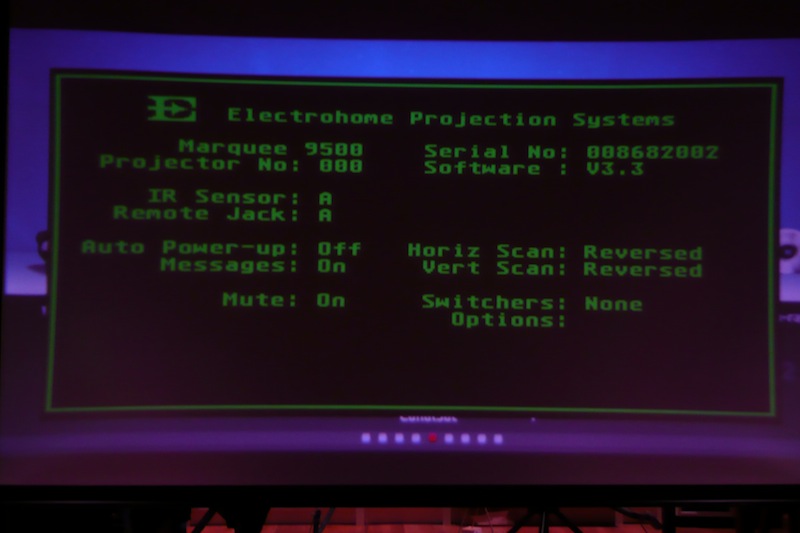
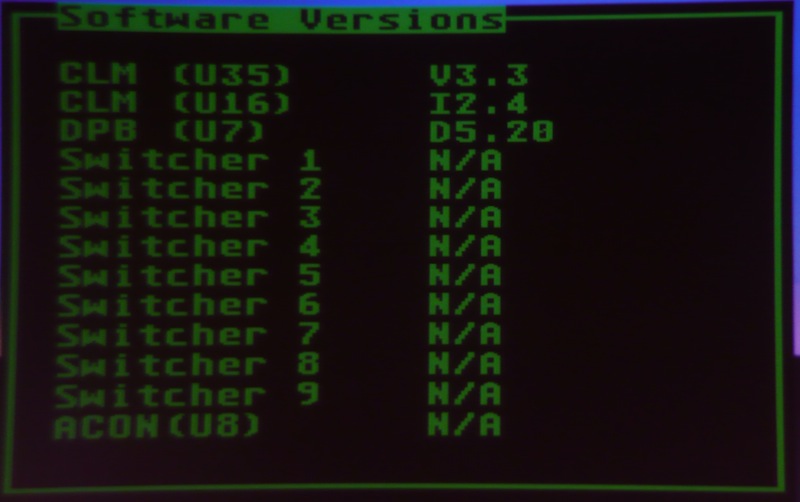
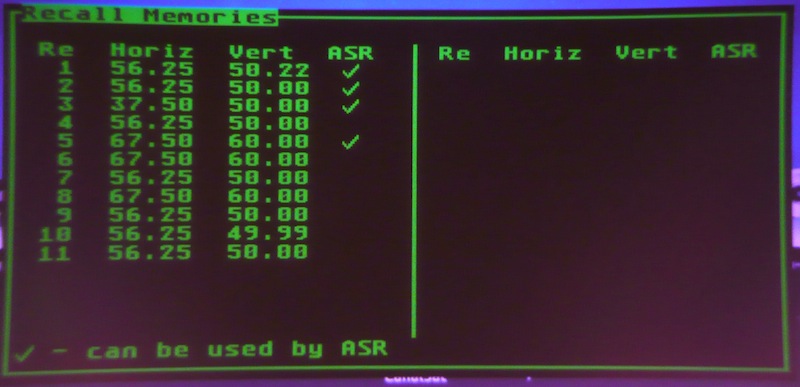
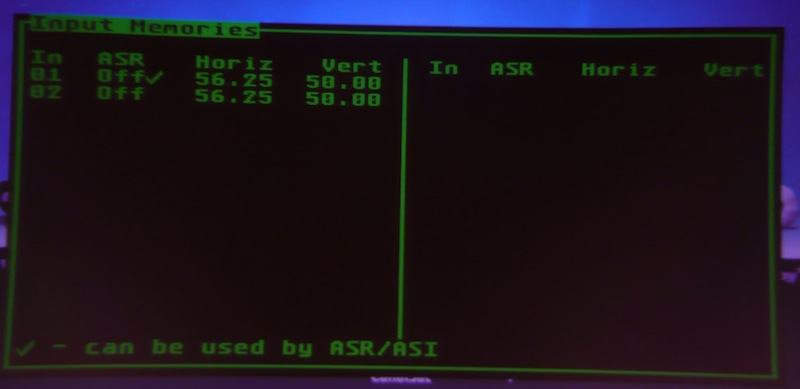
Anyway I've attached screenshots of the status and my settings.
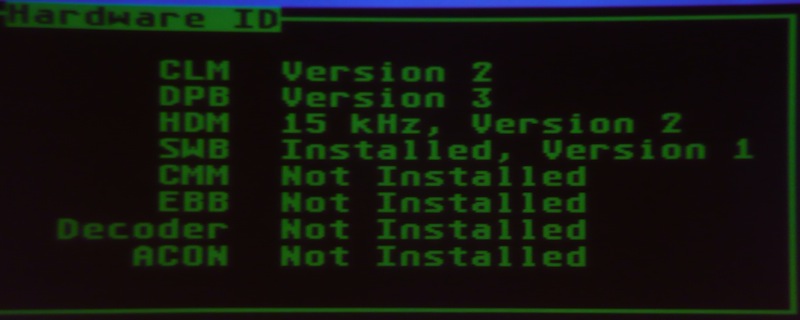
The projector is from december 1995 and has about 1200 hours on the tubes
That's it for the moment
Regards,
Ron.
| Description: |
|
| Filesize: |
64.75 KB |
| Viewed: |
5449 Time(s) |
|
| Description: |
|
| Filesize: |
63.72 KB |
| Viewed: |
5449 Time(s) |
|
| Description: |
|
| Filesize: |
72.98 KB |
| Viewed: |
5449 Time(s) |
|
| Description: |
|
| Filesize: |
41.57 KB |
| Viewed: |
5449 Time(s) |
|
| Description: |
|
| Filesize: |
46.13 KB |
| Viewed: |
5449 Time(s) |
|
| Description: |
|
| Filesize: |
27.58 KB |
| Viewed: |
5449 Time(s) |
|
| Description: |
|
| Filesize: |
21.74 KB |
| Viewed: |
5449 Time(s) |
|
|
|
| Back to top |
|
|
Tim in Phoenix
Joined: 21 Oct 2006
Posts: 4409
Location: Phoenix
|
|
| Back to top |
|
|
thewolfman

Joined: 28 Mar 2011
Posts: 1311
Location: Sweden
|
| Posted: Wed Oct 17, 2012 9:55 pm Post subject: |
|
|
Hi..
Did you change the R35 and green was fine after that? My pj also have green going soft and basically once every night lately. I solve it by turning it off and on again and then it works. Not a huge problem but annoying. I'm thinking of asking some electronics guy how much they would charge me for replacing that and some other things for me, if it solves anything that is. 1 hour labor maybe if I told them exactly what to do with your advice.
|
|
| Back to top |
|
|
ronaldus
Joined: 25 Dec 2010
Posts: 183
Location: france
|
| Posted: Wed Oct 17, 2012 10:46 pm Post subject: |
|
|
Hi Tim and wolfman,
This resistor R35 was already changed by me long time ago. And the symptoms were a little bit different. If the focus on green was off then I had to go into the menu: RGB focus then select green and then when I changed the setting with one push on the arrow buttons it snapped back in focus. The resistor change solved this issue.
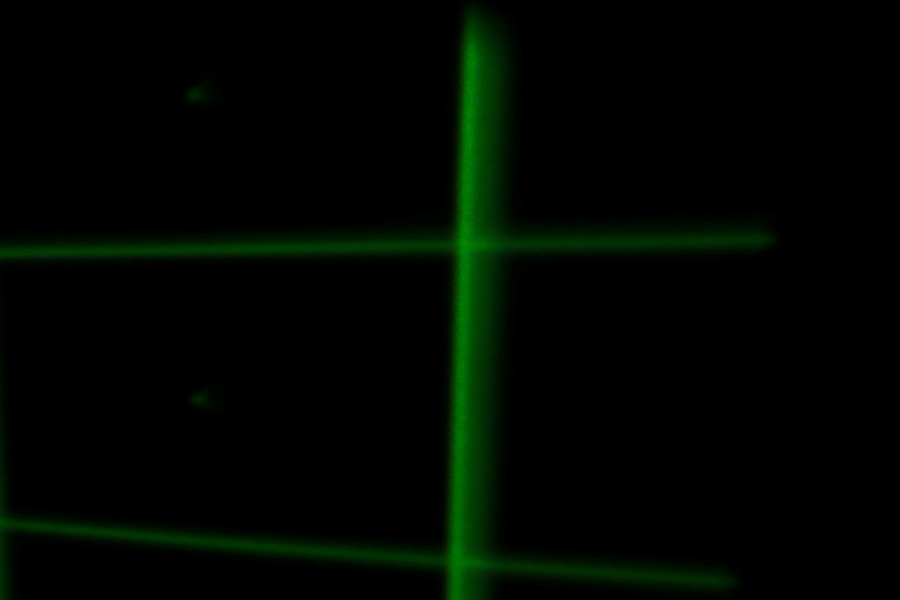
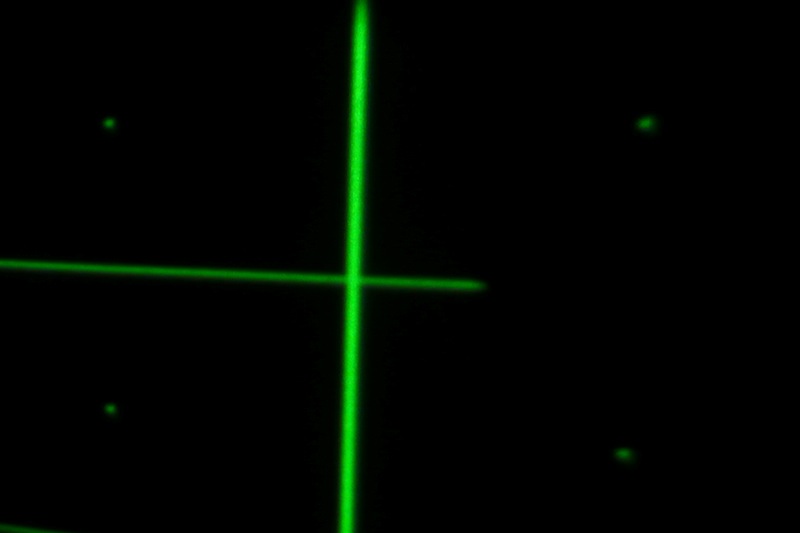
The last two pictures (right edge focus) and (center focus) have nothing to do with the focus problem that I had when ramping the contrast up and down. This problem never came back and the projector switches on all the time and center focus is as shown in the center focus screenschot. However I still have a problem with the focus on the edges of the image and that you see in the right edge focus screenshot. It's taken on the right edge of the horizontal center line. I tried some scheimpflug adjustment but don't really manage to get rid of it.
When I had my projector on a table perpendicular to the screen I could get all the edges sharp.
I've exchanged the glycol in the green and blue tubes with a mixture of 25% Glycerine and 75% propylene glycol as mentioned in this forum and i thought that that's the reason but the red tube has the original techspray fluid and it has the same problem.
Wolfman I can change the resistor for you but i guess it would cost a fortune on shipping cost to send it to europe
regards,
Ron.
|
|
| Back to top |
|
|
Nashou66

Joined: 12 Jan 2007
Posts: 16171
Location: West Seneca NY
|
|
| Back to top |
|
|
thewolfman
Joined: 28 Mar 2011
Posts: 1311
Location: Sweden
|
| Posted: Wed Oct 17, 2012 11:30 pm Post subject: |
|
|
Ok, good thing you got rid of it. When my green goes out of focus, it looks exactly the same all over with really thick grids, not like yours but figure it might be the same problem anyway. I probably could solder it myself, but what I really meant was some electronics store in town to do it. Fast and easy, but honestly I’ll probably lose my 30W soldering pen and buy a soldering station and do it myself. I will buy the caps off ebay.co.uk as I just looked it up. I also bought an IC puller the other day from there and await some more money to buy the rest of the stuff needed to clean the CLM, which might clear up some other glitches now and then.
But did redo everything, inc. geometry and scheimpflug, and that solved the overall focus problem I had before at the ends. Now it looks universal across and a set off HD10f is no longer top of priority.
Btw, I to have my pj on a table perpendicular to the screen, and maybe that helped me a little getting my edges finally sharp as well. The table isn’t high enough so the angle is off by some few degrees only, but good thing you told me about that. I’m planning on having it up in chains, that I bought last month, and raise it without turning it over, to correct and get an almost 90 degree angle, and doing so I can slide a 3 seat sofa just under it. The seat at the end will be taken up by the pj hovering above it. But can’t do it now because the table is in way.. 
Last edited by thewolfman on Wed Oct 17, 2012 11:56 pm; edited 2 times in total
|
|
| Back to top |
|
|
ronaldus
Joined: 25 Dec 2010
Posts: 183
Location: france
|
| Posted: Wed Oct 17, 2012 11:35 pm Post subject: |
|
|
Hi Nashou,
No, focus is good all the time (in the center) and I can ramp the contrast up and down without any problems. Also projector switches on all the time without any problems.
regards,
Ron.
|
|
| Back to top |
|
|
|
|





