| Author |
Message |
SGIforever
Joined: 06 Jul 2009
Posts: 66
Location: Sweden
|
| Posted: Tue Apr 17, 2012 4:00 pm Post subject: Barco Data PC bright blue tube. Bad tube or neckboard? |
|
|
Hi,
I'm still messing around with my ancient Barco Data PC (R9000280), just for the fun of it.
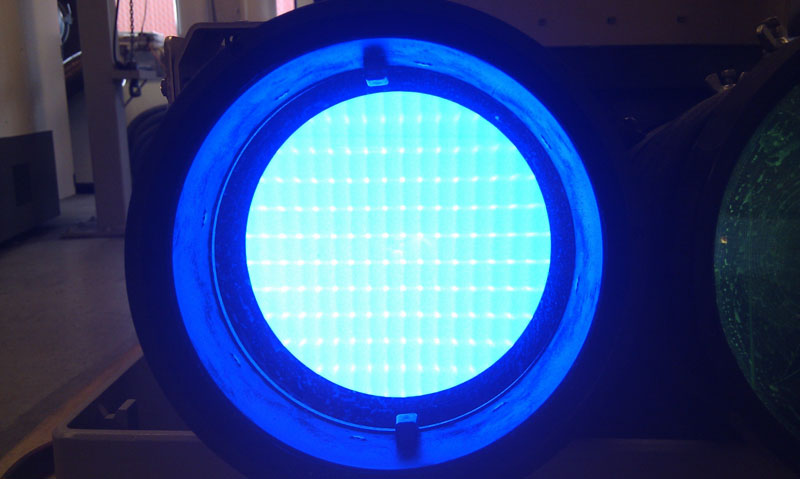
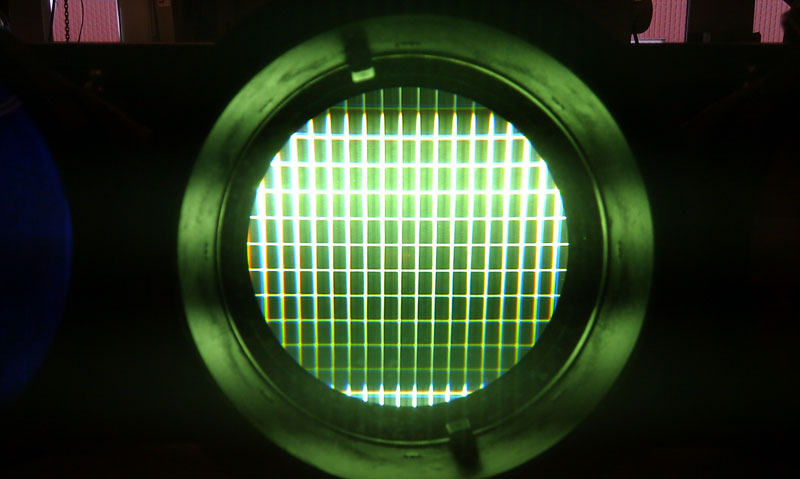
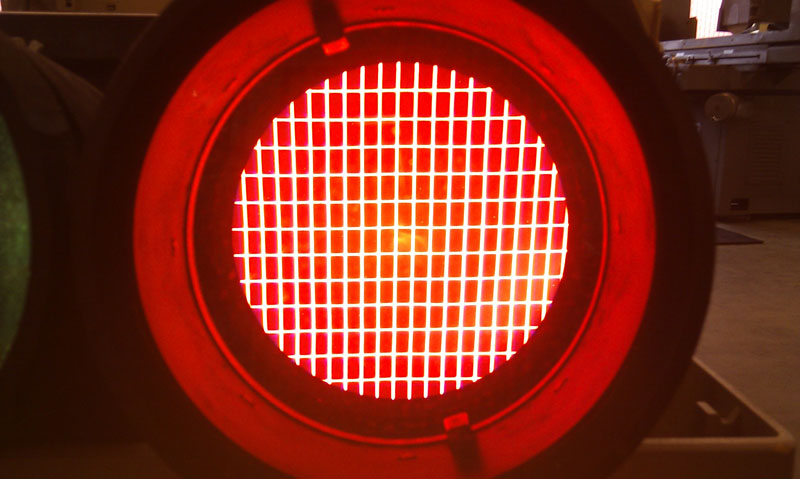
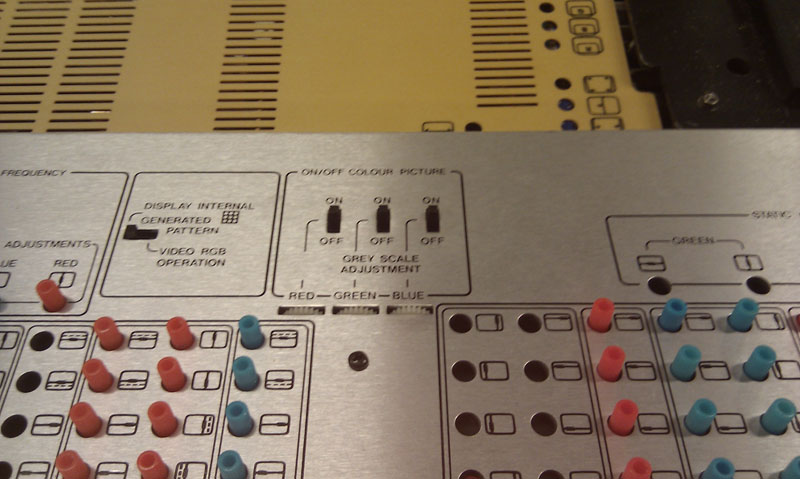
I suddenly have a very bright blue tube, much brighter than the others even when grey scale adjustment is turned down as far as it can.
I might have broken something when I adjusted the tube angles to align R/B.
When the machine was turned of, I removed to check something on the SMPS board and then I put i back in again. I didn't notice that the
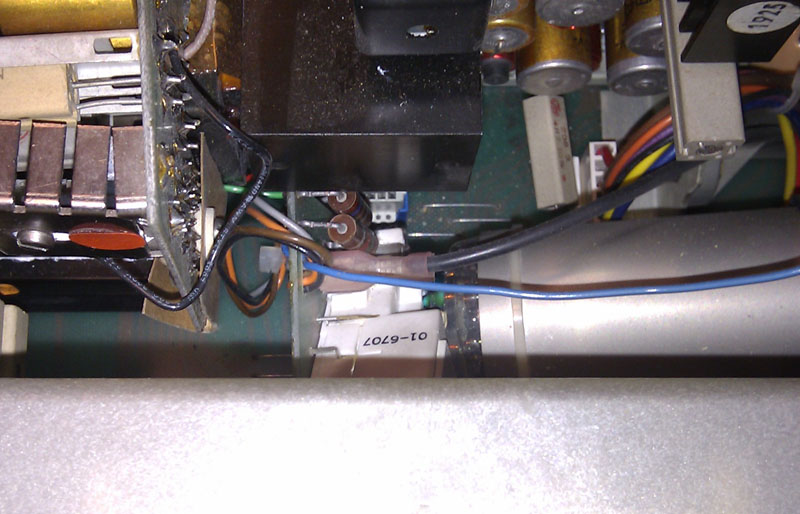
blue tube had moved a little (the screws wasn't fastened) and a SMPS heatsink came in touch with the neckboard (maybe a resistor on
the neckboard).
I turned on the machine again and noticed a brighter blue. Turned it off and found the problem. I moved the tube, but still bright blue tube.
Is there another trimpot to turn down the brightness of the blue? Is the tube or neckboard gone?
At far as I recall the testgrid on the blue tube was better before.
Pictures have been arranged to show the situation (with power off  ). ).
| Description: |
| Very bright. Internal testgrid not very distinct |
|
| Filesize: |
82.45 KB |
| Viewed: |
4172 Time(s) |
|
| Description: |
|
| Filesize: |
86.99 KB |
| Viewed: |
4172 Time(s) |
|
| Description: |
|
| Filesize: |
108.63 KB |
| Viewed: |
4172 Time(s) |
|
| Description: |
| The upper resistor have been in contact with heatsink (I think) |
|
| Filesize: |
107 KB |
| Viewed: |
4172 Time(s) |
|
| Description: |
| Greyscale turned down as far as possible |
|
| Filesize: |
100.39 KB |
| Viewed: |
4172 Time(s) |
|
|
|
| Back to top |
|
 |
barclay66

Joined: 27 Jun 2011
Posts: 1304
Location: Germany
TV/Projector: Marquee 9500 Ultra
|
| Posted: Tue Apr 17, 2012 4:20 pm Post subject: |
|
|
Hi,
looks like a bad neck board or bad RGB amplifier to me.
For the neck board You could try the following:
- Swap the neck boards between the green and blue tube
- If now the green tube is brighter then it's the neck board
- If the blue tube stays bright then it might be the tube itself or the RGB output board
I wouldn't try adjusting anything as it was well adjusted before the damage. Fiddling with the controls will most likely create more problems than solving them...
Regards,
barclay66
|
|
| Back to top |
|
|
HaydnG90

Joined: 22 May 2006
Posts: 1356
|
| Posted: Tue Apr 17, 2012 4:21 pm Post subject: |
|
|
|
Have you adjusted the G2
|
|
| Back to top |
|
|
SGIforever
Joined: 06 Jul 2009
Posts: 66
Location: Sweden
|
| Posted: Tue Apr 17, 2012 5:00 pm Post subject: |
|
|
Thank you for quick response.
I will try the neckboard swap. I might have spare RGB amplifier to try as well.
I did try some trimpots for horisontal adjustments, in case the blue picture was shifted to much left or right
and I was seing backtrace (if that's what it is called).
I checked their position before I turned them and tried to set them back to where they were. By the way it
was the trimpots on the 'control panel', not the ones on the boards you need a screwdriver to turn.
I thought the greyscale adjustment has to do with G2. If not - where can I look for it?
|
|
| Back to top |
|
|
barclay66
Joined: 27 Jun 2011
Posts: 1304
Location: Germany
TV/Projector: Marquee 9500 Ultra
|
| Posted: Tue Apr 17, 2012 5:06 pm Post subject: |
|
|
| SGIforever wrote: | | I thought the greyscale adjustment has to do with G2. If not - where can I look for it? |
Hi,
I'm not quite sure with these old machines. On my Barco Graphics 801s the G2 adjustment is done on the Focus board, but I think I've read somewhere that this is different with the older analog PJs. You might as well start here:
http://www.curtpalme.com/Barco400_Downloads.shtm
I'm quite sure You will find an Installation or Service manual for your PJ. Get to know Your device first...
Regards,
barclay66
|
|
| Back to top |
|
|
SGIforever
Joined: 06 Jul 2009
Posts: 66
Location: Sweden
|
| Posted: Wed Apr 18, 2012 6:49 pm Post subject: |
|
|
I've been on the old analog Barco page. Actually, I think I was the one who contributed with the BD PC service manual
Reading the schematics it seems like the G2 are in fact the greyscale adjustment pots.
I checked tha RGB board by switching the small B and G outgoing wires. The problem moved to the green tube so that concludes where the problem is. Thank you.
I have 761160 and 761168, but I don't think they are compatible, at least that is what I get from the schematics.
Anybody with an extra 20-year old Barco RGB board no 761365
It is possible my local tv-repair guy can solve the problem. Any ideas what to check on the RGB board?
/Bjorn
|
|
| Back to top |
|
|
Curt Palme
CRT Tech
Joined: 08 Mar 2006
Posts: 24396
Location: Langley, BC
TV/Projector: All of them!
|
| Posted: Wed Apr 18, 2012 6:52 pm Post subject: |
|
|
|
Your G2s are adjusted on the convergence board, see your first picture. Check the voltage coming off those leads, all three tubes should have about the same voltage on them, +/- 50-100 volts or so. If the blue is high by 200 volts or so, I'd check the resistors around those controls, or maybe the control opened up?
|
|
| Back to top |
|
|
barclay66
Joined: 27 Jun 2011
Posts: 1304
Location: Germany
TV/Projector: Marquee 9500 Ultra
|
| Posted: Wed Apr 18, 2012 9:05 pm Post subject: |
|
|
| SGIforever wrote: | | It is possible my local tv-repair guy can solve the problem. Any ideas what to check on the RGB board? |
Hi,
Yes, that's possible. With the corresponding schematics someone with knowledge on TV sets should be able to find out where the problem is. I'd suggest first looking at the output amplifier transistors and the adjacent resistors.
Regards,
barclay66
P.S.: @Curt: Doesn't seem to be a G2 issue as swapping the RGB output wires moved the symptom to another tube...
|
|
| Back to top |
|
|
Curt Palme
CRT Tech
Joined: 08 Mar 2006
Posts: 24396
Location: Langley, BC
TV/Projector: All of them!
|
| Posted: Thu Apr 19, 2012 1:34 am Post subject: |
|
|
Oops, sorry, didn't read that...as usual.
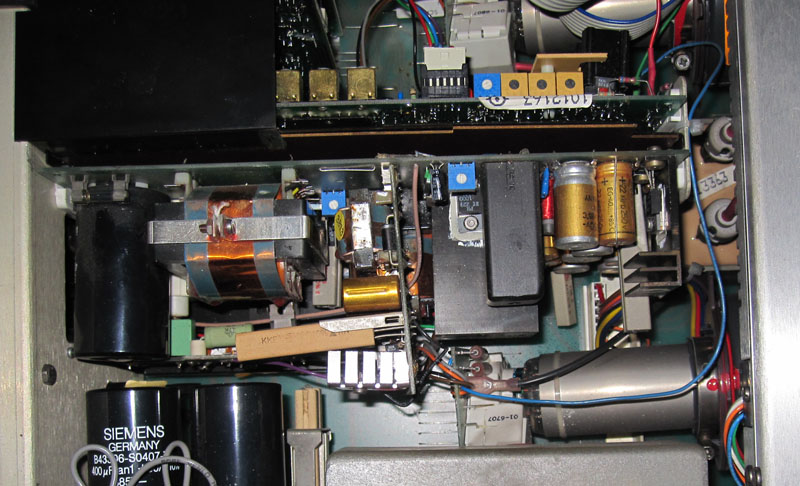
BTW, are you sure that flywire (blue) in the 4th picture isn't a G2 wire? Is it the main video feed? (it's been probably 10 years since I worked on a Data projector, so I really can't remember).
|
|
| Back to top |
|
|
SGIforever
Joined: 06 Jul 2009
Posts: 66
Location: Sweden
|
| Posted: Thu Apr 19, 2012 4:54 pm Post subject: |
|
|
I include a slightly zoomed out picture where you can follow the blue wire to the RGB board.
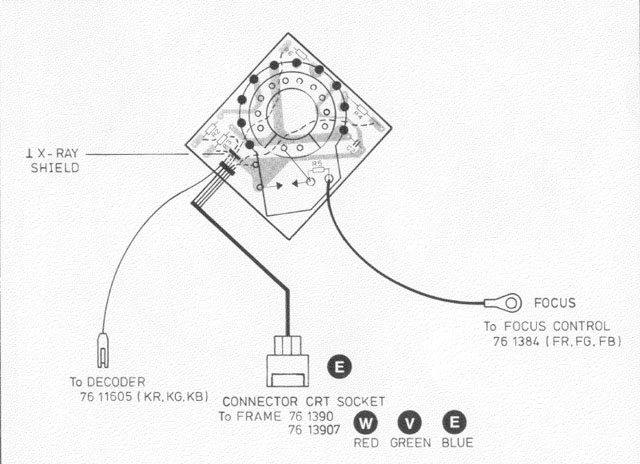
On the image of the crt socket board I think the G2 is in 'connector E' and not in the 'to decoder' (blue wire).
So blue wire is probably video feed.
| Description: |
|
| Filesize: |
130.6 KB |
| Viewed: |
4057 Time(s) |
|
| Description: |
|
| Filesize: |
79.66 KB |
| Viewed: |
4057 Time(s) |
|
|
|
| Back to top |
|
|
barclay66
Joined: 27 Jun 2011
Posts: 1304
Location: Germany
TV/Projector: Marquee 9500 Ultra
|
| Posted: Thu Apr 19, 2012 6:58 pm Post subject: |
|
|
Yes, You're right!
The G2 supply is on the connector that goes to the frame. So the single colored cable is the tube's cathode connector which goes into the RGB board. Maybe a close visual inspection could already reveal something on its blue channel...
Regards,
barclay66
|
|
| Back to top |
|
|
Curt Palme
CRT Tech
Joined: 08 Mar 2006
Posts: 24396
Location: Langley, BC
TV/Projector: All of them!
|
| Posted: Thu Apr 19, 2012 10:50 pm Post subject: |
|
|
Right, you're right! That's how they did it on the 600 and 400 as well, I should have remembered!
So yes, check the video board like you said before.
|
|
| Back to top |
|
|
|
|





