| Author |
Message |
AnalogRocks
Forum Moderator

Joined: 08 Mar 2006
Posts: 26706
Location: Toronto, Ontario, Canada
TV/Projector: Sony 1252Q, AMPRO 4000G
|
| Posted: Fri Dec 08, 2006 5:26 pm Post subject: |
|
|
| Chuck27 wrote: | The mouse pad idea is a great one, I've been trying to think of a source for the best material to isolate the fans and you've just found it for me.....tanks!
Have you considered contact cement instead of bolts? I don't think the start-up torque of the fans would be too excessive, and that would be my major concern with not having a mechanical connection. |
I don't trust most glues. Although I have used some good ones.
The other tricks I use are 3 pieces of cable tie in an H pattern through the mounting holes, one horizontal to the case, one through the mounting hole and one at the bootom of the fan hole. This allows some flex and reduces vibration. I use to use that trick on fast case fans as a quick way to mount them and reduce vibrations to the case.
_________________
Tech support for nothing
CRT.
HD done right!
|
|
| Back to top |
|
 |
Chuck27
Joined: 09 Mar 2006
Posts: 379
Location: Caledon Township, Ontario
|
| Posted: Fri Dec 08, 2006 5:39 pm Post subject: |
|
|
Good idea...I'll try that.
We also have some really noxious and toxic vulcanizing material at work that I might try. If it can fix rubber to steel so it never falls aapart, it might be worth a try.
_________________
Chuck
using acreage for sound insulation since 1999
|
|
| Back to top |
|
|
AnalogRocks
Forum Moderator
Joined: 08 Mar 2006
Posts: 26706
Location: Toronto, Ontario, Canada
TV/Projector: Sony 1252Q, AMPRO 4000G
|
| Posted: Fri Dec 08, 2006 5:41 pm Post subject: |
|
|
| Chuck27 wrote: | Good idea...I'll try that.
We also have some really noxious and toxic vulcanizing material at work that I might try. If it can fix rubber to steel so it never falls aapart, it might be worth a try. |
I use to have some here. It was specificaly for re-gluein engine mounts that have ripped loose. Rubber to steel bonding. Great product but it rips your lungs out and good luck getting it off anything that wasn't supposed to get glued.
_________________
Tech support for nothing
CRT.
HD done right!
|
|
| Back to top |
|
|
AnalogRocks
Forum Moderator
Joined: 08 Mar 2006
Posts: 26706
Location: Toronto, Ontario, Canada
TV/Projector: Sony 1252Q, AMPRO 4000G
|
| Posted: Sun Dec 10, 2006 5:52 am Post subject: |
|
|
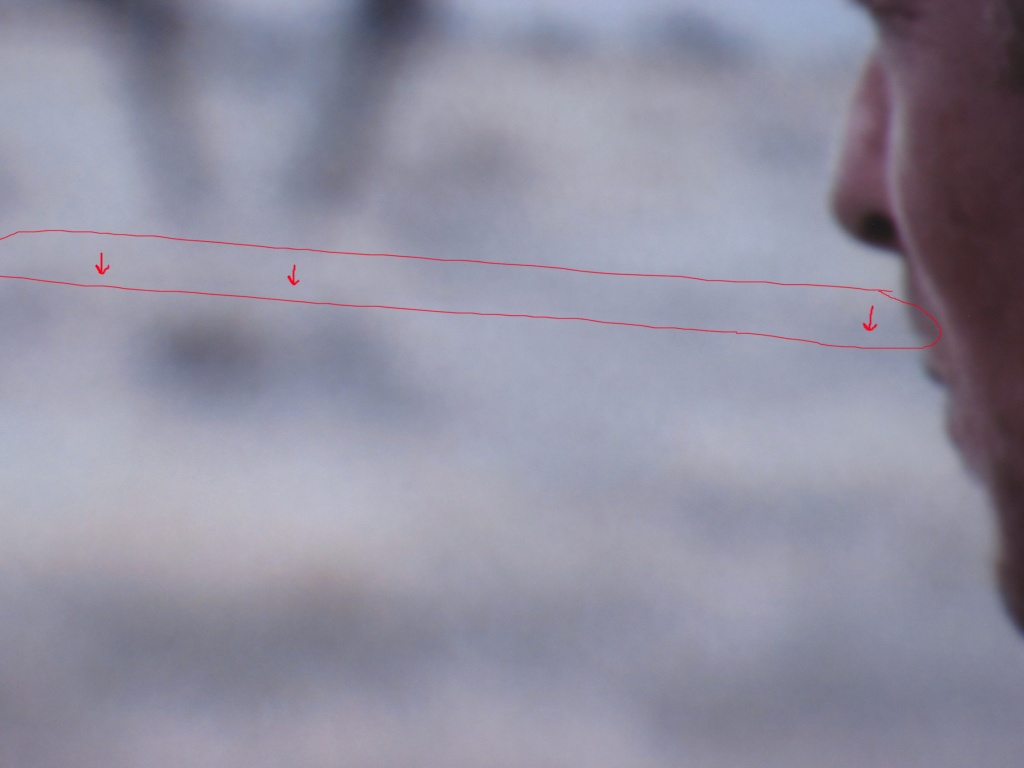
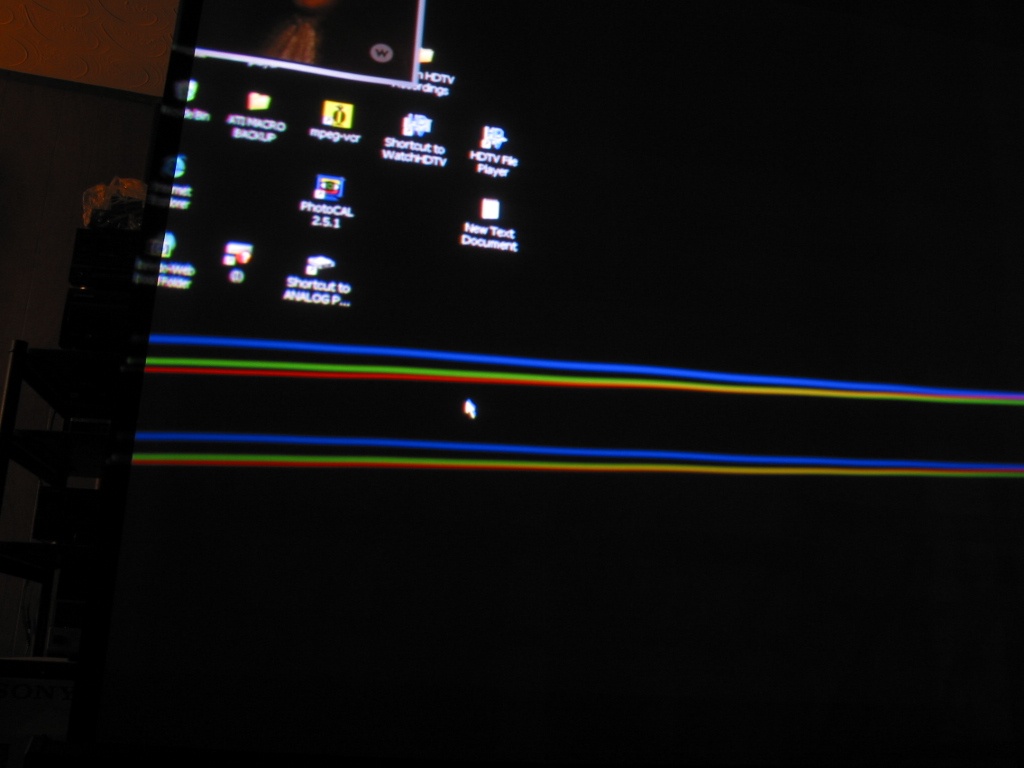
Ok I got it fairly well set up and I even eyeballed a pretty good color balance. Faces are face color not purple anymore.
Onto the new problems:
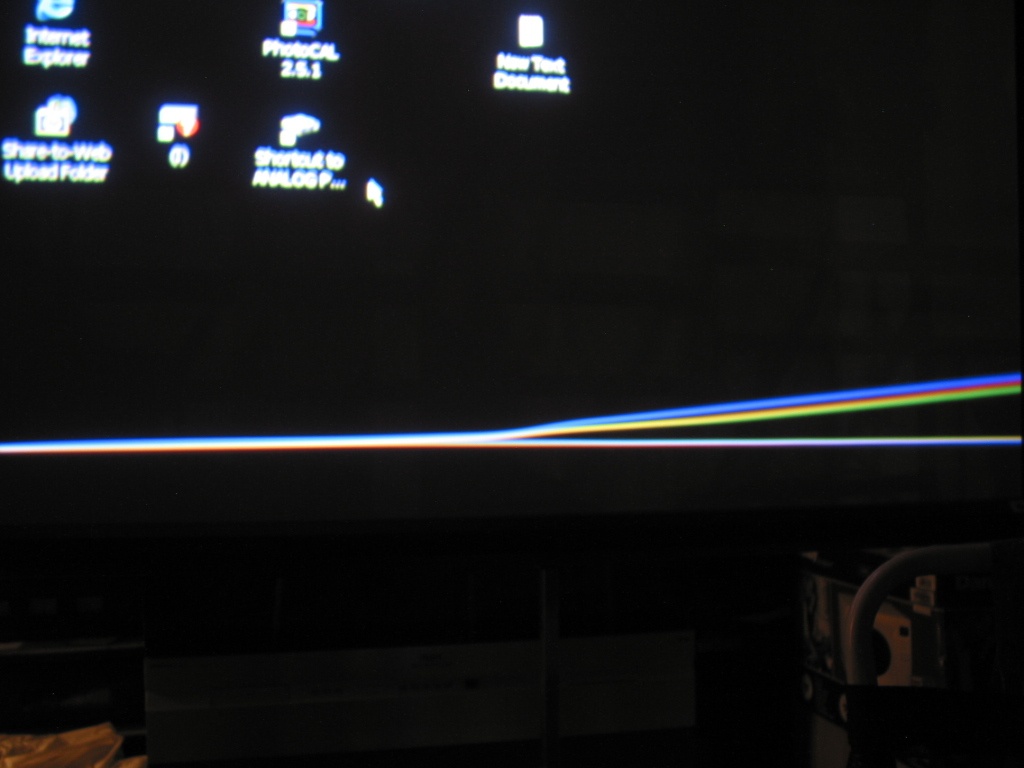
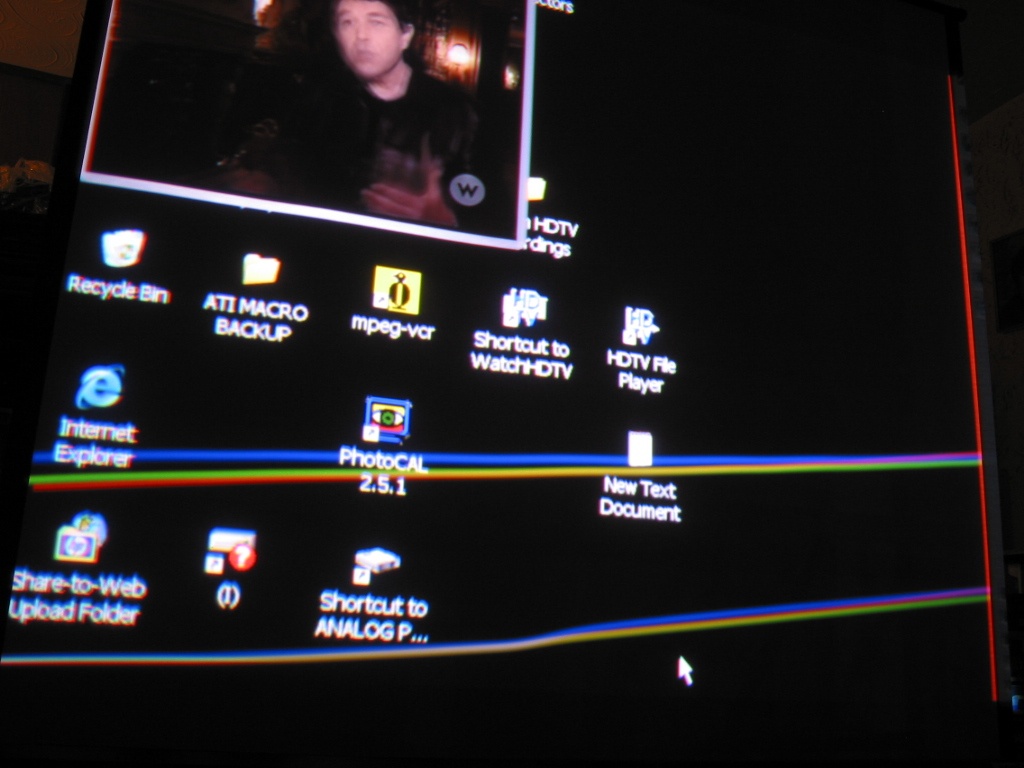
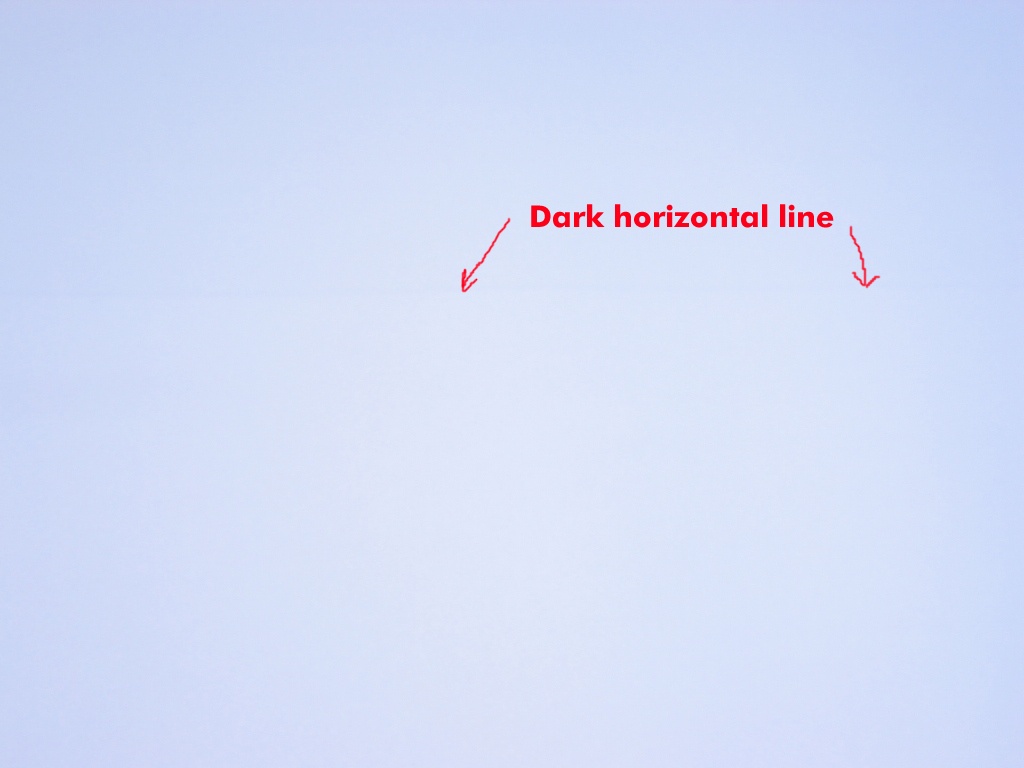
Running off the HTPC with a new breakout cable. The beams are going crazy. Also I'm getting a dark horizontal line across the middle of the screen.
I'm thinking RGB input card maybe??
| Description: |
| Here's a dark horizontal line I'm getting as well. |
|
| Filesize: |
116.33 KB |
| Viewed: |
8980 Time(s) |
|
| Description: |
|
| Filesize: |
123.21 KB |
| Viewed: |
8981 Time(s) |
|
| Description: |
| 1024 x 768 close up bottom right of the screen |
|
| Filesize: |
129.42 KB |
| Viewed: |
8981 Time(s) |
|
| Description: |
|
| Filesize: |
164.32 KB |
| Viewed: |
8980 Time(s) |
|
_________________
Tech support for nothing
CRT.
HD done right!
|
|
| Back to top |
|
|
AnalogRocks
Forum Moderator
Joined: 08 Mar 2006
Posts: 26706
Location: Toronto, Ontario, Canada
TV/Projector: Sony 1252Q, AMPRO 4000G
|
| Posted: Sun Dec 10, 2006 7:56 am Post subject: |
|
|
Ok here's a better example of the dark line I'm getting.
| Description: |
| Full white screen with dark horizontal line. |
|
| Filesize: |
100.07 KB |
| Viewed: |
8986 Time(s) |
|
_________________
Tech support for nothing
CRT.
HD done right!
|
|
| Back to top |
|
|
stefuel

Joined: 07 Mar 2006
Posts: 3353
Location: Green Harbor MA USA
|
| Posted: Sun Dec 10, 2006 1:14 pm Post subject: |
|
|
First I'd suspect the mechanical setup first as you say It runs to hot to close the cover. Are any of your electronic adjustments close to maxed out. The more you electronically compensate, the hotter it will run. Also there are two pots on the rear that allow you to adjust the height of the red and blue to the green so that less electronic adjustment is needed.
_________________
Chip
A Barco is only a AmPro with training wheels
Card carrying member of the AVS chain gang.
|
|
| Back to top |
|
|
papalek

Joined: 08 Mar 2006
Posts: 1536
Location: Longs SC
|
| Posted: Sun Dec 10, 2006 2:31 pm Post subject: |
|
|
It looks as though you are shifted off the face of the tube.If I use to much phase and shift mine will do the same thing. That is the way it was the first time I set it up. Now that I have all the alignments right ,I don't have that problem anymore.
_________________
My current list of PJ's AmPro 1 1/2-4600,4200, 1/2-3600,2600.
I do love my AmPro's
|
|
| Back to top |
|
|
AnalogRocks
Forum Moderator
Joined: 08 Mar 2006
Posts: 26706
Location: Toronto, Ontario, Canada
TV/Projector: Sony 1252Q, AMPRO 4000G
|
| Posted: Sun Dec 10, 2006 5:19 pm Post subject: |
|
|
| papalek wrote: | | It looks as though you are shifted off the face of the tube.If I use to much phase and shift mine will do the same thing. That is the way it was the first time I set it up. Now that I have all the alignments right ,I don't have that problem anymore. |
Hmmm thanks I'll check that. I did make sure everything was on the face of the tube when I was setting it up but maybe it doesn't like the HTPC
_________________
Tech support for nothing
CRT.
HD done right!
|
|
| Back to top |
|
|
AnalogRocks
Forum Moderator
Joined: 08 Mar 2006
Posts: 26706
Location: Toronto, Ontario, Canada
TV/Projector: Sony 1252Q, AMPRO 4000G
|
| Posted: Sun Dec 10, 2006 5:21 pm Post subject: |
|
|
| stefuel wrote: | | First I'd suspect the mechanical setup first as you say It runs to hot to close the cover. Are any of your electronic adjustments close to maxed out. The more you electronically compensate, the hotter it will run. Also there are two pots on the rear that allow you to adjust the height of the red and blue to the green so that less electronic adjustment is needed. |
Where are these pots located?
I'll redo the mechanical setup again. This was just a quicky test set up for testing the power supplies.
_________________
Tech support for nothing
CRT.
HD done right!
|
|
| Back to top |
|
|
AnalogRocks
Forum Moderator
Joined: 08 Mar 2006
Posts: 26706
Location: Toronto, Ontario, Canada
TV/Projector: Sony 1252Q, AMPRO 4000G
|
| Posted: Sun Dec 10, 2006 5:21 pm Post subject: |
|
|
Any ideas on the dark line guys?
_________________
Tech support for nothing
CRT.
HD done right!
|
|
| Back to top |
|
|
tse
Joined: 03 May 2006
Posts: 1014
Location: Sweatbucket, Fl.
|
| Posted: Sun Dec 10, 2006 6:09 pm Post subject: |
|
|
| AnalogRocks wrote: | | Any ideas on the dark line guys? |
Try turning off the registration. 55 code.
Does the line move when you adjust vertical phase?
Any effect when top and/or bottom blanking is moved toward the middle of picture?
Scott
_________________
"Were we directed from Washington when to sow and when to reap, we would soon want bread."
Thomas Jefferson
|
|
| Back to top |
|
|
AnalogRocks
Forum Moderator
Joined: 08 Mar 2006
Posts: 26706
Location: Toronto, Ontario, Canada
TV/Projector: Sony 1252Q, AMPRO 4000G
|
| Posted: Mon Dec 11, 2006 12:57 am Post subject: |
|
|
Well I went to do a new set up and about 2 minutes into it the tubes shut off. I thought maybe the HTPC is taking the day off. So I hooked up the Sony/Faruja line doubler with regular TV running into it. Hmm no picture.
Then I tired the test patterns. The 15Khz shakes a little the 32Khz is stable and the 64Khz jump all over the place. OoooooKay.
I thought lets try the HELP key. Viola the help menu came up no problem. I went into the section about inputs. Selected the RGBHV and ahhh ha! Picture. For about 2 minutes then it goes away again.
Also I tried the other part of the help section and it tells you how to get to the other test patterns. Acording to the remote I was on a different test pattern than the standard grid but nothing shows up.
Just a shot in the dark here, but I'd say this thing's screwed. lol
_________________
Tech support for nothing
CRT.
HD done right!
|
|
| Back to top |
|
|
AnalogRocks
Forum Moderator
Joined: 08 Mar 2006
Posts: 26706
Location: Toronto, Ontario, Canada
TV/Projector: Sony 1252Q, AMPRO 4000G
|
| Posted: Mon Dec 11, 2006 12:58 am Post subject: |
|
|
| tse wrote: | | AnalogRocks wrote: | | Any ideas on the dark line guys? |
Try turning off the registration. 55 code.
Does the line move when you adjust vertical phase?
Any effect when top and/or bottom blanking is moved toward the middle of picture?
Scott |
Thanks Scott I'll try that when/if I get the picture back.
_________________
Tech support for nothing
CRT.
HD done right!
|
|
| Back to top |
|
|
tse
Joined: 03 May 2006
Posts: 1014
Location: Sweatbucket, Fl.
|
| Posted: Mon Dec 11, 2006 1:01 am Post subject: |
|
|
Entering 30 then code should return a diagnostic message.
_________________
"Were we directed from Washington when to sow and when to reap, we would soon want bread."
Thomas Jefferson
|
|
| Back to top |
|
|
AnalogRocks
Forum Moderator
Joined: 08 Mar 2006
Posts: 26706
Location: Toronto, Ontario, Canada
TV/Projector: Sony 1252Q, AMPRO 4000G
|
| Posted: Mon Dec 11, 2006 4:25 am Post subject: |
|
|
Entering 30 Code it just says "OK" on ther remote.
_________________
Tech support for nothing
CRT.
HD done right!
|
|
| Back to top |
|
|
AnalogRocks
Forum Moderator
Joined: 08 Mar 2006
Posts: 26706
Location: Toronto, Ontario, Canada
TV/Projector: Sony 1252Q, AMPRO 4000G
|
| Posted: Mon Dec 11, 2006 6:59 am Post subject: |
|
|
OK a little update. I ran the whole setup again. It' looks much better the picture hasn't dissapeared. Still can't get a nice medium between brightness and black level. I'm just running a lline doubled signal into it right now.
I'll let you know how it is with the HTPC.
Thanks for all the sugestions.
Oh yea the black line is still there after I redid the setup.
_________________
Tech support for nothing
CRT.
HD done right!
|
|
| Back to top |
|
|
AnalogRocks
Forum Moderator
Joined: 08 Mar 2006
Posts: 26706
Location: Toronto, Ontario, Canada
TV/Projector: Sony 1252Q, AMPRO 4000G
|
| Posted: Mon Dec 11, 2006 9:46 am Post subject: |
|
|
Ok I made a new channel entry on Ch 2 for the HTPC. I synced the internal test pattern to the external sync comming from the PC. I did the whole set up. I went back to the desktop and then did a final tweak of the convergence. It looks nice.
However ( tell me you didn't see this comming ) there's a problem. The convergence holds for a few minutes, then drifts then the red and the blue will shake a little then drift back to alignment.
Strange behaviour.
I'm trying it out with the cover closed. (It shakes with it open and closed) I've got the settings closer to centred than to MAXed out. This should make it run cooler.
_________________
Tech support for nothing
CRT.
HD done right!
|
|
| Back to top |
|
|
AnalogRocks
Forum Moderator
Joined: 08 Mar 2006
Posts: 26706
Location: Toronto, Ontario, Canada
TV/Projector: Sony 1252Q, AMPRO 4000G
|
| Posted: Mon Dec 11, 2006 9:49 am Post subject: |
|
|
| papalek wrote: | | It looks as though you are shifted off the face of the tube.If I use to much phase and shift mine will do the same thing. That is the way it was the first time I set it up. Now that I have all the alignments right ,I don't have that problem anymore. |
Actualy it turns out I needed more blanking. I wasn't off the tube face. I'm carefull about that. Curt told me to adjust the blanking and viola it works.
This Ampro is a lot differnt than setting up the Sony 1252. Once I get this mastered I gues it'll be time for a NEC.
_________________
Tech support for nothing
CRT.
HD done right!
|
|
| Back to top |
|
|
Chuck27
Joined: 09 Mar 2006
Posts: 379
Location: Caledon Township, Ontario
|
| Posted: Mon Dec 11, 2006 1:26 pm Post subject: |
|
|
I've been told to check the capacitors when faced with drift over time, but that's all I know about it.
I would not know how to do this job myself and will probably have to ask / hire someone here to do mine.
Chuck
_________________
Chuck
using acreage for sound insulation since 1999
|
|
| Back to top |
|
|
AnalogRocks
Forum Moderator
Joined: 08 Mar 2006
Posts: 26706
Location: Toronto, Ontario, Canada
TV/Projector: Sony 1252Q, AMPRO 4000G
|
| Posted: Wed Dec 13, 2006 2:28 am Post subject: |
|
|
| tse wrote: | | AnalogRocks wrote: | | Any ideas on the dark line guys? |
Try turning off the registration. 55 code.
Does the line move when you adjust vertical phase?
Any effect when top and/or bottom blanking is moved toward the middle of picture?
Scott |
Ok hitting 55 code makes the dark line go away.
No effect with any of the other controls. Vertical phase nothing, blanking top/bottom nothing.
Help.
_________________
Tech support for nothing
CRT.
HD done right!
|
|
| Back to top |
|
|
|
|




