| Author |
Message |
Rittberg
Guest
|
| Posted: Fri Feb 03, 2012 9:07 pm Post subject: 1209s doesn't start up...and another problem. |
|
|
Hi,
Today I noticed that the Standby red led at the back of the PJ is off.
After a short check, the fuse F1 at the Power (mains) input module was bad.
replacing to a new fuse doesn't help,it continue to explode. finally I replaced the input module to another one.
The Standby red led is ON but the PJ didn't start (no fans no picture)
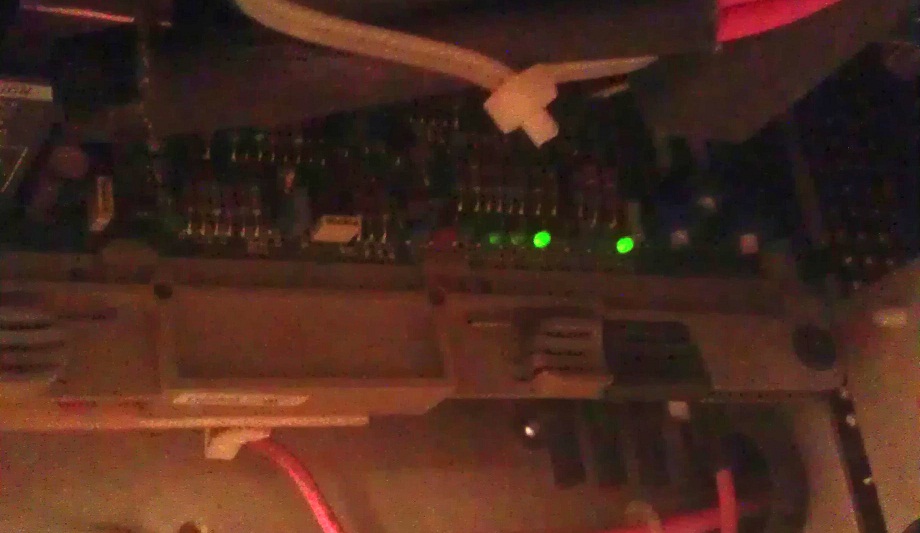
Looking to the G2+DIAGNOSTIC board I can see only few green leds are on for several seconds and then it's go off.
Is it the SMPS ?
Thanks.
| Description: |
|
| Filesize: |
115.06 KB |
| Viewed: |
3004 Time(s) |
|
Last edited by Rittberg on Fri Feb 10, 2012 12:32 am; edited 1 time in total
|
|
| Back to top |
|
 |
Curt Palme
CRT Tech
Joined: 08 Mar 2006
Posts: 24396
Location: Langley, BC
TV/Projector: All of them!
|
| Posted: Fri Feb 03, 2012 10:12 pm Post subject: |
|
|
|
Yes, most likely, unless there's a dead short in one of the modules that the SMPS powers.
|
|
| Back to top |
|
|
Rittberg
Guest
|
| Posted: Fri Feb 03, 2012 10:27 pm Post subject: |
|
|
| Curt Palme wrote: | | Yes, most likely, unless there's a dead short in one of the modules that the SMPS powers. |
Thanks, I have some spare modules, I checked/switched with my spare:
G2+DIAGNOSTIC
HORIZONTAL DEFLECTION
MAGNETIC FOCUS & HOR. SHIFT
But NO-GO
So we can say it is the SMPS or should I find locally & check another module just to be sure it is the SMPS ?
|
|
| Back to top |
|
|
Curt Palme
CRT Tech
Joined: 08 Mar 2006
Posts: 24396
Location: Langley, BC
TV/Projector: All of them!
|
| Posted: Fri Feb 03, 2012 10:28 pm Post subject: |
|
|
|
I'd swap the SMPS if you can. If not, I can repair it.
|
|
| Back to top |
|
|
Rittberg
Guest
|
| Posted: Fri Feb 10, 2012 1:17 am Post subject: |
|
|
I got an SMPS from a friend,
It works well for 2 days. Played with the menu everything looks fine.
today starting the PJ, I decide to calibrate the contrast & the brightness but the remote dost function. No dialog box on the screen.
Tried the remote on the back of the PJ - no dialog box of contrast or brightness.
I am able to use the upper side of the remote : STBY,ADJ,ENTER .......
Replaces nearly all the boards on the back side:
MAGNETIC FOCUS & HOR. SHIFT
HORIZONTAL DEFLECTION
SYNC & VERTICAL DEFLECTION
RGB Input & Switching & QUAD DECODER
RGB GAIN CONTROL
SM POWER SUPPLY 2 + G2
But no go.
Is there is a possibility that while going to the "Service Mode" or the "Installation Adjustment" in the Menu I disable the possibility to adjust the contrast and the brightness ?
Thanks for any idea.
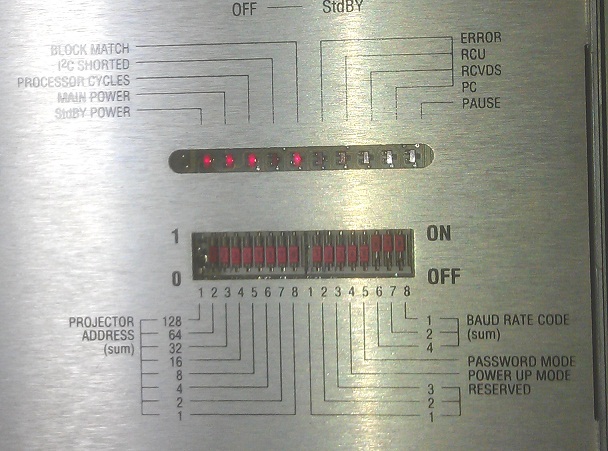
Attached is a picture of the controller board.
| Description: |
|
| Filesize: |
114.81 KB |
| Viewed: |
2915 Time(s) |
|
|
|
| Back to top |
|
|
Curt Palme
CRT Tech
Joined: 08 Mar 2006
Posts: 24396
Location: Langley, BC
TV/Projector: All of them!
|
| Posted: Fri Feb 10, 2012 2:17 am Post subject: |
|
|
|
OK the remote doesn't work, but do you still get a picture? If so, then press the 'addr' button on the remote and press 0,0,0. that will reset the remote to address 0. Also do the same on the wired remote on the projector itself. Also try changing the remote battery.
|
|
| Back to top |
|
|
Rittberg
Guest
|
| Posted: Fri Feb 10, 2012 6:01 am Post subject: |
|
|
Thanks,
Reset to 0.0.0. on both remotes.
The PJ is back in operation.
THANKS !
|
|
| Back to top |
|
|
opv
Joined: 18 May 2010
Posts: 202
Location: Emek Hefer,Israel
|
| Posted: Fri Feb 10, 2012 10:54 am Post subject: |
|
|
|
Great news.
|
|
| Back to top |
|
|
SPL800
Joined: 10 Nov 2009
Posts: 164
Location: Israel
|
| Posted: Mon Feb 13, 2012 7:03 am Post subject: . |
|
|
very great news

enjoy
|
|
| Back to top |
|
|
|
|




