Return to the CurtPalme.com main site CurtPalme.com Home Theater Forum
A forum with a sense of fun and community for Home Theater enthusiasts!
Products for Sale ] [ FAQ: Hooking it all up ] [ CRT Primer/FAQ ] [ Best/Worst CRT Projectors List ] [ Setup Tips & Manuals ] [ Advanced Procedures ] [ Newsletter ]
 
Blu-ray disc release list and must-have titles. Buy the latest and best Blu-ray titles to show off in your home theater!

 As this forum is rarely used anymore, we've locked it. Feel free to browse and read. Questions? Please reach out to us directly. Cheers! 

Seleco TV Remote Question.

 
This forum is locked: you cannot post, reply to, or edit topics.   This topic is locked: you cannot edit posts or make replies.    CurtPalme.com Forum Index -> Direct View Televisions and Monitors
Author Message
skippyar


Joined: 22 May 2009
Posts: 108
Location: Bristol, UK

Posted: Sun Oct 17, 2010 4:25 pm    Post subject: Seleco TV Remote Question.

Hi folks,


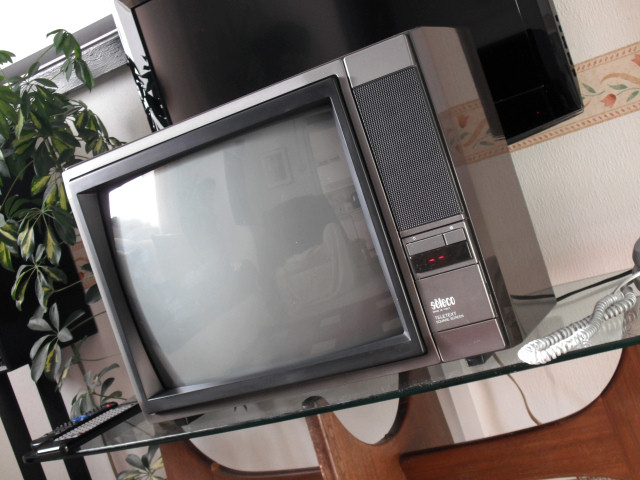
Wonder if someone could enlighten me. I have a little Seleco TV that seems to default to preset Colour | Brightness | Contrast parameters when switched ON/OFF or STANDBY.

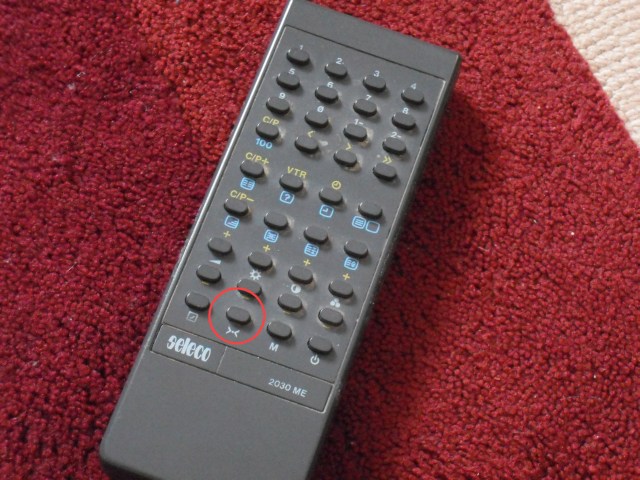
I've circled a button on the remote that when selected does the same. Anyone know how on earth you get it to retain your presets, driving me nuts AND the tube as the contrast is too high.

I figured it might be the M button (Memory) but I've tried pressing that and it doesn't work.

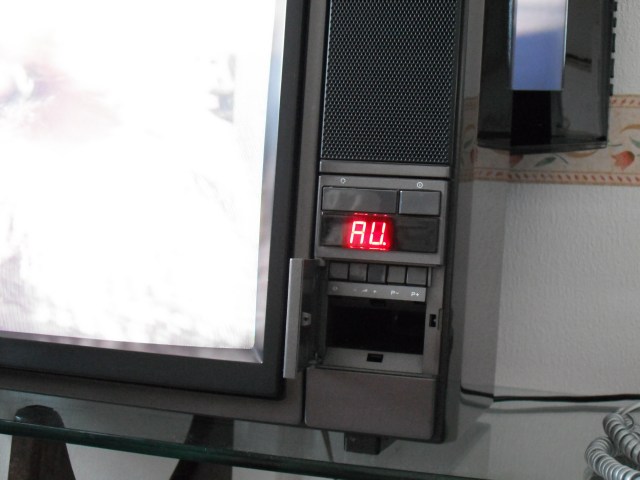
I've added some photos; there's nothing on the television itself.


Thanks in advance.

Paul.


Routers.jpg
 Description:
TV
 Filesize:  99.84 KB
 Viewed:  19 Time(s)

Routers.jpg


TV.jpg
 Description:
TV
 Filesize:  45.61 KB
 Viewed:  19 Time(s)

TV.jpg


TV 001.jpg
 Description:
Remote
 Filesize:  90.58 KB
 Viewed:  19 Time(s)

TV 001.jpg


_________________
Barco 500 Data Owner.
Back to top
View user's photo album (45 photos)
skippyar


Joined: 22 May 2009
Posts: 108
Location: Bristol, UK

Posted: Wed Oct 20, 2010 2:50 pm    Post subject:

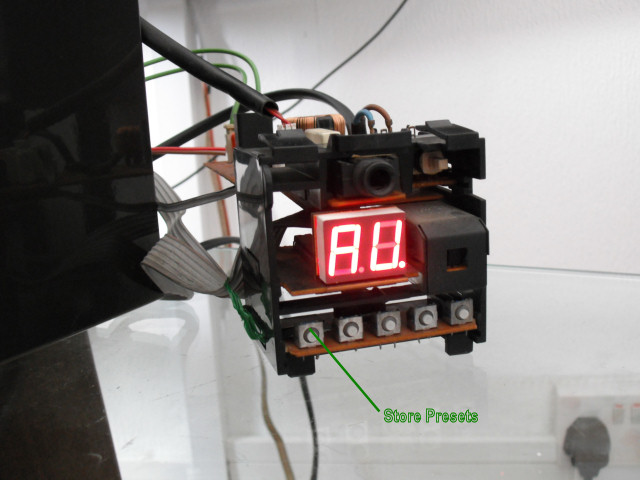
I've worked it out!! I'll post the answer just in case anyone else needs it Razz


The symbol >.< means return to defaulted presets. (Found on the remote)

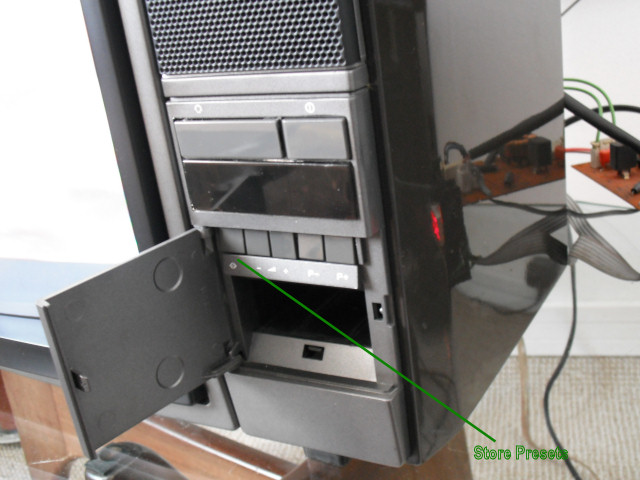
The symbol <.> means define the default presets. (Found on the TV)


Set the Colour | Brightness | Contrast and press <.> to store.


Problem I had was the button wasn't making the connection to the micro switch.


Rock n' Roll. Thumbs Up


SELECO 008.jpg
 Description:
The TV control face.
 Filesize:  87.16 KB
 Viewed:  15 Time(s)

SELECO 008.jpg


SELECO 007.jpg
 Description:
The control unit
 Filesize:  75.04 KB
 Viewed:  15 Time(s)

SELECO 007.jpg


_________________
Barco 500 Data Owner.
Back to top
View user's photo album (45 photos)
This forum is locked: you cannot post, reply to, or edit topics.   This topic is locked: you cannot edit posts or make replies.    CurtPalme.com Forum Index -> Direct View Televisions and Monitors All times are GMT
Page 1 of 1
You cannot post new topics in this forum
You cannot reply to topics in this forum
You cannot edit your posts in this forum
You cannot delete your posts in this forum
You cannot vote in polls in this forum
You cannot attach files in this forum
You can download files in this forum