| Author |
Message |
Arctic Dweller
Joined: 31 Oct 2009
Posts: 13
Location: CANADA
|
| Posted: Wed Sep 22, 2010 9:59 pm Post subject: SONY G70 horizontal luminescent line problem |
|
|
I've been running the SONY G70 at fH = 67.3 kHz, and fV = 59.8 Hz from the OPPO BDP-83.
For months everything has been perfect!
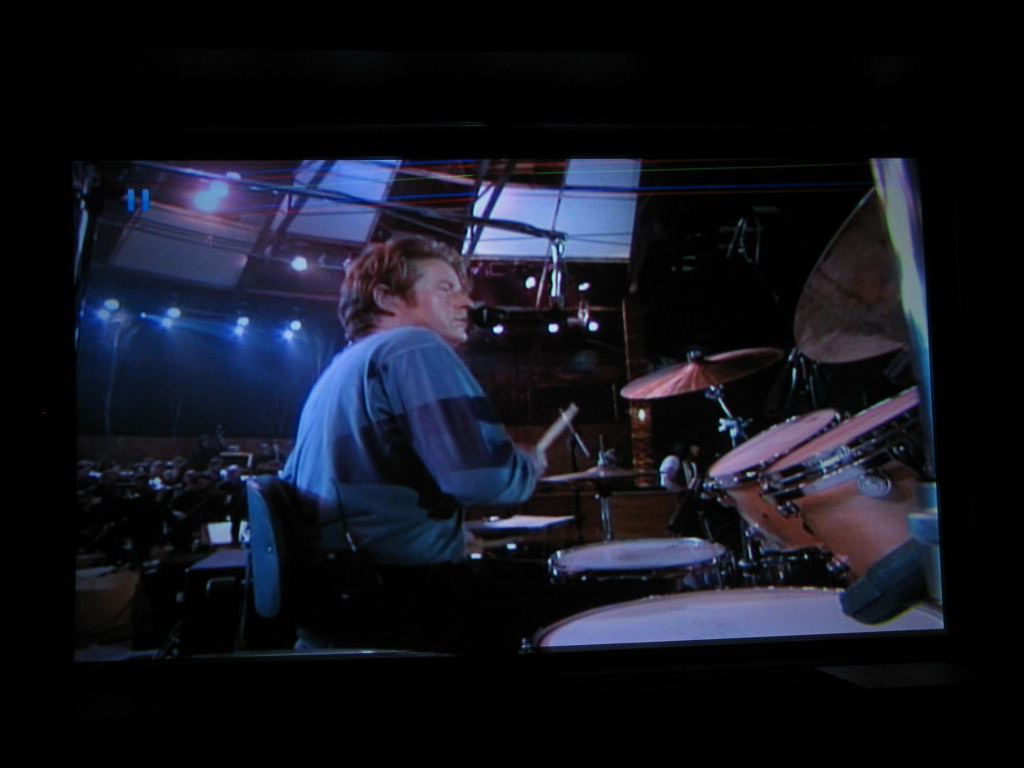
Just recently, I am seeing horizontal lines at the top of the picture (separate green, red, and blue lines). Depending on the background picture color, the lines become noticeably visible.
I turned ABG Mode to "OFF", but this did not eliminate the horizontal lines on top.
Any suggestions from the Experts out there?
Thanks, and May God Bless, John
|
|
| Back to top |
|
 |
Curt Palme
CRT Tech
Joined: 08 Mar 2006
Posts: 24396
Location: Langley, BC
TV/Projector: All of them!
|
| Posted: Wed Sep 22, 2010 10:20 pm Post subject: |
|
|
|
Post a pix?
|
|
| Back to top |
|
|
Arctic Dweller
Joined: 31 Oct 2009
Posts: 13
Location: CANADA
|
| Posted: Mon Sep 27, 2010 3:29 am Post subject: |
|
|
Problem Solved!
I had 'adjusted' the picture to better fit the screen for a particular movie I had watched.
I used the "SHIFT" button on the remote keypad in doing the adjustment. In shifting up, I over-shifted the picture which caused the color lines to appear on the top of the screen.
Once I shifted back down, the lines disappeared. All is well.
|
|
| Back to top |
|
|
Arctic Dweller
Joined: 31 Oct 2009
Posts: 13
Location: CANADA
|
| Posted: Mon Sep 27, 2010 3:34 am Post subject: Problem Fixed |
|
|
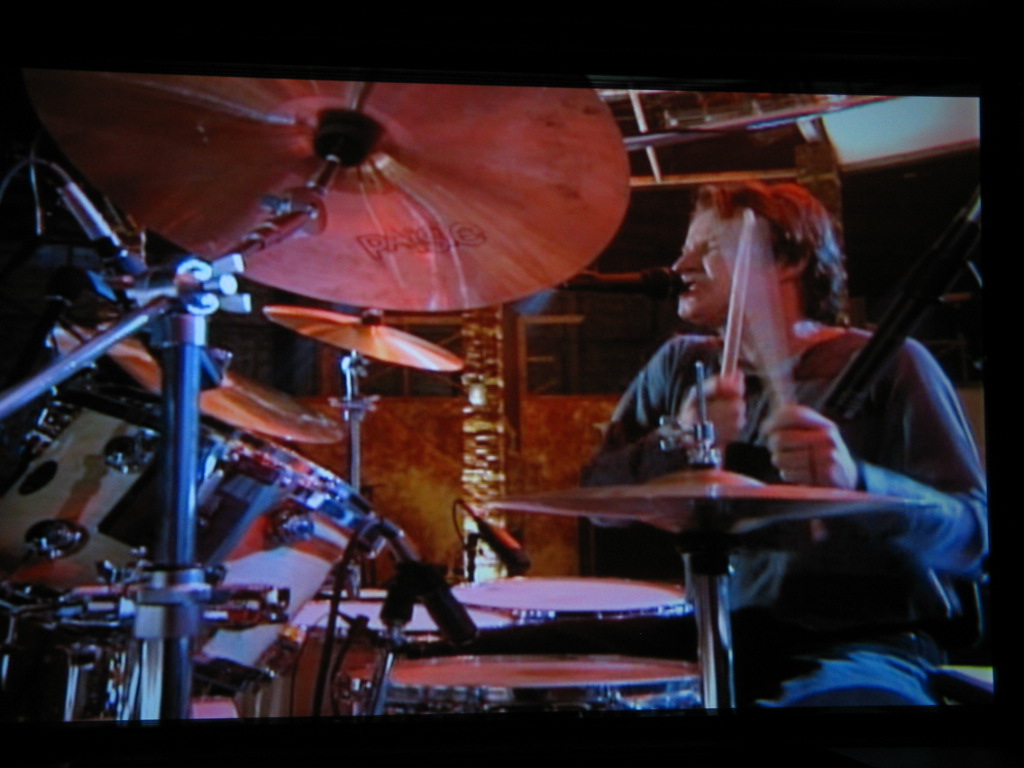
Here is one pic having over-shifted the picture; and a second pic after shifting back. Don Henley is happy again!
| Description: |
| Here is one pics having over-shifted the picture; and a second pic after shifting back. |
|
| Filesize: |
173.49 KB |
| Viewed: |
2622 Time(s) |
|
|
|
| Back to top |
|
|
Arctic Dweller
Joined: 31 Oct 2009
Posts: 13
Location: CANADA
|
| Posted: Mon Sep 27, 2010 3:36 am Post subject: Picture with the Color Lines On Top |
|
|
Here is the pic with the color lines on top, having over-shifted the picture.
| Description: |
|
| Filesize: |
123.61 KB |
| Viewed: |
2619 Time(s) |
|
|
|
| Back to top |
|
|
AnalogRocks
Forum Moderator

Joined: 08 Mar 2006
Posts: 26706
Location: Toronto, Ontario, Canada
TV/Projector: Sony 1252Q, AMPRO 4000G
|
| Posted: Mon Sep 27, 2010 7:21 am Post subject: |
|
|
adjust your top blanking
_________________
Tech support for nothing
CRT.
HD done right!
|
|
| Back to top |
|
|
AFryia

Joined: 09 Mar 2006
Posts: 965
Location: S.E. Michigan VPH-G70Q
|
| Posted: Tue Sep 28, 2010 11:13 pm Post subject: |
|
|
I don't know if the term is correct but it looks like the image is about to "fold over". Try adjusting you vertical shift, porch size.
_________________
My Volt Blog
|
|
| Back to top |
|
|
perisoft

Joined: 29 Aug 2007
Posts: 2920
Location: Ithaca, NY
|
| Posted: Fri Oct 01, 2010 1:18 am Post subject: |
|
|
If you have to adjust the shift on your PJ depending on media, something is severely wrong with your setup, probably at the source level.
_________________

|
|
| Back to top |
|
|
|
|




