|
As this forum is rarely used anymore, we've locked it. Feel free to browse and read. Questions? Please reach out to us directly. Cheers! |

|
 |
|
|
| Author |
Message |
wallace123456

Joined: 14 Aug 2006
Posts: 2236
Location: Northwest VA area
|
| Posted: Thu Jun 17, 2010 2:16 am Post subject: How do I stream audio from PC to PS3??? |
|
|
I think it is just me, but I am having one hellava time trying to stream audio from this new laptop running windows 7 to me PS3. I have never set-up any type streaming before, so it is all a new adventure for me.
Any thoughts or links to help me?
thanks.
wallace
_________________
Life Is Good, But BBQ Is Better! BBQ Competition Team
|
|
| Back to top |
|
 |
emdawgz1

Joined: 14 Mar 2006
Posts: 7949
|
|
| Back to top |
|
|
wallace123456
Joined: 14 Aug 2006
Posts: 2236
Location: Northwest VA area
|
| Posted: Fri Jun 18, 2010 12:56 am Post subject: |
|
|
Thanks Big Dawg, er, I mean emdawgz...... 
I'll give it a try.
wallace
_________________
Life Is Good, But BBQ Is Better! BBQ Competition Team
|
|
| Back to top |
|
|
JustGreg

Joined: 07 Mar 2006
Posts: 3098
Location: Kenosha, WI
|
| Posted: Fri Jun 18, 2010 4:46 am Post subject: |
|
|
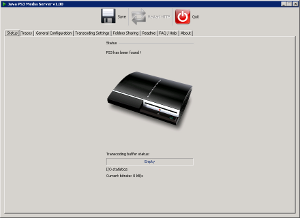
PS3 Media Server http://ps3mediaserver.blogspot.com/ is a DLNA compliant program. It's interface is plain yet fully functional, unlike MP11, but then again who needs more than simple file locations to carry out streaming functions? All the fluff of MP11 is lost as it isn't transfered to the PS3 yet detracts from available PC resources all the same. PS3 Media Server also supports Xbox 360.
I tried and discarded several PS3 media servers before settling on PS3 Media Server. It's not a very catchy name but the price is right, and it doesn't try to integrate itself with the central nervous system of your PC. eg, it can handle every file type supported by the PS3 as well as perform transcoding and remuxing without unnecessary registry entanglements. It works with as small an overhead footprint as it can get by with.
As far as intranet hardware, I don't have one of these yet but the NETGEAR DG834GT router has won some (official?) head to head competitions for best wireless transfers (for this application) and is on my GonnaGetList. The LinkSys WRT54G I have isn't going to cut it in the long run but is sufficient for most everything I'm doing right now.
This from the PS3 Media Server Forum: http://ps3mediaserver.org/forum/viewtopic.php?f=2&t=6917
raptir wrote:
I've been able to stream 1080p video with my laptop connected via a wired connection and my PS3 connected over Wireless G with a WRT54G. As long as you're only going in one direction wirelessly, 1080p video can be transferred fine. 1080p mkvs are rarely more that 10mbps, which a wireless G router can handle with no stuttering.
Re: Wireless 1080p
by meskibob (Moderator)» Thu Jun 17, 2010 5:28 am ....only if you can stream or just remux the file, and even then it's not that "rare" to have sections of a 1080P AVC/VC-1 video go well above 15mbps, even though the overall bitrate is lower. In addition, any sort of transcoding (subtitles, incompatible video, applying filters, etc) shoots way above that due to MPEG2 instead of one of the HD codecs.
It's simple and intuitive. It may not have the fluff of the others (TVersity was 'OK' but a resource glutton), yet it has the biggest development team of most of the others combined...the WWW. 
| Description: |
| Short and sweet yet full featured. |
|
| Filesize: |
18.41 KB |
| Viewed: |
8383 Time(s) |
|
_________________
Greg
"Is it ignorance or apathy? Hey, I don't know and I don't care!" --Jimmy Buffett
|
|
| Back to top |
|
|
emdawgz1
Joined: 14 Mar 2006
Posts: 7949
|
| Posted: Fri Jun 18, 2010 3:59 pm Post subject: |
|
|
What am i missing??
WMP11 is not fully functional? It has a lot of fluff???
Where? How??
Enlighten me. 
_________________
Follow my blog
www.thesinglebrother.com
|
|
| Back to top |
|
|
JustGreg
Joined: 07 Mar 2006
Posts: 3098
Location: Kenosha, WI
|
| Posted: Fri Jun 18, 2010 9:05 pm Post subject: |
|
|
WMP is popular because of one simple fact...it's built into all Windows OS's. I'm not saying it isn't functional, but is it THE best? I don't think so. But like most things, it's all about personal preferences. I use PS3 Media Server for down and dirty streaming of PC content and TVersity for streaming internet content such as YouTube, etc.
In support of my choice I offer this from techradar.com:
1. Windows Media Player 11/12 - Free
"Windows' native music/video playback app is about the closest you'll ever get to running Microsoft software on a Sony console. The PS3 might be denied the glossy interface of Windows Media Center, but it can access anything WMP's sharing over a home network. The plus side is that Windows Media Player is essentially built into Windows, so if you already use it to manage a media library there's a minimum of setup required. The downside is, well, everything else. Limited categorisation options make navigating a large library a hateful business, there's no on-the-fly re-encoding of unsupported files and, in that typically Windows way, there's far too many button pushes and requests for permission necessary for setup."
Read more: http://www.techradar.com/news/gaming/consoles/5-best-playstation-3-media-streaming-apps-669073#ixzz0rExaYCxL
2. TVersity - Free
"The most elegant app of the lot. Essentially, TVersity is a super-charged, less restrictive alternative to Windows Media Player's streaming tool. It still requires manual or automatic refreshing of your media library to stay up to date, but brilliantly it enables you to browse it more logically at the PS3's end. Exploring by Date Added sounds so simple, so obvious a thing, but it makes all the difference if you're regularly adding new media to your PC. It also allows you to add various web media feeds such as Youtube channels, Flickr, even the bounteous Hulu (if you're a US resident) or anything you can provide an RSS feed for. Better still, it's capable of some on-the-fly transcoding of unsupported files; there's a drop in quality, but the important thing is it still starts playing at the click of a Sixaxis button."
Read more: http://www.techradar.com/news/gaming/consoles/5-best-playstation-3-media-streaming-apps-669073#ixzz0rExaYCxL
3. PS3 Media Server - Free
"While TVersity's the slickest streamer, it could be accused of being a little bloated - a charge you can't level at this strikingly powerful Java-based tool. PS3 Media Server doesn't need to install any codecs, it's a small, fast-loading app, and best of all it doesn't need to refresh a database to keep your PS3 up to speed with what media files you've got. Instead, it lets the console directly browse any folders you've specified, as if you'd just plugged in a USB drive - it'll even make ZIP and RAR archives browsable via the console. It also offers best-in-show transcoding - as long as your CPU and network connection is fast enough, it'll convert anything you throw at it to PS3-friendly formats on the fly. Alas, it's really not a pretty piece of software at the PC end, and is so loaded with tech jargon and ludicrously specific settings that relative tech novices may struggle to get it to do what they need it to."
Read more: http://www.techradar.com/news/gaming/consoles/5-best-playstation-3-media-streaming-apps-669073#ixzz0rExaYCxL
WMP, IMO, is carved in stone. It won't evolve again until there's a major changes in the capabilities and number of formats it currently supports whereas the DLNA versions are always evolving.
To think M$ pumped out a future proofed best of the best streaming media server while attempting to get the module ready for a time sensitive rollout of an OS is, well, let's just say that dog don't hunt.
_________________
Greg
"Is it ignorance or apathy? Hey, I don't know and I don't care!" --Jimmy Buffett
Last edited by JustGreg on Sun Jun 20, 2010 8:00 am; edited 2 times in total
|
|
| Back to top |
|
|
wallace123456
Joined: 14 Aug 2006
Posts: 2236
Location: Northwest VA area
|
| Posted: Sat Jun 19, 2010 2:29 am Post subject: |
|
|
Ok, I have no idea what happened, but everything works great now. I tried streaming from a desktop running xp. Worked great. PS3 found all the files and played no problem. 
So, I hooked up the new laptop running windows 7, and botta-bing! Works great from that as well. 
Oh well...
Keep the thread going as I am finding the stuff you guys are posting about very good reading!
wallace
_________________
Life Is Good, But BBQ Is Better! BBQ Competition Team
|
|
| Back to top |
|
|
|
|
|
|
|
You cannot post new topics in this forum
You cannot reply to topics in this forum
You cannot edit your posts in this forum
You cannot delete your posts in this forum
You cannot vote in polls in this forum
You cannot attach files in this forum
You can download files in this forum
|
Forum powered by phpBB © phpBB Group
|
|




