| Author |
Message |
deewaan1
Joined: 06 Apr 2008
Posts: 68
|
| Posted: Thu Nov 26, 2009 4:09 am Post subject: |
|
|
| Nashou66 wrote: | Check the HV lead on the blue tube, any leaks possibly?
Athanasios |
I'll check it out tomorrow and let you know. Thanks.
|
|
| Back to top |
|
 |
Nashou66

Joined: 12 Jan 2007
Posts: 16171
Location: West Seneca NY
|
|
| Back to top |
|
|
macgyver655
Joined: 22 Aug 2007
Posts: 8508
|
| Posted: Thu Nov 26, 2009 4:28 am Post subject: |
|
|
| deewaan1 wrote: | | Not sure what you mean by mute the pic. |
What I mean is if you turn off one of the tubes with the remote, do you loose the image and the shadow or just the image, on that 1 tube?
|
|
| Back to top |
|
|
macgyver655
Joined: 22 Aug 2007
Posts: 8508
|
| Posted: Thu Nov 26, 2009 4:34 am Post subject: |
|
|
As far as your new problem, I would switch back to the original splitter. If still bright with retrace lines then check your neck board for looseness, or bent pin on tube, or G2 wire. Also check your G2 setting in case it freaked out and turned it up full blast. Other wise you may have a tube problem.
You may have to try swapping neckboards to verify if the above doesn't solve it. It would be hard to continue until the bright tube problem is fixed.
I'm sure if you turn off the blue tube now it is still bright?
Last edited by macgyver655 on Thu Nov 26, 2009 4:48 am; edited 1 time in total
|
|
| Back to top |
|
|
macgyver655
Joined: 22 Aug 2007
Posts: 8508
|
| Posted: Thu Nov 26, 2009 4:46 am Post subject: |
|
|
Two more things for you if you get that bright blue tube taken care of.
1: When you tried the CLM swap did it have its own DPB or did you swap the one from the original CLM?
2: Try reversing the horz scan of just 1 tube. You choose the color which is most noticeable. Now with the image reversed, is the shadow on the same side that it was before or on the opposite side as if it followed the image change?
|
|
| Back to top |
|
|
deewaan1
Joined: 06 Apr 2008
Posts: 68
|
| Posted: Mon Nov 30, 2009 10:59 pm Post subject: |
|
|
Ok here are some pics. The green tube is now fine. The red tube isn't as bad and the blue tube is still the same. I checked the HV lines and they all look good. The blue tube had gone to full bright. I reduced the G2 back to normal and it looks good now as far as brightness and I can control the brightness and contrast throught the remote now. Sorry pics aren't the best.
Blue tube with video
 
Blue tube with blanking on full right and conv grid
 
Blue tube closer look at top corner
 
Green tube with blanking and conv grid
 
Red tube still has line but not as bad as blue
 
Last edited by deewaan1 on Mon Nov 30, 2009 11:20 pm; edited 6 times in total
|
|
| Back to top |
|
|
Nashou66
Joined: 12 Jan 2007
Posts: 16171
Location: West Seneca NY
|
| Posted: Mon Nov 30, 2009 11:06 pm Post subject: |
|
|
| macgyver655 wrote: | Two more things for you if you get that bright blue tube taken care of.
1: When you tried the CLM swap did it have its own DPB or did you swap the one from the original CLM?
2: Try reversing the horz scan of just 1 tube. You choose the color which is most noticeable. Now with the image reversed, is the shadow on the same side that it was before or on the opposite side as if it followed the image change? |
Deewan you still need to answer mac questions above.
Athanasios
_________________
Don't blame your underwear for your crooked ass~ unknown Greek philosopher
"Republicans believe every day is the Fourth of July, but the Democrats believe every day is April 15." --- President Reagan
One Smart Dog!!!
Marquee High Performance Bellows now shipping!!
Marquee Modifications and Performance Enhancement
Marquee C-element and Bellow removal
|
|
| Back to top |
|
|
deewaan1
Joined: 06 Apr 2008
Posts: 68
|
| Posted: Mon Nov 30, 2009 11:18 pm Post subject: |
|
|
| Nashou66 wrote: | | macgyver655 wrote: | Two more things for you if you get that bright blue tube taken care of.
1: When you tried the CLM swap did it have its own DPB or did you swap the one from the original CLM?
2: Try reversing the horz scan of just 1 tube. You choose the color which is most noticeable. Now with the image reversed, is the shadow on the same side that it was before or on the opposite side as if it followed the image change? |
Deewan you still need to answer mac questions above.
Athanasios |
When I swapped the CLM it was from another PJ with it's own DPB. Haven't tried reversing the horizontal scan yet. Free time is a minimum right now. Will try this and let you know.
|
|
| Back to top |
|
|
Mr. Green

Joined: 23 Feb 2007
Posts: 1394
Location: Calgary
TV/Projector: Marquee 9501LC / NEC 9PG+
|
| Posted: Mon Nov 30, 2009 11:31 pm Post subject: |
|
|
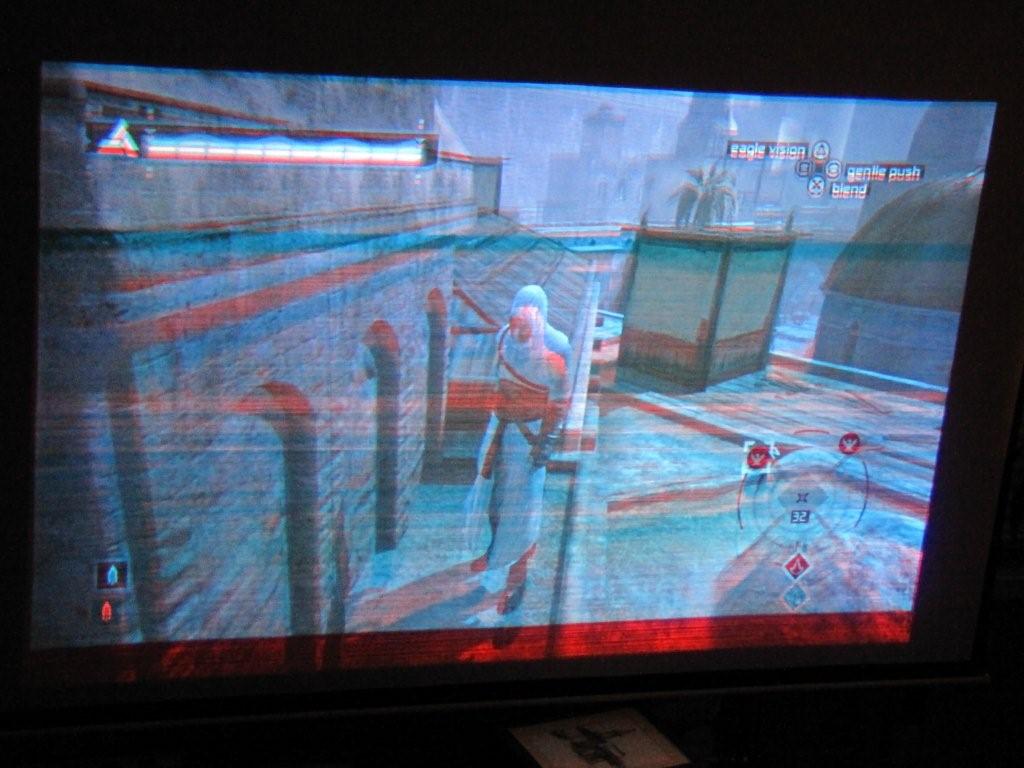
I cant quite tell by the pictures, but does the image look like this...?
Red channel on vertical board was messed. Curt fixed it.
| Description: |
|
| Filesize: |
94.49 KB |
| Viewed: |
5669 Time(s) |
|
_________________
You can be young only once but, you can be immature forever.
Current Projector Marquee9501LC with PS3 (BLu-Ray) at 1080P LOVE IT! Screen is an Elunevision 120" 4:3 (2.4 gain - no hotspots). (also own a NEC 9PG+)
|
|
| Back to top |
|
|
macgyver655
Joined: 22 Aug 2007
Posts: 8508
|
| Posted: Tue Dec 01, 2009 12:34 am Post subject: |
|
|
|
That blue G2 still looks cranked way up, or is it I'm not seeing that pic correctly?
|
|
| Back to top |
|
|
Mr. Green
Joined: 23 Feb 2007
Posts: 1394
Location: Calgary
TV/Projector: Marquee 9501LC / NEC 9PG+
|
| Posted: Tue Dec 01, 2009 1:37 am Post subject: |
|
|
For ease of viewing I shut the Green off so Curt could see the blue as a reference withou overpowering the red issue.
_________________
You can be young only once but, you can be immature forever.
Current Projector Marquee9501LC with PS3 (BLu-Ray) at 1080P LOVE IT! Screen is an Elunevision 120" 4:3 (2.4 gain - no hotspots). (also own a NEC 9PG+)
|
|
| Back to top |
|
|
deewaan1
Joined: 06 Apr 2008
Posts: 68
|
| Posted: Tue Dec 01, 2009 1:39 am Post subject: |
|
|
| Mr. Green wrote: | I cant quite tell by the pictures, but does the image look like this...?
Red channel on vertical board was messed. Curt fixed it. |
No. Picture didn't look like that. The picture was perfect except for the line through the image. The only way I could see a problem was when looking into the tubes.
|
|
| Back to top |
|
|
Nashou66
Joined: 12 Jan 2007
Posts: 16171
Location: West Seneca NY
|
| Posted: Tue Dec 01, 2009 1:44 am Post subject: |
|
|
For one, it looks like the rater on the blue and red are folding over, can you un-blank the Green all the way and snap a shot of it ? does it do the same thing?
I agree with Mac that the blue G2 looks high but also look at the scan lines on the blue, they are straight near the edge then get wiggly towards the center. I never saw that before.
I think it has something to to with the HDM but since he swapped out boards id say it could be the mother boards connector for the HDM.
Athanasios
_________________
Don't blame your underwear for your crooked ass~ unknown Greek philosopher
"Republicans believe every day is the Fourth of July, but the Democrats believe every day is April 15." --- President Reagan
One Smart Dog!!!
Marquee High Performance Bellows now shipping!!
Marquee Modifications and Performance Enhancement
Marquee C-element and Bellow removal
|
|
| Back to top |
|
|
deewaan1
Joined: 06 Apr 2008
Posts: 68
|
| Posted: Tue Dec 01, 2009 2:04 am Post subject: |
|
|
| macgyver655 wrote: | Two more things for you if you get that bright blue tube taken care of.
1: When you tried the CLM swap did it have its own DPB or did you swap the one from the original CLM?
2: Try reversing the horz scan of just 1 tube. You choose the color which is most noticeable. Now with the image reversed, is the shadow on the same side that it was before or on the opposite side as if it followed the image change? |
With the Horizontal scan reversed the shadow as you call it moves to the other side.
|
|
| Back to top |
|
|
deewaan1
Joined: 06 Apr 2008
Posts: 68
|
| Posted: Tue Dec 01, 2009 2:10 am Post subject: |
|
|
| Nashou66 wrote: | For one, it looks like the rater on the blue and red are folding over, can you un-blank the Green all the way and snap a shot of it ? does it do the same thing?
I agree with Mac that the blue G2 looks high but also look at the scan lines on the blue, they are straight near the edge then get wiggly towards the center. I never saw that before.
I think it has something to to with the HDM but since he swapped out boards id say it could be the mother boards connector for the HDM.
Athanasios |
The wiggly lines you are talking about are created by the camera I'm thinking. They are not like that on the CRT. I will try playing with the camera settings to get a better pic. I will take more pics of all three tubes. The G2 is cranked down but I will look at adjsuting that too. I am thinking about taking out the motherboard and checking it out. Don't have another to swap in though.
|
|
| Back to top |
|
|
macgyver655
Joined: 22 Aug 2007
Posts: 8508
|
| Posted: Tue Dec 01, 2009 2:54 am Post subject: |
|
|
You didnt answer the one where (does the shadow on the blue disappear when you turn off the blue tube)?
Now you said the green looks fine now so try swapping the video lines to the neckboards between the blue and green and see it the lines stay or move.
If no change, does the width of the shadow change if you adjust phase.
Have you tried changing the settings for sync, clamp and retrace in the menu?
|
|
| Back to top |
|
|
deewaan1
Joined: 06 Apr 2008
Posts: 68
|
| Posted: Tue Dec 01, 2009 11:27 pm Post subject: |
|
|
| macgyver655 wrote: | You didnt answer the one where (does the shadow on the blue disappear when you turn off the blue tube)?
Now you said the green looks fine now so try swapping the video lines to the neckboards between the blue and green and see it the lines stay or move.
If no change, does the width of the shadow change if you adjust phase.
Have you tried changing the settings for sync, clamp and retrace in the menu? |
Yes when the blue tube is off the shadow is gone. The green actually is still doing the same thing. I had the contrast turned way down so I can look into the tubes and with the contrast down I couldn't see the shadow in the green tube. But with contrast up it is there. No change to it when adjusting the phase. And sync clamp and retrace have no effect on it either. Here are the best pics I can take with my camera.


|
|
| Back to top |
|
|
macgyver655
Joined: 22 Aug 2007
Posts: 8508
|
| Posted: Tue Dec 01, 2009 11:47 pm Post subject: |
|
|
|
Alright, Am I missing something with these Marquees? Isn't the background suppose to be black. Every grid image I've ever seen, the grid is strong and the background is black. Unless the G2 or brightness is cranked up.
|
|
| Back to top |
|
|
Nashou66
Joined: 12 Jan 2007
Posts: 16171
Location: West Seneca NY
|
| Posted: Wed Dec 02, 2009 1:40 am Post subject: |
|
|
| macgyver655 wrote: | | Alright, Am I missing something with these Marquees? Isn't the background suppose to be black. Every grid image I've ever seen, the grid is strong and the background is black. Unless the G2 or brightness is cranked up. |
Your right mac, with the grid showing no raster should be lit up. unless he is raising G2 to show us the issue.
But when i ramp up G2 I never see the fold over like that. its almost like he has a run away raster and its reflecting back onto the tube face from the side of the bell housing. What I mean is the raster is scanning the sides of the tube and somehoe reflecting back onto it.
What happens if you make the raster very small like put H size to 0?
Athanasios
_________________
Don't blame your underwear for your crooked ass~ unknown Greek philosopher
"Republicans believe every day is the Fourth of July, but the Democrats believe every day is April 15." --- President Reagan
One Smart Dog!!!
Marquee High Performance Bellows now shipping!!
Marquee Modifications and Performance Enhancement
Marquee C-element and Bellow removal
|
|
| Back to top |
|
|
macgyver655
Joined: 22 Aug 2007
Posts: 8508
|
| Posted: Wed Dec 02, 2009 1:45 am Post subject: |
|
|
| Nashou66 wrote: | | macgyver655 wrote: | | Alright, Am I missing something with these Marquees? Isn't the background suppose to be black. Every grid image I've ever seen, the grid is strong and the background is black. Unless the G2 or brightness is cranked up. |
Your right mac, with the grid showing no raster should be lit up. unless he is raising G2 to show us the issue.
But when i ramp up G2 I never see the fold over like that. its almost like he has a run away raster and its reflecting back onto the tube face from the side of the bell housing. What I mean is the raster is scanning the sides of the tube and somehoe reflecting back onto it.
What happens if you make the raster very small like put H size to 0?
Athanasios |
Exactly, the raster is reflecting off the tube edge, which could be normal when G2 is to high. If normal G2 has no shadow then there is nothing wrong.
|
|
| Back to top |
|
|
|
|





