| Author |
Message |
Mr. Green

Joined: 23 Feb 2007
Posts: 1394
Location: Calgary
TV/Projector: Marquee 9501LC / NEC 9PG+
|
| Posted: Tue May 12, 2009 11:56 pm Post subject: |
|
|
| Nashou66 wrote: | my LCD monitor must suck cause I cant see the bands your trying to emulate.
Athanasios |
Really? Wow, it's like battleship grey vs. white. I was going to say it was a pretty extreme example. That's what it looks like alright. As everyone said hard to notice except in a all white screen or say a plane dogfight with lots of clouds.
Given, it was my machine Curt tweaked and he showed us the difference. He managed to get it pretty much gone. I can see it, but it's no more distracting than the wear pattern on the tubes. Which isn't much.
_________________
You can be young only once but, you can be immature forever.
Current Projector Marquee9501LC with PS3 (BLu-Ray) at 1080P LOVE IT! Screen is an Elunevision 120" 4:3 (2.4 gain - no hotspots). (also own a NEC 9PG+)
|
|
| Back to top |
|
 |
garyfritz

Joined: 08 Apr 2006
Posts: 12088
Location: Fort Collins, CO
|
| Posted: Wed May 13, 2009 1:14 am Post subject: |
|
|
|
Athanasios, if you can't see the bands, then probably your contrast is set too high and your monitor is blowing out the whites. The top 1/4 is 242/242/242, the 1/4 just below the midline is 240/240/240, and the other two 1/4's are 255/255/255. Try looking at the monitor from slightly different angles -- that changes the highlights that you see.
|
|
| Back to top |
|
|
Spanky Ham

Joined: 22 Mar 2006
Posts: 5643
Location: Comedy Central
|
| Posted: Mon May 18, 2009 12:57 am Post subject: |
|
|
|
I am sure Scott has seen this, but I guess he hasn't achieved a solution yet. I know he has been working on fixing the banding problem with point for a while now. The last time I spoke to him he said he thought he was close to a fix.
|
|
| Back to top |
|
|
Gino

Joined: 22 Apr 2006
Posts: 1363
Location: Trinity Beach, AUSTRALIA
|
| Posted: Mon May 25, 2009 2:42 am Post subject: |
|
|
| Nashou66 wrote: | | I have always did the magnetics as best as possible , then used the online guide for mechanical set up. After i do that i forgo the geometry and go straight to convergence of all colors with no geometry. Then i do the convergence on Green(interpolated) |
I take a completely different approach to this as you would have seen when I was at your place Andres. I do everything I possibly can to get geometry correct without the use of green convergence. You want to make sure that your magnetics are perfect first to make sure your planes are perfect horizontal and vertical. I use pin and skew for the edges, but I try not to overuse it. I do avoid Bow based on everyones recommendations, but if I do use it I make sure it's just 1 or 2 clicks at most. My main tools to get geometry right are the C and S linearity controls. Remember Andres? You need to note that these controls interact with each other, but if you can learn how these interact, you can get geometry dialed in 90% at least. You saw me do it to both your projectors. It was pretty spot on almost on top of your digital projector without touching green convergence. After that, I use green convergence to get everything perfect to 100% and guess what, no banding whatsoever. I've done 8 setups using this method and not a sign of banding on any of them. Not once did I feel the need to check for banding either during green convergence, because I knew my green convergence adjustments were minimal.
The other thing you need to note is that even if you can get your green grid with perfect geometry, if your red and blue tubes aren't setup very well, when you converge those colours to the green grid, they can cause banding... so make sure that you have magnetics setup perfectly for them before hand, and then make sure you have your toe-in setup right with your vertical size in the service menu and the horizontal width slug on the hdm setup right too, so when you do your interpolated convergence for red/blue on green, these will also have minimal adjustments and no banding.
_________________
( B ) ( G ) ( R ) Blendzilla Down Under ( R ) ( G ) ( B ) - Tubes of Fury
|
|
| Back to top |
|
|
garyfritz
Joined: 08 Apr 2006
Posts: 12088
Location: Fort Collins, CO
|
| Posted: Mon May 25, 2009 3:10 am Post subject: |
|
|
Hm, OK. Get geometry as good as possible with pin / skew / C & S linearity, THEN nail the geometry with green convergence, then converge R & B to green?
Honestly I have never figured out exactly what C and S lin do.  I mean I know, but I don't really "get" it intuitively without checking the manual. As a result I tend not to use them, and I probably end up using green convergence a lot more than you do. (What do the C and S stand for, anyway??) I mean I know, but I don't really "get" it intuitively without checking the manual. As a result I tend not to use them, and I probably end up using green convergence a lot more than you do. (What do the C and S stand for, anyway??)
Sometime when I have nothing better to do maybe I'll start it from scratch and try again. But right now the banding is only just barely noticeable on an all-white field if you're looking for it, and my setup is good enough to just barely show 1on/1off 1080p, so I'm not eager to jump in there and start it over again...
|
|
| Back to top |
|
|
Nashou66

Joined: 12 Jan 2007
Posts: 16171
Location: West Seneca NY
|
| Posted: Mon May 25, 2009 7:56 am Post subject: |
|
|
Gino, your way does work well, I also spend lots of time with S and C linearity doing it my way , And it is true once you realize how they interact it makes it much easier.
However I think it is the C and S linearity vertical that add the banding as they do change the distance of the scan lines( In the center sections and then overlapping some and the outer sections) So they stretch the lines or squeeze them and if you squeeze the lines in the areas that C and s linearity overlap
you risk banding. However When I return fom my holidays i want to revisit your method once more , because before when i tried i did not fully understand
C and S linearity till after I did it my way a few times.
Athanasios
_________________
Don't blame your underwear for your crooked ass~ unknown Greek philosopher
"Republicans believe every day is the Fourth of July, but the Democrats believe every day is April 15." --- President Reagan
One Smart Dog!!!
Marquee High Performance Bellows now shipping!!
Marquee Modifications and Performance Enhancement
Marquee C-element and Bellow removal
|
|
| Back to top |
|
|
Gino
Joined: 22 Apr 2006
Posts: 1363
Location: Trinity Beach, AUSTRALIA
|
| Posted: Mon May 25, 2009 8:08 am Post subject: |
|
|
| Nashou66 wrote: | | So they stretch the lines or squeeze them and if you squeeze the lines in the areas that C and s linearity overlap you risk banding |
Can you explain this part further? I don't understand how they overlap?
What I forgot to add here, is you want to play with C Lin, S Lin and Green Convergence centre only, playing with these 3 controls should allow you to get things very very close without introducing banding and only needing minimal adjustments in the other convergence zones.
I should have taken a video of myself doing it at Andres' place so you could see how easy it was to achieve with a digital projector as your guide. Andres was pretty amazed.
_________________
( B ) ( G ) ( R ) Blendzilla Down Under ( R ) ( G ) ( B ) - Tubes of Fury
|
|
| Back to top |
|
|
antorsae
Joined: 16 Jul 2006
Posts: 297
|
| Posted: Mon May 25, 2009 9:32 am Post subject: |
|
|
I remember Gino.
One observation: As I was testing one of my PJs I disconnected the converge cables & stig from the tubes (for a different reason). The side effect of this is that if you do this you are effectively zeroing convergence and you get to see which of the GEOM functions is controlled using convergence and which ones don't (most don't). I think banding is a sideeffect of the geometry controls in the marquee not being able to account for all the corrections done using all different functions (all geometry, convergence, focus, etc.) and at some point there is a either a sampling error or those corrections are done within the different zones and the errors are not carried out to the next (vertical) zone.
Scott?
|
|
| Back to top |
|
|
Gino
Joined: 22 Apr 2006
Posts: 1363
Location: Trinity Beach, AUSTRALIA
|
| Posted: Mon May 25, 2009 9:37 am Post subject: |
|
|
| antorsae wrote: | | I think banding is a sideeffect of the geometry controls in the marquee not being able to account for all the corrections done using all different functions |
But why then do you normally introduce banding when you begin to use the green convergence controls?
_________________
( B ) ( G ) ( R ) Blendzilla Down Under ( R ) ( G ) ( B ) - Tubes of Fury
|
|
| Back to top |
|
|
Nashou66
Joined: 12 Jan 2007
Posts: 16171
Location: West Seneca NY
|
| Posted: Mon May 25, 2009 10:00 am Post subject: |
|
|
| Gino wrote: | | Nashou66 wrote: | | So they stretch the lines or squeeze them and if you squeeze the lines in the areas that C and s linearity overlap you risk banding |
Can you explain this part further? I don't understand how they overlap?
What I forgot to add here, is you want to play with C Lin, S Lin and Green Convergence centre only, playing with these 3 controls should allow you to get things very very close without introducing banding and only needing minimal adjustments in the other convergence zones.
I should have taken a video of myself doing it at Andres' place so you could see how easy it was to achieve with a digital projector as your guide. Andres was pretty amazed. |
Hmm let me try, I might be wrong but from what i see i will try to explain.
The C Lin Vertical control's mostly the center section of the screen say the center 1/3 BUT it also has some affect on the rest
of the screen. Now the S Lin vertical Controls mostly the outer edges of the screen so say the outer 1/3 BUT also has some affect on the center of the screen the parts that describe as SOME AFFECT is the overlapped area. This is my theory
and not sure if it 100% correct but if you measure a grid Square in the center and then adjust S linearity you will see it's size does change a bit. So if you adjust C and it makes the square smaller and then adjust S in away that aslo slightly makes the squares smaller in the center section banding is introduced i presume. This is my theory and it's been a while since i paid close attention to it but IIRC it is what I observed.
I would love to see the video with commentary. I think it be a great idea. If i have trouble getting my blend set up I'll have you come by on your next USA visit 
Andre. i'd like you to expand on your comments as well... you might be on to something here that TSE might be able to
work on. If I understand you correctly your saying that the softwear needs to be more intertwined between all geometry
functions factoring in a change in one parameter if you make a change in the other to keep things equal... is this what your trying to say?
Athanasios
_________________
Don't blame your underwear for your crooked ass~ unknown Greek philosopher
"Republicans believe every day is the Fourth of July, but the Democrats believe every day is April 15." --- President Reagan
One Smart Dog!!!
Marquee High Performance Bellows now shipping!!
Marquee Modifications and Performance Enhancement
Marquee C-element and Bellow removal
|
|
| Back to top |
|
|
antorsae
Joined: 16 Jul 2006
Posts: 297
|
| Posted: Mon May 25, 2009 2:17 pm Post subject: |
|
|
What I am saying is an hypothesis based on some observations - I think you are right about the scanline spacing being the issue as the bands are horizontal and not vertical. In my case banding was visible having ~1/3rd of the top of the screen darker than the lower 2/3rds.
When the projector is ceiling mounted and everything is reset (no geom/convergence) the projection is drawing scanlines equally space on the tube face, but they are being projected to the screen and spacing is different on the screen yet banding does not occur
When you start touching geometry functions the projector needs to change the spacing between the scanlines. I think that there is either some sort of floating point or rounding error when such spacing is calculated which causes banding or the combination of convergence zones and such scanline spacing interact and cause banding.
|
|
| Back to top |
|
|
tse
Joined: 03 May 2006
Posts: 1014
Location: Sweatbucket, Fl.
|
| Posted: Mon May 25, 2009 3:52 pm Post subject: |
|
|
Banding is indeed caused by scan lines being compressed (or spread apart) in one area with an abrupt change in spacing in an adjacent area.
To get a good look at it first switch your projector to an unused recall.
Select the internal white field pattern.
Press color then 2 to get just the green.
Go to green random access convergence (green point).
Move the cursor to any point other than the center.
Converge the point up or down.
Right away the banding will show.
If you move the point up you willl see the scan lines below the point spread apart and the lines above the point compress together. Brighter above, dimmer below. There are four bands across the screen. The convergence pointer does it's work between the bands so there are five positions from top to bottom.
The convergence circuit compresses and expands the scan lines in a linear fashion. In other words the scan lines are equally spaced when compressed or expanded. The fix is to have less compression or expansion at the border and gradually increase or decrease the scan line spacing. It has been done but hasn't been put into production because the control module would have to be re-layed out, new ATE (automated test equipt) fixtures made, new in circuit test fixtures, yada yada. It would cost quite a bit that wouldn't get made back. None of the regular customers are asking for it and it's not going to get done for just the few that would want it.
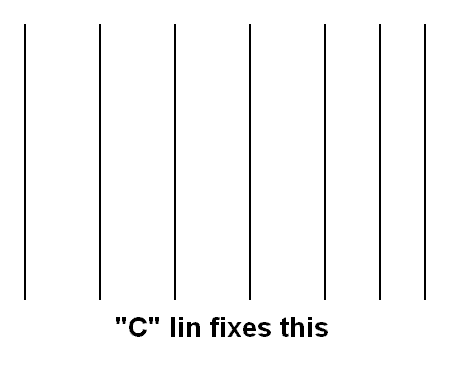
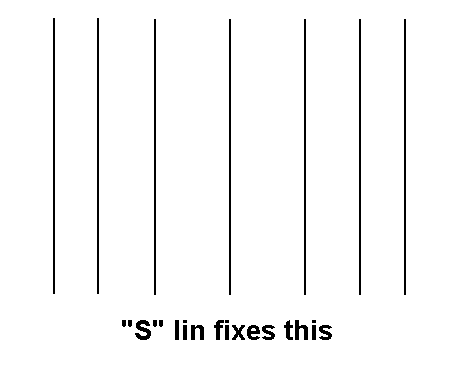
C and S lin
Scott
| Description: |
|
| Filesize: |
4.65 KB |
| Viewed: |
6178 Time(s) |
|
| Description: |
|
| Filesize: |
4.4 KB |
| Viewed: |
6178 Time(s) |
|
_________________
"Were we directed from Washington when to sow and when to reap, we would soon want bread."
Thomas Jefferson
|
|
| Back to top |
|
|
antorsae
Joined: 16 Jul 2006
Posts: 297
|
| Posted: Tue May 26, 2009 7:36 am Post subject: |
|
|
Great info Scott!!!! Thanks.
So banding is created by the convergence circuit/board, not the geometry functions (i.e. deflection circuits), right?
A real pity the fix cannot make it into a new CLM software version. It would be awesome if VDC were to open-source parts of the CLM. I know it will not happen, but it would be awesome (some nice free PR too... first projector manufacturer open-sourcing parts of the firmware)
|
|
| Back to top |
|
|
Gino
Joined: 22 Apr 2006
Posts: 1363
Location: Trinity Beach, AUSTRALIA
|
| Posted: Tue May 26, 2009 8:35 am Post subject: |
|
|
Andres and open source marquee firmware... hmmm, that would be nuts! We could have some real fun there
_________________
( B ) ( G ) ( R ) Blendzilla Down Under ( R ) ( G ) ( B ) - Tubes of Fury
|
|
| Back to top |
|
|
tse
Joined: 03 May 2006
Posts: 1014
Location: Sweatbucket, Fl.
|
| Posted: Tue May 26, 2009 12:46 pm Post subject: |
|
|
The banding is caused by the convergence circuits. Some models of projectors use the convergence to do some of the geometry work. The newer, higher end projectors have the geometry signals generated with analog circuits on the focus board. Some of those functions can cause their own issues.
Bummer about fixing the banding it is not just a firmware change. Some of that pesky hardware has to change, too. That is the big thing hanging it up.
Scott
_________________
"Were we directed from Washington when to sow and when to reap, we would soon want bread."
Thomas Jefferson
|
|
| Back to top |
|
|
Gino
Joined: 22 Apr 2006
Posts: 1363
Location: Trinity Beach, AUSTRALIA
|
| Posted: Wed May 27, 2009 1:44 am Post subject: |
|
|
| tse wrote: | | The banding is caused by the convergence circuits. |
That's what I suspected, and is why I try my best to utilise the geometry controls to get things close before going to green convergence... and why I have recently been able to avoid banding on my setups 
_________________
( B ) ( G ) ( R ) Blendzilla Down Under ( R ) ( G ) ( B ) - Tubes of Fury
|
|
| Back to top |
|
|
|
|




