| Author |
Message |
redfox001

Joined: 16 Mar 2009
Posts: 2257
Location: The Netherlands
|
| Posted: Tue Mar 17, 2009 12:32 am Post subject: No peak lumens |
|
|
When I measure the peaklumens from my Marquee 8500 ultra I get a value that is way to low however when I measure the ansi lumens they are pretty high.
I have two crt's in my ht at this moment, a nec 6pg at the ceiling and a marquee 8500 ultra on a table. I projected the same image that is a windowed white and measured the ftl from my screen. With the nec I measure 12 ftl but with the marquee I measured 6 ftl. The same measure on a full white screen gives 5,3 ftl for the marquee and 3,7 for the nec. The image is 1080p.
So somehow the marquee does not produce the peak lumens that it should.
Also strange is that green seems limited at intermediate contrast. Above 50 green does not get much brighter while red and blue go through the sky. The wear on all the tubes is very low.
I'm thinkin about interchanging the green tube because I have a marquee with spare parts but I can't understand the peak problem because also red an blue do not seem to peak much. They all stay about the same bright when I go to a windowed white screen.
I use the eye one pro that does a fine meaurement on the nec so that can not be the problem.
Any help is appreciated because I'm at a loss right now 
|
|
| Back to top |
|
 |
Nashou66

Joined: 12 Jan 2007
Posts: 16171
Location: West Seneca NY
|
| Posted: Tue Mar 17, 2009 12:45 am Post subject: |
|
|
Are you sure the G2 levels are correct? And also what is the hour count on the PJ.
Also read this for doing an eye adjustment for greyscale then do the eye one adjustments.
http://www.etechvideo.com/techtip1.htm
This is from Tims site.
Inability to see the second darkest square with G2 below 75 for any color indicates a worn or damaged tube.
The need to set Red Drive above 60, or Blue Drive above 75 also indicates weak tubes.
if any of this is true then your tubes are not having the proper emission and need to be replaced.
Athanasios
_________________
Don't blame your underwear for your crooked ass~ unknown Greek philosopher
"Republicans believe every day is the Fourth of July, but the Democrats believe every day is April 15." --- President Reagan
One Smart Dog!!!
Marquee High Performance Bellows now shipping!!
Marquee Modifications and Performance Enhancement
Marquee C-element and Bellow removal
|
|
| Back to top |
|
|
redfox001
Joined: 16 Mar 2009
Posts: 2257
Location: The Netherlands
|
| Posted: Tue Mar 17, 2009 2:45 pm Post subject: |
|
|
| Nashou66 wrote: | Are you sure the G2 levels are correct? And also what is the hour count on the PJ.
Also read this for doing an eye adjustment for greyscale then do the eye one adjustments.
http://www.etechvideo.com/techtip1.htm
This is from Tims site.
Inability to see the second darkest square with G2 below 75 for any color indicates a worn or damaged tube.
The need to set Red Drive above 60, or Blue Drive above 75 also indicates weak tubes.
if any of this is true then your tubes are not having the proper emission and need to be replaced.
Athanasios |
Hi Athanasios,
Doing this test with cont 50 and bright 50 I get the folowing values:
blue g2 65
red g2 63
green g2 71
So g2 is a little below 75 and red is a little above 60
Does this mean that only blue is usable?
The strange thing is that the picture still looks pretty bright and if I didn't measure the peak lumens I would not have noticed any problem. I've seen 9 inch crt's that where less bright on first impression and I think that is because of the ansi lumens these tubes still produce.
But is it true that inability to peak is caused by bad tube filament? The filament voltage is 6,3.
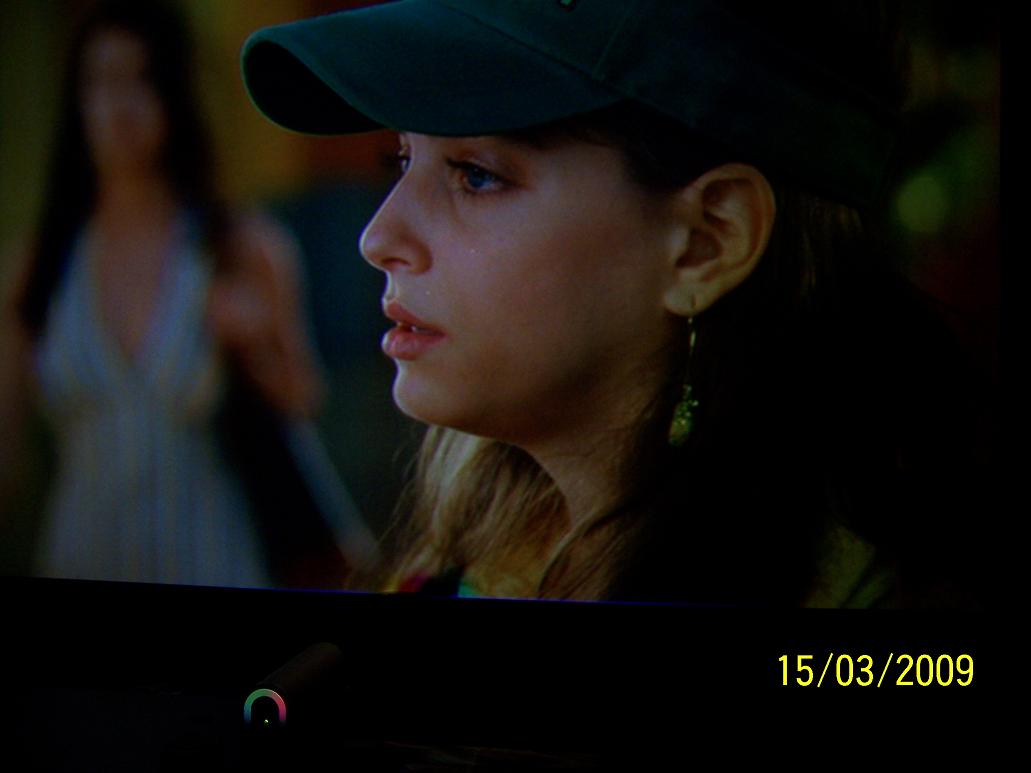
I added a quick screenpic from dvd to show that the picture ain't bad at all! I had to set brightness above 60 and as mentioned contrast just couldn't go high enough.
| Description: |
|
| Filesize: |
85.02 KB |
| Viewed: |
3584 Time(s) |
|
|
|
| Back to top |
|
|
Nashou66
Joined: 12 Jan 2007
Posts: 16171
Location: West Seneca NY
|
| Posted: Tue Mar 17, 2009 5:30 pm Post subject: |
|
|
Take a pic of the stair step patters of all tube colors with G2 .
he states that if you cant see the second dark square with G2 below 75 you have low tube emission.
but this is difficult to grasp , at G2 set to 75 you should be able to see the second dark square very distinctly.
now on the red and blue the talks about the Drive also, not the G2.
here is what my settings are on my bran new tubes with 65 hours.
Where I can barely see the second square.
Red
G2: 57
Drive: 14
Green
G2: 58
Drive: 95
Blue
G2:63
Drive: 48
The closer you have to set any of those th what Tim listed means your tubes are getting weak.
Athanasios
_________________
Don't blame your underwear for your crooked ass~ unknown Greek philosopher
"Republicans believe every day is the Fourth of July, but the Democrats believe every day is April 15." --- President Reagan
One Smart Dog!!!
Marquee High Performance Bellows now shipping!!
Marquee Modifications and Performance Enhancement
Marquee C-element and Bellow removal
|
|
| Back to top |
|
|
redfox001
Joined: 16 Mar 2009
Posts: 2257
Location: The Netherlands
|
| Posted: Tue Mar 17, 2009 6:58 pm Post subject: |
|
|
I was reading a bit to fast I see.
My G2 values are all below 75 so that does not indicate worn tubes.
My drive values are
red d 23
green d 90
blue d 35
So that does not indicate a problem on red or blue but the problem is with green I'm afraid and he doesn't offer a way to test this.
But I've been doing some work today and I interchanged the neckboard on green, this did not solve the problem of green contrast not going high enough. So the neckboard is ok.
I've interchanged the little video rca jackets for red and green and also this did not sove the problem. So not in the video chain.
I still have to interchange the g2 wires and will do that later to see if the high voltage is the problem.
But these results seem to eliminate the electronics with the exception of the high voltage at this stage.
I also saw that the filament is allways glowing even if the machine is not on so very likely greens filament is toasted with the 50000 standby hours (2000 active) because I can see no wear. The question rises if it is posible to repair a tubes filament? And if this is costly.
I'll try changing the complete green tube tomorrow hopefuly the other one is better 
|
|
| Back to top |
|
|
Nashou66
Joined: 12 Jan 2007
Posts: 16171
Location: West Seneca NY
|
|
| Back to top |
|
|
mp20748
Joined: 12 Sep 2006
Posts: 5689
Location: Maryland
TV/Projector: 9500LC Ultra / Super 02 and 03 VIM
|
| Posted: Tue Mar 17, 2009 7:23 pm Post subject: Re: No peak lumens |
|
|
| redfox001 wrote: | | Also strange is that green seems limited at intermediate contrast. Above 50 green does not get much brighter while red and blue go through the sky. |
If red and blue is where it's supposed to be, then you may need to look at the green neck board. because if this problem was related to low emissions from high hour usage, then all three tubes would be doing the same thing. Simply because it's only happening to one of the three tubes, that makes me first look at something other than the tube being weak.
Also stay away from those numbers test. Not sure why they're being used as a definitive test to determine if a tube is weak or bad. they should only be used as references for a POSSIBLE weak or bad tube.
The reason why they cannot be the rule is because of the differences in the HVPS that were being used in the Marquees over they years. You'll have to know what was happening between the different versions.
Also, there's a few other things in the Marquee that would also effect those numbers, because over the years, they were still trying to increase the light output. Most of what was done took place with the HVPS.
So unless you KNOW what to look for, it's hard to troubleshoot a tube through a forum and make a definitive diagnostic for something that's quite costly.
Low emission is usually associated with filament wear. And in the event you could have emissions cathode failure, you're going to need to replace all three tubes... you somehow indicated that two of the three tubes are fine.......
|
|
| Back to top |
|
|
redfox001
Joined: 16 Mar 2009
Posts: 2257
Location: The Netherlands
|
| Posted: Tue Mar 17, 2009 8:36 pm Post subject: |
|
|
I think I found something.
It seems the g2 wire is the problem. I set alle color drive and g2 settings to 60 to do a fair comparison. Then I connected the green g2 to the red and then the red had very low lumens at contrast 50 and 60 much lower than before.
Then I left green away and connected blue g2 to green and green had much more lumens now than before.
Now my question is, it seems to be the green g2 wire that is giving the wrong voltage but does this mean I have to change the high voltage unit? I got one extra!
|
|
| Back to top |
|
|
redfox001
Joined: 16 Mar 2009
Posts: 2257
Location: The Netherlands
|
| Posted: Tue Mar 17, 2009 8:52 pm Post subject: Re: No peak lumens |
|
|
| mp20748 wrote: | | redfox001 wrote: | | Also strange is that green seems limited at intermediate contrast. Above 50 green does not get much brighter while red and blue go through the sky. |
If red and blue is where it's supposed to be, then you may need to look at the green neck board. because if this problem was related to low emissions from high hour usage, then all three tubes would be doing the same thing. Simply because it's only happening to one of the three tubes, that makes me first look at something other than the tube being weak.
|
Thanks! Curt mentioned in a email to interchange the neckboards the small video rca and the g2 wires. As I mentioned in the former post I think the g2 is to low unless it is allways lower for green.
I am going to replace the hvps first now to see if it fixes the problem.
Thanks again for the help here it is all new for me.
|
|
| Back to top |
|
|
redfox001
Joined: 16 Mar 2009
Posts: 2257
Location: The Netherlands
|
| Posted: Tue Mar 17, 2009 11:22 pm Post subject: |
|
|
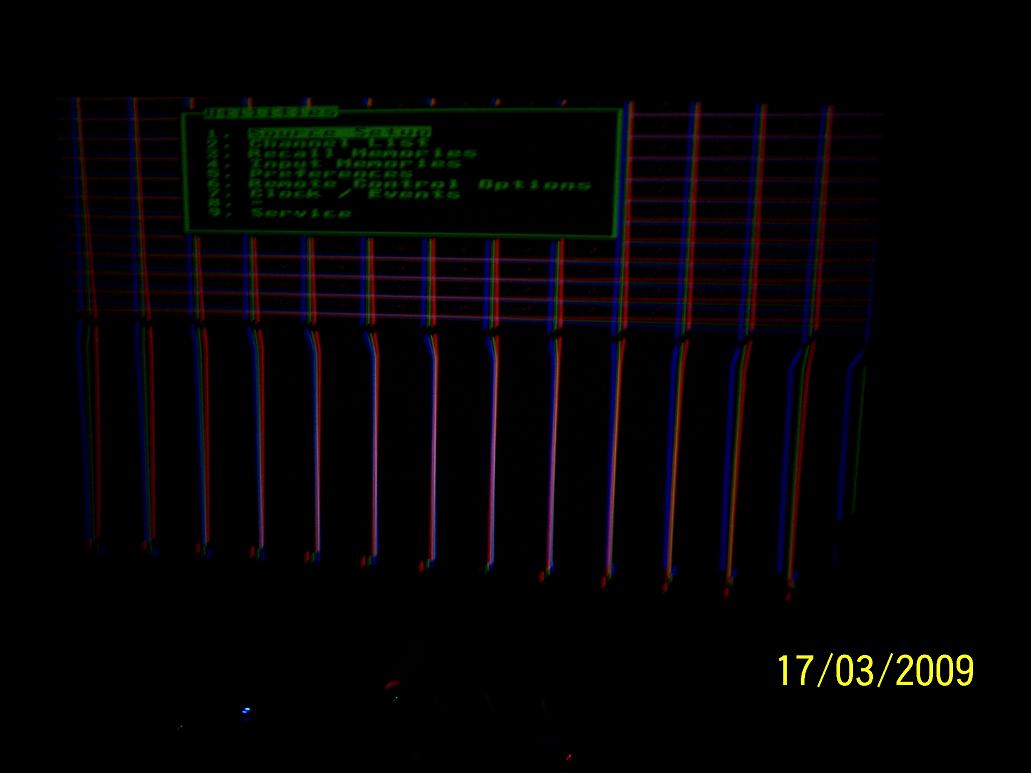
Hello, I replaced the HVPS and after 10 seconds of nice functioning the horizontal sync suddenly shifted very much of. I think I heared a relais switch and then the white testimage shifted vertical leaving a black area in the middle.
Eventhoug I checked how the colors responded with contrast and it seemed much brighter. So that is the positive side, the HVPS fixes the problem with the lumens it seems.
Now what could have happened? I checked all the wires ten times, nothing wrong. I can even watch dvd but it is all shifted vertical.
I added a picture. Someone knows more?
| Description: |
|
| Filesize: |
82.93 KB |
| Viewed: |
3605 Time(s) |
|
|
|
| Back to top |
|
|
Nashou66
Joined: 12 Jan 2007
Posts: 16171
Location: West Seneca NY
|
|
| Back to top |
|
|
Tim in Phoenix

Joined: 21 Oct 2006
Posts: 4409
Location: Phoenix
|
| Posted: Sat Mar 21, 2009 12:45 am Post subject: |
|
|
Hello
Looks to me like the vertical distortion is the control board or deflection processor. Try a Nashou-style cleaning and reseating of the control board and dpb socketed chips and interconnecting pins.
Last edited by Tim in Phoenix on Sat Mar 21, 2009 1:01 am; edited 1 time in total
|
|
| Back to top |
|
|
Elaine Benes
Joined: 25 Apr 2006
Posts: 1416
|
| Posted: Sat Mar 21, 2009 1:00 am Post subject: |
|
|
|
That was one of the things my current Marquee did while I was having issues with it. Yes, a cleaning certainly seemed to take care of it, for the time being...
|
|
| Back to top |
|
|
|
|




