|
As this forum is rarely used anymore, we've locked it. Feel free to browse and read. Questions? Please reach out to us directly. Cheers! |

|
 |
|
|
| Author |
Message |
armstrr
Joined: 26 Mar 2006
Posts: 160
|
| Posted: Fri Mar 06, 2009 10:36 pm Post subject: what cable for laptop to lumigen for calman calibration |
|
|
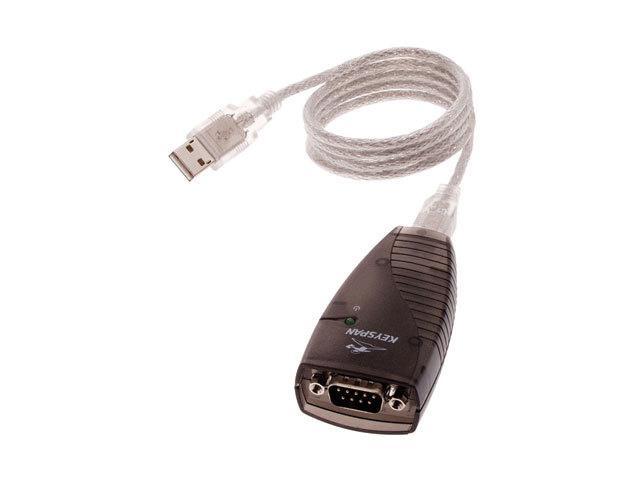
is there such a thing as usb to rs232?? i couldnt find one.
i assume since i have a lumigen, it would be best to use it as the source for calibration.
thanks
_________________
Electeohome marquee 9500lc, lumagen hdp, 9' da lite high power screen denon 2809ci paradigm speakers home made dual stacked subs
|
|
| Back to top |
|
 |
ecrabb
Forum Moderator

Joined: 13 Mar 2006
Posts: 15909
Location: Utah
TV/Projector: JVC RS40, Epson 5010
|
| Posted: Fri Mar 06, 2009 11:24 pm Post subject: |
|
|
You'll want to get the projector as best calibrated as you can get it first - with the Lumagen all at "default" settings. Once the projector is calibrated as best you can get it, then you can use the Lumagen to get it even better. To use a silly analogy, if you strapped pillows to the front of your loudspeakers, no amount of processing or EQ is going to make the speakers sound right. By the same token, if your grayscale is bad, and you have magenta push because green gain too low, you might be able to make it better with the Lumagen, but it will be at the expense of brightness and dynamic range compression (banding) or other artifacts. So, calibrate the projector to be sure grayscale, gamma and contrast are optimized, then use the Lumagen to make it even better.
As for the RS-232 issue, what you need is a USB serial adapter. There are dozens of them. Somebody here should have a recommendation. I've used several Keyspan adapters over the years.
http://www.newegg.com/Product/Product.aspx?Item=N82E16812999081
SC
|
|
| Back to top |
|
|
armstrr
Joined: 26 Mar 2006
Posts: 160
|
|
| Back to top |
|
|
|
|
|
|
|
You cannot post new topics in this forum
You cannot reply to topics in this forum
You cannot edit your posts in this forum
You cannot delete your posts in this forum
You cannot vote in polls in this forum
You cannot attach files in this forum
You can download files in this forum
|
Forum powered by phpBB © phpBB Group
|
|




