| Author |
Message |
barco_75
Joined: 14 Jan 2009
Posts: 171
Location: Chicago
|
| Posted: Sun Jan 18, 2009 4:59 pm Post subject: Rare D708 retroblock Barco setup and lens issues |
|
|
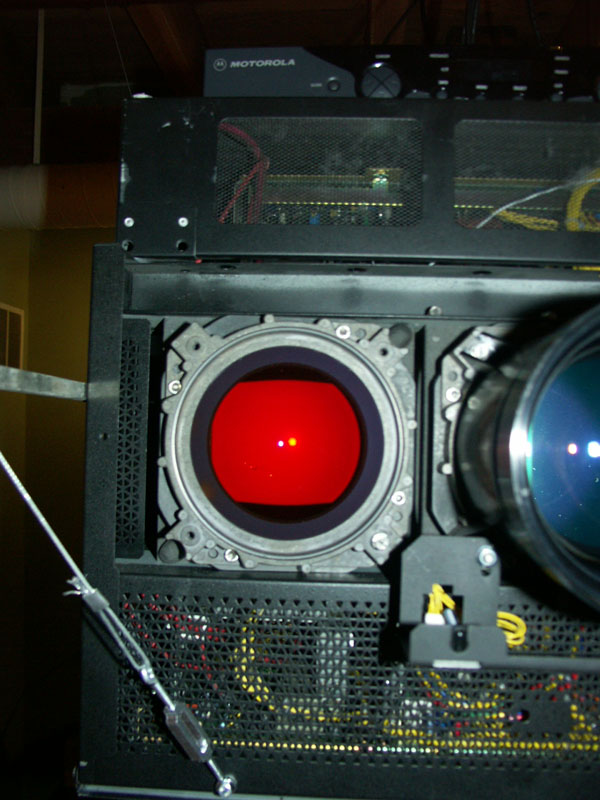
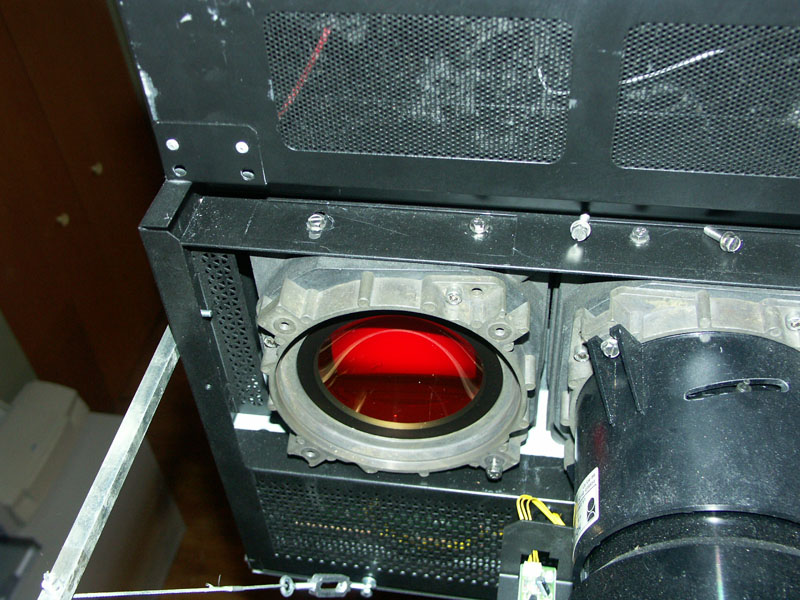
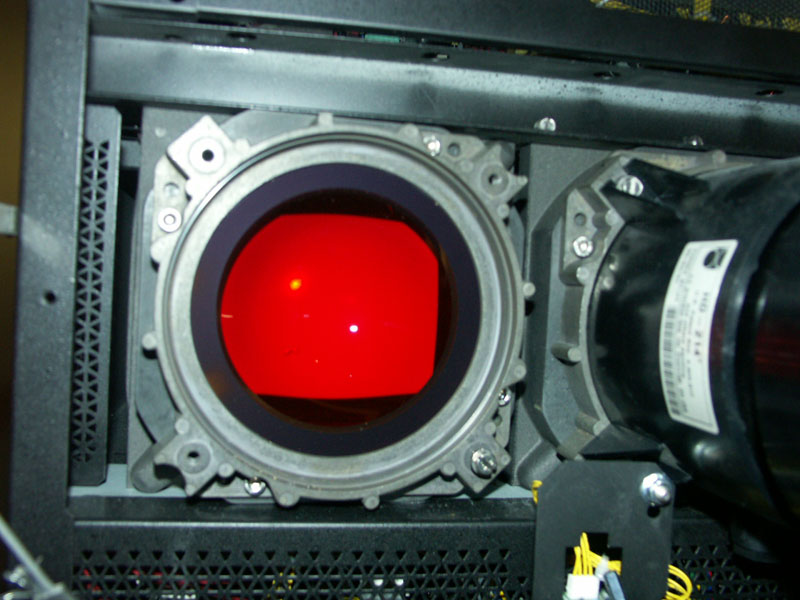
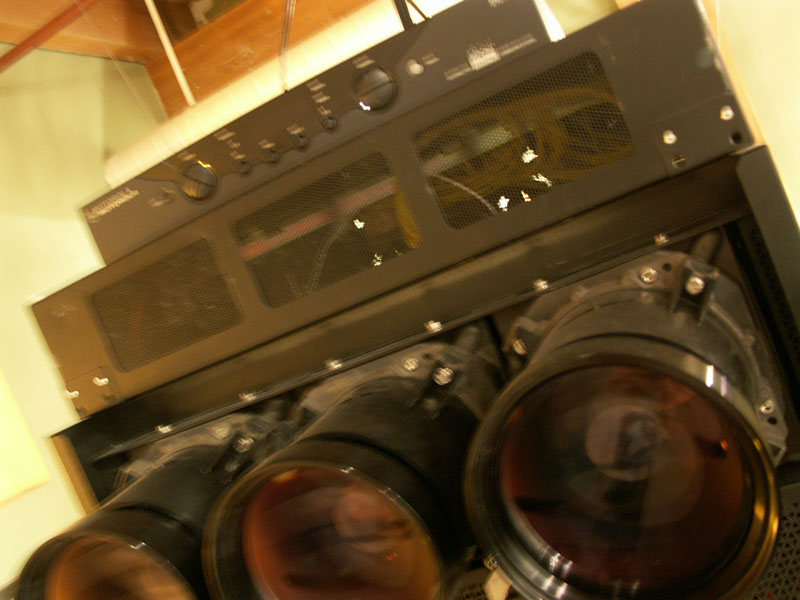
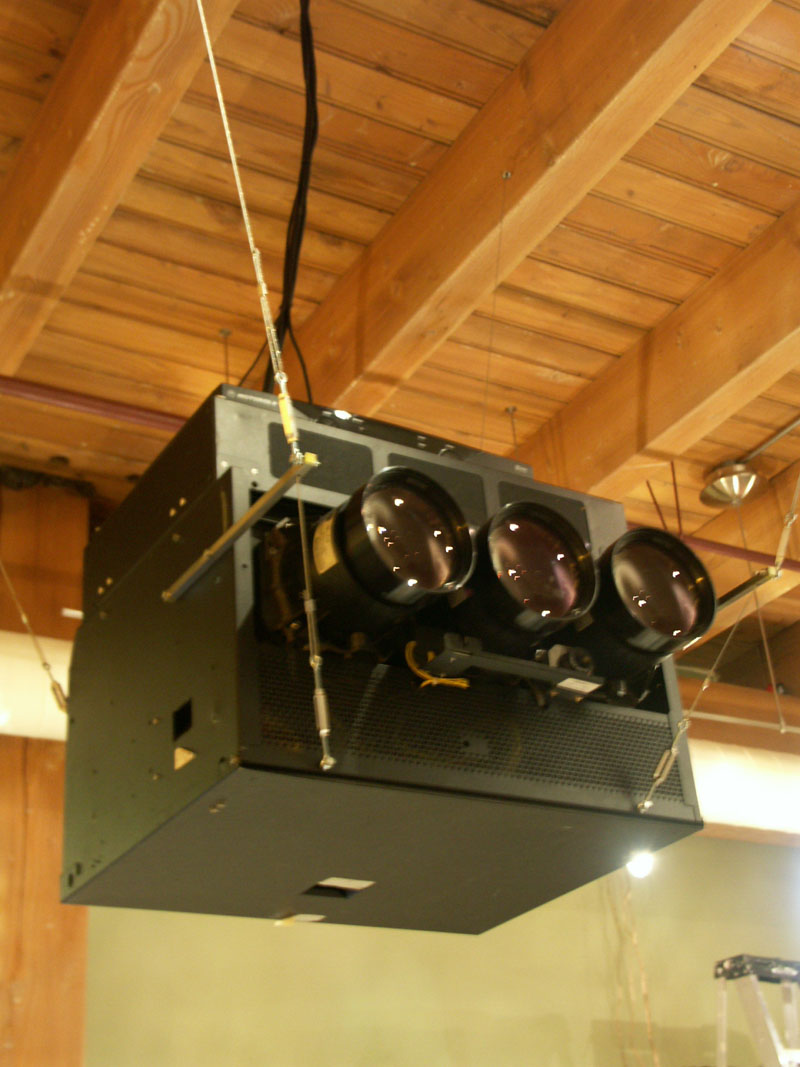
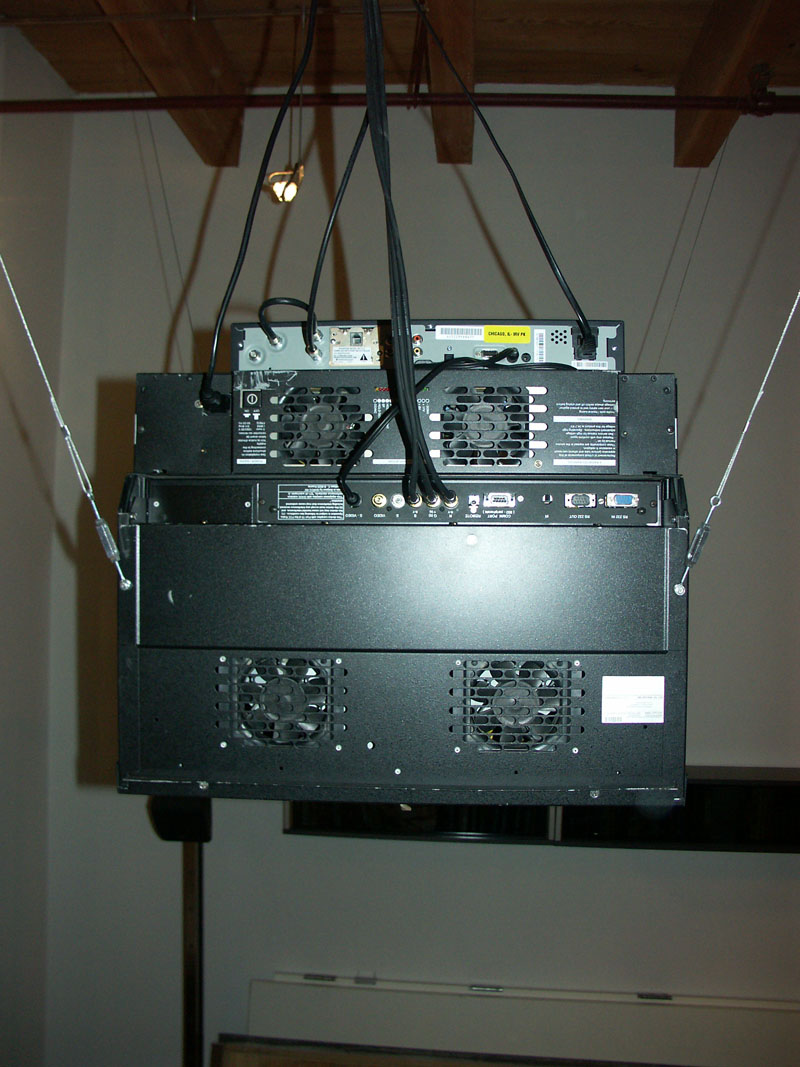
Somehow, I was lucky enough to get this Barco free! I guy was giving it away on craigslist and all I had to do was pick it up. Anyhow, the projector is a custom D708 retroblock by Barco. It came out of a Faroudja 5800 rear projection system. The projector is labeled as a chasis 53 Retroblock D708 + Iris 3 , R9002148
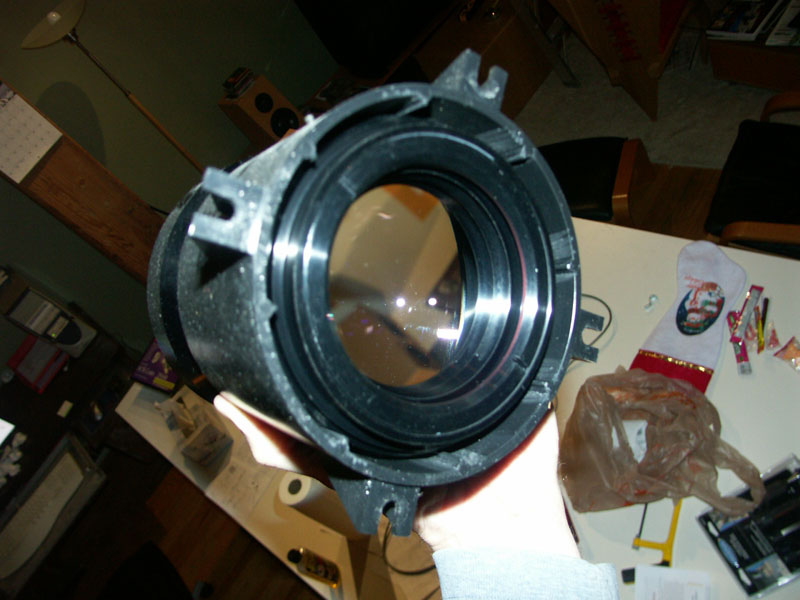
Luckly, it has very low hours and no signs of burn in on the tubes. One of the lens is scratched, but I have not noticed any image issues. The lens are a HD214 which is a short throw lens. It is also has liquid cooled tubes. In the orginal setup it was designed to shoot the image on-axis with the screen. I would like to change it to off-axis so i can get the projector closer to the ceiling. The lens mount is a Barco R807921. Tubes are Barco 1141551. I'm sure they are not made by Barco, but I'm having trouble finding anything which states the mfg.
I believe, I might have the same or similar projector as shown in this post:
https://www.curtpalme.com/forum_archived/viewtopic.php@t=5002.html
Here are my questions.
1. How do I put this projector off-axis? I have been told I can use 2 to 2.5 mm washers at the bottom of the lens. I assume I then need to tilt the projector down until the image is square. Also, is the washer spacing critical, or can i use any washer spacing and just tilt the projector until the image is square. I'm guessing I could do that but the projector may not be at the top of the image.
2. What is the maximum image width I can get with the HD214? At one time I had the Barco lens software program and it told me I can go 61" max and then I would exceed the factory Scheimpflug adjustment. This projector has no user Scheimpflug adjustment, but I understand I can put washers on the 2 outside lens bolts of the blue and red lens to get the outer focus corrected. There was also a note on my printout listing the lens model and next to it (67"). Maybe this is the max width?
3. Does anyone have the lens software program which lists the RDBL708? It is not the one posted on Curts website. I think it is an older version. I had it but lost the program when I reformatted my hard drive.
4. If I wanted to get a larger and better image, what lens would you recommend? I was told that a HD215 might work...but I have no clue what this would get me. I was also told a HD145 would not work because my tubes are liquid cooled. Not sure if my lens are color filtered or not. I took the red one off and it looks clear or maybe slightly blue. Also, not sure what max image width I should be shooting for with the lumen output of this rig. It is 1080P capable per Faroudja manual. It scans 31.5khz-69khz horizontal, 37hz-210hz vertical
Attached are some photos which might help.
| Description: |
|
| Filesize: |
122.39 KB |
| Viewed: |
8827 Time(s) |
|
| Description: |
|
| Filesize: |
153.24 KB |
| Viewed: |
8827 Time(s) |
|
| Description: |
|
| Filesize: |
114.74 KB |
| Viewed: |
8827 Time(s) |
|
| Description: |
|
| Filesize: |
106.95 KB |
| Viewed: |
8827 Time(s) |
|
| Description: |
|
| Filesize: |
103.18 KB |
| Viewed: |
8827 Time(s) |
|
| Description: |
|
| Filesize: |
149.01 KB |
| Viewed: |
8827 Time(s) |
|
| Description: |
|
| Filesize: |
170.42 KB |
| Viewed: |
8827 Time(s) |
|
|
|
| Back to top |
|
 |
AnalogRocks
Forum Moderator

Joined: 08 Mar 2006
Posts: 26706
Location: Toronto, Ontario, Canada
TV/Projector: Sony 1252Q, AMPRO 4000G
|
| Posted: Sun Jan 18, 2009 5:08 pm Post subject: |
|
|
You have colored C-elements. You don't need color filtered lenses. To change the projection angle you would have to engineer some sort of mounting plates for your tubes that have the angle built in. I bet there's some one here that can do it. Wait for the Barco guys to show up in this thread.
ALso 1080P, while it will accept the signal may look a little soft. Try 1080i it's the same resolution (1920x1080) just done in two passes instead of one on the screen. It's also a lot easier on the projector. 1080i is 33.75Khz vs 1080P's 67Khz. It'll run cooler and last longer.
_________________
Tech support for nothing
CRT.
HD done right!
|
|
| Back to top |
|
|
barco_75
Joined: 14 Jan 2009
Posts: 171
Location: Chicago
|
| Posted: Sun Jan 18, 2009 6:19 pm Post subject: |
|
|
|
Hope, I don't have to come up with something complicated to change to off-axis. The suggestion to use the washers came from a guy who works for Barco corporate. Maybe, he misunderstood what I have? Thought the washers would work.
|
|
| Back to top |
|
|
AnalogRocks
Forum Moderator
Joined: 08 Mar 2006
Posts: 26706
Location: Toronto, Ontario, Canada
TV/Projector: Sony 1252Q, AMPRO 4000G
|
| Posted: Sun Jan 18, 2009 6:23 pm Post subject: |
|
|
| barco_75 wrote: | | Hope, I don't have to come up with something complicated to change to off-axis. The suggestion to use the washers came from a guy who works for Barco corporate. Maybe, he misunderstood what I have? Thought the washers would work. |
It may work but not sure how much of an angle you'd get?? Most projectors are between 12-15 deg. Give it a try.
_________________
Tech support for nothing
CRT.
HD done right!
|
|
| Back to top |
|
|
barco_75
Joined: 14 Jan 2009
Posts: 171
Location: Chicago
|
| Posted: Sun Jan 18, 2009 6:36 pm Post subject: |
|
|
|
I'll give it a shoot! Anything closer to the ceiling is better. Even if I can't get it off-axis it not horrible because I have tall ceilings. They are 14'-6". If I had 8 foot ceilings then, I would have a problem.
|
|
| Back to top |
|
|
David_Web
Joined: 02 May 2007
Posts: 418
Location: Sweden
|
| Posted: Mon Jan 19, 2009 9:08 pm Post subject: |
|
|
Yours looks like a lot better model but still shares most of the hardware.
I'm no expert on LC but I think you tilt the C-element with the lens. That's why the bellows are squishy.
But I could be wrong. Have to check that.
I'm about to scrap mine as it was not really usable in the fists place as it had 50k hours on the clock with badly burnt tubes.
I think I'm going to keep the LC hardware and lenses to play with so I can take a close look how it's built up when I get the time.
Btw can't you use it retro? Should help with light output as well.
Where you able to do proper convergence on yours?
Mine never could get the left side correct. Although I never did the magnets or anything like that properly as I never used it in the end.
btw put some safety strap on that lid. Makes me want to duck.
|
|
| Back to top |
|
|
CRT_Ben
Joined: 28 Aug 2006
Posts: 1684
Location: Northern Virginia
|
| Posted: Mon Jan 19, 2009 9:33 pm Post subject: |
|
|
| David_Web wrote: | | I'm no expert on LC but I think you tilt the C-element with the lens. That's why the bellows are squishy. |
You're correct. If the set has some sort of bellows you could be in luck, but if it's just a solid metal housing between the tubeface and C-element, you're up the creek.
Edit:
Actually I think AmPro had a schempflug system that moved the lens and not the C-element? But they also always had focus issues away from the center of the screen. Hence Chip (stefuel) is converting a 9" AmPro to use Marquee LC housings I believe.
|
|
| Back to top |
|
|
David_Web
Joined: 02 May 2007
Posts: 418
Location: Sweden
|
| Posted: Tue Jan 20, 2009 10:11 am Post subject: |
|
|
Mine does have bellows.
If you look at the pictures of mine there is four screws that might be schempflug but not sure. (or could maybe be used as such)
The above PJ looks a little different if you look closely. It had the same points molded over or covered with rubber.
It is even possible that the tubes are different (hopefully high rez) with different mounting hardware.
If you stick your finger in there you should be able to feel a squishy rubbery thing. If you can get to it that is.
_________________
SNR of people are ridiculously low.
|
|
| Back to top |
|
|
km987654

Joined: 25 Jul 2007
Posts: 2874
Location: Australia
TV/Projector: Barco BG809s
|
| Posted: Tue Jan 20, 2009 11:09 am Post subject: |
|
|
|
If you tilt the lenses what will that do for geometry??
|
|
| Back to top |
|
|
Ile

Joined: 09 Mar 2006
Posts: 1491
Location: Jyväskylä, Finland
|
| Posted: Tue Jan 20, 2009 12:41 pm Post subject: |
|
|
Washers will give better corner focus than without washers, but it's not as optimal way for Sheimpflug than tilting also c-elements. If you have too much time and patient you can remove tubes from chambers and glue those to angle, that is how Barco made Sheimpflug to these projectors.
Needed Sheimpflug debend about your screen size and tilting angle. You can calculate needed Sheimpflug with Lens program, RDBL708 is found under simulation (V10).
Original HD214 lenses focus to 85 cm -264 cm (33,5"-104") wide picture according to lens program.
Here's example of 200 cm wide picture with 10 degree tilting. So you need to tilt lenses 1.5 mm in vertical plane and R/B 0.5 mm in horizontal plane.
|
|
| Back to top |
|
|
TbX
Joined: 06 May 2006
Posts: 94
Location: Sweden
|
| Posted: Tue Jan 20, 2009 6:52 pm Post subject: |
|
|
Barco program shows the wrong size HD214 lens goes only to 165cm
you need HD215 lenses
I have several such retro block they all have Sheimpflug to bad they all have hd214
|
|
| Back to top |
|
|
barco_75
Joined: 14 Jan 2009
Posts: 171
Location: Chicago
|
| Posted: Wed Jan 21, 2009 7:25 pm Post subject: |
|
|
Is the HD215 lens a bolt on item? Would I have to modify the mount to switch? What is the max width on the HD215's?
Also, Ile, could you post or email V10 the lens program? I'll have to check if the C-element is mounted with Bellows. I suspect they are not.
If I understand correctly, the C-element should be rotated at the same angle of the lens? Optimally, I would use washers and rotate the c-element? With the example above (even though the lens can't focus), I would use 1.5mm washers at the bottom of the Red Green and Blue. And .5mm washers on the two outside mounts of the Red and Blue (althouth the lower bottom corner of the Red and Blue would be 2mm =.5mm+1.5mm)???
If Barco has the lens max width listed incorrectly, do you think I can trust the rest of the data from the lens calculation program?
|
|
| Back to top |
|
|
barco_75
Joined: 14 Jan 2009
Posts: 171
Location: Chicago
|
| Posted: Wed Jan 21, 2009 7:30 pm Post subject: |
|
|
|
BTW, in regards to David's Web comment, I had no issue with convergence with a 61" wide screen. I feed it an image from a DVD on a blue ray and the image was amazing, just using the IRIS auto convergence. Only problem, 61" is not exactly a huge image for a projector. Still not sure what the lumen output is if it can handle a wider screen anyway?
|
|
| Back to top |
|
|
David_Web
Joined: 02 May 2007
Posts: 418
Location: Sweden
|
| Posted: Thu Jan 22, 2009 1:28 pm Post subject: |
|
|
"I would use washers and rotate the c-element?"
NO!!!
That will spill glycol all over the floor. Been there done that. So whatever you do, don't remove the gray piece of hardware that holds down the c-element and that you bolt the lenses to.
*edit*
Mine does appear to have schempflug. It's the two upper bolts. they are spring loaded to push the bellow a part if that makes sense.
The lower bolts have flanges that prevents them from being turned.
So no side to side correction but it's some at least.
btw is the bulges where the bolts are on mine rubber?
If so there might be schempflug bolts under them.
|
|
| Back to top |
|
|
barco_75
Joined: 14 Jan 2009
Posts: 171
Location: Chicago
|
| Posted: Thu Jan 22, 2009 8:31 pm Post subject: |
|
|
|
I believe, I don't have the schempfug adjustment. I checked last night and there is no squishy rubber bellow. So now, I'm not sure what exactly my options are. Luckily, I spotted David's thread. A few weeks ago, I was about to take the C-elements out....not knowing the mess it would create!
|
|
| Back to top |
|
|
barco_75
Joined: 14 Jan 2009
Posts: 171
Location: Chicago
|
| Posted: Sun Jan 25, 2009 3:03 am Post subject: |
|
|
|
Anyone have any additional comments? Still stuck!
|
|
| Back to top |
|
|
TbX
Joined: 06 May 2006
Posts: 94
Location: Sweden
|
| Posted: Wed Jan 28, 2009 6:19 pm Post subject: |
|
|
you can try and mount washers between the lenses and c elements
do not remove the C Element!
|
|
| Back to top |
|
|
barco_75
Joined: 14 Jan 2009
Posts: 171
Location: Chicago
|
| Posted: Wed Jan 28, 2009 7:01 pm Post subject: |
|
|
|
I'll give it a go and let everyone know how it turns out
|
|
| Back to top |
|
|
|
|




