| Author |
Message |
convict4ever
Joined: 22 Aug 2008
Posts: 31
Location: Michigan
|
| Posted: Fri Aug 22, 2008 5:27 am Post subject: |
|
|
|
Im just getting started in the HT. I have had this in storage for over 5 years. I myself have never put power to it. It has just sat. I started researching HT and found this forum. You guys are helpful.
|
|
| Back to top |
|
 |
Nashou66

Joined: 12 Jan 2007
Posts: 16171
Location: West Seneca NY
|
|
| Back to top |
|
|
convict4ever
Joined: 22 Aug 2008
Posts: 31
Location: Michigan
|
| Posted: Fri Aug 22, 2008 5:34 am Post subject: |
|
|
|
What is the best way to hook this up for the best pic. List the equipment and cables. I was looking at the HDFURY2, worth adding to the PJ? Im just lost.
|
|
| Back to top |
|
|
ecrabb
Forum Moderator

Joined: 13 Mar 2006
Posts: 15909
Location: Utah
TV/Projector: JVC RS40, Epson 5010
|
| Posted: Fri Aug 22, 2008 5:58 am Post subject: |
|
|
Depends on what your source(s) is/are. If you want to use HTPC, you can just get a VGA-5BNC breakout cable and hook it up. If you want to go Blu-ray, then yes - you'll want an HD Fury. Depending on your budget, even the old HD Fury might be adequate. Your machine is a 7" machine and will probably look best with HD at 1080i. Tell us more about your sources and we can tell how to hook it up.
It actually looks like a pretty decent machine! P16xx tubes, component inputs, modern chassis w/digital convergence, 23-point convergence, memory management, handy adjustable lens toe-in adjustment... Looks pretty nice! Guys, on paper, this thing almost looks comparable to something like an XG75 or BD701, yes??!?!
Anybody know what lenses those are? HD-8?
SC
|
|
| Back to top |
|
|
convict4ever
Joined: 22 Aug 2008
Posts: 31
Location: Michigan
|
| Posted: Fri Aug 22, 2008 6:02 am Post subject: |
|
|
|
WOW. I have no idea what all that means. A previous post suggested HD144 colored lenses. Tell me what I should buy. I just starting out here. I have the projector and thats it
|
|
| Back to top |
|
|
convict4ever
Joined: 22 Aug 2008
Posts: 31
Location: Michigan
|
| Posted: Fri Aug 22, 2008 6:20 am Post subject: |
|
|
|
I would love to get 1080P? how can i get there?
|
|
| Back to top |
|
|
ecrabb
Forum Moderator
Joined: 13 Mar 2006
Posts: 15909
Location: Utah
TV/Projector: JVC RS40, Epson 5010
|
| Posted: Fri Aug 22, 2008 6:25 am Post subject: |
|
|
HD144's - great! That's as good as air-coupled gets.
Your projector may or may not work well with 1080p (it may look soft or not display it at all - probably will, though), or you may like how it looks. A 7" machine probably won't resolve 1080p - which means it won't be sharp - but, you may still like it - or you may like 1080i better (that would be my guess). You'll have to try it, though. To even try 1080p, you'll definitely want a Blu-ray player and an HD Fury (w/power supply) or the new HD Fury II.
What you should get really depends on your budget and what you want, though. You can get a standalone BD player for under $300 refurbed on ebay or you can get a PS3 for $400 (several of us here really like ours) or you can go SD DVD for cheap - what... $50?... Lots of options. Just don't jump on anything right away... Just do some reading for a few days/weeks and figure out what you like, what you want, etc.
If it were me, I'd get a PS3 and HD Fury so you can start playing with the projector then and go from there.
Then, there's audio - an HT with a projector is still no good without audio: You'll need a decent HDMI switching receiver ($400-500+) and a decent 6.1 speaker setup ($500+) - that'll all run you close to a grand if you want to buy new. On the other hand, if you don't mind buying overstock/refurb/used, and you're patient, you can piece together a much nicer system for not a lot of money. Craigslist is good for secondhand speakers, refurb is a great way to buy AVR's cheaper than buying new - more for your money.
SC
|
|
| Back to top |
|
|
Nashou66
Joined: 12 Jan 2007
Posts: 16171
Location: West Seneca NY
|
| Posted: Fri Aug 22, 2008 12:27 pm Post subject: |
|
|
| convict4ever wrote: | | Im just getting started in the HT. I have had this in storage for over 5 years. I myself have never put power to it. It has just sat. I started researching HT and found this forum. You guys are helpful. |
First thing you should do before powering it up is clean out the case as it might have dust built up an everything, if you have an air compressor blow out the entire case and use a vacume also to suck up the dust as it blows out, pay special attention to any fans and make sure they are clean. Heat will kill a PJ.
Next take any removable boards and clean all the contacts and also blow any dust off. If your really ambitious go get some denatured alcohol from a hardware store, it usually in the paint section and clean each board with it using a soft tooth brush.
flush away clean with more denatured alcohol.
Stop at radio shack and get some Caig DeOxit cleaner and protectant and clean the contacts of all the boards connectors.
Check the High voltage power lines (usually thick red wires) for any cracks in the casing, you dont want a HV arc frying your boards.
Remove the lens' and clean the face of the crt's and also the lens' make sure you use a lint scratch free cloth.
Also while they are off take a pic of the tubes with out a flash so we can see how much ware if any is on them.
there is a tube ware chart here on this site you can reference also.
Put it all back together and fire it up, you should hear the fans come on then possibly some relays switching and then the beautiful sound of crackling as the tubes are firing up. Next an image should come out, maybe only on the green with a menu.
read the manuals to familiarize yourself with the controls and how to do all the geometry and magnetic set up ect. this is not a plug and play PJ like the digitals. There are lots of threads here discussing the finer points of all this, most PJ's work the same with different ways of doing it so just search and you'll find lots of info here and on the AVSForum.
| Quote: | | What is the best way to hook this up for the best pic. List the equipment and cables. I was looking at the HDFURY2, worth adding to the PJ? Im just lost. |
Well for now you have component inputs the yPbPr connectors on input 2. Use a cable from your DVD player to see if you can get a reasonable image you will need either a rca to BND cable or get rca/BNC adaptors from radio Shack, if you have blu ray hook that up with the same type of cable and it will output 1080i since the HDCP encryption will only allow that. And HD fury will get you to 1080p, you might be able to do it but not sure your PJ has a high enough bandwidth
to do the 1080p60hz the player might output with the fury, it might do 1080p48hz but you will need a Video processor to get that refresh rate of 48hz. I do not know of any Blu ray player where it has 48Hz as an option to output.
There are a lot of helpfull people here just be as exact as you can in describing how you plan to hook up everything or give a list of what you have now and we can make a better assessment of what you should do.
What I said above should get you started but preventive maintenance of cleaning it first should keep it running for a long time.
Athanasios
_________________
Don't blame your underwear for your crooked ass~ unknown Greek philosopher
"Republicans believe every day is the Fourth of July, but the Democrats believe every day is April 15." --- President Reagan
One Smart Dog!!!
Marquee High Performance Bellows now shipping!!
Marquee Modifications and Performance Enhancement
Marquee C-element and Bellow removal
|
|
| Back to top |
|
|
macgyver655
Joined: 22 Aug 2007
Posts: 8508
|
| Posted: Fri Aug 22, 2008 1:34 pm Post subject: |
|
|
| convict4ever wrote: | | What is the best way to hook this up for the best pic. List the equipment and cables. I was looking at the HDFURY2, worth adding to the PJ? Im just lost. |
Before you do or buy anything, plug it in and see if it even works. 
|
|
| Back to top |
|
|
convict4ever
Joined: 22 Aug 2008
Posts: 31
Location: Michigan
|
| Posted: Fri Aug 22, 2008 6:01 pm Post subject: |
|
|
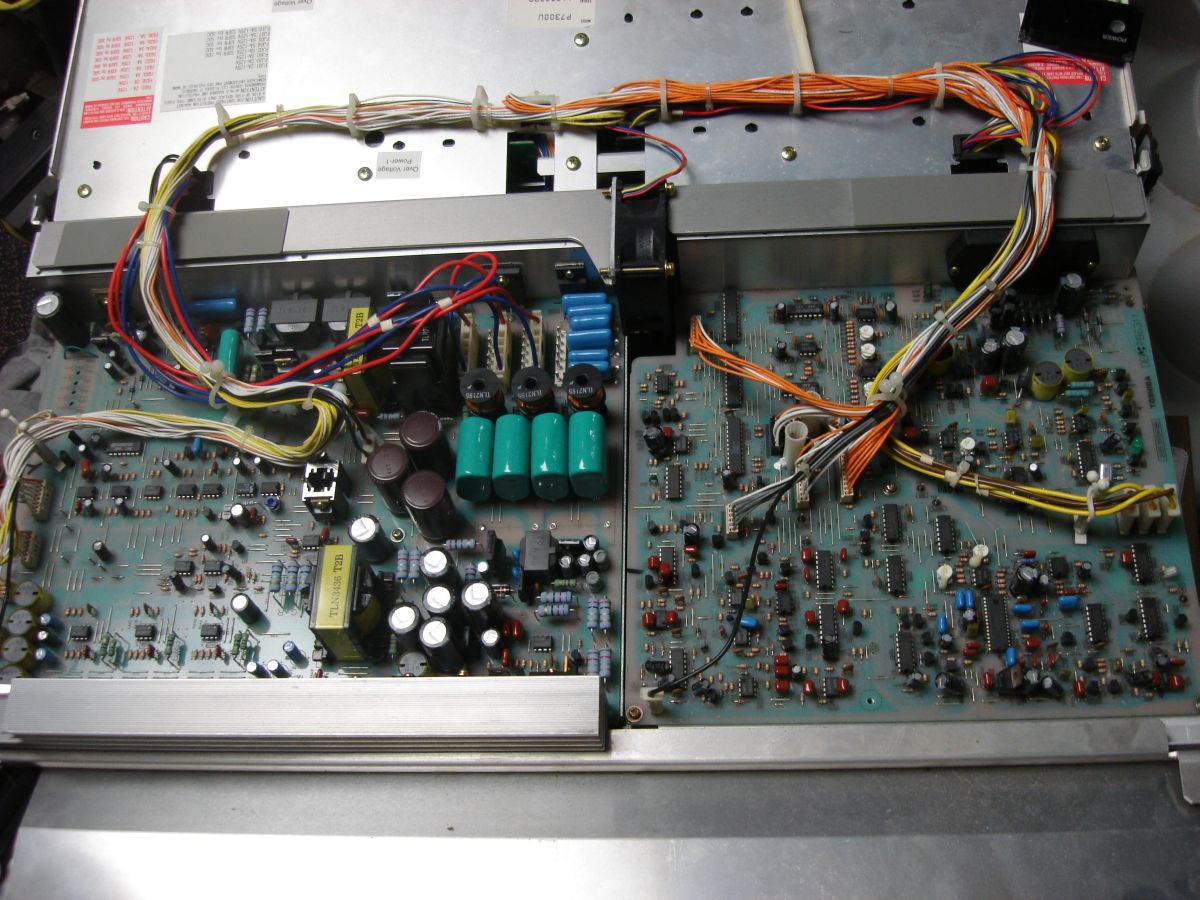
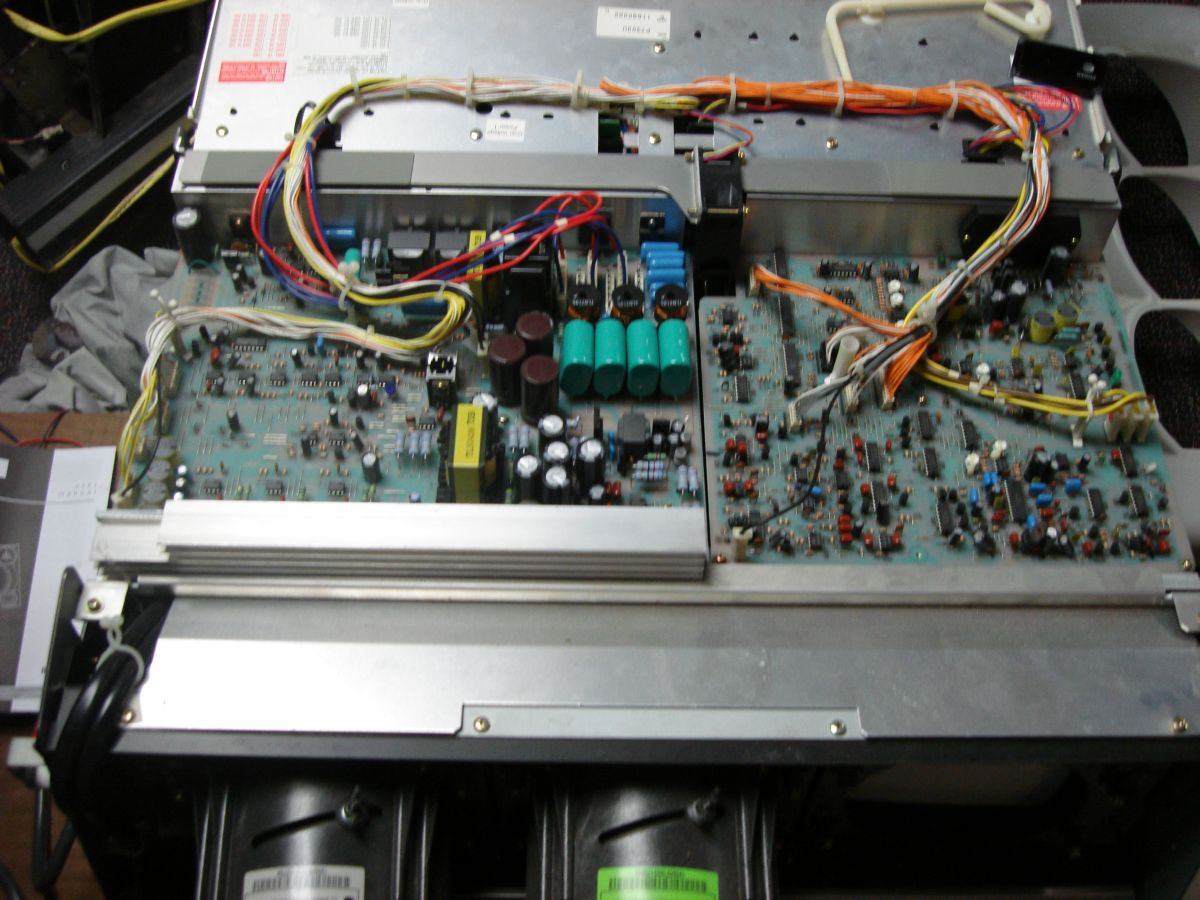
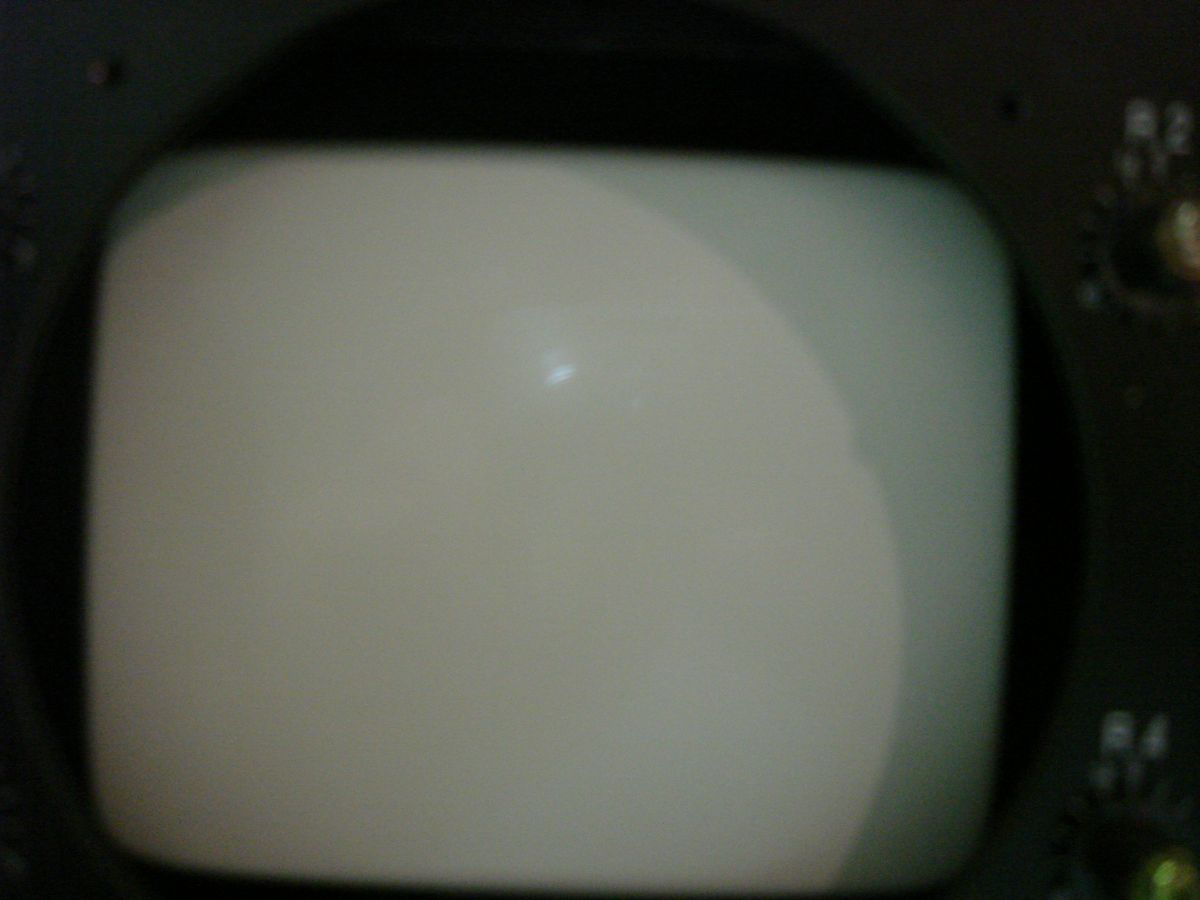
Thanks to all who have goten me this far. I do feel cleaning it first is a must. I took the cover off. Its dusty under the cover. This was nerve racking for me because i dont no that much about electronics. I took a few picks. I found out the lens's are DELTA HD 145T. Hope this info helps those trying to help me. I took more pics of the circuit board and the red tube after I removed the lens. How does it look? And I took pics of the top circuit board, theres a lot more under that
| Description: |
|
| Filesize: |
206.62 KB |
| Viewed: |
5187 Time(s) |
|
| Description: |
|
| Filesize: |
164.31 KB |
| Viewed: |
5186 Time(s) |
|
| Description: |
|
| Filesize: |
70.24 KB |
| Viewed: |
5195 Time(s) |

|
| Description: |
|
| Filesize: |
67.71 KB |
| Viewed: |
5189 Time(s) |

|
| Description: |
|
| Filesize: |
71.61 KB |
| Viewed: |
5183 Time(s) |
|
|
|
| Back to top |
|
|
macgyver655
Joined: 22 Aug 2007
Posts: 8508
|
| Posted: Fri Aug 22, 2008 6:14 pm Post subject: |
|
|
Hi convict4ever. I'm really not trying to be funny or anything, but it can look as pretty and sweet as you want, but if you dont see if it powers up, then your doing stuff for no reason. Plus if you start disassembling and then it doesn't work, you wont know if its something you did or not. Dust is not going to affect it turning on. If it doesn't turn on, then what are you going to do?
Hey, if it turns on, then great. Time to proceed.
|
|
| Back to top |
|
|
Nashou66
Joined: 12 Jan 2007
Posts: 16171
Location: West Seneca NY
|
|
| Back to top |
|
|
convict4ever
Joined: 22 Aug 2008
Posts: 31
Location: Michigan
|
| Posted: Fri Aug 22, 2008 6:18 pm Post subject: |
|
|
|
I will take the green off and send the pic. I guess i will power it up. What should i look for. Do i need to have anything hooked up i.e. dvd player?
|
|
| Back to top |
|
|
macgyver655
Joined: 22 Aug 2007
Posts: 8508
|
| Posted: Fri Aug 22, 2008 6:22 pm Post subject: |
|
|
|
Turn it on and see if a menu will come up. If its all scrambled then you need something hooked up. If you get a menu, see if there is light coming from all 3 tubes.
|
|
| Back to top |
|
|
convict4ever
Joined: 22 Aug 2008
Posts: 31
Location: Michigan
|
| Posted: Fri Aug 22, 2008 6:26 pm Post subject: |
|
|
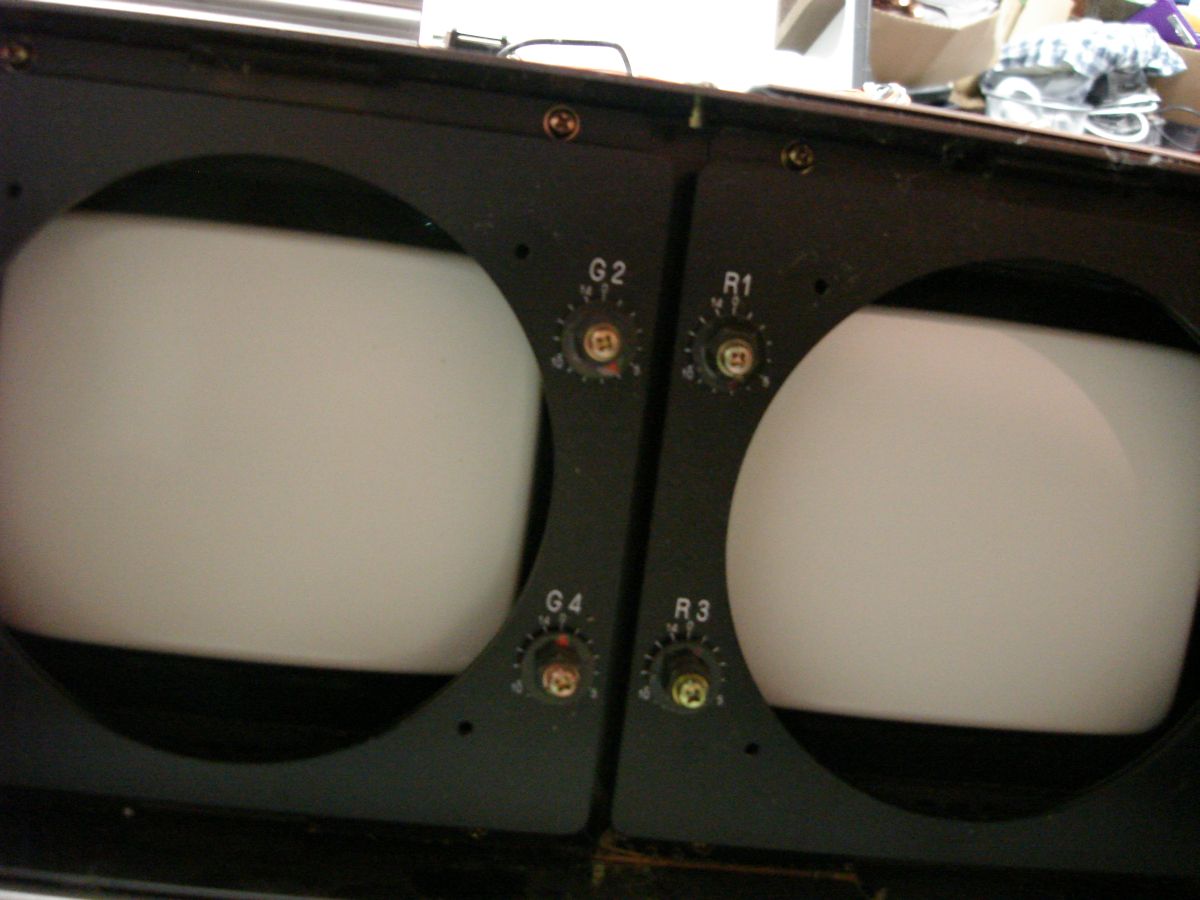
Im gettin excited here. Here r the pics of the green tube
| Description: |
| The green tube is in the middle. The red on the right |
|
| Filesize: |
101.48 KB |
| Viewed: |
5195 Time(s) |
|
| Description: |
|
| Filesize: |
75.94 KB |
| Viewed: |
5185 Time(s) |

|
|
|
| Back to top |
|
|
convict4ever
Joined: 22 Aug 2008
Posts: 31
Location: Michigan
|
| Posted: Fri Aug 22, 2008 6:57 pm Post subject: |
|
|
|
Well all is good. I put the len's back on and fired up the PJ. It powered up with no problem and after about 3 sec all 3 of the tubes lit up and it said no input. I think this is good.
|
|
| Back to top |
|
|
Nashou66
Joined: 12 Jan 2007
Posts: 16171
Location: West Seneca NY
|
| Posted: Fri Aug 22, 2008 7:15 pm Post subject: |
|
|
Perfect tubes fires up! your on your way !!!!! Now just get some BNC connectors to hook up a dvd player if you get an upscaling one you can output 1080i to it or 720p is what i would try first. But still do all the cleaning if you can, it will also familiarize your self with all the boards in the chasis. also i would down load and print out the service manual and read it over and over even if you dont understand a lot eventually you will, i went from not know ing anyhting to being able to do some small scale trouble shooting board level wise(with some help from guys here too of course). But to get full use of your new Projector you should look into a Video processor too for it, either a dvdo or a lumagen HDP, look on e-bay or Videogon. this will allow you to find the perfect resolution to feed your PJ to make it look its best, and they can also offer other controls for adjusting colors and gamma and much more, a HTPC or a Video processor are a must for CRT front projection.
If I ever get some time on a day off I might be willing to drive up to you and check this bad boy out and help with set up once you get everything for the
system together.
Service manual link http://www.curtpalme.com/docs/Zenith2000_Service.pdf
Athanasios
_________________
Don't blame your underwear for your crooked ass~ unknown Greek philosopher
"Republicans believe every day is the Fourth of July, but the Democrats believe every day is April 15." --- President Reagan
One Smart Dog!!!
Marquee High Performance Bellows now shipping!!
Marquee Modifications and Performance Enhancement
Marquee C-element and Bellow removal
|
|
| Back to top |
|
|
convict4ever
Joined: 22 Aug 2008
Posts: 31
Location: Michigan
|
| Posted: Fri Aug 22, 2008 7:23 pm Post subject: |
|
|
|
I cant thank you all enough especially you Athanasios for your quick replies. Im putting an offer in on home and just gettin what i can now helps. I want a sweet HT. I willing to spend a little to get what I need to make my PJ the best on the block. I would certainly love for you to help me out as I am just learning, this site has been my resource. there is a lot make this PJ work, definately not like plugin in a dvd player to the TV and watching it.
|
|
| Back to top |
|
|
Nashou66
Joined: 12 Jan 2007
Posts: 16171
Location: West Seneca NY
|
| Posted: Fri Aug 22, 2008 8:21 pm Post subject: |
|
|
It depends on what you want as your main sources, if its dvd and sat/cable box then you might need a scaler to upscale and have full control of timming settings neede to properly upscale those SD sources to the PJ. If you plan on going Bly Ray and High Def sat/cable then you might be able to just use a nice scaling A/V receiver since your PJ has Component(YPbR) inputs for at least 1080i input. But a lumagen scaler is whats really nice, they are always being upgraded with new firmware to keep it up to date. 11 point Gamma and color Gammut controls are what is key and they have a very good scaling alogorythm for those SD film sources, the DVDO scaler do better with Video source material. look at the Video processor threads here and over on AVSforum for more info.
if you dont have ablu ray player and want to get into HD matrial cheaply look for a LG Bh200 or BH100 on ebay or any where you can, Best Buy might let them go for about 300 or so now. they play all formats Blu ray, HD DVD, and SD DVD. And HD DVD's can be found dirt cheap on line, a good way to get in to High def with little money and be still poised for all the new blu ray movies coming out.
But first get familiar with your babay and set up any image from a SD DVD player for now, it will only be 480i but its a start and you'll get used to doing all the geometry and convergence it will need.
Athanasios
_________________
Don't blame your underwear for your crooked ass~ unknown Greek philosopher
"Republicans believe every day is the Fourth of July, but the Democrats believe every day is April 15." --- President Reagan
One Smart Dog!!!
Marquee High Performance Bellows now shipping!!
Marquee Modifications and Performance Enhancement
Marquee C-element and Bellow removal
|
|
| Back to top |
|
|
Heywood Jablome

Joined: 12 Mar 2006
Posts: 1548
|
| Posted: Sat Aug 23, 2008 12:54 am Post subject: |
|
|
| Nashou66 wrote: | It depends on what you want as your main sources, if its dvd and sat/cable box then you might need a scaler to upscale and have full control of timming settings neede to properly upscale those SD sources to the PJ. If you plan on going Bly Ray and High Def sat/cable then you might be able to just use a nice scaling A/V receiver since your PJ has Component(YPbR) inputs for at least 1080i input. But a lumagen scaler is whats really nice, they are always being upgraded with new firmware to keep it up to date. 11 point Gamma and color Gammut controls are what is key and they have a very good scaling alogorythm for those SD film sources, the DVDO scaler do better with Video source material. look at the Video processor threads here and over on AVSforum for more info.
if you dont have ablu ray player and want to get into HD matrial cheaply look for a LG Bh200 or BH100 on ebay or any where you can, Best Buy might let them go for about 300 or so now. they play all formats Blu ray, HD DVD, and SD DVD. And HD DVD's can be found dirt cheap on line, a good way to get in to High def with little money and be still poised for all the new blu ray movies coming out.
But first get familiar with your babay and set up any image from a SD DVD player for now, it will only be 480i but its a start and you'll get used to doing all the geometry and convergence it will need.
Athanasios |
Let's get this guy crawling before he flies! If he googles a lumagen or DVDO he'll be scared off by the price point.
First thing is first: Get an HD source into that thing and get a basic setup done. Then re-do the setup with that same source. Then re-do it again.
Convict: Since this PJ takes component (YPbR) you can use almost any HD cable box with component outs... You may already have HD service with an appropriate box. If so, as somebody already mentioned Get Thee to a Radio Shack and pick up three RCA Female to BNC Male adapters and a reasonably good component video cable and get started.
_________________
"Those countries which lag behind in industry, in the application of mechanics and technical chemistry, in the careful selection and utilization of natural products, where the respect for such activities does not permeate all classes of society, will unfailingly decline in prosperity. They will sink faster when neighbor states, with an energetic exchange between science and industry, go forward with renewed vitality."
-- Baron Alexander von Humboldt: 1769-1859
|
|
| Back to top |
|
|
|
|





