| Author |
Message |
dochlywd
Joined: 25 Apr 2006
Posts: 346
Location: Saint Louis, Missouri
|
| Posted: Sat Apr 05, 2008 7:09 am Post subject: Spyder3 WORTH BUYING? |
|
|
My curiousity and desire to actually start really getting to know this hobby of mine has me wanting to learn how to do greyscale and gamma. Are these lower units worth buying as an entry level device that one can start the learning curve with? I've had my G90 set up by Ken Whitcomb a while back. I added an HDVD player pretty soon after that but haven't really used it that much since it's a little dark and hasn't been calibrated. I can't see the "shadow" on the HDVD logo that everyone talks about when the gamma is set correctly and the shadow detail just insn't there. I would love to use this as an opportunity to learn this procedure.
So, will the Spyder products suffice? Or do you need to have one of the CP5000 expensive units? If the Spyder products work just fine, where does one start to learn this procedure? Keep in mind that I have absolutely no experience or background knowledge so I am about as green as it gets?
Also, is there anyone in the St. Louis area that knows this procedure and would want to swing by and give me a '101' on this?
Thanks!
Doc
|
|
| Back to top |
|
 |
kschmit2
Joined: 09 Mar 2006
Posts: 1141
Location: Heidelberg, Germany
|
| Posted: Sat Apr 05, 2008 8:32 am Post subject: |
|
|
You can't use the Spyder3 to calibrate external players yet, unless you buy Calman ($200 or so), and even then CRT PJs are not supported in Calman yet.
Support is pending though. They are simply waiting for a fix from Datacolor.
Once the Spyder3 is fully supported in Calman, it should be very good. My initial tests using the Spyder3 Studio are extremely pleasing.
The Spyder3 sensor will also be added to the HCFR calibration suite (freeware). HCFR is about as good as Calman.
Ultimately I think there will also be a SpyderTV 3 Pro. That would be Datacolors HT calibration system with support for front projector calibration, and external sources. It'll cost in the range of $800 though, and still use the same Spyder3 sensor as the cheapest package. So I don't think it is a reasonable alternative to Calman or HCFR.
Kai
|
|
| Back to top |
|
|
kal
Forum Administrator

Joined: 06 Mar 2006
Posts: 18114
Location: Ottawa, Canada
TV/Projector: JVC DLA-NZ7
|
| Posted: Sat Apr 05, 2008 3:31 pm Post subject: |
|
|
I'll be putting together a simple greyscale procedure using the HCFR software and the inexpensive Spyder2 sensor (hover over for price) very soon as a sticky in this Audio & Video Calibration forum. Excellent results are each to achieve. Mine's reading down to 10IRE consistently when I extend the reading period.
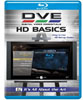
Digital Video Essentials: HD Basics [Blu-ray] is currently on sale as well for $16.95 and has all the patterns you need if you want to calibrate to HD colour space (Rec709). Also available on HD DVD (for $2 more for some reason).
For less than $100 you can learn and do a complete greyscale from start to finish and measure your primaries/secondaries. I've been playing with this combo for about a week now (on and off) and am almost ready to put together the complete start to finish guide. No previous experience in any of this will be necessary. One of the problems I've had with previous instructions is that they assume people know what IRE, primaries, gains, cutoffs, and other terms mean.
Kal
_________________

Support our site by using our affiliate links. We thank you!
My basement/HT/bar/brewery build 2.0
Last edited by kal on Wed Apr 30, 2008 7:37 pm; edited 1 time in total
|
|
| Back to top |
|
|
AnalogRocks
Forum Moderator

Joined: 08 Mar 2006
Posts: 26706
Location: Toronto, Ontario, Canada
TV/Projector: Sony 1252Q, AMPRO 4000G
|
| Posted: Sat Apr 05, 2008 7:05 pm Post subject: |
|
|
| kal wrote: | I'll be putting together a simple greyscale procedure using the HCFR software and the inexpensive Spyder2 sensor (hover over for price) very soon. Excellent results are each to achieve. Mine's reading down to 10IRE consistently when I extend the reading period.
Digital Video Essentials: HD Basics [Blu-ray] is currently on sale as well for $16.95 and has all the patterns you need if you want to calibrate to HD colour space (Rec709). Also available on HD DVD (for $2 more for some reason).
For less than $100 you can learn and do a complete greyscale from start to finish and measure your primaries/secondaries. I've been playing with this combo for about a week now (on and off) and am almost ready to put together the complete start to finish guide. No previous experience in any of this will be necessary. One of the problems I've had with previous instructions is that they assume people know what IRE, primaries, gains, cutoffs, and other terms mean.
Kal |
That's what I like about most of the guides here. Assume the person knows nothing and educate them from scratch.
_________________
Tech support for nothing
CRT.
HD done right!
|
|
| Back to top |
|
|
dochlywd
Joined: 25 Apr 2006
Posts: 346
Location: Saint Louis, Missouri
|
| Posted: Sat Apr 05, 2008 7:35 pm Post subject: |
|
|
Thanks Kal!!!! It's been kind of bugging me for over a year now that I have a nice HT but really don't know much about the calibration area (both audio and video). I would REALLY like to start diving into this. I could NEVER be as good as Ken W. (video) or Mark Seaton(audio), but I would DEFINITELY like to be able to hold an intelligent conversation with them!!!! Plus, my buddies are always asking for my help. I tell them that I have a lot of the pieces of the puzzle up in the 'ol noggin, but I haven't put them all together yet. So, it would be nice to be able to help them out to the point of a decent video and audio calibration. And then if they want to take it to the next level, they can call in the BIG BOYS!!!!
To Kal and others here,
THANKS FOR ALL YOU DO TO KEEP THIS HOBBY GOING STRONG!!!!!
Doc
|
|
| Back to top |
|
|
kal
Forum Administrator
Joined: 06 Mar 2006
Posts: 18114
Location: Ottawa, Canada
TV/Projector: JVC DLA-NZ7
|
| Posted: Sat Apr 05, 2008 7:39 pm Post subject: |
|
|
No problems! I get frustrated myself when I have to wade through post after post after post trying to figure out what stuff means. Rec709? Rec601? Huh?
Experience gets someone really good at doing greyscale but that doesn't mean that the average person can't take their setup which is likely completely off and get it 80-90% of the way there.
You're supposed to redo greyscale every time you change any components and after so many hours on the tubes or bulb (digitals are worse for the colours drifting with age) but not everyone can afford to spend $300-500 on a calibration every 6 months or year. That's crazy.
Kal
_________________
Support our site by using our affiliate links. We thank you!
My basement/HT/bar/brewery build 2.0
|
|
| Back to top |
|
|
dochlywd
Joined: 25 Apr 2006
Posts: 346
Location: Saint Louis, Missouri
|
| Posted: Sat Apr 05, 2008 9:37 pm Post subject: |
|
|
Can it be any of the SPyder2 sensors? Or does it have to be the Express? Not sure if the sensors are all the same but the software is what is different.
Thanks!
Doc
|
|
| Back to top |
|
|
kal
Forum Administrator
Joined: 06 Mar 2006
Posts: 18114
Location: Ottawa, Canada
TV/Projector: JVC DLA-NZ7
|
| Posted: Sat Apr 05, 2008 9:49 pm Post subject: |
|
|
Yes, it can be any of the packages as all the Spyder2 sensors are the same, it's only the software that is different and you're not going to use the software anyway for your projector. That's why I recommend the least expensive one: The Spyder2 Express at around $60.
If you want to do some more advanced things with TVs or computer monitors you can get the more expensive packages (like the Spyder2 TV) and it comes with better software. The instructions I'll put together will use the free HCFR software so it doesn't matter which package you buy.
Kal
_________________
Support our site by using our affiliate links. We thank you!
My basement/HT/bar/brewery build 2.0
|
|
| Back to top |
|
|
larryk
Joined: 23 Aug 2007
Posts: 106
Location: Edmonton Alberta
|
| Posted: Sun Apr 06, 2008 12:25 am Post subject: |
|
|
That's music to my ears, thanks Kal for doing this. I would really like to be able to properly setup grey scale, I tryed but with no previous experience in this area I just didn't get it. I have the Spyder2 and I am ordering the bluray DVE right now so it's ready and waiting.
Larry
|
|
| Back to top |
|
|
kal
Forum Administrator
Joined: 06 Mar 2006
Posts: 18114
Location: Ottawa, Canada
TV/Projector: JVC DLA-NZ7
|
|
| Back to top |
|
|
Moose
Joined: 09 Mar 2006
Posts: 788
Location: Minnesota
|
| Posted: Sun Apr 06, 2008 3:04 pm Post subject: |
|
|
So where can the HCFR software be downloaded? And what is it, exactly?
_________________
In the real world, I am alan halvorson, King of the Wild Frontier and Swell Guy.
Last edited by Moose on Sun Apr 06, 2008 3:13 pm; edited 1 time in total
|
|
| Back to top |
|
|
Moose
Joined: 09 Mar 2006
Posts: 788
Location: Minnesota
|
|
| Back to top |
|
|
David_Web
Joined: 02 May 2007
Posts: 418
Location: Sweden
|
| Posted: Sun Apr 06, 2008 4:43 pm Post subject: |
|
|
Is there any way to manually (or automatically) input data to HCFR?
I have a huey calibrator and can easily read the corrected levels it outputs to the gfx card.
The raw numbers of the primaries is available in this forum.
_________________
SNR of people are ridiculously low.
|
|
| Back to top |
|
|
kal
Forum Administrator
Joined: 06 Mar 2006
Posts: 18114
Location: Ottawa, Canada
TV/Projector: JVC DLA-NZ7
|
|
| Back to top |
|
|
kal
Forum Administrator
Joined: 06 Mar 2006
Posts: 18114
Location: Ottawa, Canada
TV/Projector: JVC DLA-NZ7
|
|
| Back to top |
|
|
ang007
Joined: 08 Jul 2008
Posts: 1
|
| Posted: Tue Jul 15, 2008 7:11 pm Post subject: HCFR Support for Spyder3 |
|
|
| kschmit2 wrote: | You can't use the Spyder3 to calibrate external players yet, unless you buy Calman ($200 or so), and even then CRT PJs are not supported in Calman yet.
Support is pending though. They are simply waiting for a fix from Datacolor.
Once the Spyder3 is fully supported in Calman, it should be very good. My initial tests using the Spyder3 Studio are extremely pleasing.
The Spyder3 sensor will also be added to the HCFR calibration suite (freeware). HCFR is about as good as Calman.
Ultimately I think there will also be a SpyderTV 3 Pro. That would be Datacolors HT calibration system with support for front projector calibration, and external sources. It'll cost in the range of $800 though, and still use the same Spyder3 sensor as the cheapest package. So I don't think it is a reasonable alternative to Calman or HCFR.
Kai |
Has support for the Spyder3 been added to the HCFR calibration suite (freeware)? I currently can not use the Spyder3 with it. I also tried the default sensor but the reading kept moving up and down.
|
|
| Back to top |
|
|
|
|




